24-hour rebuild scope: one journey, clear acceptance checks
Learn how to define a 24-hour rebuild scope by picking one user journey, writing acceptance checks, and postponing migrations and non-critical features.
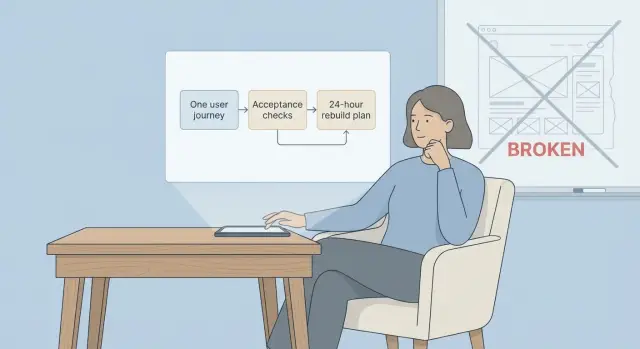
When a prototype is truly unsalvageable
A prototype is unsalvageable when fixing it is slower and riskier than rebuilding a small, reliable version. This is common with AI-generated apps: they look fine in a demo, then fall apart when real users sign up, reset passwords, or try to pay.
A few clear signs show up fast:
- Bugs reappear after small changes (brittle code).
- Security gaps you can’t confidently close (exposed secrets, weak auth, injection risk).
- Tangled logic where nobody can explain what a change will break.
- Missing foundations (no tests, unclear data model, messy state).
- “Works on my machine” behavior that blocks deployment.
Trying to “fix everything” usually makes timelines explode. Each fix uncovers another dependency, another hard-coded assumption, another piece that was stitched together without a plan. The work turns into endless debugging instead of building.
A 24-hour rebuild is a controlled reset. It doesn’t mean recreating every screen, migrating every edge case, or polishing the UI. It means agreeing on the smallest version that can safely run in production for one key user journey, with checks that prove it works.
Define the goal for a 24-hour rebuild
A 24-hour rebuild isn’t about your dream product. It’s about one working slice you can ship and run without babysitting.
Treat the goal like a contract with time. Every decision should answer one question: does this keep us inside the 24-hour scope, or does it turn into a longer project?
What success looks like
Success is a single user journey that’s stable, testable, and deployable. “Deployable” matters as much as “works on my laptop,” because many prototypes fail the moment you add real hosting, real secrets, and real users.
Write one short success statement you can read out loud. Example: “A new user can sign up, log in, complete the core action, and see the result, with errors handled and data saved correctly.”
Then add acceptance checks that are easy to verify:
- The journey works end-to-end in a clean environment with real config values.
- Errors show a clear message (not a blank screen).
- Data is saved and reloads correctly after refresh.
- Basic security is in place (no exposed secrets, obvious injection holes addressed).
- Deployment to your chosen host works without manual hacks.
What you will not do yet
To protect the timebox, be explicit about what’s postponed. Common “not yet” items include full role systems, payment edge cases, admin dashboards, analytics, performance tuning, and big migrations.
A simple rule: label each request “required for the one journey” or “future.” If it’s future, park it.
Concrete example: for a booking prototype, the day-one goal might be “search availability and confirm a booking.” Reviews, coupons, referrals, and importing old test data can wait.
Pick one user journey to rebuild first
This approach only works if you choose one user journey and treat everything else as later. Pick the journey that creates the most value quickly (your first “aha” moment) or removes the biggest risk (like broken auth or unsafe data writes).
Avoid journeys that look simple but hide hard dependencies. “View dashboard” often depends on permissions, data models, background jobs, and edge cases. A better first journey forces essentials into the open: login, a real database write, and one clear success screen.
Write the journey as 5 to 10 plain steps. Keep each step something a user does or sees, not an internal task.
Example (sign up to first saved item):
Step 1: User opens the app. Step 2: User clicks “Create account.” Step 3: User enters email and password. Step 4: App validates and creates the account. Step 5: User lands on the main screen. Step 6: User creates one item (note, task, lead, etc.). Step 7: App saves it and shows it in a list.
Write acceptance checks that keep everyone aligned
A rebuild day fails when “done” is vague. Turn your chosen user journey into clear pass/fail checks. If a check can be argued, rewrite it.
Write checks like you’re testing as a first-time user on a tired day, making real-world mistakes. Keep them small and specific. Tie them to visible behavior (what the user sees) plus one or two backend facts (what must be true behind the scenes).
Example checks for “log in and reach the dashboard”:
- Login success: With a valid email and password, the user reaches the dashboard and sees their name within 3 seconds.
- Wrong password: With a valid email and wrong password, the app shows a clear error and does not log the user in.
- Empty form: If email or password is empty, the app blocks submit and shows what’s missing.
- Reliability: After logging in, a refresh keeps the user logged in (or clearly logs them out). On a slow network, the app shows a loading state and doesn’t double-submit.
- Security basics: The dashboard requires authentication (no direct access), inputs are validated, and secrets aren’t exposed in the client.
Add one or two edge cases that match your product (expired magic link, locked account, deleted user). Don’t add every future feature.
Scope the rebuild to the smallest shippable slice
Think of the scope like packing for an overnight trip: bring what you need for tomorrow, not everything you own.
Scope only what the chosen user journey touches. Write it down as three inventories: screens, API endpoints, and data. Anything not on those lists is out, even if it feels quick.
A simple slice definition:
- Screens needed to complete the journey
- API endpoints those screens need (auth, read, write)
- Data models and fields required for that flow
External dependencies are where rebuilds often blow up. If a dependency is slow to set up or hard to test, mock it for the first 24 hours and leave a clear seam to swap in the real thing. Example: store a “payment pending/success” status and use a fake success response, instead of trying to finish full billing setup under pressure.
Set boundaries in writing so nobody “just fixes one more thing”:
- No redesigns or UI polish beyond basic usability
- No migrations unless the journey can’t work without them
- No feature parity with the old prototype
- No refactors outside the rebuilt slice
- No new integrations unless required to complete the journey
A practical 24-hour plan (step by step)
Treat the day like a timed delivery, not a rescue mission. The goal is one working journey in production conditions, with clear acceptance checks and a short list of constraints (stack, hosting, data you must keep, and what you won’t do today).
A simple plan:
- Hour 0 to 2: Lock the single user journey, write acceptance checks, confirm constraints (accounts, roles, payments, email, or none), and freeze the feature list. Capture known risks like missing API keys.
- Hour 2 to 8: Build the core flow end-to-end with the smallest UI that proves it works. Keep layout plain.
- Hour 8 to 16: Add the boring but critical parts: auth rules, input validation, permission checks, safe database writes, and helpful errors.
- Hour 16 to 22: Run acceptance checks like a test script. Fix failures, remove dead code, make sure it behaves the same way twice in a row.
- Hour 22 to 24: Prep deployment and write a short handoff note: what was built, how to run it, known gaps, what’s next.
Example: if the journey is “sign up, create a workspace, invite a teammate,” ship that with basic screens, real permission rules, and clean error messages. Don’t add profile pictures, analytics, or a full admin dashboard.
Postpone non-critical features and migrations safely
“Nice-to-haves” are how a one-day rebuild becomes a week.
Start by postponing anything that changes lots of files without helping the one journey ship. App-wide refactors and “while we’re here” cleanups are common time traps. A clean, boring screen that works beats a polished screen that blocks launch.
Migrations are the other rebuild-killer. If you can, keep the current data model on day one, even if it isn’t your dream schema. If the old model is messy, put a thin adapter layer in front of it so your new code talks to a small, stable interface.
How to delay migrations without creating a mess
A few safe patterns:
- Keep the existing tables and add a translation function or view in code.
- Write new data to the old schema for now, tracking future fields in a metadata structure.
- If you must change one field, do an additive change (new column) rather than reshaping everything.
- Add validation at the boundary (what you read and write), not across the whole app.
When someone says “we need analytics, roles, payments,” treat them as add-ons unless they’re required for the single journey to complete. For day one, a simple event log table can replace full analytics. One admin role can replace a full role system. A manual invoice step can replace billing if charging isn’t core yet.
Keep a small “parking lot” list with an owner and a trigger for when it becomes “now.”
Common traps that blow up a 24-hour rebuild
Most missed deadlines come from predictable scope expansion.
One trap is rebuilding two journeys at once. It feels efficient to do onboarding and billing together, but it doubles decisions, screens, and edge cases. Pick one journey and make it solid.
Another trap is fuzzy acceptance checks. If the team can’t answer “does this pass, yes or no?” you’ll debate details late into the day.
A few repeat offenders:
- Starting a second journey “just a little” once the first is halfway done
- Checks like “works” or “fast enough” with no pass/fail test
- Underestimating authentication and permissions
- Mixing migrations into the rebuild day
- Building only the happy path and skipping error states
Auth deserves its own warning. “Simple login” often hides hours of work: session expiry, password reset, permission checks on every endpoint, rate limits. If you don’t scope it, it will scope you.
Quick checklist before you call it done
Before you stop the clock, prove the rebuild works for real users, not just in your dev setup.
Use this as a release gate:
- The chosen journey completes end-to-end without touching the database by hand. Create a new account (or test user), run the core action, and confirm the result is saved and visible after a fresh reload.
- Auth is in the right places: protected pages block anonymous users, public pages stay public, and no secrets appear in client-side code or logs.
- Inputs fail safely: required fields are enforced, bad values show clear messages, and you don’t get blank screens.
- Basic performance feels steady: repeated clicks don’t create duplicate records, and the main action doesn’t randomly timeout.
- Deployment is not a mystery: the build passes in a clean environment, required env vars are listed (name, purpose, example format), and you have a simple rollback note.
Example: if your journey is “sign up -> create a project -> invite a teammate,” test it in an incognito window, then repeat once more with a second user. If it depends on hidden setup steps, it’s not done.
Example: scoping a rebuild for a broken AI-generated app
A common unsalvageable case looks like this: an AI-built app where login works sometimes, breaks after refresh, and saved data appears randomly (or not at all). You can spend days chasing ghosts. A one-day rebuild is often faster if you pick one clean path and make it boring and reliable.
In this example, the only journey you rebuild is: sign up, log in, create one item, and view it later.
Acceptance checks you can verify in minutes:
- A new user can sign up and is automatically logged in.
- A logged-in user can log out and log back in successfully.
- Auth still works after a refresh (session is kept or clearly expired).
- Creating one item succeeds and shows a success state.
- The item appears immediately in the user’s list.
Then add checks that catch the “works on my machine” failures:
- The item is still there after closing the browser and returning later.
- Each user can only see their own items.
- No secrets are exposed in the browser or logs.
- Errors show a clear message and don’t wipe the user’s work.
- The flow works in one normal browser and one private window.
Postpone: admin roles, a full redesign, a provider migration, and third-party integrations (payments, email, analytics). Park them with notes.
“Done in 24 hours” means the core flow is stable, deployed, and testable by a non-technical person, with a clear list of what you intentionally didn’t do.
Next steps after the first 24 hours
If the day ends with one journey working end-to-end, treat that as a checkpoint. The fastest way to lose momentum is adding “small” extras without writing down what’s done, what’s missing, and what’s postponed.
Keep everything on one page:
- Acceptance checks (done): what passed, on which environment, and any known limits
- Parking lot (later): features, integrations, migrations, nice-to-haves
- Open risks: security gaps, data edge cases, performance concerns
- Owner + date: who decides what’s next and when you’ll review
- Day-2 choice: the single focus for the next work block
Day 2 might be a second journey, a security pass (especially if you touched auth, payments, or user data), or adding monitoring so you can see real failures quickly. Start migrations only if you truly must move data now.
If you inherited an AI-generated codebase from tools like Lovable, Bolt, v0, Cursor, or Replit, a short diagnosis before expanding scope often saves hours of guesswork.
If you want a second set of eyes on a broken AI-built prototype, FixMyMess (fixmymess.ai) focuses on diagnosing and repairing AI-generated codebases, including security hardening and refactoring for production. They offer a free code audit to map issues up front, and many fixes are completed within 48-72 hours.
FAQ
How do I know if my prototype is truly unsalvageable?
A prototype is unsalvageable when every “small fix” triggers new breakages, and you can’t predict what a change will affect. If shipping a minimal, reliable version is faster and safer than patching, rebuilding is the better call.
Why do AI-generated prototypes break the moment real users try them?
Because many AI-generated apps are stitched together to look correct in a demo, not to behave correctly under real sign-ups, refreshes, deployments, and error cases. Once real users and real hosting are involved, hidden assumptions show up fast.
What’s the best single user journey to rebuild first?
Pick one journey that proves the product works and reduces the biggest risk, usually something that forces real auth and a real database write. A good default is “sign up → log in → do the core action → see the saved result later.”
What makes acceptance checks “good” for a 24-hour rebuild?
Write a short pass/fail checklist tied to what a user sees and one or two backend truths that must be true. If a check can be debated, it’s too vague and should be rewritten until “yes/no” is obvious.
How minimal can the UI be and still count as “shippable”?
Keep the UI plain and focus on correctness: validation, clear error messages, and safe data saves. A simple screen that behaves consistently beats a polished screen that fails on refresh or in production config.
What should I explicitly postpone during the 24-hour rebuild?
You skip anything that isn’t required to complete the one journey end-to-end, like full roles, admin dashboards, analytics, edge-case billing, performance tuning, and broad refactors. The goal is a controlled reset, not feature parity.
Should I migrate data during the 24-hour rebuild?
Avoid them on day one unless the journey cannot work without them. If you must touch data, prefer additive changes and thin adapters so the rebuilt slice can run without reshaping the entire database.
What security basics should be non-negotiable in the rebuild?
Treat auth as a core deliverable, not a side task: protected routes must actually be protected, inputs must be validated, and secrets must stay out of the client. Also test refresh behavior and error states, not just the happy path.
How do I verify it’s deployable and not just working locally?
Test the journey in a clean environment with real configuration, then repeat it twice to catch flaky behavior. If it only works with manual database edits, hidden setup steps, or “works on my machine” tweaks, it’s not done.
When should I bring in help like FixMyMess instead of trying to fix it myself?
A focused audit can quickly tell you whether to rebuild or repair, and it can surface security and deployment blockers early. Teams like FixMyMess specialize in diagnosing and fixing AI-generated codebases and can help you choose the fastest safe path.