Actionable crash reports: what to include so bugs get fixed
Actionable crash reports help engineers reproduce issues fast. Use this simple checklist for hashed user IDs, build SHA, feature flags, steps, and logs.
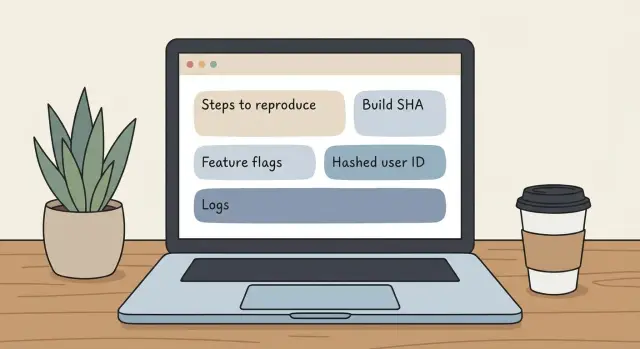
What makes a crash report actionable
Most crash reports stall for one simple reason: the person reading them can’t recreate what you saw. “It crashed when I clicked the button” sounds clear, but it leaves out the details that matter, like which button, which screen you were on before, and what data was involved.
An actionable crash report isn’t a long story. It’s a tight set of facts that lets an engineer reproduce the crash in one try, or at least narrow it to a small area of the app. The goal is to make the problem repeatable, not just memorable.
Non-technical teams can capture most of what engineers need without touching code. If you can describe what you did, note what you expected, and copy a few identifiers from the app (or your crash tool), you can save hours of guessing.
Actionable crash reports focus on:
- Specific actions, not summaries (for example, “Tapped Save on the Edit Profile screen after changing the email”)
- Expected vs actual behavior (“Expected a success message, got a blank screen, then the app closed”)
- Exact environment details (“iPhone 13, iOS 17.2, Wi-Fi”)
- Traceable identifiers (a crash ID, request ID, or a clear time window so logs can be found)
- Consistency (“Happens every time” vs “only once so far”)
Accuracy matters more than extra commentary. If you’re unsure, say so. “I think I was logged out” is still useful, but it should be labeled as a guess.
A quick example: a tester reports “checkout crash.” An engineer can’t do much with that. But “Checkout crashes after applying the 10% coupon on a guest account, right after tapping Pay” points to a specific path and input.
If your app was generated by an AI tool and the behavior changes between builds, this level of detail matters even more. Teams like FixMyMess often see issues that only reproduce under a specific build-and-settings combination, and a good report makes that visible fast.
The minimum details every report should include
Engineers can’t fix what they can’t reproduce. You don’t need technical language, but you do need a few exact details that create a direct path from “it crashed” to “I can see it crash on my machine.”
Start with a one-sentence summary that names the action and the place it happened. For example: “App crashed when I tapped ‘Save’ on the Checkout screen.” That single line tells the team where to look and what you were doing.
Next, pin down when it happened. A time window is often better than a single timestamp (for example, “between 2:10 and 2:20pm PT”), especially if someone needs to match it with server logs. If your team is distributed, always include the timezone.
Then capture the basic environment and what you saw versus what you expected, in plain language. Finally, add how often it happens. “Every time” changes priority and debugging approach compared to “only once.”
If you’re not sure what to write, use this structure:
- Summary: what you did and where the crash happened
- Time: time window and timezone
- Where: device/computer, OS version, browser (if relevant), and the app screen/page
- Expected vs actual: what you thought would happen and what happened instead
- Frequency: once, sometimes, or every time (and since when)
These five items take under a minute to collect, and they prevent the back-and-forth that slows fixes down.
User context without exposing personal data
Engineers can fix crashes faster when they can tie a report to the exact account and session that hit the bug. The trick is to give enough context to reproduce, without pasting personal data into tickets or chats.
Use a stable, non-readable identifier instead of a name or email. A hashed user identifier (or an internal user ID that means nothing outside your system) lets the team pull the right logs and database records while keeping the report safe to share. If your product supports it, include both the hashed ID and the tenant or workspace ID so multi-account apps are easier to debug.
If the app shows a session ID, request ID, or correlation ID anywhere (often in an error screen, debug panel, or support view), copy it exactly. One request ID can point engineers to a single failing call, which is often faster than reading a long description.
User-context details that usually help most:
- Hashed user identifier (or internal user ID), plus workspace/tenant ID if relevant
- Whether the user was logged in, and the role (admin, member, viewer)
- Account state (new account, invited but not accepted, trial expired, payment failed)
- Session ID or request ID shown by the app
- Scope (one person, a small group, or everyone)
If you can’t identify the exact user, describe the closest safe substitute: “fresh account created today,” “existing account with 200+ records,” or “admin in a workspace with SSO enabled.”
Example: instead of “Jane’s dashboard crashes,” write “User hash: 9f3a… Logged in: yes. Role: admin. Workspace: 41c… Request ID: req_18b… Only affects this one admin; other members can open the dashboard.” That one paragraph makes actionable crash reports much easier to act on.
Version and build info engineers need (including build SHA)
Two people can “be on version 1.4” and still run different code. That’s why version details are a core part of actionable crash reports: they let an engineer pull up the exact release you were using and run the same code path.
Start with what you can see in the app UI. Many apps show this in Settings, Help, or an About screen. Include the app version and the build number exactly as written (including any letters like 1.4.2 (304)). If the crash happens in a web app, include the app version banner (if shown) and your browser version.
Next is the most useful identifier: the build SHA (also called a commit hash). This is the unique fingerprint of the code that shipped. If your team uses a CI system, the SHA is often visible in release notes, build pipeline output, or an internal diagnostics screen.
Also note where the build came from. “Production” vs “staging” vs “test build” can change APIs, data, and permissions. Add the release date and call out if it was a hotfix. If this started after a specific deploy, say that as clearly as you can.
A compact set of fields that usually gives engineers everything they need:
- App version and build number (as shown in the UI)
- Build SHA / commit hash
- Release channel (production, staging, test)
- Release date and whether it was a hotfix
- “Broke after deploy X” (or “worked yesterday, broken today”)
Example: “Crash started right after the Jan 12 hotfix. I’m on 2.3.1 (718), production, SHA 9f2c1a7.” If you inherited an AI-generated app and these fields aren’t exposed anywhere, teams like FixMyMess can add a simple diagnostics panel so future reports are faster to act on.
Feature flags and runtime settings that change behavior
A crash can be impossible to reproduce if the app was running with a different set of switches than the engineer is testing. Feature flags, experiments, and hidden settings often change code paths, API calls, and even which screens appear.
When you file actionable crash reports, capture what was active at the moment of the crash, not what you think is “normally” on.
What to record (the fast, practical version)
Record anything that can change behavior: active feature flags or experiment variants (names and on/off or variant value), account context (region, plan/tier, workspace, role), environment (production vs staging, and which API base URL the app used), and data state (brand-new account, demo data, or an older account with existing records). Also note unusual conditions like poor network, VPN/proxy, Low Power Mode, or background refresh disabled.
A small detail here can explain why only one customer sees the crash. For example, a “newBillingUI=true” flag might only be enabled for EU workspaces on the Pro plan.
A concrete example
Instead of: “Crashes when I open Billing.”
Include: “Crashes when opening Billing with flags: newBillingUI=on, invoicesV2=variantB. Workspace region=EU, plan=Pro, role=Owner. Environment=Production, API base URL set to api.prod.company.com. Account has 3 years of invoice history (not a fresh account). Network was on hotel Wi-Fi with VPN enabled; Low Power Mode was on.”
If your team can’t easily view flags, add one sentence on where you saw them (admin panel, debug screen, or a support tool). If the app was built by an AI tool and settings are scattered, teams like FixMyMess often start by surfacing these runtime settings so future reports are easier to capture.
How to write reproduction steps people can actually follow
Good reproduction steps read like a recipe. They make it easy for someone else to start from the same place, do the same actions, and see the same crash.
Start by writing the state the app is in before anything happens. Small details matter: logged in vs logged out, which workspace/account you used, and the exact screen you started on.
When you write the steps, use one action per line and include real inputs (safe examples). “Upload a PDF” is often too vague. “Upload a 24 MB PDF with 180 pages” tells engineers what might be triggering memory, parsing, or timeout issues.
A format that usually works:
- Starting point: open the app, log in as a regular user, and go to the Billing page.
- Change one thing: toggle Feature X ON (if you can see flags/settings) and keep everything else default.
- Do the action: click “Upload invoice” and select a 25 MB PDF (any non-sensitive sample).
- Trigger moment: click “Submit” and wait for the progress bar to reach 100%.
- Stop condition: app closes to desktop (or browser tab reloads) within 2 seconds; if it reproduces, note “happens 3/3 times.”
Add one final sentence that contrasts expected vs actual behavior. Example: “Expected: success message and invoice appears in list. Actual: app crashes right after Submit.”
If you inherited an AI-built prototype and the steps feel inconsistent (works once, then breaks), call that out. Teams like FixMyMess often find hidden state bugs in AI-generated code that only show up after a specific sequence.
Attachments that save hours (logs, screenshots, crash IDs)
A good attachment turns a guess into a quick fix. If engineers can see what you saw and grab the exact error text, they can often reproduce the crash in minutes instead of days.
Start with visual proof. A screenshot helps, but a short screen recording is better because it captures the 10 seconds before the crash: the click you made, the page state, and any warning banners or loading spinners.
Also capture text, not just pictures of text. If an error message appears, copy it exactly and paste it into the report. Small details like punctuation, error codes, and line order matter.
Attachments that usually save the most time:
- A screenshot or short recording showing the steps right before the crash
- Full error text copied exactly (no paraphrasing)
- Relevant console log block (for web apps), including the few lines before the first error
- Network details for the failing request: endpoint, status code, and any request ID shown
- Crash ID or device log from your crash reporting tool (if you have one)
Keep it focused. Don’t dump 5,000 lines of logs. If you can, copy a small chunk around the first error, and note the time window when the crash happened.
If you’re working with an AI-generated prototype (from tools like Bolt or Replit) and it’s crashing in unpredictable ways, these attachments are exactly what teams like FixMyMess use to diagnose the real cause quickly, without guessing what happened on your screen.
Common mistakes that block engineers from reproducing
Most crash reports fail because they describe the pain, not the path. Engineers move faster when they can recreate the exact situation that caused the crash.
A few habits turn otherwise actionable crash reports into dead ends:
- Reporting only the symptom (“login is broken”) without the exact steps, the screen, and expected vs actual behavior.
- Combining different problems in one report (a crash, a slow screen, and a missing button). Each issue needs its own report so someone can reproduce one thing at a time.
- Forgetting version details after a release, hotfix, or rollback. Without the build number or build SHA, engineers may debug the wrong code.
- Sharing personal data (emails, phone numbers, access tokens) instead of a hashed user identifier and safe screenshots with sensitive fields hidden.
- Not mentioning feature flags, experiment variants, or runtime settings that change behavior. A crash that happens only in one variant can look random without that note.
A quick example
A vague report: “Checkout crashed for a customer after the deploy.” That gives engineers almost nothing.
A reproducible report: “On iOS, build SHA 9f2c..., FeatureFlag: NewCheckout=true, Experiment: PricingTest=B. Using hashed user ID 3b1a... Tap Cart, then Pay, then switch apps for 10 seconds and return. App crashes on return to the payment screen.” Now the engineer can match the code, the configuration, and the user state.
If your product was built with an AI tool and the codebase is messy, these gaps get worse because small config differences can trigger totally different paths. Teams like FixMyMess often see “can’t reproduce” bugs disappear once reports consistently include build info, safe user context, and the active flags.
Quick pre-submit checklist
Before you hit submit, do a 60-second pass to make sure your report creates a clear path to reproduce. An engineer should be able to attempt the crash without needing a follow-up question.
- Repro steps: can a teammate follow them exactly, from a cold start, with no “then it broke” gaps?
- Version details: did you include the app version plus the build SHA (or commit hash) from the build that crashed?
- User anchor: did you add a hashed user identifier (or hashed account ID) and a time window (for example, “between 2:10 and 2:20 PM UTC”) so logs can be found fast?
- Behavior switches: did you list any feature flags, experiments, environment settings, or test modes that were on when it happened?
- Evidence: did you attach the smallest helpful proof (crash ID, a short log snippet around the crash, and one screenshot if it clarifies the state)?
If you’re missing one item, add it now. Build SHA and feature flags are often the difference between “cannot reproduce” and a fix the same day.
A practical rule for attachments: include what confirms the exact state (screen, inputs, toggles) and skip anything large or unrelated. If you’re dealing with an AI-generated app where crashes are tangled with auth, secrets, or messy architecture, teams like FixMyMess can translate a solid report plus a broken codebase into a reproducible issue and a verified fix quickly.
Example: turning a vague report into a reproducible one
A common pattern is a crash that appears right after someone enables a new feature flag. The team can feel stuck because “it crashes for me” doesn’t explain which code path ran.
A bad report (hard to act on):
“App crashed when I tried the new checkout. Happened twice. Please fix ASAP.”
The same issue as an improved report that an engineer can reproduce quickly:
Title: Crash on Checkout when `checkout_v2` flag is ON

What happened:
- App closes immediately after tapping “Pay” on Checkout

Where:
- iOS app

When:
- 2026-01-19 ~14:12 PT

Steps to reproduce:
1) Sign in
2) Add any item to cart
3) Go to Checkout
4) Ensure feature flag `checkout_v2` = ON
5) Tap “Pay”

Expected:
- Payment confirmation screen

Actual:
- App crashes, returns to home screen

User context (non-PII):
- hashed_user_id: 7c9b1f3a
- account_type: standard

Build info:
- version: 2.8.1 (381)
- build_sha: 3f2a9c1

Runtime settings:
- feature_flags: checkout_v2=ON, payments_sandbox=OFF
- environment: production

Crash info:
- crash_id: iOS-2026-01-19-1412-PT-01933
- last_screen: Checkout
Three fields do most of the work here:
- build_sha (engineer checks the exact commit and symbols for that build)
- feature_flags (engineer runs the same code path and avoids “works on my machine”)
- hashed_user_id (engineer searches server logs for that session without exposing personal data)
With those details, an engineer can filter logs around the timestamp, match the crash_id, confirm which flag-gated code executed, and pinpoint the failing function.
If the app was generated by an AI tool and the code is hard to follow, teams like FixMyMess can help diagnose and repair the underlying logic fast, but the report still needs these basics to get to the root cause.
Next steps: make this your team habit (and get help when needed)
The fastest way to get bugs fixed is to make reporting boring and consistent. When everyone uses the same format, engineers stop guessing and start reproducing.
Turn your best report into a shared crash report template your team can reuse. Put it where people already work (your ticket tool, a doc, or a form). Keep it short, but don’t compromise on the fields that matter.
Set one simple rule: no ticket moves forward until the minimum fields are filled in. If you want this to stick, make it part of triage, not a polite suggestion.
A practical minimum for the template:
- What happened and what you expected
- Steps to reproduce (even if they’re “sometimes”)
- Environment: device, OS, browser, network
- Version info: app version and build SHA
- Runtime switches: feature flags and key settings
Once the template exists, use it to spot patterns. Track repeat crashes by build SHA and by feature flag combinations. You’ll often find the same crash tied to a single rollout, a single flag, or a specific build that only some users received.
Example: support sees five crashes that look unrelated. After adding build SHA and feature flags, you notice all five happened on the same build with a new checkout flag enabled. Now engineering has a tight target and can reproduce quickly.
If your app started as an AI-generated prototype and the code is messy, crashes can keep coming back because the root causes are deeper (broken auth flows, exposed secrets, tangled logic). In that case, a focused audit can be faster than chasing one crash at a time. FixMyMess (fixmymess.ai) offers a free code audit and can remediate recurring issues like broken authentication, security holes, and unstable logic when you need experienced help.
FAQ
What does “actionable” mean for a crash report?
An actionable crash report gives enough exact detail for someone else to reproduce the crash, ideally on the first try. It prioritizes what you did, where you were in the app, what you expected, what happened instead, and the identifiers that help engineers find the right logs.
What’s the minimum information I should include every time?
Start with one sentence that names the action and screen, then add a time window with timezone, your device/OS (and browser if web), expected vs actual behavior, and how often it happens. If you have it, include a crash ID or request ID so engineers can jump straight to the right trace.
How do I write reproduction steps that another person can follow?
Write steps like a recipe: include the starting state (logged in or out, which account/workspace, which screen), then one action per step, using real-but-safe inputs. End with the exact moment it crashes and a short expected vs actual sentence so the reader knows what “success” was supposed to look like.
How do I include user context without sharing personal data?
Use a stable non-personal identifier, like an internal user ID or hashed user ID, plus workspace/tenant ID if your product has one. Add role and account state (for example, admin vs member, new account vs long-running account) so engineers can recreate the same permissions and data shape without exposing names or emails.
Why do engineers care about build numbers and build SHA so much?
App version alone can be misleading because two builds can share the same version label but contain different code. Including the build number and build SHA (commit hash) tells engineers exactly what code shipped, which prevents debugging the wrong release and speeds up reproducing the crash.
What if I can’t find the build SHA or commit hash?
Say where you found it and copy it exactly as shown in the app or build output. If you can’t access it, include whatever you do have (version, build number, release channel, approximate deploy time) and note that the SHA wasn’t visible; that gap is useful to know and can be fixed later.
How do feature flags and experiments affect crash reproduction?
Feature flags and experiments can route users through totally different screens and API calls, so two people can do “the same thing” and hit different code paths. Capture the flag names and their values (on/off or variant) at the time of the crash, along with key runtime settings like environment (production vs staging) and network conditions if unusual.
What attachments are most helpful without dumping huge logs?
A short screen recording that shows the 5–10 seconds before the crash is usually the fastest way to communicate what happened. Also paste any error text exactly (not paraphrased) and include a small log snippet around the first error or a crash ID/request ID, so the report stays focused and easy to act on.
What are the most common mistakes that make engineers say “can’t reproduce”?
The most common blockers are vague summaries with no steps, missing version/build details after a deploy, and mixing multiple issues in one ticket. Another frequent problem is leaving out the configuration that changes behavior (flags, role, environment), which makes the crash look random when it’s actually tied to one specific path.
What should I do if this is an AI-generated app and the crashes feel inconsistent?
If the app was generated by an AI tool and crashes vary between builds or settings, start by collecting the build info, active flags, and a crash/request ID, then share a tight reproduction path. If you need help turning a broken AI-generated prototype into stable, production-ready software, FixMyMess can run a free code audit and typically remediate core issues like broken auth, security gaps, and unstable logic within 48–72 hours.