AI-built app handoff: clean steps to take over safely
AI-built app handoff steps to avoid lost logins, missing code, hidden costs, and security gaps when taking over a freelancer-made app.
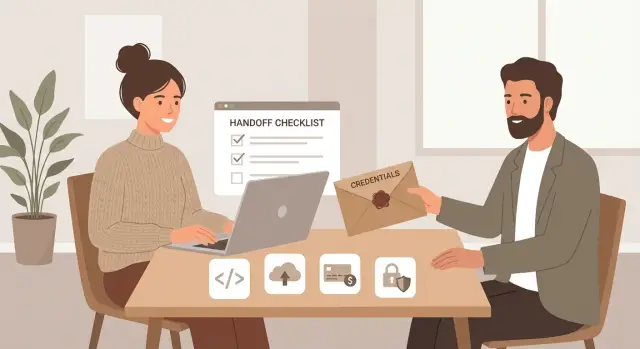
What can go wrong when you take over the app
Most takeovers fail for boring reasons: you don't actually have control. A freelancer might have set everything up under their personal email, cloud account, or a temporary workspace. When they disappear (or just get busy), you lose access, and even small changes become impossible.
Code is the next common problem. You may get a zip file, but not the full repository history, not the environment settings, and not the exact steps to build and deploy. That’s how you end up with an app that "works on their laptop" but can’t be reproduced when you need to fix a bug.
Billing surprises hurt because they land quietly. AI-built prototypes often rely on a pile of third-party services: hosting, databases, email, file storage, analytics, and one or more AI APIs. If those accounts stay in the freelancer’s name, you can get locked out while still being charged. Or the app goes down because a trial ended or a card failed, and no one saw the alert.
Security issues are also common, and AI-generated code can be extra fragile here. You’ll often find hardcoded API keys, weak authentication, overly broad admin access, or “temporary” shortcuts that never got cleaned up. When ownership changes, those shortcuts turn into real risks.
A clean AI-built app handoff is simple to describe: you can log in everywhere, you can rebuild the app from scratch on a new machine, and you can prove what’s running in production matches the code you have.
By the end of a good handoff, you should be able to show:
- Owner access to every account the app depends on (not shared passwords)
- A written inventory of services, costs, and who controls them
- The complete codebase in a repo you own, plus the deploy method
- Proof the app can be deployed again (a fresh build and a successful deploy)
- A short list of known issues and risks to fix next
Before you start: agree on scope and timing
A clean takeover starts with one agreement: what, exactly, are you receiving. Many “apps” are really prototypes that demo well but aren’t ready for real users. If you treat it like production on day one, you risk outages, missing data, and emergency fixes.
Write the goal in plain words. Are you trying to keep the current app running as-is for a month, ship it to paying users, or use it as a starting point and rebuild? Each goal changes what you need from the freelancer and how much time to set aside.
Set a clear handoff deadline, plus a short support window after the deadline. That window is for answering questions, transferring accounts, and resolving any “it only works on my machine” issues. Time-box it so it doesn’t turn into an open-ended dependency.
Even if the app is messy, ask for a written system list. You’re not judging. You’re trying to avoid surprises. A simple doc or message is fine as long as it names every service that could block you later.
The agreement should cover:
- What stage it is: prototype, beta, or production-ready
- What “done” means: working login, payments, admin panel, deploy steps, and so on
- The handoff date and the support window (for example, 7-14 days)
- A list of systems used: code repo, hosting, database, auth, email, analytics, AI APIs
- Who pays for what until the transfer is complete
Example: you plan to “launch next week,” but the freelancer says the app is a prototype and uses their own cloud account and API keys. That’s not a launch plan yet. It’s a transfer plan first.
Make an inventory of every account tied to the app
A clean takeover starts with one simple deliverable: a complete list of every account your app depends on. In an AI-built app handoff, the code is only half the story. The other half is access.
Put everything into one spreadsheet or doc with four columns: service name, what it’s used for, who owns it (email and company), and how you log in (SSO, password, 2FA, API key). If you can’t answer all four, treat it as a risk.
Most teams miss at least one of these buckets:
- Code and collaboration: repo owner, admin rights, CI/CD accounts, where docs/issues live
- Hosting and traffic: cloud/PaaS login, DNS registrar, domain email, deploy pipeline access
- Data layer: database users, storage buckets, connection strings, backups, restore permissions
- Product plumbing: email/SMS provider, payments, analytics, error logging, third-party APIs
- Secrets storage: where passwords and keys live (vault, password manager, or a .env file)
A realistic example: a freelancer built your prototype on their GitHub, deployed it from their personal Vercel account, and connected Stripe using their own email. Everything works until they go offline and you can’t rotate keys or change billing. Your inventory should make that impossible.
Ask for proof, not promises. For each service, have the freelancer open the admin page and confirm ownership, role, and billing contact.
Regain control of logins without breaking the app
Most handoff failures aren’t about code. They’re about identity: who owns the email inboxes, who can reset passwords, and which “temporary” credentials are actually keeping production alive.
Start by moving every critical account to emails you control (ideally your company domain). If the app is tied to the freelancer’s Gmail or their password manager, you don’t really own it yet. Treat email ownership as the root key.
Do the takeover in a safe order
Change as little as possible until you can prove you still have access. A reliable sequence looks like this:
- Add your email as an admin or owner first, then confirm you can log in and reset passwords.
- Turn on MFA for admin accounts, and set recovery options to phones and backup emails you control.
- Export and store credentials in a password manager, not in chat or shared docs.
- Rotate passwords, API keys, and webhook secrets only after you’ve verified the app still runs.
- Remove the freelancer’s access only after you’ve tested login, billing, and a deploy.
A simple example: your app uses Google OAuth and a managed database. If you rotate the OAuth client secret before updating the environment variables in hosting, users will get locked out. If you remove the freelancer from the cloud account before adding your own admin, you might lose the ability to restart services or view logs.
After the transfer, rotate secrets in a controlled way. Change one thing, deploy, and test the main flow (sign up, sign in, payment if you have it).
Secure the full codebase and a reproducible build
An AI-built app handoff isn’t real until you can build and run the app from scratch using accounts you control. A zip file is rarely enough. You want a complete repo, the exact setup steps, and proof the code you received matches what users are running today.
First, get the source into a proper versioned repository and make sure you own it. Ask for build instructions that work on a clean machine, not just “run npm install.” Good handoffs include pinned versions (Node/Python), lock files, and any scripts needed for database migrations and seeding.
Collect configuration safely. Environment variables and service keys should be transferred via a secure channel and rotated after you confirm the takeover. If secrets are hardcoded in code or shared in a document, treat them as already compromised.
Request this as one package:
- The full repo with commit history (or exported history if needed)
- Exact build and run steps for local and staging
- A complete list of required env vars (with descriptions, not just names)
- A list of AI tools used (Lovable, Bolt, v0, Cursor, Replit) and any saved prompts
- The deployed version identifier (commit hash/tag) so you can compare
Then verify it. Spin up a staging copy and confirm the latest code matches what’s deployed (same commit, same config shape, same migrations applied). If you can’t reproduce the build, you don’t truly have the app.
Stop surprise bills: billing, usage limits, and cancellations
A freelancer can hand you “the app” and still leave you exposed to charges you don’t see yet. Before you invite more users, map every paid service to a real feature in the product. That’s the fastest way to avoid waking up to a bill you didn’t plan for.
Start by finding where money can leak. The usual culprits are usage-based tools that keep running even if your traffic is low: AI API calls, email/SMS sends, high-volume logging, database/storage growth, and hosting add-ons.
Next, confirm who owns the billing accounts and the payment method. If the freelancer is the account owner, you can lose access during a dispute, or they can forget to renew a card and take your app down. Move billing into a company-controlled account and keep at least two admins.
Set guardrails so mistakes don’t become expensive. Use budgets and alerts where possible. If hard caps aren’t available, set multiple alerts (for example at 50%, 80%, and 100% of your monthly target) and make sure they go to your team.
Cancel carefully. Don’t delete things “because they look unused” until you confirm nothing depends on them. A safer pattern is pause or downgrade first, watch the app for a day, then remove.
Quick actions you can do today:
- Export subscriptions and invoices from each provider
- Match each charge to a feature users can name
- Turn on budget alerts and daily usage emails
- Add a second admin and transfer ownership to your company
- Pause or downgrade one “unused” service, then monitor before deleting
Fast security check before you let more users in
Before you open the app to more users, do a fast security pass. The goal isn’t perfection. It’s catching the problems that can cause real damage in a day: leaked keys, fake login, and open admin doors.
Start by hunting for exposed secrets. Check the code, config files, deployment settings, and any build or server logs you can access. If you see API keys, database passwords, OAuth client secrets, or “temporary” tokens, assume they’re compromised and rotate them.
Then verify authentication is real. A lot of prototypes use placeholder auth (or a hardcoded “admin” flag) that looks fine in a demo. Confirm that:
- Users must sign in to access private pages and APIs
- Admin access is limited to specific accounts, not a front-end toggle
- Password reset and email verification (if used) can’t be abused
- Sessions expire and logouts actually revoke access
- There’s no public /admin or debug panel exposed
Next, spot common quick-hit risks. Search for raw SQL queries built with string concatenation (SQL injection), unrestricted file uploads, and endpoints that accept user input without validation.
Finally, review who can access user data. Who can read production data (freelancer accounts, shared logins, third-party dashboards)? Are backups enabled, and do you know where they live?
A practical way to keep this manageable is to sort findings into three buckets:
- Fix now: rotate leaked secrets, lock down admin, close public debug endpoints
- Fix soon: add rate limits, tighten validation, improve logging and alerts
- Fix later: refine retention rules, data export/delete flows, full security review
Step-by-step clean handoff process (simple and repeatable)
A clean AI-built app handoff is mostly about control. You need to own the accounts, the code, and the keys, and you need to prove you can deploy without the freelancer.
Start with a short screenshare call (30-45 minutes). Ask the freelancer to log in live so you can see where everything is hosted, what services are used, and which account is the true owner.
- Freeze changes for a day. Agree on a short window where no new features ship. This prevents “it worked yesterday” confusion.
- Transfer ownership, not just access. Move the code repo, cloud project, domain registrar, DNS, and email sender to accounts you control.
- Capture secrets, then rotate. Copy environment variables, API keys, OAuth client secrets, database passwords, and webhook signing keys into your password manager. After you confirm the app still runs, regenerate and update them.
Once ownership and secrets are under your control, do one deploy yourself. That deploy is the moment you stop relying on someone else to keep the app alive.
- Create a staging copy first. Clone the production setup into a staging environment and deploy there under your account. Fix missing build steps or config before touching production.
- Test only the flows that matter. Check signup, login/password reset, payments (if used), and the core feature end-to-end with a fresh test user.
Finish by removing access and writing down the final state. Disable the freelancer's accounts, revoke personal access tokens, remove SSH keys, and save a short note: where the repo lives, how to deploy, where secrets are stored, and who owns billing.
Common traps that cause lost access and outages
The app can look “done” and still be fragile. Most outages during a takeover happen because ownership is unclear, access is scattered, or the app depends on one person’s laptop and passwords.
A common trap is that the app runs, but nobody on your team has true admin access to the cloud account. You can log in to the app, but you can’t change environment variables, scale it, view logs, or renew certificates. The first time something breaks, you’re stuck waiting on the freelancer.
Another trap is missing code. AI-built projects often end up split across multiple repos, copied between tools, or only stored locally. If you can’t pull the full codebase from a shared repo and rebuild it from scratch on a new machine, you don’t really own the app.
These issues show up again and again:
- DNS is registered under the freelancer’s account, so a “small” change turns into downtime when records can’t be updated quickly.
- Secrets were shared in chat and then reused across services, so one leaked value can expose the whole stack.
- Backups exist in name only: they’re old, incomplete, or nobody has tested a restore.
- The architecture is spaghetti, so small fixes break unrelated parts of the app.
- Accounts are personal (freelancer email, personal credit card), making renewals and billing changes risky.
A simple example: you try to point the domain to a new host, but the DNS login is locked in the freelancer’s inbox. While you wait, the old server hits a limit and goes offline.
Example scenario: taking over a freelancer-built AI prototype
Maya is a solo founder. She paid a freelancer to build a quick prototype in Replit (similar story with Lovable). The demo looked great, but once she tries to show it to real users, things start to wobble.
The first surprise: there is no clean handoff. The freelancer sends a zip file and a few screenshots, but the app only runs in their workspace. When Maya tries to deploy it, the build fails because key environment variables are missing. The database connection string, the auth callback URL, and the AI provider key were never written down.
Next comes billing. Maya checks her cards and finds two services charging her for the same thing: one unused database instance and a second hosting project created during “testing.” The AI API bill also spikes because the app retries failed requests in a loop.
A quick audit shows why the prototype was fine for a demo but risky for production:
- Authentication is partly wired, but password reset and session checks are broken.
- Secrets are exposed in a config file that was committed.
- The code has duplicated logic in multiple files, making small changes risky.
- There is no repeatable deploy process, so every release becomes guesswork.
At this point, Maya has two sensible paths. If the core idea is proven and the code is close, she stabilizes first (lock down secrets, fix auth, add a reproducible build), then refactors in small steps. If the foundation is too messy, she rebuilds the core cleanly and ports over only what’s worth keeping.
Quick checklist you can use in 15 minutes
Use this as a fast gut check before you call the handoff “done.” A clean AI-built app handoff comes down to ownership, repeatability, and knowing what can cost you money tomorrow.
Ownership and access
- You can sign in as an owner/admin to the code repo and add or remove users.
- You control hosting and the runtime dashboard with your own admin account.
- You control DNS and can change records without asking the freelancer.
- You can access the database with an admin role, and you know where it lives.
- Billing for cloud and app services is in your name, with a payment method you control.
If any of those are “no,” pause feature work. Fix access first or you risk lockouts and downtime.
Build, safety, and cost
- You can deploy from the repo using written steps, without the freelancer on a call.
- App secrets (API keys, tokens) are stored in a proper secret manager or environment variables, not in code or chat logs.
- After transfer, you rotate the most sensitive keys (database, auth, payment, email sending).
- Backups exist and you have tested a restore once (even to a temporary environment).
- You have a simple list of every paid service and what drives the bill (users, requests, storage, seats).
Write down the top five problems to fix next (for example: broken login, exposed keys, errors on checkout). That short list keeps you from thrashing.
Next steps: stabilize now, then decide to repair or rebuild
After a takeover, the goal is simple: make sure you can run the app safely today, then choose whether it’s worth improving the current code or starting fresh where it hurts most.
Stabilize works when the app mostly functions, changes are small, and you can ship fixes without breaking core flows. Rebuild is smarter when every change causes new bugs, the structure is tangled, or security issues keep showing up.
Signs a rebuild (or partial rebuild) is the safer bet:
- You can’t explain how auth, payments, or data storage work after reading the code
- Deploys are manual and fragile, and no one can reproduce the build reliably
- Secrets are scattered across files, chat logs, or dashboards
- Basic fixes take hours because one change breaks three other areas
- Costs are unpredictable because usage limits and billing are unclear
To avoid drifting, set a 7-day plan with concrete outcomes:
- Day 1-2: lock down ownership (admin access, MFA, password manager, recovery emails)
- Day 2-3: get one clean deploy you can repeat (build steps, env vars, backups)
- Day 3-4: patch obvious security risks (exposed keys, unsafe queries, weak auth flows)
- Day 4-5: add cost controls (billing owners, budgets, alerts, cancel unused tools)
- Day 6-7: add basic monitoring (errors, uptime checks, and who gets alerts)
If you inherited an AI-generated prototype that’s already breaking in production, a remediation team can shorten the painful part. FixMyMess (fixmymess.ai) focuses on diagnosing and repairing AI-built codebases - things like broken authentication, exposed secrets, refactoring, and deployment prep - so you can either stabilize quickly or rebuild with a clear plan.