Alert noise cleanup in a weekend: a practical plan
Do an alert noise cleanup in one weekend: group duplicates, tune thresholds, set routes, and keep real outages visible with a clear checklist.
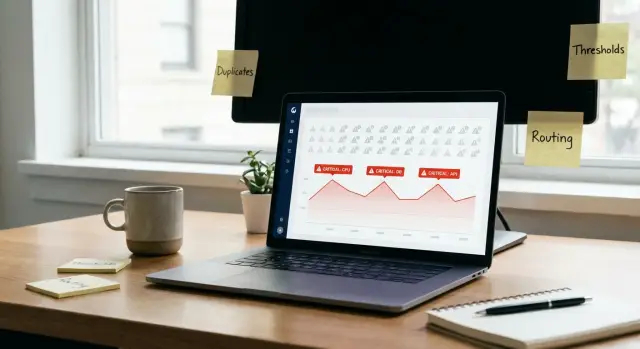
Why alert noise hides real outages
Alert noise is when your monitoring keeps pinging you, but most of those pings don’t lead to a useful action. You get a lot of sound and very little signal.
The bigger problem isn’t annoyance. Noise changes behavior. When the same alert fires over and over, or ten alerts describe the same issue, people learn to assume it’s “probably nothing.” That’s when a real outage gets missed.
A common scenario: the database hits a connection limit and checkout starts failing. At the same time, you get a flood of low-value warnings like CPU at 71%, a flaky synthetic check failing once, and three duplicate “API latency high” alerts that all point to the same root cause. By the time someone spots the one alert that matters, customers have already noticed.
Most noise comes from a few predictable sources:
- Duplicates (the same incident reported by multiple checks under different names)
- Bad thresholds (alerts trigger on normal bumps, not real impact)
- Flaky checks (random failures that train people to ignore alerts)
- Missing routing (urgent and non-urgent alerts land in the same place)
- No ownership (no clear person or team is responsible)
The goal is simple: fewer alerts, faster response, and the same (or better) coverage. Alerts should mean “something needs attention now,” not “something changed a little.”
Set a weekend scope and a clear definition of done
A weekend is enough time to make alerts livable, but only if you limit scope. Don’t aim for perfection. Aim for “real outages stand out and reach the right person.”
Start by choosing a recent window of alerts that reflects how things behave today. For most teams, the last 7 to 30 days works well: new enough to match current traffic and deployments, long enough to include at least one rough day.
Then pick only a few systems that matter most to users and revenue. If you try to fix billing, auth, API, background jobs, and infrastructure all at once, you’ll spread changes everywhere and prove nothing.
Write down one measurable target before you touch thresholds. For example: “Cut paging alerts by 50% without missing a customer-impacting incident.” A number keeps the weekend from turning into a debate.
A scope that fits on a page:
- Time window reviewed (last X days)
- Systems included (2 to 3, like auth, API, checkout)
- Success metric (one number: page volume, duplicates removed, mean time to acknowledge)
- Out of scope (anything needing new features or big rewrites)
- Decision owner (one person who can say “good enough”)
Out of scope matters as much as scope. If an alert is noisy because the app itself is unstable (common with AI-generated prototypes that were never hardened), note it and move on. You can still route or downgrade the alert this weekend, then fix the underlying cause when you have time for real engineering work.
Inventory alerts and group duplicates
Get everything into one view. Don’t rely on memory or whatever happens to page you most. Pull alerts from every place they can originate: monitoring, logs, uptime checks, cloud provider, incident tooling, and any scripts someone added “temporarily.”
Make a simple table: alert name, where it’s defined, what it monitors (service/metric/log), where it notifies (chat, email, pager), and how often it fired in the last 7 to 14 days. Frequency matters because the loudest alerts are usually the ones burning attention.
Then group alerts by symptom, not by tool. You’re looking for clusters like “these all mean the same problem”: the same error message, the same endpoint timing out, the same database CPU spike, the same queue backing up. This is where duplicates show up, like an uptime monitor and an APM both yelling about the same 500s.
A quick approach: tag each alert with a short “symptom label” in plain language, then sort by that label. Example: a small SaaS might have three alerts that are really just “users can’t log in”: auth error rate, login endpoint latency, and failed OAuth callback logs.
Finally, mark the top 10 most frequent alerts as your first batch. If you fix just those, you usually cut enough noise to make real outages noticeable again.
Define severities and ownership so alerts have a home
If alerts don’t have clear severity and clear ownership, they become background noise. Start by making sure every signal has a place to land and a person (or team) who feels responsible for it.
Keep severities simple and consistent across tools. Four levels is enough for most teams:
- Info: useful context, no action needed
- Warning: something is drifting, fix soon (business hours)
- Critical: user impact likely, respond today
- Page-now: active outage or data loss risk, respond immediately
Write one sentence like the above for each severity and treat it as the rule. If someone can’t decide between two levels, the definitions aren’t clear enough.
Assign ownership at the alert-group level, not per alert. “Database performance” should have an owner even if the group contains 12 alerts. Ownership can be a team (SRE, Backend, Data) or a named person, but it must be visible and kept current.
Then decide what actually pages. A simple policy helps:
- Page-now only for symptoms users feel (errors, failed checkouts, auth down)
- Critical goes to chat and ticket, not a wake-up call
- Warning stays out of on-call channels unless it’s trending fast
- Info doesn’t notify
Example: if an AI-generated SaaS app starts spamming “CPU 85%” warnings, keep it at Warning and route it to the platform owner. Save paging for “500 errors on login” or “payment failures,” where minutes matter.
Tune thresholds so you alert on impact, not blips
Most noisy alerts aren’t “wrong.” They’re just tuned to notice normal life: traffic spikes, brief deploy hiccups, or a single bad request. The point is to alert when users feel it, not when a chart wiggles.
Start by using rates or percentages instead of raw counts. “500 errors in the last hour” depends on traffic. “5xx rate above 2%” stays meaningful whether you have 100 requests or 100,000. The same idea applies to latency (p95 or p99) and job failures (failed jobs as a percent of total).
Next, add a time window so a one-minute spike doesn’t page someone. Patterns like “5 of the last 10 minutes” or “3 consecutive minutes” are easy to explain and easy to tune.
A small set of rules that usually holds up:
- Prefer rates/percentages over counts.
- Add a window instead of paging on any spike.
- Add short delays for known noisy periods (startup, deploy, cache warmup).
- If no one can act on the alert, remove it or convert it to a dashboard metric.
- Recheck thresholds after one busy day, then again after a weekend.
Example: your API sometimes throws a handful of errors during deploy, then recovers. If you page on “any 5xx > 0,” you’ll page every deploy. Change it to “5xx rate > 2% for 5 of last 10 minutes,” plus a short delay after deploy starts. You still catch real breakages, but you stop paging on normal rollouts.
If the app was generated quickly by AI tools, you may also see messy retries, duplicate requests, or runaway loops that inflate error counts. Threshold tuning helps immediately, but you may need deeper fixes to stop the system from producing noisy signals in the first place.
Route alerts so the right people see the right things
A lot of alert fatigue isn’t the alert itself. It’s where it lands. If everything hits the same channel, people start ignoring it. Routing is a fast win because it reduces noise without changing a threshold.
Pick one primary destination per severity so everyone knows what “urgent” means:
- Page-now: pager
- Critical: team chat (plus ticket if you use one)
- Warning: business-hours channel, email, or digest
- Info: dashboards only
Quiet hours help, but only if you also define escalation. One practical rule: during quiet hours, only Page-now alerts page. If a Critical alert repeats for 15 to 30 minutes, it escalates to Page-now. That keeps slow outages from hiding behind “not urgent” labels.
Route by ownership, too. If you can tag alerts by service or feature area, do it. Auth errors should land with the person or team responsible for authentication. Database connection pool alerts should land with whoever owns infrastructure. If ownership is unclear, that’s the work: assign an owner, or stop notifying until it has one.
A realistic example: a small SaaS built from an AI-generated prototype often has noisy auth failures and random 500s. Route auth alerts to the person fixing login, and route generic 500 spikes to whoever’s watching API reliability. Teams that do remediation work, like FixMyMess, often start audits by untangling routing because it quickly shows which parts of the system are actually failing.
Finally, create one place to check status without reading every message. A dashboard or “current incidents” view is enough. The goal is that anyone can answer “are we okay right now, and what’s broken?” in under a minute.
Add a short “what to do next” note to each important alert
An alert is only useful if the person who gets it can act fast. A short “what to do next” note (a runbook note) turns panic into a plan. Keep it small enough to read on a phone at 3 a.m.
Write one sentence on what the alert means in plain words, not metrics. Then tie it to a user-visible symptom (for example: “checkout button spins” or “login returns 500”). That helps people judge urgency.
Add the first three checks someone should do before they wake up the whole team. Keep them quick and safe:
- Confirm it’s real: check if error rate or latency is rising for more than a few minutes.
- Identify scope: one endpoint/region/customer tier, or everyone.
- Check recent changes: last deploy, config change, feature flag flip.
If there’s a safe action, include it. Good safe actions are reversible and low risk: restart a stuck worker, disable a feature flag, roll back the last deploy if your process supports it. Avoid instructions that delete data or require complex scripts when people are half asleep.
Example note:
“High 5xx on API. Users may see ‘Something went wrong’ on login. First checks: (1) confirm 5xx trending for 5+ mins, (2) check auth service health, (3) check last deploy/flag changes. Safe action: disable new login flow flag; if still failing, roll back last deploy.”
Step-by-step: a realistic weekend cleanup plan
Handle this like a small project, with small changes you can reverse. The goal stays the same: fewer alerts, faster response, fewer missed outages.
Start by agreeing on a definition of done. If you can’t describe what “clean” looks like, you’ll argue all weekend and change too little.
The weekend plan
- Friday evening (60 to 90 min): Export alerts, sort by volume, pick the top 10 offenders. Agree on severity definitions and who owns each area.
- Saturday morning (2 to 3 hours): Group obvious duplicates (same symptom, same root cause) and keep the best single alert. Delete or demote low-value alerts that nobody acts on.
- Saturday afternoon (2 to 3 hours): Tune thresholds to match impact. Add time windows or short delays where brief spikes are normal (deploys, nightly jobs).
- Sunday (2 to 3 hours): Verify routing. Test a few important alerts end-to-end (trigger, notification, acknowledgment).
- Sunday end (30 to 60 min): Re-check alert counts against your definition of done. Lock changes, write down what changed, and set a follow-up date.
A “definition of done” that works
Keep it measurable. Example: paging alerts drop by 50%, every paging alert has an owner, and every paging alert includes one sentence on what to check first.
For a reality check, pick one recent incident and ask: would the new setup have made it easier to notice and fix? If the answer is still “maybe,” keep going until it’s clearly “yes.”
Common mistakes that make alert noise come back
The fastest way to undo cleanup is to “solve” noise by turning thresholds up until alerts stop firing. It feels good for a week, then the next real incident shows up late, when customers are already complaining. Aim for fewer alerts that still catch impact early.
Another trap is paging on symptoms no one owns or can act on. If an alert fires at 2 a.m. and the on-call person can’t fix it, silence it, downgrade it, or rewrite it so it points to something actionable.
A few patterns cause slow drift back into chaos:
- Thresholds are raised so far that only total failure triggers an alert.
- Pages happen for “something looks weird” metrics with no clear next step.
- New alert rules get added, but old ones never get retired.
- Everything routes to one channel “so everyone sees it,” and everyone ignores it.
- Alerts aren’t revisited after major releases, traffic growth, or workflow changes.
Routing is where good setups often die quietly. Keep dev and staging alerts away from production paging, and make sure each important alert has a clear owner.
Alert rules also age. Performance improvements, caching, or changes in user flows can make yesterday’s “normal” thresholds wrong. Put a calendar reminder to review the top 10 noisiest alerts after major releases.
If you inherited an AI-generated app with messy logging and error handling, you may see alerts firing from the same root bug in five different places. Fixing the underlying logic often reduces noise more than any threshold tweak.
Quick checklist before you call it done
Before you wrap up, do a fast pass to confirm the setup will hold under pressure. “Clean” doesn’t mean “fewer alerts.” It means the right alerts go to the right people, with a clear next step.
Start with the alerts that used to wake people up the most. Take the top 10 noisiest or most frequent alerts and make sure each one was removed, reduced, or downgraded. If you can’t point to a clear before and after for those ten, you probably didn’t hit the real source of the noise.
Checklist:
- Every critical alert has a severity level and a named owner (team or person).
- Every paging alert includes a short action note: what it means, what to check first, and when to escalate.
- Duplicate alerts are merged so there’s one alert per real problem (not one per metric).
- Routing matches reality: on-call rotation, quiet hours, and which alerts should never page.
- A 30-day follow-up review is already scheduled.
One practical test: pretend you’re on-call at 2 a.m. Open any Page-now alert and ask, “Do I know what to do in under 60 seconds?” If not, add the note now or it’ll become noise again.
Example: cleaning up alerts for a small SaaS app
A small SaaS team of three (with one part-time ops-minded founder) is getting about 200 alerts a day. Most are repeats, and the on-call phone goes off so often that people start ignoring it. Then a real outage hits: sign-ins fail for 20 minutes, but it gets buried under a flood of “CPU high” and “pod restarted” pages.
They start by grouping duplicates. One problem (a database connection spike) triggers five different alerts: API latency, error rate, queue depth, DB CPU, and “service unhealthy.” They keep one primary alert (API error rate) and convert the rest into non-paging signals. Now one incident produces one page, not five.
Next, they make a threshold change that removes false alarms without hiding real issues. Their “API latency > 300ms for 1 minute” page fires during deploys and short traffic bumps. They change it to “p95 latency > 600ms for 10 minutes” and add a separate warning for shorter spikes. Pages drop, but the team still sees early signs in chat.
Finally, they fix routing so the wrong person stops getting woken up. Billing webhook failures were paging the general on-call, even though only the backend dev can fix it. They route billing pages to the backend dev and keep everyone else on a non-paging notification.
After the weekend:
- Pages drop from ~200/day to ~15/day (mostly real incidents)
- Incidents produce one page, with clear ownership
- Diagnosis is faster because the first alert points to user impact
- On-call is calmer, with fewer missed outages
If the alert mess mirrors a code mess (especially with AI-generated prototypes), it can be worth pairing cleanup with a focused code audit to remove the root causes behind the noisy symptoms.
Next steps: keep it clean and fix the root causes
A weekend cleanup only sticks if you decide what “good” means going forward. Monitor what users actually feel: key workflows, not just server stats. If checkout fails, login breaks, or emails stop sending, those should page you. A small CPU change usually shouldn’t.
Pick a short list of user-impact checks to add next, and tie them to a clear expectation (your error budget). When a service is healthy, you should spend most of your time below that budget, not burning it on tiny blips.
Good “next monitors” for many apps:
- Key flows: signup, login, payment, and one core action
- API error rate and latency for top endpoints
- Background jobs: queue depth and job failure rate
- External dependencies: database, cache, primary third-party API
- An error budget signal (for example, % successful requests over 30 minutes)
Then add a small habit: a monthly 30-minute alert review. Look at what fired, what woke someone up, and what turned out to be noise. If an alert didn’t lead to action, change it or remove it.
If alerts are noisy because the app itself is unstable, fix that first. Repeated crashes, flaky auth, exposed secrets, or tangled AI-generated code can produce constant errors that no amount of threshold tuning will solve. If you’re dealing with a broken AI-built codebase from tools like Lovable, Bolt, v0, Cursor, or Replit, FixMyMess (fixmymess.ai) can diagnose and repair the underlying issues so the same problems stop triggering alerts over and over.
FAQ
What is “alert noise,” and why is it dangerous?
Alert noise is a high volume of alerts that don’t lead to action. The risk isn’t just annoyance; repeated low-value alerts train people to ignore pages, so the one alert that signals a real outage gets missed or responded to late.
How do I keep an alert cleanup small enough for a weekend?
Pick a recent window like the last 7–30 days, choose 2–3 user-critical systems (for example: auth, API, checkout), and write one measurable target such as “cut paging alerts by 50% without missing customer impact.” If the scope can’t fit on a page, it’s too big for a weekend.
Where should I start if we have hundreds of alerts?
Export every alert from every source you have, then sort by how often each one fired. Start with the top 10 most frequent alerts because reducing those usually drops noise fast and makes real incidents stand out again.
How do I identify and remove duplicate alerts?
Group by symptom and user impact, not by the monitoring tool. If multiple alerts describe the same underlying problem, keep one “best” primary alert (usually the one closest to user impact) and downgrade the rest so one incident doesn’t create five pages.
What severity levels should we use, and how do we apply them?
Use simple definitions so everyone labels alerts the same way: Info (no action), Warning (fix in business hours), Critical (respond today), and Page-now (active outage or data-loss risk). If you can’t decide between two severities, rewrite the definitions or the alert so the decision is obvious.
What should actually page someone versus go to chat?
A page should mean “users are affected now” or “data is at risk.” Infrastructure signals like CPU or memory are usually better as Warning or Critical unless they reliably predict imminent user impact in your system.
How do I tune thresholds so we alert on impact instead of blips?
Default to rates and percentiles over raw counts, then add a time window so short spikes don’t wake people up. A practical pattern is “error rate above X% for Y minutes,” which catches real breakages while ignoring brief deploy hiccups or one-off failures.
How should we route alerts so the right people see them?
Route by severity and ownership so urgent alerts land with the on-call person and non-urgent alerts don’t pollute the same channel. If ownership is unclear, assign it at the service or symptom-group level; if nobody can act on it, it shouldn’t notify until it has an owner.
What should a good “what to do next” note (runbook note) include?
Add a short note that explains what it means in plain language, what users might experience, and the first three checks to confirm scope and recent changes. Include only safe, reversible actions; the goal is that someone can do the next step in under a minute.
What if the alerts are noisy because the application is actually broken?
If the system is unstable, you can reduce noise with routing and severity changes, but the alerts will keep coming until the underlying bugs are fixed. This is common in rushed or AI-generated prototypes with messy retries, flaky auth, or tangled architecture; a focused code audit and remediation can stop the root causes so the same errors don’t trigger over and over.