API rate limiting: practical throttling and abuse prevention
API rate limiting patterns to throttle traffic, stop bots, and set fair per-user quotas using simple rules that protect real customers.
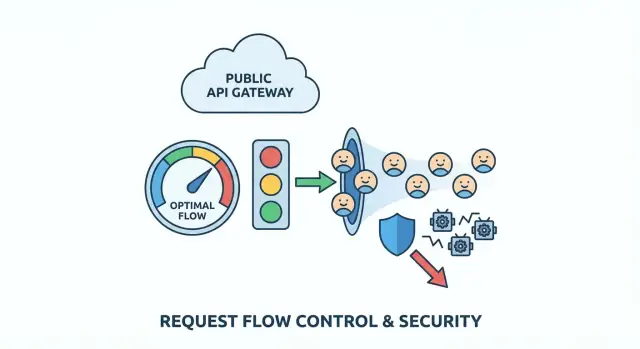
What problem you're solving (in plain terms)
A public API is like a front desk that never closes. Most people walk up, ask for one thing, and leave. Abuse is when someone (or some buggy code) keeps hammering that desk so often that everyone else gets stuck waiting.
Abuse is rarely just one thing. It can be scraping (pulling large amounts of data quickly), brute force attempts (guessing passwords or API keys), or a runaway client that retries in a loop after an error. Sometimes it's not even malicious. A bad deploy can turn a normal app into the loudest "attacker" you have.
It's tempting to "just block them," but blunt rules punish real users. Many customers share an IP address (offices, schools, coffee shops). Mobile networks rotate IPs. Some SDKs retry automatically. If your rule is too broad, you block the wrong people and still miss the real abuser.
Early warning signs usually show up in logs and dashboards: sudden traffic spikes that don't match normal usage, higher error rates (timeouts, 429s, 5xx), slower responses, a strange endpoint mix (one list endpoint called thousands of times per minute), or lots of failed auth and "almost valid" requests.
The goal of API rate limiting is simple: keep the API available and predictable for normal users, even when traffic gets messy. Good limits slow down bad patterns, give legitimate clients clear feedback, and buy you time to respond without taking the whole service down.
Map your API surfaces and risk points
Before you pick numbers, get clear on what you're protecting. Rate limiting works best when it matches the real shape of your API, not a single blanket rule.
Start by listing every public entry point a third party can hit, including the ones you forget because they "feel internal" (mobile endpoints, web app JSON calls, partner routes). Then mark which endpoints are likely to be abused and which ones are simply expensive.
High-risk areas are usually predictable: login, signup, token refresh, password reset and verification codes, expensive search/filter endpoints, file uploads or media processing, and any admin-like actions that ended up exposed by mistake.
Next, decide who a limit applies to:
- Anonymous traffic often needs IP-based limits, but IPs are shared and can rotate.
- Authenticated traffic can use user ID, API key, OAuth client, or org/workspace ID.
- B2B products usually benefit from org-level limits so one customer can't starve everyone else.
To keep this manageable, tier endpoints by "cost" so you don't treat everything the same. For example: cheap reads, normal lists with pagination, costly searches/exports/uploads/AI calls, and critical auth/password flows.
Then define fair use in plain words. Do you care about short bursts (100 requests in 10 seconds) or a steady drain (10,000 per day)? Many products need both: a small burst for page loads, plus a longer cap to stop slow scraping.
If you inherited an AI-generated API, do this mapping first. Teams like FixMyMess often find "costly" endpoints hidden behind innocent names, plus missing auth checks that turn rate limiting into your last line of defense.
Choose a throttling model that matches real traffic
Good rate limiting should feel invisible to normal users and very loud to abusers. That usually means supporting bursty behavior (page loads, mobile reconnects, retries) without allowing sustained high-volume extraction.
The main models (and when they fit)
Token bucket is the common "good UX" choice. Each user has a bucket that refills over time. Each request spends a token. If the bucket is full, users can make a quick burst, then naturally slow down as tokens run out.
Leaky bucket is stricter. Requests go into a funnel that drains at a steady speed. It smooths bursts well, which can protect fragile backends, but it can feel harsh for legitimate customers who do normal bursty things (like opening several pages quickly).
Fixed window is the simplest: "100 requests per minute." The gotcha is the boundary. A client can hit 100 requests at 12:00:59 and 100 more at 12:01:00, which is effectively 200 requests in two seconds. It's often fine for low-risk endpoints or as a first pass when simplicity matters more than fairness.
In practice, many teams standardize on one default model and keep a stricter option for sensitive endpoints:
- Default: token bucket for most read/write APIs
- Stricter: leaky bucket (or token bucket with a tiny burst) for expensive routes
- Simple option: fixed window for low-impact endpoints
- Separate rules for auth, search, and bulk actions
This keeps policy simple while still protecting the routes attackers actually target.
Decide what you rate limit on (and what to avoid)
Rate limiting is only as fair as the identifier you choose. Pick the wrong "who," and you block good users while abusers slip through.
The cleanest option is an API key (or OAuth client) because it maps to a real customer and isn't shared by accident. A signed-in user ID is also strong, but it can get tricky when one person opens many sessions or rotates devices. An org/workspace ID helps enforce plan limits, but it can hide a single noisy user inside a big account.
IP-based limits work before login, but they also punish innocent users because IPs are shared by design (offices, schools, mobile carriers, VPNs). If you rely on IP alone, one heavy user can get an entire campus blocked.
A safer approach is to combine signals so no single one dominates:
- Per-user or per-API key: protects customers from each other
- Per-IP: catches floods and cheap bot traffic early
- Per-endpoint: tighter limits on expensive routes (login, search, exports)
- Per-org: enforces plan limits without micromanaging individuals
For unauthenticated traffic, assume higher risk. Keep caps stricter, but give legitimate users a path to higher trust: small bursts are allowed, then slow down, and encourage authentication before high-volume actions.
Example: for a public search endpoint, rate limit by both API key and IP. That way a scraper rotating keys still hits an IP wall, and a real customer in a shared office still gets their per-key budget.
If you inherited AI-generated code, check that identifiers are consistent across services. FixMyMess often sees limits tied to unstable values (like raw headers), which makes throttling feel random to customers.
Step by step: implement rate limits without breaking clients
Rate limiting works best when it feels predictable to real users and painful only to abusers. You're not trying to block traffic. You're trying to shape it.
1) Start with tiers and simple rules
Define a few tiers that match how people actually use your API: anonymous visitors, logged-in free users, paid users, and internal tools. Keep the first version simple. You can add nuance later.
2) Price endpoints by risk (and cost)
Not all requests are equal. Make expensive or sensitive endpoints cost more than basic reads. Login, password reset, search, and export endpoints are common magnets for abuse.
A practical approach is weighted requests: reads cost 1, login costs 5 to 10, exports cost 50+, and anything that triggers heavy database work costs more. This slows scraping and brute force without punishing normal browsing.
3) Return clear 429s and consistent headers
When a client hits the limit, respond with HTTP 429 and a plain message that says what happened and what to do next. Include consistent headers so clients can self-correct. If your stack supports it, send remaining quota, reset time, and a Retry-After value.
4) Give safe retry guidance
Be explicit about when retrying is reasonable (short bursts) and when it's not (hard quotas, or endpoints like login where repeated retries look like an attack). Poor retry behavior can turn a small spike into a serious incident.
5) Monitor, then adjust using real data
Track how often users hit limits, which endpoints trigger 429s, and which identities are the top offenders. If you're fixing an AI-generated app (for example, a prototype with broken auth and noisy retries), you'll often find accidental client loops that look like abuse. Fixing the client behavior can reduce rate-limit pain more than raising limits.
Bot protection patterns that don't punish normal users
Good bot protection is less about building a wall and more about adding small speed bumps where bots get the most value: signup, password reset, and token refresh. Normal users hit these rarely, so added checks are less annoying.
Before you challenge anyone, log signals that separate bad automation from normal behavior: spikes in new accounts from one IP range, repeated failed logins or reset attempts, token refresh with no real API usage afterward, unusual user agents, or traffic that only touches list/search endpoints.
Use progressive challenges instead of an instant ban. Start with a clear 429 and a short cooldown. If the pattern continues, slow the client down, then block for a short period (minutes, not days). This reduces the chance you'll lock out a cafe Wi-Fi where several real users share one IP.
Treat credential stuffing differently from general API spikes. For login, key limits by account identifier plus IP, and use stricter thresholds on failed attempts. For general API traffic, keep limits more forgiving and focus on sustained, repetitive patterns.
Per-user quotas and fair usage rules
Per-minute limits stop sudden spikes, but they don't answer the fairness question: who consumes the most over time? Per-user (or per-organization) quotas cap total usage per day or month, so one heavy customer can't quietly crowd out everyone else.
Start with a unit people understand: requests per day, tokens per month, or "jobs" per billing cycle. In team products, quotas usually belong at the org level with optional per-user sub-limits, so one teammate can't burn the whole allowance.
Soft limits prevent surprise breakages. A simple pattern is: notify at 80%, warn at 95%, block at 100%. Even if you don't have a billing system yet, those thresholds help customers adjust before things fail.
When someone goes over quota, make the response obvious and actionable. Use a clear status (often 429) and include current usage, limit, reset time, and how to request an increase.
A concrete example: if an AI-generated app ships without quotas, one leaked API key can rack up a week of usage in hours. Teams like FixMyMess often see this after a prototype goes live. Adding org-level monthly caps plus early warnings usually stops the damage without blocking legitimate customers who simply need a higher plan or a short-term boost.
Where limits live: architecture choices that hold up in production
Where you enforce limits matters as much as the numbers you pick. The same rule can be reliable or useless depending on where the counter lives and how it's updated.
Most teams enforce limits in one of these places:
- In-memory (per server): fast and simple, but breaks with multiple instances
- Redis (shared cache): a common default, shared across instances, supports atomic updates
- Database: easier to audit, but usually too slow and expensive for per-request checks
- API gateway or CDN features: great when available, but may be limiting for custom keys and responses
If you're unsure, Redis plus a small app-side wrapper is a safe starting point for public APIs.
Distributed and multi-region realities
In distributed systems, race conditions are a quiet failure mode. Two requests can pass the check at the same time unless your increment-and-compare is atomic. Use atomic increments (or a single script/transaction) and keep keys consistent, like userId + route + time window. Inconsistent keys create loopholes that abusers find quickly.
Multi-region traffic forces a tradeoff between strict enforcement and availability. Strict global limits require a shared counter or strong coordination, which adds latency and can fail closed. Many teams accept soft limits per region (eventual consistency) because it keeps the API responsive and still stops most abuse.
Avoid hitting your main database just to decide whether to allow a request. Rate limiting should be a fast lookup, and your business logic should run only if the request is allowed.
If you're inheriting an AI-generated backend (common with tools like Replit or v0), this is often where things go wrong: limits are stored in-process, reset on deploy, and fail the moment you scale.
Common mistakes and traps
Most failed rollouts aren't caused by fancy attackers. They happen because limits are too simple, too blunt, or invisible once they ship.
A common trap is setting a single global limit and calling it done. It feels safe, but it punishes your best customers (power users, partners) and your own internal tools. Separate traffic classes (public, authenticated, partner, internal) and give them different ceilings.
Another trap is relying only on IP-based limits. IPs are shared and rotate. If you block by IP alone, you'll block innocent people and still miss distributed bots.
Watch for retry storms. A client hits a 429, retries immediately, hits it again, and multiplies traffic at the worst moment. Your 429 response should make backoff the obvious choice.
Also watch for self-throttling: your frontend calls your API during a launch while background jobs also call it to sync data. If both share the same key or token, they can throttle each other and create random failures.
Don't fly blind. If you can't see which users, keys, IP ranges, or endpoints trigger throttles, you can't tune rules before customers complain.
Quick checklist before you ship
Before you enable rate limits for everyone, do a fast pass on the places that usually cause pain.
- Split traffic into at least two buckets: anonymous (higher risk) and logged-in (more identifiable).
- Make sensitive endpoints stricter than normal reads: auth flows, password reset, token refresh, signup, and expensive search/report/export routes.
- Make 429 responses clear: plain language plus
Retry-Afterso well-behaved clients back off. - Add monitoring before launch: top offenders (key/IP/user) and most-blocked endpoints.
- Plan exceptions: support needs a safe, temporary override path with logging.
Example scenario: stop scraping without blocking real customers
You run a public search endpoint like GET /search?q=.... It works fine until a scraper starts paging through every keyword and filter combo all day. Real customers are still using the site, but now your API spends most of its time answering automated requests. Latency climbs, and so does your database bill.
A policy that often works is a mix of burst control (to catch spikes), a steady cap (for fairness), and higher cost for endpoints that are easy to abuse.
One practical setup:
- Per-IP burst: allow 30 requests per 10 seconds per IP, then return 429 for a short cooldown
- Per-user steady: allow 120 requests per minute per authenticated user (keyed on user ID, not IP)
- Search pagination guard: cap depth (for example, no more than page 20) unless the user is verified
- Export cost: treat
POST /exportas 10x the cost of a normal search request - Anonymous users: lower limits and require a small delay after repeated 429s
Normal users rarely notice. They search, click around, and maybe refresh once. The scraper hits the burst ceiling quickly, then runs into sustained caps when it tries to keep going.
For the first week, watch whether limits hurt real people more than they slow bots. Track false positives (who hit 429 and where), latency (p95 before/after), shifts in 401/403/429 and downstream 5xx, support tickets from shared networks, and repeat offenders over time.
If this is running on an inherited AI-generated backend, be careful: messy auth and inconsistent user IDs can make per-user quotas unreliable. Fix identity and logging first, then tighten limits.
Next steps and when to get help
Start with the highest-risk, highest-cost paths: authentication flows (login, password reset, token refresh) and expensive endpoints (search, exports, AI calls, reports). Roll out changes in small steps so you don't surprise real customers. Measure what "normal" looks like, then tighten over time.
A rollout order that tends to be safe:
- Log only: record would-be blocks, but don't block yet
- Soft limits: return warnings or add delay for heavy users
- Enforcement: return clear 429s with consistent retry windows
- Tune: raise limits for known good clients, lower for obvious automation
Write rules down in plain language: what's limited, the window (per second/minute/day), what happens when the limit is hit, and how to request a higher quota.
Bring in help when limits are easy to bypass, legitimate users get blocked and you can't explain why from logs, auth and keys are messy (shared tokens, missing user IDs), or you suspect broader security issues (exposed secrets, injection risks, broken access checks).
If your API started as an AI-generated prototype and throttling or auth feels flaky, a focused remediation is often faster than endless patching. FixMyMess (fixmymess.ai) can run a free code audit, then help repair rate limiting, authentication, and security hardening so the project is ready for production, typically within 48-72 hours.
FAQ
How do I know if my API is being abused or just getting popular?
Start by looking for patterns that don’t match normal usage: sudden traffic spikes, a surge in 429/5xx/timeouts, one endpoint being hit thousands of times, lots of failed auth, or repeated “almost valid” requests. If latency rises while request volume rises, assume you’re being hammered until proven otherwise.
What’s a good “default” rate limiting setup for a public API?
Use a small set of tiers and apply them by identity: anonymous, authenticated, and org/workspace. Give most endpoints a forgiving default, then tighten only the high-risk or high-cost routes like login, password reset, search, exports, and uploads.
Should I use token bucket, leaky bucket, or fixed window rate limiting?
Token bucket is usually the best default because it allows short bursts but prevents sustained flooding, which matches how real apps behave. Use a stricter model (or a tiny burst) for sensitive endpoints like login or password reset if you need more control.
What should I rate limit on: IP, user ID, API key, or organization?
Prefer API key, OAuth client, or user ID for authenticated traffic because it maps to a real customer. Use IP limits mainly for unauthenticated traffic and flood control, and combine IP plus key/user for endpoints that are easy to scrape.
What should my API return when someone hits a rate limit?
Return HTTP 429 with a clear message that says the limit was hit and when to retry. Include a Retry-After value when possible, and keep the response consistent so well-behaved clients can back off instead of retrying immediately.
How do I prevent retry storms when clients receive 429 responses?
Make backoff the obvious choice by telling clients when they can try again and by not rewarding rapid retries. If you can, add small delays for repeated violations and watch for buggy clients that retry in a tight loop after errors.
How do weighted limits work, and when should I use them?
Add higher “cost” to endpoints that are expensive or commonly abused, so they burn through quota faster than basic reads. This approach slows scraping and brute force attempts without punishing normal browsing that hits cheap endpoints.
Do I need per-user or per-org quotas if I already have per-minute limits?
Per-minute limits stop spikes, but quotas cap total usage over a day or month so one customer can’t quietly consume everything. Keep quotas easy to understand, surface usage early, and make over-quota responses actionable with a clear reset time.
Where should rate limiting live in my architecture?
Avoid enforcing limits only in server memory because it breaks as soon as you scale to multiple instances or restart. A shared counter store like Redis is a common practical choice because it’s fast and can do atomic increments, which prevents race-condition bypasses.
What are the most common rate limiting mistakes that break real users?
Common failures include one global limit for everything, relying on IP alone, missing visibility into who is getting throttled, and letting internal jobs share the same identity as user traffic. If your backend is AI-generated and identity, auth, or logging is inconsistent, fixing those basics first often makes rate limiting predictable; teams like FixMyMess can audit and repair these issues quickly when patching keeps backfiring.