Billing enforcement bugs: fix plan checks and webhook gaps
Billing enforcement bugs can quietly leak revenue. Learn to fix plan checks, webhook edge cases, and upgrade race conditions in your SaaS.
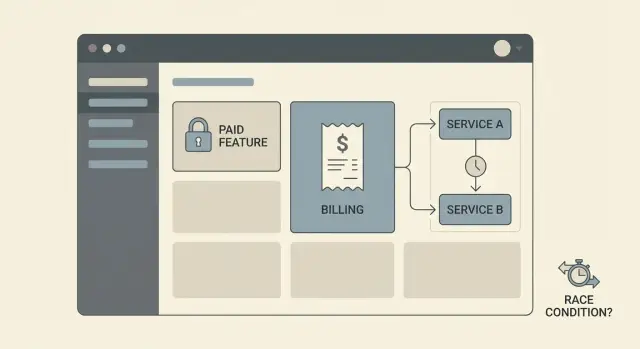
What billing enforcement bugs look like in real life
Billing enforcement bugs happen when your pricing page says one thing, but the product behaves differently. A user on the free plan clicks a button and suddenly they can export, invite teammates, or burn premium AI credits without paying.
The first sign is inconsistency. One customer is blocked, another with the same plan is not. Access flips after a refresh, a logout, or an upgrade attempt. Support tickets start to sound like: “It worked yesterday,” “My colleague can do it but I can’t,” or “I upgraded but it still says I’m locked.”
Prototypes are especially vulnerable because they often skip the boring guardrails. The first version might rely on a hidden button, a front-end check, or a single plan flag in a user table. That can look fine in demos, then breaks the moment real billing retries, webhooks, and real users show up.
Enforcement is answering four questions every time a valuable action is requested:
- Who is the user, and what account/workspace do they belong to?
- What plan and add-ons are active right now?
- What exact action are they trying to do?
- Should the server allow it (not just the UI)?
When those answers are unclear, or spread across too many places, bugs appear. A classic example: someone adds a new “Pro-only” endpoint, but forgets to add the same check to a background job that calls it. The UI still hides the feature, but the endpoint is reachable directly or indirectly.
If you inherited an AI-built SaaS prototype (Lovable, Bolt, v0, Cursor, Replit), these gaps are common. FixMyMess often finds missing plan checks in one or two critical paths, plus at least one place where billing state is assumed instead of verified. That’s often enough for paid features to quietly become free.
Map the places where access should be enforced
Most billing enforcement bugs happen because access is checked in one place, then skipped in the next. The fastest way to stop free access to paid features is to map every “paid action” a user can trigger and make sure each path hits the same rule.
Start with paid actions in user language: “export CSV,” “invite a teammate,” “run the report,” “remove watermark.” Then translate each one into the actual execution paths: the API endpoint, any background job it queues, and any UI path (including hidden buttons) that can still call the API.
Put checks on the server first. The UI can hide buttons, but it can’t be trusted. If an endpoint can be called, it must validate entitlements every time.
Systems to include in your map
Write down every system that touches entitlements, even if the code is messy:
- App database (user, org/workspace, subscription or entitlement tables)
- Auth layer (sessions, JWT claims, roles)
- Billing provider (plans, subscriptions, invoices)
- Webhooks and event processing (including retries and delays)
- Caches/queues (anything that can serve stale access)
Once you see the full picture, pick one source of truth for entitlements and stick to it. For most SaaS apps, that’s an entitlement record in your own database that represents “what this workspace can do right now,” updated by webhooks and verified on key actions.
A common prototype mistake: plan checks scattered across frontend code, a couple of API routes, and one webhook handler. The result is inconsistent access and hard-to-reproduce leaks. A single entitlement model plus one shared server-side guard closes most gaps quickly.
Step-by-step: fix plan checks so paid features stay locked
Billing enforcement breaks when rules are scattered. One endpoint checks the plan, another trusts a UI flag, and a third forgets to check anything at all. The fix is simple: centralize the decision and reuse it everywhere.
1) Find every place that can trigger a paid action
Make an inventory of server routes and background jobs that do something valuable: exporting data, inviting teammates, removing limits, generating reports, using premium AI calls, and admin actions. If it changes data or costs you money, it needs a gate.
Then add one guard in one place that every paid route uses. Don’t rewrite checks inside each handler.
2) Move all access decisions to the server
Treat anything from the client as a hint, not a source of truth. UI flags like isPro, local storage values, and hidden buttons are easy to fake. The server should decide based on your stored entitlements.
A practical pattern is to compute “what’s allowed” from one function, using one entitlement record. Free can view dashboards but can’t export. Pro can export. The key is that every endpoint uses the same decision.
A small checklist for the guard:
- Load the user and their current entitlement record from your database.
- Compute
allowedFeaturesin one function (no ad-hoc checks scattered across files). - Block by default when data is missing or unclear.
- Return a clear error: what was blocked and why.
- Log the decision with user ID and entitlement version.
Clear errors help support (“Export requires Pro. Your plan is Free.”). They also make logs searchable when someone says, “I paid but it still says locked.”
3) Add a few tests that catch leaks early
Keep it basic. You want three tests: a free user is blocked, a paid user is allowed, and a user with missing entitlement data is blocked. Those alone catch many revenue leaks before they reach production.
If you inherited an AI-generated SaaS prototype, teams like FixMyMess often start by centralizing these guards because it stops leaks without forcing a full rebuild.
Webhooks: handle missing, duplicate, and late events
Webhooks are not guaranteed. They can arrive late, arrive twice, arrive out of order, or never arrive at all. If your app assumes “we got the webhook, so access is correct,” you’ll keep seeing billing enforcement bugs.
Treat webhooks as notifications about a change, not the change itself. Your app should be able to answer, right now, “what is this customer allowed to do?” even if the last event is delayed.
Make webhook processing safe and trustworthy
Start by verifying the event is real. Check the provider’s signature, reject untrusted payloads, and don’t unlock features purely because a webhook field says so. Cross-check against your current customer state.
Then make handlers idempotent. If the same event is processed twice, the result should be identical.
A short checklist that prevents most revenue leaks:
- Verify signatures and reject requests that fail validation.
- Store an event ID and ignore duplicates you’ve already processed.
- Apply changes only if the event is newer than what you’ve stored.
- Re-check current subscription/entitlements before granting access.
- Log failures with enough detail to replay safely later.
Handle out-of-order and missing events
Out-of-order events are common around upgrades, refunds, and canceled renewals. Use timestamps (or sequence numbers, if provided) and compare against your stored state. If an older “trial started” arrives after “paid canceled,” don’t overwrite the newer state.
For missing events, build a safe retry path. Queue the webhook, retry processing, and alert when retries keep failing. In prototypes that skip these guardrails, one dropped event can leave paid features unlocked for days.
A good rule: webhooks update your records, but your product gates features based on your own current entitlements, not on the last webhook you happened to receive.
Race conditions around upgrades and downgrades
Race conditions are an easy way for billing enforcement bugs to slip in. They happen when two parts of your app update or read a customer’s plan at the same time, and one of them sees stale data. The result is usually free access (or random lockouts) right when someone changes plans.
A common pattern: the user clicks Upgrade, the UI flips to “Pro” immediately, but the server-side access check still reads the old plan from the database (or cache). If your API trusts UI state, the user gets paid features before anything is confirmed. If your API trusts old state, the user pays but still sees “locked,” then refreshes and it suddenly works.
One fix is to force every plan change through a single backend pathway. Don’t let the UI, the webhook handler, and a nightly cron job all write to the same entitlement fields in different ways. Pick one owner for entitlements, and make everything else go through it.
It also helps to split states so the app can be honest about what’s happening:
- Payment started (checkout created)
- Payment confirmed (provider says paid)
- Entitlement granted (your system updated access)
- Entitlement revoked (downgrade effective)
To prevent double writes, add a short-lived lock or a version check on the customer record during plan changes. For example, store an entitlements_version number. When you apply an upgrade, write only if the version is what you last read, then increment it. If it changed, retry with fresh data.
Concrete example: a user upgrades, and at the same moment your cron job “fixes” subscriptions by re-syncing yesterday’s plan. Without a lock or version check, the cron write can land last and undo the upgrade. The UI might show Pro while the API gates them as Free, or the other way around.
If you inherited an AI-generated prototype, this is a common audit find: multiple plan writes, no single source of truth, and access checks that depend on who won the race.
Make entitlements a clean, consistent data model
Most billing enforcement bugs start with scattered truth. One part of the app checks a plan string on the user record. Another checks a billing provider flag. A third checks whether a subscription exists. When those disagree, people either get paid features for free or paying customers get blocked.
Fix it by creating a single entitlements record that your app treats as the source of truth. Store it in one table (or one document) and update it from webhooks and verified checkout results. Include timestamps so you can reason about what changed and when.
A practical entitlements record usually includes:
- Current plan (free, pro, team)
- Subscription status (active, trialing, past_due, canceled)
- Period start and period end (renewal date)
- Entitlement version and
updated_at(for debugging and replay) - Grace policy and
grace_until(if you allow grace)
Define grace periods in plain language and encode them into the model. For example: allow read-only access for 3 days after a failed payment, but block exports and paid API calls immediately. The point is to make “what is allowed” a rule tied to status and time, not a pile of one-off conditionals.
Also decide what happens on failed payments. Immediate lock is simplest. Limited access can reduce churn, but only if it’s applied consistently across the product.
Finally, treat admin overrides as first-class data. They often become the hidden cause of billing enforcement bugs because nobody can see why a user is unlocked. Record who changed the override, when, and why. Add an expiry time for temporary unlocks. Make override state visible in your admin UI. Log entitlement decisions (at least in debug mode) so you can explain allow/deny without guessing.
If you’re inheriting an AI-generated SaaS prototype, it’s common to find 3-5 competing entitlement sources. Consolidating them is usually the fastest way to stop leaks without rewriting the whole app.
Edge cases that commonly leak revenue
Billing enforcement bugs rarely live in the happy path. They show up when real users change their mind, share accounts, or hit timing issues your prototype never saw.
Trial vs paid rules can collide in surprising ways. A common mistake is checking isTrialActive first and returning early, even after a user upgrades. That can apply trial limits to paid users, or worse, apply trial access rules that are more permissive than paid rules. Make “paid beats trial” an explicit rule.
Downgrades are another quiet leak. If you only lock features at login, users can keep an open tab and continue using paid features after a downgrade. The same happens when you cache entitlements too long. If a plan changes, your app needs a fast way to re-check access (or invalidate cached access) before sensitive actions.
Refunds and chargebacks need a clear policy for access and data. If you do nothing, you may grant indefinite access after the payment is reversed.
A few messy cases worth testing:
- Two active subscriptions (user subscribed twice, or switched plans without canceling)
- Workspace vs user billing mismatch (a member inherits the owner’s plan by accident)
- Role bypass (admins get full access even on a free plan)
- Old “grandfathered” flags overriding current plan checks
- Manual invoice marked as paid without updating entitlements
One common scenario: a team owner upgrades, then immediately downgrades, and a webhook arrives late. If your app unlocks on upgrade but never re-locks on downgrade, features stay open.
Common mistakes and traps to avoid
Billing enforcement bugs usually happen because the rules live in too many places, and not all of them agree. A prototype might look fine in the UI, while the backend still allows paid endpoints.
The fastest way to leak revenue is treating access control as a front-end problem. Buttons and screens are easy to bypass with direct API calls, saved requests, or a simple script.
Common mistakes to watch for:
- UI-only gating: hiding a feature in the app, but never checking the plan on the server.
- Scattered plan checks: different files use different rules (plan name here, price ID there, trial logic somewhere else).
- Blind trust in webhook payload fields: accepting plan status from an event without verifying it matches your own records.
- No webhook safety: ignoring retries, duplicates, or out-of-order events and accidentally re-enabling access.
- Mixed environments: dev keys in production (or the reverse), so you “fix” the wrong data and the bug keeps coming back.
Another classic: a user upgrades, the UI shows Pro, but the backend reads an old cached plan for 10 minutes. That window is enough to rack up exports or other paid actions.
If you inherited AI-generated code, these issues are often baked in as copy-pasted checks. Consolidating the logic into one server-side entitlement check and hardening webhook handling reduces the chance the bug returns after the next refactor.
Before you ship, do two sanity tests:
-
Call the paid API endpoint directly while on a free plan.
-
Replay the same upgrade webhook twice, then send a late downgrade event, and confirm access ends in the right state.
Quick checks before you ship or relaunch
Before you relaunch a prototype, run a few fast checks that catch most billing enforcement bugs. You’re answering two questions: can someone get paid value without paying, and will legitimate customers ever get blocked?
A quick pass you can do in under an hour with a test user and your logs:
- Try paid actions from a free account by calling the API directly (not the UI). If any paid endpoint returns success, you have a leak.
- Upgrade a test account and refresh from a new device or incognito window. Access should unlock quickly, and it should still be unlocked 10 minutes later.
- Downgrade or fail a payment, then retry the same paid actions. They should stop reliably, even if the UI still shows old buttons.
- Replay billing webhooks. Handlers should be safe to run more than once, and the outcome should be clear in logs.
- Open an internal screen that shows the user’s current entitlements, their source (plan, add-on, trial), and when it was last updated.
A useful real-world test: upgrade a user, then immediately start a heavy paid job (export, AI run, bulk action). If that job starts before entitlements are updated, you’ve found a race. Fixes usually include checking entitlements on the server at the moment of action, and making the upgrade flow wait until the new state is confirmed.
Also check your logging. When something goes wrong, you should be able to answer “why did this request allow/deny?” without guesswork:
- Request was allowed/denied because entitlement X was true/false.
- Webhook event ID, status (processed/skipped), and reason.
- Old vs new entitlement state, with timestamps.
Example: the upgrade that unlocks features for free
A common leak looks harmless: a user clicks Upgrade, sees “Pro” in the UI, and immediately starts using paid features. Later, you notice they never actually paid, or their payment failed, yet they kept access.
Picture a busy moment (a launch, a promo email, or a demo call). A user upgrades while your app is under load, the billing provider is slow, and your app treats “started checkout” as “now Pro.”
Where the bug hides
The UI flips to Pro based on a local flag (or a cached user record). But the backend still sees the user as Free because the real entitlement is updated only when a webhook arrives.
If your feature checks depend on client state, a cached session, or a database read that lags behind, the user can slip through the gate.
How to reproduce it (reliably)
You can usually trigger it without fancy tools:
- Open two tabs while logged in.
- In Tab A, click Upgrade and complete checkout.
- In Tab B, refresh and quickly hit a paid feature (or spam the action button).
- Add a delay to webhook processing (or test in a slow environment) and watch what happens.
If the paid action succeeds before the webhook updates entitlements, you have a gap.
A practical fix that closes the gap
Treat upgrades as a state machine on the server, not a UI toggle:
- Server-side guard: every paid action checks server entitlements, not the client plan label.
- Pending state: when checkout starts, set a status like
pending_upgradeand keep paid features locked (or allow only limited preview access). - Idempotent webhook handling: process the same event twice safely, and ignore out-of-order events using an event ID and timestamps.
To confirm it’s fixed, repeat the two-tab test and verify in logs that paid actions are denied until the entitlement is truly active, then allowed only after the webhook (or verified payment) updates server state.
If you inherited an AI-built prototype (Lovable, Bolt, v0, Cursor, Replit), this exact bug shows up often because the plan is tracked in multiple places. FixMyMess typically resolves it by tracing every plan check, moving to one server source of truth, and hardening webhook logic so “Pro” only means paid.
Next steps: lock revenue leaks without rebuilding everything
Start by writing down the exact actions that should be paid. Use plain words: “export report,” “invite teammate,” “remove watermark,” “use premium model.” This list becomes your checklist.
Pick one place on the server to act as the gatekeeper, and make everything go through it. If your app checks plans in five different files (or only in the UI), you will miss one.
A practical order that works for most teams:
- List paid actions and add one server-side guard used by every paid endpoint.
- Tighten webhook handling: verify signatures, store events, and make processing idempotent.
- Add retries for failed webhook processing, and handle late events without breaking access.
- Stress-test upgrades: simulate slow networks, double clicks, and two devices upgrading at once.
- Re-check downgrades and refunds so access flips the right way, at the right time.
Before you change logic, decide what “truth” you’ll trust during the upgrade window. You can grant access only after you record a confirmed payment, or grant temporary access for a short period and revoke it automatically if payment never completes. Either approach can work, but it has to be consistent.
If you’re working with an AI-generated prototype, billing issues often come bundled with other problems like messy auth, exposed secrets, or confusing architecture. If you want a second set of eyes, FixMyMess (fixmymess.ai) focuses on diagnosing and repairing AI-generated codebases, including entitlement logic, webhook handling, security hardening, and deployment prep.
FixMyMess also offers a free code audit to pinpoint where access is leaking, then repairs plan checks and webhook edge cases with human verification, often within 48-72 hours.
FAQ
What’s the fastest way to stop users on Free from using paid features?
Start by assuming any UI check is bypassable. The quickest fix is to add a single server-side guard that runs on every paid API endpoint and any background job that performs paid work, and have it default to deny when entitlement data is missing or unclear.
Why isn’t hiding buttons on the frontend enough?
Because the UI is not a security boundary. Users can call your API directly, reuse old requests, or trigger background jobs indirectly. If the server doesn’t verify entitlements on every valuable action, paid features will leak sooner or later.
How do I map all the places a paid action can be triggered?
A good map connects the user-facing action to every execution path that can perform it. For example, “export CSV” often means an API route plus a queued job plus a download endpoint. If any one of those paths skips the same entitlement check, access becomes inconsistent.
What should be the source of truth for plan and add-on access?
Store current entitlements in your own database as the source of truth, and update it via verified checkout results and webhook processing. Then have the server read that entitlement record at request time (or with very short caching) to decide allow/deny.
How do I prevent webhook glitches from unlocking features?
Treat webhooks as unreliable signals: they can be late, duplicated, out of order, or missing. Verify signatures, make processing idempotent, and only update your stored entitlement state if the event is newer than what you already have.
How do I fix the “user upgraded but didn’t actually pay” leak?
Split the upgrade into clear states and don’t grant access just because checkout started. Only unlock paid features after your system records confirmed payment and updates entitlements, and make your API checks depend on that server state, not a UI flag.
What causes race conditions during upgrades and downgrades?
They happen when different parts of the system read or write plan state at the same time and one side sees stale data. Use a single backend pathway to update entitlements, add version checks or short locks during plan changes, and always re-check entitlements at the moment of the paid action.
Should I cache entitlements, or always query the database?
Cache only if you can invalidate it quickly when entitlements change, and avoid long TTLs for anything that gates paid actions. If you cache, include an entitlement version or updated timestamp and refuse to use stale values when a user is doing something expensive or paid.
What are the minimum tests to catch billing enforcement leaks?
Three tests catch a lot: a free user is blocked, a paid user is allowed, and a user with missing entitlement data is blocked. Add one more targeted test for your biggest money action (like export or premium AI calls) to ensure background jobs also enforce the same guard.
What if my SaaS prototype was generated by tools like Lovable, Bolt, v0, Cursor, or Replit?
If you inherited an AI-built prototype, start with a focused audit of paid actions, server routes, jobs, and webhook handlers to find missing checks and conflicting sources of truth. If you want help, FixMyMess can do a free code audit and then repair plan checks, webhook edge cases, and security gaps with human verification, often within 48–72 hours.