Client-side caching bugs: stop showing the wrong user data
Learn how to prevent client-side caching bugs that show the wrong user data by auditing cache keys, invalidation rules, and shared-device edge cases.
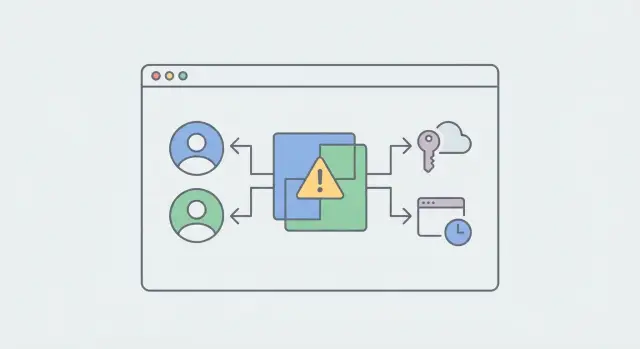
What “wrong user data” looks like in real apps
This bug usually shows up as a moment of “wait, why am I seeing that?” Someone opens the app and sees another person’s name, avatar, address, or last order. Sometimes it only flashes for a second before the screen corrects itself. Other times it sticks until a hard refresh or reinstall.
You’ll often see it during:
- Logout then login with a different account
- Switching workspaces/orgs
- Role changes (admin to member, or the other way around)
- Token refresh and “remember me” flows on shared devices
A simple example: you test your app on a shared iPad. You sign in as Customer A, browse orders, then sign out. A teammate signs in as Customer B and opens Orders. The app shows Customer A’s list because the cached response was stored under a generic key like "orders" instead of something scoped like "orders:userId".
This isn’t just a UI glitch. It’s a privacy problem. Even a brief flash can expose personal data like emails, addresses, invoices, or support tickets. In regulated industries, it can turn into a compliance issue. Even when nothing sensitive leaks, trust drops fast.
The goal is straightforward: each person sees only their own data, every time - across refreshes, tab switches, offline mode, and shared-device sign-ins.
Where client-side caching happens (quick map)
When an app shows the wrong person’s data, the cause usually isn’t “the cache” in general. It’s one of several places state can linger after identity changes. Here’s a quick map so you can look in the right spots.
1) The browser’s built-in HTTP cache
Browsers can cache GET requests based on URL, headers, and cache rules. If your API responses vary by user but the response is cacheable, the browser might replay the last response even after sign-out and sign-in.
This is less common for authenticated JSON APIs (they’re typically non-cacheable), but it can happen with missing headers or misconfigured proxies/CDNs.
2) App-level caches you control
Most wrong-user issues come from caches inside your app:
- In-memory state (global stores, singletons, module-level variables)
- localStorage/sessionStorage (persists across tabs and reloads)
- IndexedDB (common in offline-first apps)
- “Saved responses” stashed for performance
If any of these are keyed too broadly (or not keyed at all), one account can see another’s data on a shared device.
3) Data-fetching libraries with query caches
Libraries like React Query, SWR, Apollo, and RTK Query cache results using a key you provide (or generate). If that key doesn’t include the current identity context, the library can serve a cached result from the previous session.
This often looks like: “Switch accounts, and the profile widget still shows the old name until refresh.”
4) Service workers and offline caches
Service workers can cache HTML, API responses, and assets. If the caching rules are too broad, they can cache personalized API responses and replay them offline or during a flaky connection.
5) SSR/CSR hydration mismatches
If you render on the server, the client may hydrate using stale state from a previous session (or from a persisted store). A common pattern is the UI loading cached user data first, then “correcting” after a fetch. That “correction” can still be a privacy leak.
Audit your cache keys so users can’t collide
Most wrong-user bugs start with a cache key that’s too broad. If two different sessions can produce the same key, the app can “correctly” return the wrong cached response.
A safe key describes both:
- what the data is, and
- who the data is for (and under what scope).
A good rule: if a change would alter what the server is allowed to return, it should change the cache key too.
In practice, keys (or namespaces) usually need to include:
- User ID (or another stable account identifier)
- Tenant/org/workspace ID (for multi-tenant apps)
- Role or permission scope (admin vs member)
- Locale (if content changes by language/region)
- Query shape like filters and pagination
Avoid keys like "me", "profile", "dashboard", or "inbox" unless they’re explicitly scoped per user.
- Bad: "profile" or "me"
- Good: "user:123:org:55:profile"
Same idea with lists:
- Bad: "orders?page=1"
- Good: "user:123:org:55:orders?status=open&page=1"
To spot collisions quickly, search for shared key strings and see where they’re reused. If you can, log the computed cache key at runtime, then switch accounts and compare.
Cache invalidation rules that match real user actions
Most wrong-user bugs aren’t complicated. The app keeps using data that was correct five minutes ago, but for a different person.
Start by deciding what must be cleared (or re-scoped) when identity changes. Logging out is obvious, but account switching is the common trap: the UI updates the “current account” badge while cached queries still point to the previous user.
A simple rule that works well: when the “current user context” changes (user ID, org ID, workspace ID), treat it like a mini reboot of user-scoped data.
Practical triggers to wire up:
- Login, logout, account switch: clear user-scoped caches, cancel in-flight requests, refetch essentials.
- Any change to what the user can see: role/permission updates, org/project switches.
- Auth events: token refresh failures, forced re-auth, “session expired” responses.
TTLs aren’t just performance settings. They’re privacy controls. Public content can live longer, but anything tied to identity (profile, billing, permissions, recent activity) should expire quickly, especially on shared devices.
Keep cache resets easy to call from one place. Create a single function (for example, resetUserState()) that clears the right caches and re-initializes the app, and call it from login/logout/account switch flows. When reset logic is scattered across screens, one path will eventually get missed.
Step-by-step: reproduce and debug the issue
The fastest way to fix these bugs is to make them happen on demand. Use one browser profile (or one shared test device) and two test accounts with clearly different data (different name, avatar, and at least one unique record).
Write down the exact clicks as you go. Small details matter: which tab you opened first, whether you used back/forward, and whether you logged out or just switched accounts.
A runbook that often exposes the leak:
- Sign in as Account A and visit the page that later shows the wrong data.
- Without closing the tab, sign out. Sign in as Account B. Revisit the same page using the same navigation path (including back/forward if you used it).
- Inspect browser storage (Local Storage, Session Storage, IndexedDB) and cache panels. Look for cached entries that didn’t change across the switch.
- Add temporary logs around cache reads and writes: log the cache key, the current user identifier, and where the data came from (memory, storage, network).
- Check the Network panel. If the server response is for Account B but the UI shows Account A, the bug is on the client.
A quick tell: if both users hit the same key like profile:me, you might read Account A’s profile after Account B signs in. Logging the key plus the current user ID makes that obvious.
Shared-device and multi-account edge cases to test
Shared devices are where this becomes embarrassing fast. “Logout” often clears a token, but not the cached data that was fetched with that token.
A realistic example: you test the app on a family tablet. You sign out, someone else signs in, and the home screen briefly flashes your dashboard before updating. Even if it corrects itself, that flash is a privacy leak.
Multi-account use in the same browser is another trouble spot. Two tabs can end up with different session states, especially if one tab refreshes tokens or rehydrates state while the other is still rendering old data. If your cache is global (not tied to identity), collisions become likely.
The back button is a special case. Some browsers keep pages in memory using the back-forward cache (bfcache). After logout, a user can hit Back and see a previous logged-in screen instantly - including cached data - before your app reruns auth checks.
Run these tests before you ship:
- Log in as User A, open a data-heavy page, log out, then log in as User B without reloading the browser.
- Repeat on a shared device, and also close and reopen the tab after logout.
- Open two tabs: log in as A in tab 1, B in tab 2, then refresh both and watch for mixed UI.
- After logout, press Back and confirm you never see A’s data, even briefly.
Service worker and offline caching gotchas
Service workers are great for speed, but they can also replay the wrong person’s data. The biggest risk is using cache-first or stale-while-revalidate patterns on requests that depend on who is signed in.
Example: a shared tablet in a shop. User A signs in and opens the dashboard, then signs out. User B signs in later, but the service worker serves a cached response for "/api/me" or "/api/orders" before the network update finishes. For a moment (or longer, if the network fails), B sees A’s data.
Cache-first and stale-while-revalidate are usually fine for public, static files (app shell, icons, CSS). They’re risky for user-scoped endpoints, especially when the request URL doesn’t include a user identifier and relies on cookies or bearer tokens.
When in doubt, bypass caching for anything tied to identity:
- Endpoints like "/api/me", "/api/profile", "/api/billing", "/api/orders"
- Any request with an Authorization header
- Anything returning PII (emails, addresses, invoices)
If you change login, logout, token refresh, or role rules, treat it as a breaking change for your caches too. Version caches (for example, "app-v5") and delete old caches on activate. Otherwise, old responses can keep showing up after you think you’ve fixed the bug.
Offline mode needs extra care. Keep offline data strictly per user and wipe it on sign-out. If you store queued requests or cached API responses, include the current user ID in the storage key, and reject reads when the signed-in user changes.
Security and privacy checks (simple but critical)
When client-side caching shows the wrong person’s data, treat it as a security incident first and a UI bug second.
The key rule: never rely on the client cache to decide who’s allowed to see something. Cached state can be stale, polluted, or copied across sessions. Authorization must be enforced on the server, every time.
A quick reality check: if someone changes the user ID in a request (or replays an old request), does the server still return data? If yes, the UI isn’t your only problem.
Minimum checks worth running:
- Verify every endpoint checks identity on the server and scopes data to that identity.
- Confirm logout invalidates server-side sessions and refresh tokens, not just UI state.
- Reduce sensitive data in long-lived storage (localStorage, IndexedDB). Keep it in memory when possible.
- Ensure cached responses aren’t shared across accounts on the same device.
- Search the codebase for exposed secrets or hardcoded tokens.
One more example: if your UI briefly shows a cached "/me" profile after logout, that’s bad. If the server also accepts old tokens, it gets worse: the next person might be able to load real data, not just stale pixels.
Common mistakes that cause wrong-user data
Wrong-user data bugs usually come from one underlying problem: the app forgets that cached data must be tied to an identity, not just to a screen.
Common causes:
- A global store or singleton survives logout, so the next login inherits the last user’s data.
- Requests started before logout finish afterward, and their responses get written into the new session’s cache.
- Cache keys are too generic ("/me", "dashboard") and don’t include user, tenant, role, or environment.
- Optimistic UI updates write into a shared cache without checking the active user scope.
- Logout clears only what you see (UI state) but leaves the real source of truth intact (memory cache, storage, service worker caches).
Two quick checks that catch a lot of these:
- Log out, then log in as a different user while throttling the network. Watch what renders before the first new API call finishes.
- Trigger a slow request, log out mid-load, then log in again. If the slow response lands and updates the new session, you have an in-flight write problem.
Quick release checklist for caching and identity
Before you ship a fix, do one final pass focused on identity. After any auth change, the app must not show data from the previous user - even briefly.
Test on the same device and browser profile (that’s where most surprises happen):
- Do an A-to-B swap: sign in as User A, open data-heavy screens, log out, then sign in as User B and revisit the same screens.
- Confirm cache keys are scoped to identity anywhere you store results (in-memory caches, query caches, localStorage, IndexedDB).
- Make logout a full reset: clear tokens, refresh tokens, cached API responses, persisted stores, and “last selected account” values.
- Treat account switching as stronger than navigation: invalidate user-scoped queries, cancel in-flight requests, refetch under the new identity.
- Check service worker behavior: version caches on deploy, and don’t serve user-specific API responses from a shared cache.
After that, scan for “sticky” identity elements like profile menus, recent items, and notification badges. These often come from a different cache than the main feed.
Next steps: make the fix stick
Pick one acceptance rule and make it non-negotiable: after logout (or account switch), the app must not show any previous user data, even for a moment. Use that sentence to guide both your manual testing and your automated tests.
A practical order of work that catches most issues:
- Fix cache keys first so they’re scoped to user/org/role.
- Make logout and account switching clear user-scoped caches, reset in-memory state, and cancel in-flight requests.
- Review service worker rules and remove caching from authenticated endpoints unless you’re being very intentional.
- Add one automated “User A then User B” test to prevent regressions.
If you’re dealing with an AI-generated codebase (from tools like Lovable, Bolt, v0, Cursor, or Replit), these identity and caching problems are especially common because patterns get copied inconsistently across screens. FixMyMess (fixmymess.ai) focuses on diagnosing and repairing exactly these issues - cache key collisions, broken logout cleanup, and service worker cache mistakes - and can start with a free code audit to pinpoint where the wrong-user data is coming from.
FAQ
Why does my app show another user’s data after logout and login?
It’s usually a cache or state collision: data fetched for User A is stored under a key that User B also uses, or it isn’t cleared when identity changes. The result is the app correctly reading cached data, but for the wrong person.
What should a “safe” cache key include to prevent user collisions?
Include both what the data is and who it’s for. A safe default is to scope by user ID plus tenant/org/workspace and any permission-changing context like role, then add query filters and pagination so lists don’t collide.
What exactly should happen on logout or account switching?
Treat it like a mini reboot of user-scoped data. Clear or re-scope user caches, cancel in-flight requests, reset any persisted stores, and refetch essential queries under the new identity so nothing old can render first.
How do I fix this if I’m using React Query, SWR, Apollo, or RTK Query?
Make sure the query key changes when the user context changes, and explicitly clear or invalidate queries on logout/switch. Also consider disabling “keep previous data” behaviors for identity-bound queries so stale results don’t briefly flash.
Can a service worker cause wrong-user data, and how do I prevent it?
By default, don’t cache user-specific API responses in the service worker. Cache the app shell and static assets, but let authenticated requests go to the network, and delete old caches on activate so old responses can’t resurface after deploys.
How can SSR/CSR hydration cause a brief “flash” of the wrong profile?
Yes. If you hydrate the UI from persisted client state or reuse server-rendered state from a prior session, the client can render stale user info before the first fetch finishes. Fix it by scoping persisted state per user and delaying display of sensitive fields until identity is confirmed.
What’s the fastest way to reproduce and debug a wrong-user data leak?
Reproduce it with one browser profile and two test accounts, then log cache reads and writes with the computed key and current user ID. If the network response is correct for User B but the UI shows User A, you’re serving stale client state or reading the wrong key.
Which shared-device and multi-tab edge cases should I test before shipping?
Use the same device or browser profile, switch accounts without closing tabs, test back/forward navigation, and throttle the network to make race conditions visible. Also test two tabs with different accounts, because global caches and token refresh can mix contexts in surprising ways.
Is this just a UI bug, or a real security issue?
Always enforce authorization on the server for every request, even if the UI “usually” hides data. Treat the client bug as a privacy incident, verify tokens/sessions are invalidated on logout, and reduce what you store long-term in localStorage or IndexedDB.
How can FixMyMess help if this came from an AI-generated codebase?
If the codebase was generated by an AI tool, it often has inconsistent state patterns and cache keys across screens, so these leaks can be hard to chase. FixMyMess can start with a free code audit to pinpoint the collision or stale write, then repair logout cleanup, cache scoping, and service worker rules so the wrong-user flash stops for good.