Consistent error codes: a small taxonomy and safer logs
Learn how to design consistent error codes, map exceptions to user-safe messages, and log enough to debug without exposing secrets.
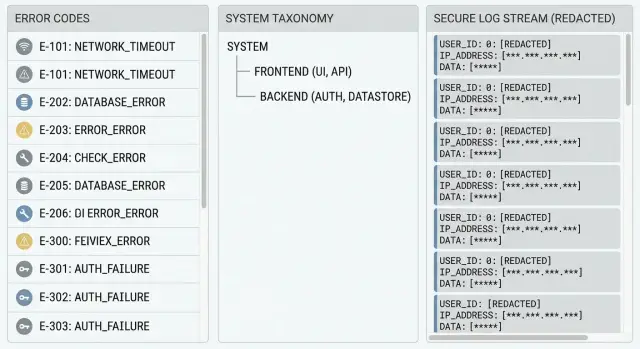
Why thrown errors cause chaos for users and teams
When every part of an app throws its own error, people get a different message for the same problem. A login failure might show “Something went wrong” on mobile, “401” on the web, and a red stack trace in an admin screen. The user learns nothing useful, and your support inbox fills with screenshots that don’t match each other.
That inconsistency is why users report issues as “it broke” or “it didn’t work.” They can’t tell whether they typed the wrong password, lost their connection, or hit a temporary outage. Without a stable signal to share, they guess, retry, or leave.
Engineers feel it too. If errors are thrown and displayed as-is, logs get noisy: different text for the same root cause, missing context, and no clean way to group incidents. One bug can look like 20 different problems, so it takes longer to spot patterns, reproduce the issue, and confirm a fix.
Raw error text also creates security risk. Exceptions often include details you should never show to users (or store in plain logs): secret keys, connection strings, internal file paths, SQL snippets, or user data. One unhandled error can leak more than you expect.
A simple system of consistent error codes fixes this. Users see a clear, safe message plus a short code they can share. Your team sees structured logs tied to the same code, so debugging speeds up without exposing sensitive data.
What you’re building: codes, messages, and useful logs
You’re creating a simple contract for failures:
- A stable code that identifies what happened
- A user-safe message that explains what to do next
- Logs that help you fix the root cause
A good error code isn’t a sentence. It’s an identifier that stays the same even if you rewrite the message, change frameworks, or refactor the whole feature. That stability is what makes codes useful for support, dashboards, and bug reports.
Keep the layers separate. Users get plain language and next steps. Engineers get detailed context in logs. That separation also reduces leakage risk because the user message never includes secrets, stack traces, SQL errors, or internal IDs.
Example: if login fails because the database is down, the user should see “We can’t sign you in right now. Try again in a few minutes.” The code might be AUTH.SERVICE_UNAVAILABLE. Logs capture the database timeout, the failing dependency, and a request ID.
For a tiny internal tool, plain thrown errors might be enough. Once you have real users, support tickets, or compliance concerns, this structure pays off fast.
Start with a small error taxonomy you can actually keep
A good taxonomy is boring on purpose. If you can’t remember it without a doc, it’s too big. The goal is consistent error codes that tell you what kind of problem happened without exposing how your code is organized.
Group by user impact, not internal layers. “DB” is useful because it usually means “try again later.” “RepositoryError” is just your folder structure leaking into your API.
Here’s a simple starting set (6 groups) that covers most apps:
| Group | What belongs here (one sentence) | Retryable? |
|---|---|---|
| AUTH | Login/session problems like invalid credentials, expired tokens, or missing auth. | Sometimes (token refresh), often No |
| VALIDATION | The request is wrong: missing fields, bad formats, out-of-range values. | No |
| PAYMENT | Charging, subscription status, or billing provider declines. | Sometimes (timeouts), often No |
| DB | Database unavailable, timeouts, deadlocks, or failed migrations. | Often Yes |
| INTEGRATION | A third-party service failed (email, SMS, maps, webhook targets). | Often Yes |
| INTERNAL | Anything unexpected that should be investigated (bugs, nulls, impossible states). | Sometimes, default No |
Two rules keep this maintainable:
- Every group needs a clear “belongs here if...” sentence, so people don’t debate edge cases for an hour.
- Decide retry behavior at the group level as the default, then override only when you must.
If a user clicks “Save” and the app can’t reach the database, that’s DB (retryable) even if the error came from a data access library. Meanwhile, “email is missing @” is always VALIDATION (not retryable), even if it was caught deep in your code.
Design error codes that stay stable over time
Error codes only help if they mean the same thing next week as they do today. Treat them like a public API: improve the message and the fix, but keep the code stable once it ships.
Pick a readable format that’s short enough to paste into support chats:
- Use
AREA-NNN(examples:AUTH-001,DB-003,PAY-012) - Make the prefix match your taxonomy (AUTH, DB, FILE, RATE, PERM)
- Reserve number ranges if you have big subsystems (AUTH-100+ for OAuth, AUTH-200+ for sessions)
- Never reuse numbers, even if an issue is “gone”
- Keep codes in a single source of truth (a file or table in the repo)
Decide what must stay stable across releases: the code, its meaning (one sentence), and the category. What can change: the user text, suggested next steps, and the internal details you log.
Also separate the code from the correlation ID. The user sees AUTH-001. Your logs get correlation_id=8f3c... plus stack trace and context. Support can ask for the code and correlation ID without exposing sensitive internals.
Map internal failures to user-safe messages
Users don’t need to know what broke inside your app. They need to know what happened, what to do next, and how to get help if they’re stuck.
A user-safe message usually needs three parts:
- What happened (briefly)
- What to do next
- What to share with support (the code)
Example:
“Sign-in failed. Please try again, or reset your password. Share this code with support: AUTH-002.”
Keep user text separate from developer details. The user message should never include stack traces, table names, endpoint paths, API keys, emails, or raw tokens. Those details belong in logs only, and even there they should be sanitized.
A realistic example: your database throws UniqueViolation because an email already exists. Internally, that might include SQL details. Externally, return: “That email is already in use. Try signing in instead. Share this code with support: ACC-001.” Log the exception type and request ID, but don’t log the full email.
Keep logs useful without leaking data
Logs are for you, not your users. The goal is simple: when something fails, you can find the exact request, see what broke, and fix it fast, without storing passwords, tokens, or customer data along the way.
A good default is to log three anchors every time: the error code, a correlation ID, and the location (service, module, route, or handler). That turns a random stack trace into something you can search and group.
A simple checklist that works for most apps:
- Always log:
error_code,correlation_id, request path, and where it happened (endpoint plus function/module). - Log identity safely: an internal user ID is usually enough; avoid emails, names, or full IP addresses unless required.
- Redact or hash sensitive fields: passwords, tokens, API keys, cookies, auth headers, and secrets from env vars.
- Use log levels with intent: WARN for expected failures (bad input, auth denied), ERROR for unexpected crashes.
- Decide retention and access: keep logs only as long as needed, and limit who can view them.
One common failure pattern is “helpful” debugging that prints full requests or environment variables. That can leak secrets into logs and backups. If you inherited code like that, fix logging first. It reduces risk immediately, even before you solve every bug.
Step-by-step: implement consistent errors in your app
Start by choosing one error shape that every part of the app can return. This is what makes consistent error codes possible even when failures come from different libraries.
A simple, practical shape looks like this:
{
  "code": "AUTH_INVALID_CREDENTIALS",
  "message": "Email or password is incorrect.",
  "status": 401,
  "correlationId": "b3f1d2..."
}
Then implement it in small steps:
- Create an
AppError(or similar) type and a helper to build it. Makecodeandstatusrequired, and keepmessageuser-safe. - Add a global handler that catches uncaught exceptions (server middleware, API gateway handler, or app-level error boundary). It should always return the same shape.
- Centralize exception mapping in one place. Example: map a database unique constraint error to
CONFLICT_EMAIL_TAKENinstead of letting raw text leak out. - Standardize HTTP status codes so clients can react predictably.
- Add tests that assert both the
codeand themessage, not just the status.
For status codes, keep the set small and predictable:
- 400 for invalid input
- 401 for not logged in or bad credentials
- 403 for logged in but not allowed
- 404 for missing resources
- 409 for conflicts (already exists)
One realistic scenario: a login endpoint throws “Cannot read properties of undefined” because the request body is missing. With a mapper, that becomes INPUT_MISSING_FIELDS with a 400 and a clear message, while the logs keep the stack trace tied to a correlationId.
Common error sources and how to classify them
Most apps fail in the same few places. If you name those places and handle them the same way each time, you get clearer support tickets and fewer “it broke” messages.
A useful rule: classify by what the user can do next, not by the exact exception text. Two stack traces can look different but still mean “log in again” or “try later.”
Auth and permissions should separate “needs sign-in” from “access denied,” so the UI knows whether to prompt login or show a permissions message. Input and validation should return user-fixable codes and, when possible, point to the field, without exposing server details.
Database and storage failures should separate “not found” from “query failed,” because they lead to different actions (show an empty state vs retry later). External services should classify by whether retry is safe now, later, or never. Files and uploads should be specific enough to help the user choose a different file, but should never echo file contents into logs.
Common mistakes that make error handling worse
Most error handling breaks down because teams optimize for “get it working” instead of “keep it supportable.” A few habits quietly turn small bugs into hours of guessing and can leak sensitive data.
Mistakes that hurt support and trust
Using the human error message as the “code” is a common trap. Messages change when you rewrite copy, translate text, or add detail. Support can’t reliably search, and clients can’t build stable behavior.
Another trap is starting with a huge catalog. If you create 200+ codes on day one, nobody maintains them, and people invent new ones at random. A small, clear set that you reuse beats a long list you ignore.
Raw exception text should never reach users or API clients. It often contains stack traces, table names, file paths, or clues that help an attacker.
Logging full request bodies is another avoidable risk. It’s an easy way to capture passwords, tokens, API keys, or personal data. Logs should help you debug without becoming a data breach.
Finally, don’t mix different failure types. Treating “not found” like “server error” hides real reliability problems and makes alerting noisy.
Quick checklist before you ship
Before release, do one pass that checks the user experience, the API contract, and what your team will see at 2 a.m.
- User view: every failure shows a plain message plus a next step (try again, sign in again, contact support). No raw stack traces.
- API view: every error response includes a stable error code and a correlation ID that also appears in server logs.
- Logging safety: logs never contain secrets (API keys), tokens, passwords, one-time codes, or full payment card data. If you must log an identifier, mask it.
- Retry behavior: retryable failures are clearly marked and handled gently (short backoff, limited retries, and a clear “try again” message).
- Support workflow: someone can diagnose the issue using only the error code plus correlation ID, without asking the user to paste developer tools output.
A simple test: trigger three common failures (bad password, expired session, server timeout). If the user knows what to do next and your team can find the exact log line using the correlation ID, you’re ready.
A realistic example: turning a messy login crash into a clear code
A common prototype problem: a login flow works on Monday, then a quick update lands on Tuesday and suddenly everyone is locked out. Some users see “Something went wrong,” others see a blank page, and your team sees a stack trace that mentions a database error and an auth library in the same breath.
With consistent error codes, you decide what this failure means for users and support. Here, the app is failing to create a session after validating credentials. You classify it as an authentication issue and map it to AUTH-003 (for example: “Session creation failed”).
What the user sees when AUTH-003 happens:
- “We could not sign you in. Please try again in a minute.”
- “If it keeps happening, contact support and share this code: AUTH-003 and ID: 7F2K9.”
That message is honest, short, and safe. It doesn’t mention tables, tokens, providers, or other internals.
Meanwhile, your logs keep the details, but only what you can safely store: the code, the correlation ID, the request route, build version, and the internal root cause (for example, “DB timeout while writing session row”). Sensitive fields should be redacted (email hashed, IP truncated, no passwords, no full tokens).
Now support can triage fast. A user sends “AUTH-003, 7F2K9,” and your team can pull one exact log trail instead of guessing.
Next steps for cleaning up an existing codebase
Start with evidence. Pull your last 1 to 2 weeks of logs and the most common support tickets, then list the top 20 error messages users actually hit. You’ll usually see repeats: timeouts, auth failures, missing records, and generic “Something went wrong” crashes.
Add structure in small slices. Pick one high-traffic endpoint or one screen (login, checkout, file upload), and introduce consistent error codes there first. Once that’s stable, expand to the next slice.
A rollout plan that works in real teams:
- Group the top errors into 5 to 8 categories (auth, validation, dependency, permissions, not found, internal).
- Add a single mapping layer that turns thrown exceptions into
{code, userMessage, logContext}. - Keep a tiny doc for codes: what they mean, who owns them, and when you’re allowed to add a new one.
- Add tests for the mapping (one test per code is enough at first).
- Review logs to confirm you’re keeping useful context while removing secrets and personal data.
If you inherited an AI-generated codebase, expect unpredictable throws, mixed error shapes, and hidden security problems (like secrets in logs or raw database errors leaking into responses). In that situation, stabilizing the error boundary and cleaning up logging often gives the fastest win.
If you want a second set of eyes on an AI-generated app that’s leaking errors or producing messy logs, FixMyMess (fixmymess.ai) focuses on diagnosing and repairing issues like broken auth, risky logging, and spaghetti architecture. Their free code audit can help you identify the biggest failure points before you commit to changes.
FAQ
Why are thrown errors so inconsistent across the app?
Thrown errors tend to vary by device, framework, and code path, so the same root cause can show up as totally different messages. Stable error codes give you a shared label for support, analytics, and debugging even when the user-facing text changes.
How many error code categories should I start with?
Start with a small set you can remember and enforce, usually 5–8 groups. Group by what the user can do next (fix input, sign in again, try later) rather than by internal layers like “repository” or “service.”
What’s a good format for error codes that won’t break later?
Use a readable, stable format like AUTH-001 or DB-003 and keep the meaning of each code fixed once it ships. You can change the message wording over time, but don’t reuse codes for new meanings.
Should the user-facing error message be the same as the error code?
No. The code is an identifier, not a sentence, so it should stay the same even if you rewrite UI copy or translate the app. Put the human-friendly explanation in the message field and keep it safe for users.
What should an API error response include at minimum?
Keep the code stable, keep the message plain, and avoid exposing internals. A good default is to return a short explanation, what to do next, and the code the user can share with support.
Where should I map exceptions to codes and messages?
Map internal exceptions to user-safe messages in one central place, like a global error handler or middleware. That’s where you can convert a database timeout into a consistent code and a simple “try again” message, while keeping the stack trace only in logs.
What should I log so debugging is fast but data stays safe?
Log an error code and a correlation ID, then add just enough context to reproduce the issue without capturing secrets or personal data. Avoid logging passwords, tokens, API keys, and full request bodies, even when debugging.
How do I decide whether an error should be retryable?
Use the category default: validation errors are usually not retryable, and dependency outages (database or third-party services) often are. If you retry, keep it gentle and limited so you don’t spam users or overload a struggling service.
Why is it a problem to treat 404s and 500s the same?
Mixing them makes both UX and ops worse, because “not found” is often a normal outcome while “internal error” is a reliability issue. Give them different codes and statuses so the UI can show the right state and your alerts stay meaningful.
What’s the fastest way to clean this up in an AI-generated prototype?
If you inherited AI-generated code, start by adding a global error boundary and standardizing the error shape, then clean up logging to stop leaks. If you want help, FixMyMess can run a free code audit and typically get broken prototypes into production-ready shape within 48–72 hours.