Consolidate two auth systems without breaking existing users
Learn how to consolidate two auth systems safely: choose the right one, migrate users, remove extra cookies and tables, and roll out without surprise logouts.
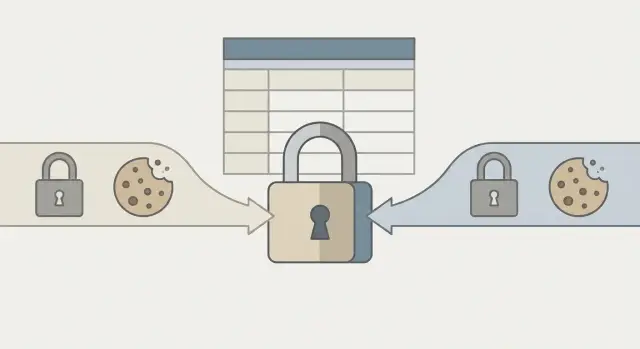
The problem: two logins in one app and users stuck in between
Two separate login systems create a strange middle state for users. They sign in on one screen, then get bounced to a different login prompt somewhere else. It can look fine during local testing, while real users report random logouts, missing access, or endless redirect loops.
The clues are usually unglamorous but obvious once you look: two different login screens, two sets of cookies with similar names, and mixed auth checks that sometimes look for a session cookie and other times expect a JWT. In the network tab you might see one endpoint setting a cookie like session while another sets something like auth_token.
This shows up a lot in fast prototyping and AI-generated code. A tool adds a ready-made auth package, then a later prompt adds a custom login "just for now", or a framework template gets merged with an existing API. Nothing fully replaces the old path, so both stay alive.
What breaks first is often the plumbing around login, not the login form:
- Password resets update one user table, but the app reads the other.
- Email verification is enforced in one flow but skipped in the other.
- Roles and permissions check different claims or different DB columns.
- "Remember me" sessions never match the middleware that protects pages.
The risky part is that removing the wrong piece can lock out real users without warning. You delete a "duplicate" cookie and think you cleaned up, but that cookie might be the only thing keeping older sessions valid. Or you drop an "unused" sessions table and discover that background jobs (or a mobile client) depended on it to refresh tokens.
Treat consolidation like a user migration, not a code tidy-up. The goal is one clear source of truth, with a controlled overlap so existing accounts and sessions keep working.
Make a clear inventory of what exists right now
Before changing anything, list every auth moving part. Most consolidation failures happen because some invisible check (middleware, an API guard, an edge function) still expects the old cookie or session format.
Name the two approaches in plain terms, even if the code is messy. For example: "NextAuth cookie session" vs "custom JWT in localStorage". Then write down what each system controls: the login UI, API access, database records, admin pages, background jobs, and any third-party callbacks.
For each system, answer these questions:
- What proves the user is logged in (cookie name, header, token format)?
- Where is it enforced (middleware, server routes, edge functions, API handlers)?
- What data does it read and write (users table, sessions table, refresh tokens, roles)?
- Which pages or endpoints depend on it (admin, billing, uploads, webhooks)?
- What secrets and validation rules are involved (JWT secret, OAuth keys, password hashing)?
While you inventory, flag production risks you can already see: secrets committed to the repo, token checks that decode but never verify, SQL built from strings, and routes that bypass permission checks.
How to pick the auth system to keep
The goal isn't picking the "best" system in theory. It's picking the one that is safest to run, easiest to maintain, and least likely to surprise you at 2 a.m.
Start with your priorities. For most teams, security and maintainability beat convenience. If nobody on the team understands one of the systems, that's a real risk even if it looks polished.
Next, confirm which auth system real users actually use. Don't trust the UI. Check sign-in logs, recent writes to session tables, and support tickets that mention "can't log in" or "logged out again". Often one system handles most traffic while the other is only used in edge flows.
Finally, confirm required features. The system you keep must support what your app needs today.
Quick selection checklist
Keep the system that covers your must-haves with the least custom code:
- Login methods you need (email/password, magic links, social login, SSO)
- Roles, teams, and permissions (if your app has them)
- Secure defaults (password handling, token rotation, CSRF protection where needed)
- Clear boundaries in code (one place to create sessions, one place to check auth)
- Easy debugging and clear error messages
If you're stuck, a practical tie-breaker is boundaries and data model. The option that spreads auth checks across random routes, writes to multiple tables "just in case", and creates extra cookies will keep causing bugs.
Example: if a framework auth reliably handles session cookies, while a custom login also sets its own cookie and session row, keep the framework auth and migrate the custom login flow into it.
Understand your users, sessions, and data model before you touch code
Before you consolidate anything, be clear on what "a user" means in your app right now. Two auth systems often create two identities for the same person, and the app quietly flips between them. Skipping this step leads to random logouts, missing data, and account confusion.
Trace how a user record is created and matched. Are logins tied to email, an internal UUID, a provider ID (Google/GitHub), or a mix? Watch for edge cases: email changes, casing differences (User@ vs user@), and users who signed up twice using different methods.
Verify where passwords actually live. One system may store password hashes in a users table, while the other never stored passwords (for example, social login only). Don't assume you can "move passwords" between systems. In most cases you can't and shouldn't.
Then map sessions end-to-end: what gets set in the browser, what gets stored on the server, and what the app checks on each request. It's common to find multiple session types active at once.
Write down a one-page snapshot:
- User identifiers: columns and rules used to match accounts
- Auth methods enabled: password, magic link, OAuth providers
- Session mechanism: cookies, DB-backed sessions, JWTs, refresh tokens
- Where session state is stored: tables, cache, local storage
- Duplicate tables: two users tables, two sessions tables, "shadow" profile tables
Also look for "harmless" duplicates that aren't harmless, like a profiles table that is the real source of truth for permissions or subscription status.
Design the migration so existing accounts still work
The target state is one source of truth for identity (who the user is) and authorization (what they can do). Everything else becomes a compatibility layer you can remove later.
Decide what the real user record will be. That record should own the canonical user ID, email, and role/permission fields. Then make every login path land on that same user ID, even if the request starts in the legacy system.
If the systems use different user IDs, create a mapping. The safest approach is an explicit bridge: store the old ID on the kept user record, or add a small mapping table. Avoid trying to rewrite IDs in place if they're referenced across many tables.
Passwords are where migrations most often break users. If you can reuse password hashes safely, copy the hash plus the metadata it needs (algorithm, salt, cost factors) and keep the old verifier for a while. Only force resets when you truly can't validate old hashes, or when a security issue demands it.
Set policies for common edge cases before you start:
- Duplicate emails: pick a winner by last login or verified email, and quarantine the other.
- Missing profiles: create minimal profiles on first successful login.
- Test users and seed data: mark and exclude them from migration counts.
- Orphan sessions: expire them safely rather than trying to "repair" them.
Example: if you have framework auth plus a custom login, keep the framework user table and import custom users with an old_id field. Users keep logging in, and you retire the custom path gradually.
Step by step rollout plan that avoids mass logouts
The safest path is a short overlap where the app can read both systems, then a controlled stop to writing anything new in the old one. You want existing sessions to keep working while new logins move to the new source of truth.
Start at the edges: middleware that reads cookies, API auth guards, and session lookup code. That's where surprise logouts usually come from.
A practical rollout:
- Phase 1 (compat): accept both token/cookie formats and map both to the same internal user ID.
- Phase 2 (silent migration): when a request arrives with an old session, re-issue a new session and set the new cookie alongside the old one.
- Phase 3 (write switch): create new sessions only in the kept system. Stop writing to the old session table and stop setting the old cookie on login.
- Phase 4 (cleanup): after a clear cutoff date and monitoring, remove old code paths, cookies, and tables.
Between phases, watch real signals before moving on: login success rate, 401/403 spikes, "user not found" errors, and support tickets about being logged out. If something jumps, roll back the write switch (Phase 3) before you remove read compatibility (Phase 1).
Example: if the app sets both a framework cookie and a custom JWT cookie, keep reading both for a week or two, but only mint the framework cookie after the switch.
Cookies and tokens: remove extras without breaking sessions
Cookies and tokens are where consolidation breaks first. One system might use a signed session cookie, while the other uses a JWT plus a refresh token. Users end up logged in in one place and logged out in another.
Start by listing every auth-related cookie and token your app sets, and where it gets set. Include server middleware, client code, and framework helpers. This is the only safe way to remove duplicate auth cookies.
Inventory the essentials:
- Cookie name and purpose (session, refresh, CSRF, "remember me")
- Who sets it (server route, client code, framework plugin)
- Scope (domain, path, SameSite, Secure, HttpOnly)
- How it's validated (signing key, encryption key, token secret)
- Where it's read (API, SSR pages, edge middleware)
Cookie collisions are a common hidden issue. Two systems can reuse the same cookie name with different signing keys, or set cookies at different scopes (app.example.com vs example.com). That can cause random logouts, infinite redirects, or users being authenticated as the wrong session.
If you find a collision, plan a clean rename rather than trying to make both work forever. Introduce a new cookie name for the system you're keeping, accept both briefly, then remove the old cookie.
Logout needs extra care during the overlap. Users will click "log out" once and expect everything to clear. During migration, make logout delete both old and new cookies (and revoke tokens server-side if you use refresh tokens). Otherwise you can get a ghost login where the old cookie signs them back in immediately.
Example: an AI tool added NextAuth sessions and a custom JWT cookie called auth. If both exist, your server might accept NextAuth while the client keeps sending the JWT. Pick one, rename the kept cookie if needed, and add a temporary bridge that turns a valid old cookie into the new session.
Database cleanup: sessions, users, and leftover auth tables
Database mistakes are how consolidation turns into mass logouts or security gaps. Treat cleanup as a migration, not a delete button.
Map every auth-related table and decide what happens to it:
- Keep: actively used by the chosen system (users, sessions, refresh tokens)
- Merge: contains real user data you must bring forward (profiles, emails, password hashes)
- Archive: useful for support and rollback (legacy sessions, legacy accounts)
- Drop: truly unused after validation
Before touching production, write reversible migrations. Instead of deleting legacy session rows, copy them into an archive table with a timestamp, then change the app to stop reading the legacy table.
Make references boring (and correct)
Auth data isn't isolated. Roles, org memberships, permissions, and audit logs often point to a specific user ID. If the new auth uses different IDs, you need a clear translation plan.
A simple approach is to add a stable mapping field (like legacy_user_id) on the kept user table, migrate users, then update references in small batches. Do the same for sessions: if you had sessions and user_sessions, pick one source of truth and adapt the code to it.
A rollout sequence that reduces surprises:
- Backfill new tables and mapping columns without changing behavior.
- Update the app to read from the new source while briefly writing to both.
- Verify roles/orgs/permissions match for real accounts (including admins).
- Switch writes to the kept tables only.
- Archive, then drop legacy tables after a cooling-off period.
Also confirm nothing still touches the old tables: background jobs, admin dashboards, analytics scripts, support tools, and cron tasks. This is a common place for a second auth path to hide.
Common mistakes that log users out or open security holes
The fastest way to create a wave of support tickets is removing old pieces before the new path fully handles every real user flow. The app may look fine in your browser, but production users have older cookies, older sessions, and bookmarked links.
Mistakes that cause mass logouts or new gaps:
- Disabling old auth middleware too early, so existing sessions stop being recognized.
- Changing reset or verification routes mid-migration, which breaks previously sent emails or verifies the wrong account.
- Leaving token checks too permissive (accepting tokens without proper verification, skipping issuer/audience checks, or not expiring sessions).
- Forgetting other clients (mobile apps, admin tools, background jobs, inbound webhooks) that still send the old cookie or token.
- Not testing cookie behavior across subdomains and environments (localhost vs staging vs production), causing cookies to be dropped due to domain, SameSite, or Secure flags.
A concrete example: you remove the old session cookie because the new system uses JWTs, but an embedded admin tool on admin.yoursite.com only knows the session cookie. It breaks, and someone "fixes" it by disabling auth checks on that route. That's how migrations create security holes.
Two safety moves reduce risk:
- Keep both validators active briefly, and log which one was used per request.
- Freeze URL paths for reset/verify links until old emails have expired and redirects are confirmed.
Quick checks to run before and after you ship
The safest cleanup is one you can undo quickly. Code changes are only half the risk. The other half is what happens in real browsers with old cookies and half-expired sessions.
Before release, confirm:
- The inventory is complete: every cookie name, header token, session store, and auth-related table is documented.
- One system is the source of truth for identity and roles, and every route reads from it.
- Cookie names and scopes are confirmed (domain, path, SameSite, Secure), with a plan to ignore or replace old cookies.
- A rollback plan exists that is one deploy away (for example, a feature flag that re-enables the old session check).
- Your test matrix is written and run for sign up, login, logout, password reset, and role/permission checks.
Don't rely on one happy-path account. Test at least one user created under each old system, plus one "messy" user who has both cookies set. That's where bugs hide.
After release, watch behavior more than code:
- Monitor login failures by reason (invalid token, missing session, CSRF mismatch, role denied), not just total count.
- Track session creation rate and compare it to normal traffic.
- Confirm the old session table and legacy auth tables get zero new writes after cutover.
- Spot-check flows in an incognito window and a dirty browser that still has old cookies.
- When stable, remove old secrets and keys, delete old sessions, and only then drop leftover tables.
A realistic example: merging a framework auth with a custom login
A common AI-built situation looks like this: the UI uses NextAuth (cookies, callbacks, a sessions table), then later someone adds a custom JWT login "just for the API". Now you have two sources of truth for who a user is.
The symptoms are confusing. A user can sign in and browse the UI, but API calls return 401 because they expect a Bearer token. Or the API works in Postman with a JWT, but the UI keeps bouncing to login because the cookie session is missing. Worse, the same email can end up with two different user IDs depending on which path created the account.
The safest fix is to pick a winner and migrate without forcing everyone to re-register. If you consolidate into NextAuth, keep the custom JWT path alive briefly as a compatibility layer.
A practical migration:
- Pick the single real user ID (often the NextAuth user table) and map JWT-only users to it.
- Temporarily accept both: allow API requests to authenticate via session cookie or the old JWT, but resolve both into the real user ID in server code.
- When users next sign in (or refresh), issue only the kept session method and stop minting new JWTs.
- After a short window, remove JWT verification, delete the extra cookie, and retire unused session/token tables.
A safe cleanup ends with one cookie, one session store, and one user ID used everywhere.
Next steps: when to ask for help
If you can't explain in one sentence how a request becomes an authenticated user in your app, pause. These changes look small, but they can quietly lock people out or weaken security.
Signs you should stop and get a second set of eyes
You're likely past "simple cleanup" and into "migration project" if:
- You can't map every user to one identity (two user tables, mismatched emails, duplicate IDs).
- You don't know how passwords are hashed (or you see more than one hashing method).
- Role checks are mixed (some routes use middleware, others check a custom cookie, others query the DB).
- Sessions and cookies overlap (users appear logged in, but API calls fail or identity flips).
What to prepare for a review
You'll get better answers faster if you gather a small packet of facts first:
- Repo access (or a clean export) plus current deployment config
- A list of auth-related env vars (cookie names, JWT secrets, OAuth client IDs, callback URLs)
- A DB schema dump and row counts for users, sessions, and other auth tables
- Recent logs around login, token refresh, and unauthorized errors
- A short note on what users report (forced logouts, wrong accounts, broken admin access)
If this mess was created by AI tooling and you need a safe, production-focused cleanup plan, FixMyMess (fixmymess.ai) helps teams diagnose tangled authentication, remove duplicate cookies and session paths, and harden the code before anything breaks in production.
FAQ
How do I confirm I actually have two auth systems?
Start by listing every login entry point, cookie, token, session table, and auth guard. In many broken apps, the real issue is not the login form but the hidden middleware and API checks that still expect the legacy format.
Which auth system should I keep?
Keep the one that already serves most real user traffic and has the clearest, safest defaults. If one system is “custom glue” spread across random routes while the other has a single well-defined session flow, the centralized one is usually the safer choice.
Why can’t I just delete the extra login and cookie?
Because removing “duplicate” auth often breaks existing sessions and silently locks users out. Treat it like a user migration: keep a short overlap where you can read both formats, then switch writes, then clean up after you’ve monitored real usage.
How do I avoid creating two identities for the same person?
Pick one canonical user record and make every auth path resolve to that same internal user ID. If the two systems use different IDs, add an explicit mapping (like an old_id field or a mapping table) instead of rewriting IDs everywhere at once.
Can I migrate passwords from the old system to the new one?
Usually, no, and you shouldn’t try unless you fully understand the old hash format and metadata (algorithm, salt, cost). A safer default is to keep verifying old hashes for a transition period or require a reset only when you truly can’t validate the old credentials.
What’s the safest way to remove extra cookies and tokens?
Run an explicit cookie and token inventory: names, scopes, who sets them, and who reads them. During rollout, accept both briefly, then mint only the kept cookie, and make logout clear both old and new cookies to prevent “ghost” logins.
What rollout plan prevents mass logouts?
Use phases: read-compatibility first, then silent re-issue of new sessions when old ones appear, then stop writing to the old system, and only later delete old tables and code. Move to the next phase only after you see stable login success rates and no spike in 401/403 errors.
What if both systems use similar cookie names or scopes?
Rename the kept cookie to a new, unique name and accept the old one only temporarily. Collisions often happen because two systems reuse the same cookie name with different keys or different domain/path scopes, which can cause redirect loops and random logouts.
How do I clean up duplicate users/sessions tables safely?
Don’t delete first; archive and prove nothing writes to the legacy tables anymore. A practical approach is to backfill mapping fields, switch reads, briefly dual-write if needed, then switch writes, then archive legacy sessions and accounts before dropping anything.
When should I bring in help (and what should I prepare)?
If you can’t explain, in one sentence, how a request becomes an authenticated user across UI, API, and background jobs, you’re in migration territory. If this was created by AI-generated code and you need a safe consolidation plan fast, FixMyMess can run a free code audit and help you unify auth without breaking existing users.