Database refactor checklist for moving a prototype to production
Use this database refactor checklist to take a prototype schema to production: naming, constraints, indexes, foreign keys, data types, and rollback steps.
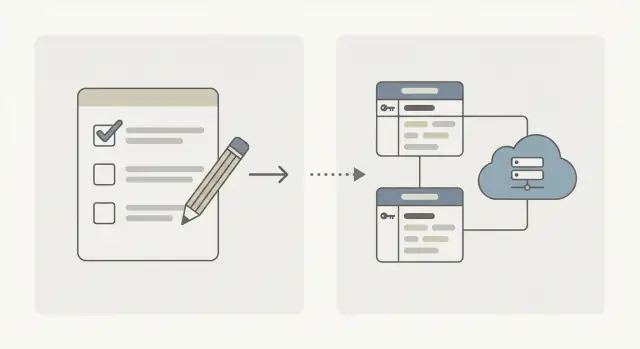
Why prototype databases fail in production
Prototype databases are built to prove a feature works once, not to behave the same way every day under real load. When real users arrive, the database is where small shortcuts turn into big outages.
What usually breaks first is predictability. Columns accept values you didn't expect. The same record can exist twice. A “missing” relationship (like an order without a customer) slips in because nothing enforces it. Later, the app fails in confusing ways and debugging turns into guesswork.
Performance is the next surprise. A prototype runs on tiny tables, so slow queries go unnoticed. In production, one popular screen can trigger scans across thousands or millions of rows, and response times spike.
Hackathon builds and AI-generated apps (from tools like Lovable, Bolt, v0, Cursor, or Replit) often hit these problems early. They ship quickly, but the database layer is usually “good enough” until it isn't.
The goal here is simple: predictable behavior, safe changes, and easier debugging when something goes wrong.
One expectation to set early: do this in small steps, not one big rewrite. Instead of renaming every table at once, start by stopping new bad data (constraints), then backfill old rows, then switch app code, and only then clean up legacy columns. Each step should be easy to test and easy to undo.
Before you change anything: take inventory and set scope
Database refactors go sideways when people start “cleaning up” without knowing what exists and what the app depends on. Before you touch a column, build an inventory and agree on what “done” means.
List every database object your app might rely on, not just tables. Prototypes often hide logic in odd places.
Write down:
- Tables and key columns (especially IDs, timestamps, and status fields)
- Views, triggers, stored functions/procedures
- Migration history (what ran, what failed, what was edited by hand)
- Jobs and scripts that write data (imports, cron tasks, background workers)
- Environments and copies (dev, staging, prod snapshots)
Next, clarify ownership and promises. Who is responsible for the data (engineering, ops, a client)? What does the product promise users: can they delete accounts, export data, or change emails? Those promises decide what you can safely rename, merge, or drop.
Capture today's pain points in plain language, then tie them to evidence: “login is slow” (which query?), “we see duplicates” (which tables/fields?), “relationships are implied” (where are missing foreign keys causing orphan rows?). If you're fixing an AI-generated app, expect half-finished migrations and hidden assumptions.
Finally, set scope with a boring baseline: row counts, biggest tables, and 3-5 critical user flows that must keep working (signup, checkout, search, admin reporting). Decide what you will fix now vs later. For example: constraints and key indexes now, reporting views and naming polish later.
A quick baseline beats a clever refactor that breaks production.
Naming and structure cleanup that pays off fast
Prototype schemas often grow by accident. One table uses camelCase, another uses snake_case, IDs have different names, and nobody is sure which columns are safe to touch. Cleaning this up early makes every later change easier, from constraints to incident debugging.
Start by choosing one naming style and using it everywhere.
A simple set of conventions:
- One pattern for tables (singular or plural) and columns (snake_case is common)
- One primary key convention (for example, every table has an
idcolumn) - One foreign key convention (for example,
user_idalways points tousers.id) - One index naming pattern (so you can spot duplicates quickly)
Rename fields that invite bugs. createdAt and created_at across different tables leads to wrong joins and broken ORM mappings. The same goes for id meaning different things in different places. If a column stores a user reference, name it like a user reference.
Then deal with dead weight. Fast-iterated schemas often keep old columns the app no longer reads. If you aren't ready to drop a column, mark it as deprecated in a comment and stop writing to it.
Add short comments where meaning isn't obvious, especially for:
- Special allowed values (even if not enforced yet)
- Mixed units or formats (cents vs dollars, UTC vs local time)
- Easy-to-misuse fields (soft delete flags, status fields)
Constraints: make bad data harder to insert
Constraints are the fastest way to turn “it seems to work” prototype data into something you can trust.
Start with primary keys. Every table should have one, and your app should actually use it. If a table relies on “name” or “created_at” as an identifier, you'll eventually get collisions, broken updates, and confusing joins.
Add NOT NULL where your app expects a value every time. If a user must have an email, require it. If an order must have a status, require it. Before you flip NOT NULL on, backfill existing rows so the migration doesn't fail halfway through.
Add UNIQUE constraints to stop duplicates you'll otherwise clean forever: emails, external IDs, invite codes, slugs, and “one profile per user”. If duplicates already exist, decide which record wins, merge carefully, then enforce UNIQUE.
Use CHECK constraints for simple sanity rules that should never be violated. Keep them clear and predictable.
Quick constraint punch list
For each table:
- A primary key exists
- Required fields are
NOT NULL(after backfilling) - Natural identifiers are
UNIQUE(email, external_id, slug) - Basic sanity rules are
CHECKed (amount >= 0, rating between 1 and 5) - Defaults match reality (status defaults to
pending, timestamps auto-fill)
Decide what lives in the database vs the application, then be consistent. Business rules that change often can stay in code, but identity, uniqueness, and basic data sanity belong in the database.
Example: a prototype might allow multiple users with the same email and null passwords. In production, that leads to broken login and account takeover risk. A practical first step is cleaning existing rows, then adding UNIQUE(email) and NOT NULL rules so bad data can't reappear.
Foreign keys and relationships: turn assumptions into rules
Many prototypes rely on “we'll handle it in code.” In production, that becomes orphan rows, edge cases, and messy debugging.
Start by finding relationships that exist in the app but not in the database. If your code uses userId, team_id, or order_id, treat that as a real relationship even if nothing enforces it yet.
A practical way to map what's real:
- Scan tables for
*_idcolumns and confirm what they point to in the code - Look for cleanup jobs or bug fixes that mention “missing parent” or “not found”
- Count likely orphans (child rows with no matching parent) before adding rules
- Add foreign keys only for relationships you truly depend on
- Add an index on the foreign key column when you join or filter on it
When you add a foreign key, decide what happens on delete based on product rules:
RESTRICT: block deletes when children exist (good for invoices, audit logs)CASCADE: delete children automatically (good for temporary or derived data)SET NULL: keep children but detach them (good for optional ownership)- Soft delete instead of hard delete when history matters
Circular relationships can bite during migrations. If users references teams and teams references users (owner), add one side as nullable first, backfill in batches, then tighten constraints after the data is consistent.
Foreign keys improve correctness, but they don't automatically make queries fast. If you join orders.customer_id to customers.id constantly, indexing orders.customer_id is often the difference between “fine in staging” and “painful in production.”
Data types and defaults: reduce surprises later
Prototype schemas often use text for everything because it “works.” Production problems show up later: sorting breaks, reports lie, and small input mistakes turn into cleanup work.
Replace vague types with ones that match meaning. Dates should be dates, flags should be booleans, and counts should be integers.
Money and measurements need special care. Avoid floating-point types for currency. Use fixed precision numbers (for example, numeric(12,2)) so totals add up the same way every time. Do the same for weights, distances, and percentages: pick a precision and stick to it.
Time zones are another common source of bugs. A practical default is to store timestamps in UTC in the database, then format them for users in the app.
Defaults remove “magic values” from application code. Instead of relying on the frontend to set everything, give common columns clear defaults like created_at = now() and a status with a small set of allowed values.
Before enforcing new types, plan cleanup and backfill. A safe pattern:
- Add a new column with the correct type
- Backfill it from the old column (handling bad values)
- Validate with counts and spot checks
- Switch the app to write the new column
- Drop or lock down the old column
Example: if users.is_active is currently text with values like "yes", "Y", "1", and blanks, define a mapping, backfill to a boolean, then add NOT NULL and a default after validation.
Indexes: speed up real queries without overdoing it
Indexes can make a prototype feel production-ready, but they can also slow writes if you add them blindly. Start with what users actually do.
Work from the slowest user actions back to the queries behind them. A login screen that hangs, a dashboard that loads 5 seconds late, or an “orders” page that times out usually maps to a small set of queries worth fixing first.
Create indexes that match real filters and joins. If your app often runs “find invoices for account X in the last 30 days”, an index on only created_at may not help. A composite index on (account_id, created_at) often does because it matches how the query narrows results.
Avoid indexing everything. Every extra index adds cost on inserts, updates, and deletes. That tradeoff is fine for tables you mostly read, but painful for high-write tables like event logs.
A short index pass:
- Capture the exact queries behind the top 5 slow screens or API calls
- Index columns used in
WHEREfilters andJOINkeys (especially foreign key columns) - Add composite indexes when queries filter by two columns together
- Avoid overlapping indexes (new ones that make older ones pointless)
- Plan a follow-up to remove indexes that are never used
Keep a rollback note for each index change. Dropping a new index is easy, but rebuilding a dropped index during an outage can take time on large tables.
Security and privacy checks for a production schema
Prototype databases often work because they're trusting: they assume clean input, correct access, and harmless logs. Production is the opposite. Decide what must be protected, then make the database support that.
Start by naming your sensitive data: password hashes, password reset tokens, session tokens, API keys, emails, phone numbers, addresses, and anything that identifies a user. If you don't need to store something, don't.
Storage, logging, and access control
Make sure secrets aren't sitting in plain text columns, error messages, or debug tables. Tokens should be hashed where possible, and short-lived.
Check logging too. Many prototypes log request bodies, which can quietly capture passwords or PII.
Set database roles so the app account can only do what the app needs. As a rule, the app role shouldn't be able to drop tables or access admin-only data.
A simple role setup:
- App role: read/write only the tables it needs
- Admin role: migrations, backfills, one-off fixes
- Read-only role: analytics or support views (if needed)
- Separate credentials per environment (dev, staging, prod)
Injection and retention decisions
Even with a “safe” schema, unsafe queries can break everything. Look for dynamic SQL built from strings (especially filters, sort fields, and search).
Finally, decide retention and deletion rules. Examples: “Delete inactive accounts after 24 months,” or “Hard-delete support attachments after 30 days.” Write it down, then design for it (timestamps, soft-delete flags, purge jobs if required).
Step-by-step: a safe order for schema changes
Schema refactors fail when you change too much at once and have no easy way back. The goal isn't perfect design. It's reversible changes.
Start by proving you can recover. Take a fresh backup, restore it into a separate environment, and run a smoke test. If you can't restore quickly, you don't have a rollback plan.
A safe order most teams can follow:
- Add before you remove. Create new tables, columns, and constraints in a non-breaking way. Keep old parts for now.
- Backfill in small batches. Move data in chunks so you can watch errors, lock time, and performance. Verify row counts and spot-check records after each batch.
- Write in both places (temporarily). Update the app so new writes go to the new schema (and optionally mirror to the old) while reads can fall back if needed.
- Flip reads to the new schema. Switch queries, reports, and background jobs. Watch for slow queries and missing edge cases.
- Remove old parts last. After a stable period, drop old columns, old tables, and temporary code paths.
Example: replace users.phone (free text) with user_phones (one row per phone, validated). Add the new table, backfill, update the app to read from user_phones, then later remove users.phone.
Document each change with a rollback trigger: “if error rate rises above X,” “if checkout latency increases by Y,” or “if backfill creates more than N invalid rows.”
Common traps teams hit during database refactors
Most database refactors fail for the same reasons: too many changes at once, not enough proof the data is clean, and not enough respect for what's already running.
Traps that cause outages (or slow rollbacks)
Bundling several breaking changes into one migration is a classic mistake. Keep changes small, and always know what “back to normal” looks like before you deploy.
Common problems:
- Tightening rules before fixing existing rows. New
NOT NULL,UNIQUE, orCHECKrules will fail if old data already breaks them. - Missing indexes on relationship columns and common filters (like
status,user_id,created_at). - Renaming columns without chasing every dependency: background jobs, scripts, dashboards, ETL pulls, and one-off reports.
- Migrations that lock tables longer than expected. Big backfills, constraints, and index builds can block writes.
- No clear rollback plan. If you can't revert fast, you end up fixing forward under pressure.
Example: a prototype has an orders table where some rows have null user_id, and status is free text. If you add a foreign key and a CHECK constraint in one go, the migration fails and the deploy stalls. A safer path is: backfill user_id where possible, quarantine the rest, standardize status values, then add constraints.
Example punch list: from messy prototype to production-ready
A common story: an AI-generated prototype ships fast with tables like users, orders, and payments. It works in demos, then production traffic hits and strange bugs start.
One team notices customers sometimes get logged into the wrong account. The cause is simple: users.email is not unique, so duplicates exist (like [email protected] and [email protected]). Another bug: an order shows up with no user attached because orders.user_id is just an integer field, not a real relationship. Support also sees payments that don't match any order because payments.order_id is missing or points to a deleted row.
A punch list that fixes the biggest problems without redesigning everything:
- Normalize and enforce unique emails (lowercased), then add a
UNIQUEconstraint. - Add foreign keys:
orders.user_idreferencesusers.id, andpayments.order_idreferencesorders.id. Use clear delete rules (oftenRESTRICTfor payments). - Fix types that cause silent bugs: use fixed precision numbers for money, proper timestamps, and avoid free-text IDs.
- Add a few high-value indexes:
orders(user_id, created_at)for account pages, andpayments(order_id)for reconciliation queries.
Plan a rollback moment: you add the unique email rule and it fails because duplicates exist. Do it in phases: add the normalized column and backfill it, dedupe (keep the newest active user, merge related orders), then add the constraint. If you must revert, you can drop the new constraint without undoing the cleanup work.
Next steps: run a short audit, then change in phases. If you're inheriting a broken AI-generated prototype, FixMyMess (fixmymess.ai) focuses on diagnosing database and code issues like fragile migrations, exposed secrets, and broken auth, so you can fix the highest-risk parts first before you touch anything cosmetic.
FAQ
What’s the first database change I should make when moving from prototype to production?
Start with data integrity. Add primary keys where missing, backfill required fields, and enforce NOT NULL and UNIQUE on identities like email or external IDs. This stops new bad data first, which makes every later change safer.
How do I refactor a schema without risking a big outage?
Do it in small, reversible steps. Add new columns or tables first, backfill in batches, switch the app to read/write the new path, then remove old columns only after a stable period. Each step should have a clear rollback trigger and a way to undo quickly.
What do I need to inventory before touching any columns?
Inventory everything that touches the database, not just tables. Check views, triggers, stored functions, background jobs, cron scripts, one-off admin scripts, and analytics queries. Column renames are safe only after you’ve chased every dependency and updated it.
What naming conventions actually matter for production stability?
Pick one convention and apply it consistently. A common default is snake_case, a primary key named id, and foreign keys named like user_id pointing to users.id. Consistent names reduce ORM bugs and make incidents easier to debug under pressure.
How do I add `NOT NULL` or `UNIQUE` constraints if the data is already messy?
Backfill first, then enforce. Find rows that violate the rule, decide how to fix or quarantine them, and only then add the constraint so the migration doesn’t fail mid-deploy. For large tables, test the backfill and constraint timing in a staging copy to avoid long locks.
When should I add foreign keys, and what’s the risk?
Add foreign keys for relationships your app truly depends on, like orders.user_id or payments.order_id. Before enforcing, measure orphan rows and clean them up, otherwise the migration will fail. Also index the foreign key column if you join or filter on it often, because correctness alone won’t make queries fast.
How do I choose the right indexes without over-indexing?
Start from real user pain: the slowest screens and API calls. Capture the exact query, then add indexes that match its WHERE filters and join keys; composite indexes help when queries filter by two columns together. Avoid adding indexes “just in case,” because each one slows writes and increases maintenance.
Which data type mistakes cause the most production bugs?
Use types that match meaning: booleans for flags, integers for counts, timestamps for time, and fixed-precision numbers for money. Store timestamps in UTC by default and format for users in the app. If you need to change a type safely, add a new typed column, backfill, validate, switch writes, then retire the old column.
What security checks should I run on a prototype database before launch?
Assume prototypes are leaky: secrets in columns, overly broad database permissions, and logs that capture PII. Use least-privilege database roles for the app, keep admin privileges separate, and avoid storing raw tokens when hashing is possible. Also decide retention and deletion rules early so you don’t accumulate sensitive data forever.
What’s different about refactoring an AI-generated or hackathon database?
You likely have half-finished migrations, hidden assumptions, and inconsistent data rules that were never enforced. The fastest path is a focused audit that identifies broken auth flows, exposed secrets, missing constraints, and the queries that will fall over under load. Teams often bring in a service like FixMyMess when they need quick diagnosis plus verified fixes without rewriting everything at once.