Duplicate email sends: find double triggers and add dedupe keys
Duplicate email sends in production can come from double triggers, retries, or job overlap. Learn how to trace the cause and add dedupe keys to send one email.
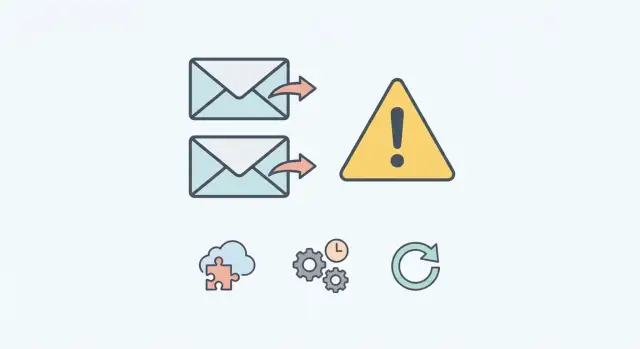
What “duplicate emails” really means in production
Users don’t report “duplicate email sends.” They report the feeling: “I got two password reset emails,” “My receipt arrived twice,” or “Your app keeps spamming me.” Sometimes the copies are identical. Other times they differ by a few seconds, a subject line, or a tracking pixel, which makes it harder to prove what happened.
Duplicates damage trust. If a receipt shows up twice, people worry they were charged twice. If a login or password reset email is duplicated, people worry someone is poking at their account. Internally, duplicates create support tickets, noisy alerts, and misleading metrics. Over time, they can also hurt deliverability because inbox providers notice bursts and repeated content.
Duplicates are tricky because “sending an email” is rarely one step. The same business event can fan out across systems: a webhook fires, a background job retries, a queue worker restarts, or a user clicks twice and your frontend submits twice. Each piece may be behaving “correctly,” but together they can trigger the same send more than once.
The goal is simple and testable: one business event equals one email.
A business event is the thing you care about, like “password reset requested for user 123” or “invoice 987 was paid.” Once you define that event, protect it with a single identity so every layer can say, “This was already sent.”
A practical way to frame it:
- A duplicate isn’t “two SMTP calls.” It’s “the same event produced two messages.”
- Fixing it isn’t only reducing retries. It’s making every trigger safe to run twice.
- The best outcome is boring: retries, webhooks, and restarts happen, and users still get one email.
Common causes: double triggers, retries, and job overlap
Most duplicates aren’t “the email service went crazy.” They happen because your app asks for the same send more than once, often from two places that don’t know about each other.
A common pattern starts at the edge. A user double-clicks, a form submits twice, or the frontend retries because it didn’t get a response. If the backend treats each request as a new business event, you’ve created two sends.
Webhooks are another frequent source. Many providers deliver the same webhook more than once on purpose, especially if your endpoint is slow or returns a non-2xx status. If you process every delivery as unique, you can trigger the same “send email” action again.
Background jobs add their own kind of duplication. A job can be enqueued twice due to races (two servers handling the same request), replays (a queue redrives a message), or a worker retrying after a timeout. The worst case is when the worker times out after the email provider accepted the send, then retries and sends again.
When you trace a single duplicate, you usually find one of these:
- The same event was created twice (double submit, client retry).
- A webhook was redelivered and treated as new.
- A job ran twice (or two jobs ran in parallel).
- A retry happened after the email already left your system.
- Two code paths send the same template (for example, one in a controller and one in a model callback).
That last one is common in fast-moving prototypes: send logic gets copied into multiple handlers, and both stay active.
Start with one incident and build a timeline
Don’t start by scanning the whole codebase. Start with one real email that a user received twice. Pick a single template (like “Password reset” or “Receipt”) and a tight time window (5 to 15 minutes) so you don’t mix different events.
Collect every identifier you can for that incident so you can point to the exact send attempts, not just the user who complained.
For each copy of the email, grab:
- Your internal email record ID (or the database row ID)
- The email provider’s message ID / response ID
- Timestamps (created, queued, sent, provider accepted)
- The business entity IDs (user_id, order_id, invoice_id, reset_token_id)
- Any request ID or job ID tied to the send
Then write a plain-language timeline from trigger to provider acceptance. Logs help, but writing it out forces clarity.
A useful timeline answers four questions: what event happened, what code path handled it, what jobs were queued, and how many times the provider accepted a message.
Example: a user clicks “Reset password” at 10:03:12. Your API creates reset_token_id=7781 and enqueues a job at 10:03:13. At 10:03:14, the client retries (or a webhook redelivers), creating a second token and a second job. Both jobs run and the provider accepts two messages at 10:03:20 and 10:03:22.
Instrument the send path so you can see duplicates
You can’t fix what you can’t see. The first goal is straightforward: make every attempted send leave a trail you can follow from trigger to provider.
Start by finding every place your app can send email. Many teams have more than one path: a controller that sends directly, a webhook handler that sends “just in case,” and a background job that also sends. Add one clear log line right before the provider call (the moment you ask for an email to be sent), and make it consistent across all call sites.
What to log on every send attempt
Keep it boring and consistent. A small set of fields beats a long message nobody reads.
- A correlation ID that follows the request or job end to end
- Trigger source (web_request, webhook, cron, background_job, manual_admin)
- Business event (password_reset, receipt, invite, email_change)
- Recipient and template name (or message type)
- The dedupe key you plan to use (even if you’re not enforcing it yet)
With that in place, when a user says “I got two emails,” you can search logs for the recipient and event, then group by correlation ID and dedupe key. Duplicates often show up as two different triggers firing within seconds.
Webhooks: treat redeliveries as normal
Most webhook systems retry by design. If your handler isn’t idempotent, retries become duplicate email sends even when everything is “working as designed.” The fix is to assume every webhook can be delivered more than once.
First, make sure you aren’t duplicating webhooks before the request even reaches your code. It’s surprisingly common to have two subscriptions pointing to the same endpoint (an old one someone forgot, or staging pointing at production). The payloads look valid; the only clue is the same event appearing twice.
Next, understand when the provider retries. Many resend on timeouts and 5xx errors, and some even retry on certain 4xx responses. If your handler does slow work (sending the email, calling other services, heavy queries) before responding, you increase timeouts and retries.
A safer pattern is: record first, respond second, process third. Return success only after the important data is saved durably (usually in your database), so a retry can see the event already exists.
A high-signal checklist:
- Confirm there’s only one active subscription per event type and environment.
- Log the webhook event ID (from the provider) alongside your request ID.
- Store the event ID with a unique constraint and a processed/unprocessed status.
- Respond 2xx after the event is recorded, not after the email is sent.
- If recording fails, return an error so the retry is useful, not harmful.
Background jobs: prevent double enqueue and double run
Background jobs are a common source of duplicates because most queues are built for at-least-once delivery. A job can run twice and the system still considers that acceptable. Your code has to be safe when the same job shows up again.
A job can run twice for ordinary reasons: a worker crashes after sending but before acknowledging the queue, the job times out, or a visibility timeout expires and the queue hands the same payload to another worker. If the email send sits in the middle of that, the user gets two messages.
First, reduce double enqueue. A classic bug is enqueueing inside a database transaction and then rolling back, or enqueueing in two places (an API handler and a model callback). Prefer enqueueing after commit so the “event happened” record and the “send the email” job can’t drift apart.
Then make the job safe to run twice. The worker should check a “did we already send this?” guard before calling the email provider.
Practical guards that work well:
- Use a unique job key so the queue refuses duplicates for the same business event.
- Write an “already enqueued” row keyed by the event and enqueue only if the insert succeeds.
- In the worker, atomically reserve the send (or acquire a lock) before sending.
- Keep retries, but cap them, and log when a retry happens after a provider accept.
If your only protection is “we retry on failure,” you’ll keep seeing duplicates when the failure happens after the email was actually sent.
Add dedupe keys (idempotency) at the business event level
To stop duplicates for good, don’t dedupe at the “send API call” level. Dedupe at the business event level: what happened in your app that deserves exactly one message.
Start by defining what “the same email” means for your product. A practical definition is usually: same recipient, same business event, and same template (or email type). “Password reset requested” and “password reset succeeded” aren’t the same event, even if they look similar in an inbox.
A dedupe key should be stable and predictable so every code path calculates the same value:
password_reset_requested:{user_id}:{reset_token_id}order_receipt:{order_id}:{email_type}invite_sent:{workspace_id}:{invitee_email}
The most important detail: store the key before you send.
Create an email_deliveries (or similar) record with a unique constraint on dedupe_key. If the insert succeeds, you own the send. If it conflicts, someone else already handled it.
On conflict, choose behavior that fits:
- Skip the send and log “duplicate suppressed.”
- Update a
last_attempt_atfield if you want visibility. - Return success to the caller using the existing record.
Also decide the dedupe window. Some emails should be once per event forever (a receipt). Others should allow repeats after time (a daily reminder). For repeatable emails, build time into the key (for example, reminder:{user_id}:2026-01-20) or expire old keys.
A realistic example: two password resets, one user
Duplicate email sends often look harmless in testing, then show up in production when users click quickly and networks get flaky.
Sara forgets her password. She opens the reset page and clicks “Send reset link.” The page feels slow, so she clicks again.
A realistic timeline that leads to two emails:
- 10:02:11 The first request creates a reset token and enqueues
SendPasswordResetEmail. - 10:02:12 Sara clicks again. A second request enqueues the same job (or triggers another path that enqueues it).
- 10:02:20 The job runner picks up the first job and calls the email provider.
- 10:02:22 The provider call times out and your job retries.
- 10:02:23 The second job runs too. Now you have overlap plus a retry.
In logs, this can look like “we only sent once” from the app side, while the provider shows two accepted sends, or one accepted send plus one retry that also succeeded.
The fix is to dedupe at the business event level, not the job ID level. For password reset, a solid key is user_id + reset_token (or reset_token alone if it’s unique).
When the send code runs, it first checks “have we already sent for this key?” If yes, it skips the provider call and records a clear log entry like “ignored duplicate attempt,” including the dedupe key and trigger source.
That turns the second click and the retry into safe no-ops, while keeping an audit trail for the next incident.
Common mistakes that keep duplicates coming back
Duplicates often survive the first fix because the patch treats the symptom, not the trigger. Everything looks fine in tests, then the next traffic spike or provider retry produces two (or five) messages.
One trap is relying on email-provider suppression tools and calling it done. Suppression can hide what users see, but your app is still firing multiple send requests. That also makes debugging harder because you’ll still see repeated “send attempted” entries.
Dedupe keys are another frequent problem. If the key is too broad (like user_id + template), you can block real messages (two separate receipts). If the key is too narrow (like a random UUID per request), it never matches duplicates, so retries still send again.
Race conditions are the quiet killer. If you write the dedupe record after sending, two workers can both pass the “not sent yet” check, both send, and then both write success. Reserve the key first (an atomic insert), then send.
Issues that tend to reintroduce duplicates later:
- A webhook acknowledges success before event state is persisted.
- Webhook redelivery is treated as an error instead of normal behavior.
- The same job can be enqueued twice with no uniqueness guard.
- Only one trigger is fixed, but a second path (admin action, cron, import) still sends.
Quick checks before you ship the fix
Before you deploy, pick one email type that has duplicated (password reset, receipt, invite) and confirm you can follow it end to end. If you can’t trace a single message from the first trigger to the provider call, you’re still guessing.
A practical rule: every email should have a single business-event identity, and every system that touches it should treat repeats as normal.
Pre-deploy checklist (fast, high-signal)
In staging, with production-like retries turned on:
- Logs show one clear chain: trigger received, handler accepted, dedupe decision, job enqueued (if any), send attempted, provider response recorded.
- Webhook handlers store the provider’s event ID (or your own) and ignore redeliveries without throwing errors.
- Background jobs can be retried without side effects: if the same job runs twice, the handler exits early instead of sending twice.
- A unique dedupe key is written to durable storage before the send call, not after.
- You can see spikes quickly (even a basic chart) for “emails sent per minute” and “dedupe hits.”
A quick “break it on purpose” test
Trigger the same event twice (or replay the same webhook payload). Then force one failure: kill the worker mid-job, or simulate a timeout from the email provider.
The expected result is boring: at most one delivered email, and logs that clearly explain why duplicates were blocked.
Next steps: make it boring, then keep it that way
After dedupe keys stop duplicates in your logs, roll the change out like any production update. If you’re nervous, put the dedupe check behind a feature flag and turn it on gradually. Start with one email type (password resets are a good first target), then expand once metrics settle.
Then clean up the mess duplicates already created. If you store “email sent” records, you may want to mark extras as duplicates so support views and reporting stop looking wrong. Perfect history matters less than future counts matching what users actually experienced.
Add one small automated test that proves the handler is idempotent: call the same event twice with the same dedupe key and assert only one send is recorded. That single test often prevents a later refactor from removing the guard.
A few habits keep things boring over time:
- Log the dedupe key on every send attempt and every skip.
- Alert on sudden spikes in “skipped as duplicate” (it can signal a trigger loop).
- Review new webhook handlers and background jobs for idempotency before merging.
- Keep the dedupe store durable enough to survive restarts and retries.
If you inherited an AI-generated codebase where email sends are scattered across copy-pasted handlers and retries, a focused audit can save days of guessing. FixMyMess (fixmymess.ai) specializes in diagnosing and repairing AI-generated apps, including adding business-event idempotency so webhooks and job retries stop producing duplicate emails.
FAQ
What do you mean by “duplicate emails” in production?
Treat it as one business event produced two messages, not just “two SMTP calls.” Start by naming the event (like password_reset_requested or receipt_paid) and then make every layer treat repeats as normal and safe.
What are the most common reasons users get the same email twice?
Most often it’s your app triggering the same send twice: double-clicks or client retries, webhook redeliveries, background job retries, or two different code paths sending the same template. Email providers usually only send what you asked them to send.
How do I debug one duplicate without getting lost in the whole codebase?
Pick one real incident and build a timeline. Collect your internal email record ID, the provider message ID, timestamps, business entity IDs (like order_id or reset_token_id), and the request/job IDs, then write out the exact path that led to each provider accept.
What should I log so duplicates are easy to spot later?
Log one consistent line right before every provider call with a correlation ID, trigger source, business event name, recipient, template/type, and the dedupe key (even if you aren’t enforcing it yet). That makes it obvious when two different triggers fired within seconds.
How do I stop webhook redeliveries from causing duplicate emails?
Assume every webhook can arrive more than once. Record the webhook event ID in durable storage with a unique constraint, return 2xx after it’s saved, and process the work after. That way a redelivery becomes a harmless no-op instead of another send.
How do I prevent background jobs from sending the same email twice?
Because most queues are at-least-once, a job can run twice after timeouts, crashes, or visibility expirations. Make the job idempotent: reserve a send using a unique dedupe record before calling the email provider, and exit early if it’s already reserved or sent.
What’s a good dedupe (idempotency) key for email sends?
Create a stable key based on the business event, like order_receipt:{order_id}:{email_type} or password_reset_requested:{user_id}:{reset_token_id}. Store it before sending with a unique constraint; if the insert conflicts, skip the provider call and log “duplicate suppressed.”
Why is “check if sent, then send” still producing duplicates?
If you write the “sent” record after the provider call, two workers can both pass the “not sent yet” check and both send. The default fix is atomic reservation first (unique insert or lock), then send, then mark as sent.
How can I test the fix before deploying to production?
A simple “break it on purpose” test works: trigger the same event twice, replay the same webhook payload, and force a failure like a worker crash or provider timeout. You should see at most one delivered email, plus clear logs showing the second attempt was skipped by dedupe.
Can FixMyMess help if this is happening in an AI-generated app?
If the send logic is scattered across copy-pasted handlers, webhooks, and jobs, duplicates keep coming back after each patch. FixMyMess helps diagnose AI-generated codebases, consolidate send paths, add business-event dedupe keys, and harden retries so users reliably get one message.