Email verification not working: fix links, tokens, resend logic
Email verification not working? Learn why links, tokens, and resend flows break in AI-generated apps, plus simple fixes for reliability and abuse resistance.
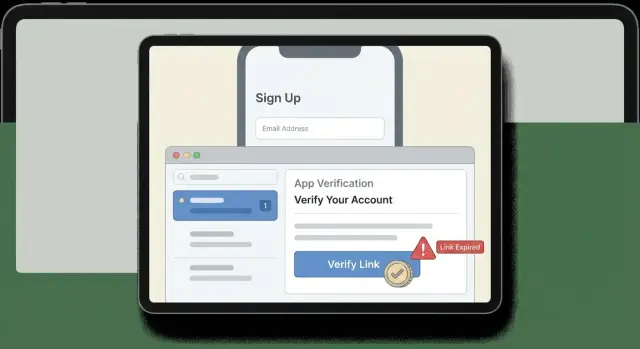
What it looks like when verification breaks
When email verification not working hits your signup, it rarely fails in a clean, obvious way. Users just feel stuck. They signed up, did what you asked, and your app still says they aren’t verified.
The most common experience is silence: no email arrives. People check spam, wait a few minutes, hit resend, then give up. Others do get an email, but the button leads to a blank page, a scary error, or a redirect back to the login screen with no explanation.
The worst version is the loop:
“Please verify your email” -> “Resend” -> “Email sent” -> click -> still “Please verify your email.”
Here are the patterns users usually report (often with screenshots and frustration):
- No verification email arrives (or it arrives hours later)
- The link opens but shows “Invalid token” or “Verification link expired”
- The link works once, then never again, even for a new signup
- After verifying, the app still treats them as unverified
- Resend seems to work, but only the newest or only the oldest email works (not both)
This isn’t just a few blocked signups. Every broken verification flow creates support tickets, refunds, and bad reviews. It can also create risk: if resend can be hammered, your system can send thousands of emails quickly, which hurts deliverability and can look like spam.
AI-generated onboarding flows often break because the pieces are glued together with happy-path assumptions. Common causes include tokens stored in memory instead of a database, links built from the wrong domain, verification state not saved reliably, or a resend button that creates a new token but never invalidates the old one.
The goal is simple: verification should be reliable for real users (including people who click the email on a different device), clear when something goes wrong, and strict enough that it can’t be abused. If you inherited an AI-built prototype from tools like Lovable, Bolt, v0, Cursor, or Replit, these problems are common and usually fixable with a focused audit and a few careful changes.
Common failure symptoms to recognize fast
Some verification bugs are loud (a clear error). Others are quiet and only show up as “people can’t sign up.” The fastest way to debug is to name the exact symptom, because each one points to a different layer.
1) The email never arrives
If users say the email is missing, don’t assume your app didn’t send it. Often it did, but the provider blocked it, it landed in spam, or it went to the wrong address.
Typical tells: only some domains fail (for example, corporate inboxes), messages show up in spam, or nothing appears in your email provider logs. Also check the basics: typos in the user’s email, a wrong sender domain, or environment variables that still point to a test email service in production.
2) The link opens, but shows “invalid” or “expired”
This is the classic “email verification not working” complaint. It usually means the token in the URL can’t be matched to what your backend expects, or your expiry logic is too strict.
Common patterns:
- The token is URL-encoded incorrectly.
- Your backend hashes tokens but compares them as plain text.
- You rotate secrets between deploys, so previously issued tokens can never validate.
- Clock drift or timezone logic marks tokens as expired immediately.
3) The link says verified, but the user is still not logged in
Users click the link, see a success message, then get bounced back to a login screen like nothing happened.
This usually happens when verification and login are treated as separate steps but the UI implies they’re the same. Other common causes: session cookies not being set (wrong domain, missing secure flags, blocked third-party cookies), or the verification endpoint updates the database but the frontend keeps using stale user state.
4) Resend works, but old links still work (or nothing works)
Resend flows often behave strangely in AI-generated onboarding. You may see resends that keep generating new emails while every link stays valid forever, or the opposite where every new email fails instantly.
A reliable resend flow needs a clear rule: does a new token invalidate the old one, or can any active token still work?
- If you don’t revoke older tokens, attackers can use any leaked link.
- If you revoke too aggressively without telling the user, they’ll click an earlier email and hit “expired” even though they just requested a resend.
5) Multiple accounts, duplicates, and race conditions
Repeated clicks and repeated signup attempts can create edge cases: two user rows for the same email, a verified flag that flips back and forth, or “already verified” errors that still don’t unblock login.
Look for races like: a user signs up twice before the first verification completes, two verification requests run at the same time, or a resend creates a second pending record. These show up most with impatient users on mobile who tap the link multiple times.
If these symptoms appear together, it often means the flow was stitched from snippets without a single source of truth for tokens, expiry, and user state.
Where failures usually live (delivery, app, database)
When email verification not working shows up, teams often poke at the wrong place first. Treat it like a relay race: the email provider has to deliver the message, the app has to accept the click, and the database has to record the new state.
Split the problem into three zones
Most breakages fit into one of these zones:
- Delivery: the email never arrives, lands in spam, or the link is changed by an email client (wrapped, truncated, or “safe-link” rewritten)
- App: the verification endpoint rejects the request, the frontend shows the wrong message, or the endpoint verifies but the UI stays stuck
- Database: the token record is missing or overwritten, timestamps are wrong, or the user’s verified flag never updates
Start with one simple question: did the click reach your backend? If you have a server log entry for the verification request, delivery is probably fine and the problem is in the app or database.
The state change must happen on the backend
A common AI-generated onboarding bug: the frontend pretends verification succeeded (shows a success screen) but no backend state changes. Verification must be a server-side action that updates real records: user status, token used or unused, and the time it happened.
Your database model should answer these clearly:
- Which user does this token belong to?
- When was it created, and when does it expire?
- Has it already been used?
- What is the user’s current verification status?
If any of those are missing, you’ll see flaky behavior like “works once,” “works only on mobile,” or “keeps saying link expired.”
Environment mismatches (dev vs prod)
Even when the code is correct, settings can change behavior between environments. A backend might generate links with the wrong host, or use different secrets to sign tokens in production. Another classic: production runs multiple instances, but tokens are stored in memory, so half the requests can’t validate them.
If you inherited an AI-built prototype (Lovable/Bolt/v0/Cursor/Replit), the root cause is often not one bug, but a few small mismatches across delivery, app, and database that only show up in production.
Link and token mistakes that break verification
When email verification not working, the bug is often not in the email itself. It’s in how the link token is created, stored, and checked.
A verification link is only as reliable as the rules behind its token. If those rules are vague (or missing), you get random failures for real users and easy abuse for attackers.
Token mistakes that quietly break the flow
These are the problems that show up most in AI-generated onboarding code:
- Token isn’t stored server-side, so the app can’t validate it later. Some prototypes put the token in client state (like localStorage) and compare it to itself, which proves nothing.
- Token leaks into logs. If you log full URLs or request bodies, your token can end up in server logs, analytics, error trackers, or support screenshots.
- Token is stored in plain text. If your database is leaked, attackers can immediately verify accounts. Safer pattern: store a hashed digest of the token, like you would a password.
- Expiration is wrong. Too short means normal delays cause “verification link expired.” Never expiring means old links can be used forever.
- Token is tied to the wrong thing. Common mismatch: token is generated for a user ID, but the endpoint looks up by email, or the link points to the wrong API host.
- Endpoint doesn’t check purpose and status. A token should be valid only for one purpose (verify email), and only when the account isn’t already verified.
- Multiple valid tokens exist with unclear rules. If you allow unlimited active tokens, you need one clear policy: newest wins, or any active token works.
A small realistic example: someone signs up, requests two resends, then clicks the first email. Your system accepts only the latest token, so it returns “invalid token.” The user did nothing wrong. Your rules and messaging didn’t match what happened.
A rule set that works in practice: generate a random token, store only its hash, set a sane expiry (hours, not minutes), bind it to user plus purpose, and pick one policy for multiple tokens (often “newest wins” with older tokens revoked).
Resend logic that works and doesn’t invite abuse
When verification breaks, users try resend first. If resend is weak, it turns into an endless loop for real users and a free tool for bad ones.
A good resend button does three things every time: it creates a fresh token, makes older tokens useless, and slows down repeated requests. Generating a new token without invalidating the old one leads to confusing states like “already used” or “token mismatch,” depending on which email the user clicks.
Keep resend behavior predictable:
- Issue a new token and revoke or expire previous unused tokens
- Rate-limit by account and by IP (a short cooldown plus a daily cap)
- Return the same message whether the email exists or not (prevents account discovery)
- Store token hashes (not raw tokens) and use a clear expiration time
- Show a clear UI state like “Email sent. Try again in 30 seconds.”
Avoid a resend loop by using a single source of truth for “pending verification.” Don’t base it on front-end flags or local storage. Base it on server state (for example, a user record with a verification status). The UI should read that status and only offer actions that make sense: resend, change email, or contact support.
Handling users who change their email before verifying is another common break point. Treat it as a new verification flow: update the pending email, revoke all previous tokens, and require verification of the new address. Otherwise you risk verifying the wrong email or leaving multiple valid links floating around.
Logging matters, but log safely. Record events and timestamps (verification_sent, verification_clicked, verification_succeeded, verification_failed) plus coarse metadata like user ID and provider response codes. Never log raw tokens, full verification URLs, or email contents. If you need traces, log a token identifier (like the first 6 characters of a token hash) and keep it out of client-facing error messages.
Step-by-step: make verification reliable end to end
If your email verification not working problem shows up only sometimes, it’s usually because the flow is split across too many places. Make it boring: one token, one endpoint, one clear state change.
1) Build a simple, repeatable flow
Decide how tokens work before you touch UI.
- Generate a token that can’t be guessed. Use a long, random value (not a short code, not a user id, not a predictable JWT unless you really know what you’re doing).
- Store only what you need. Save a hash of the token (not the raw token), plus
user_id,expires_at, andused_at(or a simplestatus). - Send one verification link that points to a single backend endpoint, for example:
GET /verify-email?token=.... - Verify once and set one source of truth. When the token is valid, mark the user as verified (for example,
users.email_verified_at = now()), and mark the token as used. - Handle expiry with a friendly path. If the token is expired, show a clear message and offer a safe way to request a new email.
2) Make resend and repeated clicks safe
Two rules keep this reliable: invalidate old tokens, and make every action idempotent.
When a user clicks the same link twice (or their email client preloads it), nothing should break. If the user is already verified, the endpoint should return “You’re verified” and stop.
For resends, avoid multiple active tokens per user. When you issue a new token, invalidate any previous unused tokens for that user. That prevents edge cases where an older email arrives later and confuses the user.
A quick checklist that catches most AI-generated onboarding mistakes:
- One active token per user, invalid after a resend
- One verify endpoint that does the full state change (not half in the frontend)
- Atomic update: verify user and consume token in the same operation
- Clear expiry window (for example, 15 minutes to 24 hours) and a clean “send again” path
- Idempotent responses for already-verified and already-used tokens
Example: a founder tests signup, clicks the link, and it works. Later, a teammate uses the same link and gets “invalid token.” That might be fine, but only if the endpoint replies with “Already verified” instead of an error. Often the state is correct, but the messaging and idempotency are missing, so it feels broken.
Abuse resistance and security checks to add early
Teams often focus on deliverability and UI. But many “broken” flows are actually blocked by missing safety checks, or they’re working but easy to abuse. Add a few guardrails early so verification stays reliable under real traffic.
Throttle resends and verification attempts
Resend buttons attract abuse. If a bot triggers hundreds of emails per minute, your provider may delay or reject messages, and real users get stuck.
Limits that usually work without punishing real users:
- Resend limit per account (for example, 1 per minute with a short daily cap)
- Verify attempt limit per token (stop after a few wrong tries)
- IP or device throttles for repeated signups and resends
- Progressive cooldowns where each resend increases the wait
- Clear user feedback (a countdown beats an endlessly clickable button)
One detail that matters: don’t create a brand-new token on every click with no limits. That can flood your database and makes support harder (“which email is the right one?”).
Prevent replay and common takeover paths
Tokens should be one-time use and short-lived. After a successful verify, mark the token as used and reject it forever.
Also watch for takeover-friendly behavior. Verification shouldn’t silently change an account email address just because someone clicked a link. A safer pattern is: request change -> send link to the new email -> confirm -> notify the old email.
Redirect handling is another quiet problem. If your verify endpoint accepts a redirect parameter, allow only known internal destinations. Otherwise attackers can use your domain to bounce users to phishing pages.
Treat tokens like passwords: they leak easily. Avoid putting full tokens in logs, analytics events, error reports, or support screenshots. If you must log, store only a short prefix.
A realistic example: a prototype captures the verification URL (with token) in an analytics tool, and it ends up in third-party dashboards. Anyone with access can verify accounts. This happens more than teams expect because template code often logs full URLs by default.
Common traps in AI-generated onboarding flows
When email verification not working shows up in an AI-generated app, people often blame the email provider first. Delivery can be part of it, but repeat failures usually come from confused app state: the database says one thing, the server checks another, and the UI shows a third.
A common pattern is “too many tokens, no rules.” The signup flow generates a new token on every resend, but old tokens never get revoked. Then the user clicks the first email, the server checks the latest token, and you get a mismatch even though the link looks valid. Two tabs or two devices can also create competing requests that leave state in a weird place.
Token design is another trap. AI-generated code sometimes uses predictable tokens, or puts a user ID (or email) directly in the link and calls it “verification.” That’s easier to guess or reuse, and it’s harder to invalidate safely.
Server truth beats client truth
If the UI sets isVerified = true after the user clicks the link (without a server-side update), it will look fine in that browser and fail everywhere else. You need one source of truth on the server, stored in the database, and every protected action should check it. Otherwise, people can bypass verification by calling endpoints directly.
Time is another quiet failure. Real users click links late, click twice, or receive emails out of order. If you don’t test expiry windows, clock skew between services, and delayed delivery, you’ll ship a flow that only works in perfect lab conditions.
Quick checks that catch most onboarding bugs fast:
- Only one valid verification token exists per user at a time, with clear precedence rules
- Token hashes are stored (not raw tokens) and validation always happens on the server
- Resend is a state change: revoke old tokens, set a new expiry, and log the event
- Verification is idempotent: a second click says “already verified,” not an error
- Timing is tested: expired links, out-of-order emails, double clicks, and device changes
Realistic example: fixing a broken signup this week
A founder ships an AI-built app and the first users hit a wall: signup works, but nobody can log in because the app insists on email verification. Support tickets say the same thing: “I never got the email.” A few users do receive it, but clicking the button shows an error like “invalid token.” The founder searches for “email verification not working” and tries quick tweaks, but the problem keeps coming back.
Start with the boring parts. The email provider is rejecting sends because the from address doesn’t match the verified domain, so many messages never leave. On top of that, the app generates verification tokens in memory, emails them, but never saves them to the database. So when a user clicks the link, the server has nothing to compare against.
A stable fix looks like this:
- Correct sender settings (verified domain, from address, and reply-to)
- Store a hashed token with an expiry time and the user id
- Validate on click: user exists, token matches, not expired, not already used
- Add a resend limit (cooldown plus daily cap) per user and per IP
- Invalidate old tokens when a new one is issued
After the fix, verification works even when someone opens the email hours later. If they request a new email, only the newest link is accepted, and older links fail safely with a clear message. That reduces confusion and closes a common abuse route where attackers spam resends or reuse old tokens.
During the transition, support needs a simple script that doesn’t blame the user. For example: “We fixed our verification emails. Please request a new verification email from the login screen. If you still don’t receive it within 5 minutes, check spam and tell us which email domain you used (Gmail, Outlook, etc.).”
Quick checks and next steps
If email verification not working is blocking signups, do a fast pass that checks the whole chain. Most “it doesn’t work” reports come down to one mismatch between what was sent and what your server expects when the link is opened.
A quick checklist you can run in about 15 minutes:
- Delivery: confirm the email is actually sent, not stuck in a provider queue, and not hitting spam (check provider events and bounces)
- Link correctness: open the email and compare the link domain, path, and query params to what your app routes handle (watch for missing URL encoding)
- Token rules: confirm token format, hashing strategy, lifetime, and time settings match on both sides
- State updates: ensure verified is written once, to the right user record, and that login reads that same field
- Logging: add a trace ID per request, log clear reason codes (expired, already used, invalid), and never log full tokens (log only a short prefix)
Then run a few edge tests in an incognito window so you see what new users see:
- Expired token: wait past the TTL, click the link, confirm you get a clear expired result and a safe resend path
- Resend twice: request two resends, confirm only the newest link works (or older ones are invalidated)
- Click old link after a resend: confirm you don’t verify the wrong token or flip the user back to an unverified state
- Click the same link twice: confirm the second click is handled safely and doesn’t error out
- Create two accounts, swap links: confirm links can’t verify a different user
If you inherited an AI-generated codebase, watch for spaghetti auth flows: multiple verification endpoints, tokens stored in different places, or UI logic that marks a user verified before the server does. These are hard to spot without reading the flow end to end.
If you want a second set of eyes, FixMyMess (fixmymess.ai) specializes in diagnosing and repairing AI-generated app code, including broken authentication and verification flows. A focused codebase audit often surfaces the small, compounding issues (delivery config, token persistence, resend rules) that only show up in production.
FAQ
How do I quickly tell if the problem is email delivery or my app logic?
Start by checking whether the verification click reaches your backend. If you see the request in server logs, delivery is probably fine and the bug is in token validation or state updates. If there’s no request, focus on email provider events, spam placement, and whether the link is built with the correct domain and path.
Users say the verification email never arrives—what should I check first?
First confirm your email provider accepted and sent the message, then check bounces and spam placement. Next verify your sender setup (from address and domain alignment) and make sure production isn’t still pointing at a test email service. If only certain domains fail, it’s often a deliverability or policy issue rather than your code.
Why do verification links show “invalid token” or “link expired” even right after signup?
It usually means the token in the URL can’t be matched to what the server stored, or the server thinks it’s expired. Common causes are URL encoding issues, comparing a hashed token to a plain token, rotating secrets between deploys, or clock/timezone mistakes. Log a clear failure reason like expired vs not_found so you can narrow it down fast.
The link says “verified” but the app still treats the user as unverified—why?
Make verification a real server-side state change, then make the UI read that server state. If the backend updates the user but the frontend keeps stale user data, the UI can still show “unverified.” Also check cookie/session settings (domain and secure flags) because users may be verified but not logged in automatically.
What’s the safest resend behavior: should old links still work or not?
Pick one simple rule and communicate it in the UI. A practical default is “newest token wins,” where every resend revokes older unused tokens so only the latest email works. Add a short cooldown and daily cap so resends can’t be spammed and so deliverability doesn’t get damaged.
How should I store verification tokens to avoid both bugs and security issues?
Store a hash of the token (not the raw token) along with the user ID, purpose, expiry time, and whether it was used. Treat it like a password: never log the full token or full URL, and reject used tokens forever. This makes validation reliable and reduces the blast radius if logs or a database leak.
Why does clicking the same verification link twice sometimes break things?
Make the verification endpoint idempotent: if the user is already verified, return a success message instead of an error. Some email clients or security tools also prefetch links, which can trigger a first “click” before the user taps it. Idempotency prevents that from breaking the user experience.
How do duplicate accounts or race conditions happen during signup and verification?
You’re likely creating multiple user records or multiple pending token records without a single source of truth. Enforce a unique constraint on email, and ensure verification consumes exactly one token and updates the user in one atomic operation. Also handle double-clicks and concurrent requests safely so state can’t flip back and forth.
How do I stop the resend button from being abused or hurting deliverability?
Rate-limit resends by account and IP, use a cooldown, and cap daily sends. Return the same message whether the email exists or not to prevent account discovery. Also avoid generating a brand-new token on every click with no limits, because it creates confusion and can flood your email provider.
Can FixMyMess help if this came from an AI-built prototype (Lovable, Bolt, v0, Cursor, Replit)?
Yes, and it’s common. AI-generated flows often store tokens in memory, build links with the wrong domain, or update “verified” only in the frontend. FixMyMess can run a free code audit to pinpoint the exact break (delivery config, token persistence, resend rules, state updates) and typically get verification working reliably within 48–72 hours.