EMFILE too many open files Node: debug it in production
EMFILE too many open files Node errors often come from leaked handles in AI-generated apps. See common causes and quick production checks to confirm the fix.
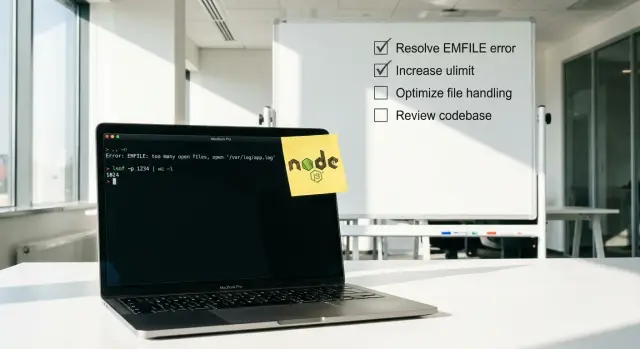
What “too many open files” really means
The error usually shows up as EMFILE: too many open files (or ENFILE). It means your app has run out of file descriptors.
A file descriptor is a small handle the operating system gives a process when it opens something like a file, a network socket, a log file, or a directory. When the process hits its limit, new opens fail.
That can break parts of your app that don’t sound like “files” at all: API calls, database connections, uploads, server-side rendering, even reading config files. That’s why the same incident can look like random 500s until you catch the real message in logs: EMFILE.
It often appears only after hours or days because leaks can be slow. One request might open a file or socket and forget to close it. One leak is invisible. Ten thousand requests later, the next request is the one that fails.
AI-generated Node apps are more likely to leak resources because they often glue together snippets without a clear lifecycle. Common signs are missing finally blocks, listeners added on every request, file streams without error handlers, or “quick fixes” that open new connections instead of reusing existing ones.
When it happens, capture a small snapshot right away. It’s usually enough to connect the spike to specific code and traffic:
- the time window (first error and peak)
- which endpoint, job, or worker was running
- deploy version/commit and any config changes
- one full stack trace and nearby logs
- traffic level (normal, spike, or background job)
How this shows up in Node deployments
EMFILE rarely starts as a clean, obvious failure. Most teams first notice “random” 500s, stuck requests, or a container that suddenly stops accepting connections even though CPU and memory look fine.
Two leak shapes show up in production:
- Per-request leaks fail fast. A burst of traffic triggers failures within minutes because every request leaves a file, socket, or watcher open.
- Slow leaks fail late. The app runs for hours or days, then falls over after a steady drip of unclosed resources.
In logs and behavior, it often looks like this:
- spikes of 5xx that recover after a restart
- uploads or image processing failing first (streams burn through descriptors quickly)
- database or Redis errors that seem unrelated (new sockets can’t open)
- “works locally” but fails under real traffic or cron jobs
- one pod is “cursed” while others look fine
Restarts can hide the root cause. If your platform restarts crashed processes quickly, you can end up in a loop: the leak grows, the app dies, the app comes back “healthy”, and the leak starts over.
Autoscaling can make it feel random too. New instances start with a clean descriptor count, so errors disappear when traffic shifts. Then the same code path runs again, and only some pods fail.
One last sanity check: if the error happens immediately on startup with low traffic, you might simply be hitting a low descriptor limit. If it appears after runtime and gets worse around specific routes or jobs (uploads, scraping, PDF generation), it’s usually an application leak.
Common causes in AI-generated Node apps
AI-generated Node projects often work in a demo, then hit EMFILE as soon as real traffic, real files, or long-running jobs show up. The underlying pattern is simple: something opens a file or connection and doesn’t close it, so the process slowly runs out of file descriptors.
A common trigger is file handling code that uses streams but doesn’t close them on every path. For example, a request handler opens a read stream, then returns early on an error without calling destroy() or waiting for finish/close.
Another frequent cause is “helpful” background watchers created by scaffolds. A prototype might start file watchers for hot reload, thumbnail generation, or sync tasks, then accidentally run them in production too. Each watcher uses descriptors and can multiply across workers.
The leaks that show up most often
These are repeat offenders in AI-written code:
- Streams opened inside loops (CSV imports, batch image processing) without backpressure, so hundreds of files are open at once.
- HTTP clients or raw TCP sockets kept alive forever, especially when retries create new connections but don’t end old ones.
- Database pool usage where connections are acquired but not released on error paths (missing
finally). - Child processes spawned for conversion or scraping, with stdout/stderr pipes left open.
- Log and metrics writers that open a new file per request, or rotate logs incorrectly and keep old handles alive.
Why AI code makes this worse
Generated code often has lots of early returns and catch blocks, but no consistent cleanup. It also mixes patterns (callbacks, promises, streams) in one function, which makes it easy to miss an exit path.
Fast ways to confirm it’s an FD leak (not guesswork)
When you see EMFILE too many open files Node, answer one question: are you hitting a low limit, or is your app leaking file descriptors over time?
First, verify the current limit for the running process.
# In the same environment as the Node process
ulimit -n

# Per-process limits (replace PID)
cat /proc/PID/limits | grep -i "open files"
Next, measure how many FDs the Node process has open right now, then check again later. A leak looks like a number that keeps rising even when traffic is steady.
# Count open file descriptors for the process
ls -1 /proc/PID/fd | wc -l
If you can, sample or graph that count. You’re looking for a steady upward climb that doesn’t drop back down after requests finish.
To see what’s being left open, take a quick lsof snapshot and look for repetition.
# High-level view of what the process is holding
lsof -p PID | head

# Quick pattern check (examples: uploads, temp files, sockets)
lsof -p PID | grep -E "(/tmp|uploads|\.log|TCP)" | head
A few common patterns:
- thousands of similar temp file names (uploads not closed)
- repeated log files (custom logger reopening)
- lots of outbound sockets (HTTP clients not closing)
Step-by-step: isolate and stop the leak
Treat EMFILE like a rate problem: something is opening file descriptors faster than it closes them. The goal is to prove which process and which feature makes the count climb, then ship the smallest safe fix.
Start with timing. Line up when the errors begin with traffic peaks, cron jobs, queue workers, or batch tasks. If it only happens during a nightly import, you already have a strong suspect.
Then look at what’s actually open. A leak caused by uploads usually looks like lots of regular files. A bad HTTP client pattern looks like many sockets in similar states. Some logging setups leave pipes open.
A practical isolate-first flow:
- Identify the PID that’s throwing errors and watch the open FD count every 10 to 30 seconds.
- Capture one
lsofsnapshot and scan for the most repeated paths or remote endpoints. - Disable one worker, job, or feature flag at a time and watch whether the FD curve stops rising.
- Add minimal counters around the suspected path (opens vs closes per request/job) and log only aggregates.
- Deploy a targeted fix and confirm the slope is flat under the same load pattern.
For temporary instrumentation, keep it simple and safe. For an upload route, count how many streams you create and how many emit close or end. For a fetch worker, log how many responses you start vs how many you fully consume.
If disabling a single worker stops the climb within minutes, you likely found the leak. If it keeps climbing, you may have multiple sources, or a shared library used everywhere.
Traps that keep the leak alive
EMFILE issues stick around when cleanup only happens on the happy path.
A file handle, network socket, or cursor gets created, then an exception happens, and the close step never runs. If you only test when everything succeeds, you miss the leak.
The usual culprits
These show up a lot in AI-generated code because it copies patterns but skips the safety parts:
- No
try/finallyaround anything you open, so errors bypass the close. - Streams without
errorhandlers, where the error path skips cleanup. - File watchers like
fs.watchor chokidar left on in production. - A new database client created per request instead of using a pool.
- Shutdown that ignores
SIGTERMor doesn’t await cleanup, so old connections linger during deploys.
One concrete way this bites
Picture an upload endpoint that reads a temp file, sends it to storage, then deletes the temp file. Under a timeout, the upload fails midway. If the code doesn’t close the read stream in a finally, that temp file handle can stay open. Do that often enough and the server hits the limit.
A good check is to trigger the failure path on purpose (cancel the request, simulate a timeout) and verify the open FD count stops climbing after the request ends.
How to read the clues from what’s left open
The fastest way forward is to look at what is actually open, not what you suspect is open.
Sample one process a few times, about a minute apart:
- If the FD count rises steadily at low traffic, you’re hunting a leak.
- If it jumps in sharp steps, look for a scheduled task (cron), a queue worker, or a background job that wakes up, does work, and forgets to close.
Patterns that point to the source
What you see in lsof often narrows the cause quickly:
- Lots of
socketentries: outbound HTTP calls, database connections, Redis clients, webhooks, proxies, or missing timeouts. - Lots of
pipeentries: child processes (PDF tools, image conversion, ffmpeg) where stdout/stderr aren’t drained or the process isn’t reaped. - Lots of real files: uploads, temp files, log files, read streams where
closenever fires. - Many similar paths repeated: a loop opening the same kind of resource over and over.
After you identify the dominant type, match it to timing. If the spike lines up with a queue tick, focus on the worker code, not the web handler. If sockets dominate, check connection pooling and timeouts. If files dominate, check upload parsing and any createReadStream or createWriteStream usage.
Safe mitigations while you work on the fix
You usually need two tracks: keep the service up, and buy time to find the leak.
Raising the open-file limit can reduce crashes, but treat it as a temporary buffer. If a leak keeps growing, a higher limit just means the outage arrives later. Make one change at a time, note before/after behavior, and alert if FD use keeps climbing.
Low-risk mitigations:
- Restart quickly, but make sure logs survive long enough to debug.
- Fail a health check when FD usage crosses a threshold so the instance gets rotated.
- Rate-limit the endpoint or job that spikes FD usage.
- Disable the leaky feature behind a flag (uploads, image processing, PDF generation) until the fix ships.
Timeouts are another useful guardrail. Many AI-generated apps forget them, so slow outbound HTTP calls, database queries, or consumers can pile up and hold sockets open longer than expected. Set sane defaults and cap retries.
Also make shutdown predictable: stop taking new requests, finish in-flight work, close HTTP keep-alive agents, close DB pools, and stop workers.
A realistic example: the upload worker that kept files open
A team shipped an AI-generated Node upload worker that accepted bursts of PDFs, extracted text, and saved results. It worked in tests, but in production it would crash after a busy hour with EMFILE.
The worker used fs.createReadStream() for each PDF and piped it into a parser. On the happy path, the stream ended and the file handle closed. But on the error path (corrupt PDF, timeout, parser exception), the code returned early and never cleaned up the stream. Worse, it didn’t listen for stream errors, so some failures never reached the catch block.
What changed in the patch
The fix was small but strict: every run had to close file handles even when something goes wrong.
- Attach
errorhandlers to every stream involved. - Use one control flow that guarantees cleanup (for example, a
try/finally). - In cleanup, call
destroy()on streams that might still be open.
A simplified version looked like this:
const rs = fs.createReadStream(path);
try {
  await parsePdf(rs); // throws on bad PDFs
} finally {
  rs.destroy(); // safe even if already ended
}
The production proof it was fixed
They tracked one metric: the number of open file descriptors for the Node process.
Before the patch, the FD count climbed with every burst and never returned to baseline. After the patch, it rose briefly during peak uploads and then settled back down. That was the real confirmation the leak was gone.
Quick checklist to confirm the fix in production
You don’t need to guess whether you fixed an EMFILE issue. You need a few checks that stay boring under real traffic.
After deploying, keep the same environment and workload shape you used when it was failing (same workers, same background jobs, same queue consumers):
- FD count settles instead of climbing: small ups and downs are normal; a steady rise is not.
- No
EMFILEthrough a full traffic cycle: watch one peak period plus quieter time. - Connection pools settle after bursts: active connections and queued requests should return toward baseline.
- Graceful shutdown actually closes things: restart one instance and confirm the old process exits cleanly.
- One simple FD alert: alert well below the OS limit so regressions show up early.
If FD count is stable but errors continue, look at OS limits (ulimit), sidecars, or other processes on the same host.
Next steps if it keeps happening
If you’ve raised limits and deployed a patch but EMFILE keeps coming back, assume there’s a structural issue behind it. Two patterns usually mean “dig deeper”: code that opens files in many places without a clear owner, and hidden background loops (pollers, watchers, workers) that run forever and slowly accumulate open handles.
What to collect so someone can diagnose it fast
Before changing more code, capture a small set of evidence from the failing environment:
- a short log window around the first
EMFILE(with timestamps and traffic level) - PID, Node version, container limits, and current nofile setting
- an open-FD snapshot for the PID (count and dominant types: files, sockets, pipes)
- recent deploy details and what changed
- the workload shape (uploads, image processing, cron jobs, webhooks, queue consumers)
After that, reproduce with production-like load for 10 to 15 minutes and watch whether the FD count steadily climbs. A steady climb almost always means a leak.
If the codebase is AI-generated and you can’t quickly find the “owner” for each stream/socket, a focused audit is often faster than patching blindly. FixMyMess (fixmymess.ai) is built for exactly this situation: diagnosing and repairing broken AI-generated Node prototypes by tracking down leaks, tightening cleanup paths, and hardening the app so it holds up in production.
FAQ
What does “EMFILE: too many open files” actually mean in Node?
It means your Node process hit its file descriptor limit. File descriptors aren’t just “files”; they also cover network sockets, pipes, directories, and streams, so the failure can show up as database errors, broken HTTP calls, or random 500s.
Why does EMFILE show up after hours or days instead of right away?
It usually points to a leak: something is being opened repeatedly and not closed on every path, especially error paths. If it happens immediately after startup with low traffic, you may simply have a low open-file limit configured for the process or container.
How can I tell if it’s a leak versus a low OS limit?
Check whether the number of open descriptors keeps rising over time. If the count steadily climbs even when traffic is steady, you’re leaking; if the count is flat but you still hit errors, the limit is likely too low for your workload.
What’s the quickest way to confirm an FD leak in production?
Watch the open FD count for the Node PID over a few minutes, then sample again later. A leak looks like the count never returning to a baseline after requests or jobs finish, even if it rises during bursts.
What are the most common causes of EMFILE in AI-generated Node apps?
The most common issues are streams not being destroyed on errors, missing finally cleanup when a connection or file is opened, and background watchers accidentally running in production. Upload handlers, PDF/image processing, and queue workers are frequent hotspots because they open many handles quickly.
What should I look for in lsof output to find the source?
Look at what’s left open: lots of regular files often points to uploads or temp files; lots of sockets points to outbound HTTP, database, or Redis clients; lots of pipes often points to child processes. Matching the dominant type to when the spike happens usually narrows it to one route or one worker.
Why do restarts or autoscaling make EMFILE feel random?
Restarts reset the FD count, so the service looks “fixed” for a while even though the leak is still there. Autoscaling can hide it too, because new instances start clean while only some long-lived pods accumulate enough leaked handles to fail.
What can I do to keep the service up while I work on the real fix?
First, stop the FD count from rising by disabling the suspected job or route, or temporarily rate-limiting the hotspot. If you raise the open-file limit, treat it as a buffer, not a fix; the real goal is to make the FD count settle back down after work completes.
What’s the safest coding pattern to prevent EMFILE from coming back?
Make cleanup unavoidable: whenever you open a stream, socket, or acquired pool connection, ensure it gets closed in a finally block or an equivalent guaranteed cleanup path. Also handle stream errors explicitly, because unhandled stream errors often skip the cleanup you thought would run.
How do I verify the fix is real after deploying?
Track one simple signal: open FD count for the Node process should rise during bursts and then return close to baseline, not climb endlessly. If your codebase is AI-generated and you can’t quickly find ownership for every stream and socket, FixMyMess can run a free audit and usually fix the leak and harden the app within 48–72 hours.