Event ticketing MVP planning: overselling, refunds, transfers
Plan your event ticketing MVP before coding: stop overselling with clear inventory rules, and define refunds and transfers so your first launch runs smoothly.
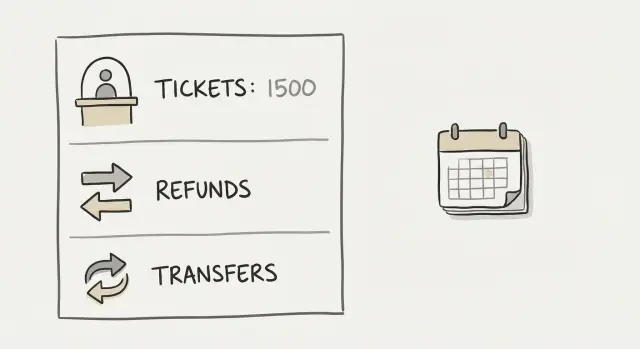
The real problem: selling tickets is mostly rules, not screens
Most event apps fail for a boring reason: the screens look fine, but the rules are missing or vague. AI tools can generate a checkout page in minutes. They can’t guess what you mean by “one ticket left” when 200 people click Buy at the same time.
Overselling is exactly what it sounds like: you take money for tickets you don’t actually have. In real life it shows up as two customers holding receipts for the “last” VIP seat, or a venue report that says 300 people checked in for a 250-cap room.
The root cause is usually simple. Inventory is counted in one place, payments are confirmed in another, and there’s no clear moment where a ticket is truly reserved. Add slow card payments, bad reception, people refreshing the page, and multiple tabs, and you get duplicate sales.
The damage isn’t just embarrassment. Overselling creates angry customers, a support inbox full of “where is my ticket,” refund demands, chargebacks, and reviews that hurt your next event.
For an event ticketing MVP, “MVP” should mean the smallest flow that can sell tickets safely, not the smallest number of screens. A safe MVP can be plain and still win if it answers the hard questions up front.
Before you generate a single line of code, write down the rules that decide what’s real:
- When does a ticket become reserved, and how long until it expires?
- What counts as “sold”: payment started, payment succeeded, or receipt issued?
- What happens if payment succeeds after the hold expired?
- What is the limit per buyer, and how do you enforce it?
- When inventory is low, do you block sales, offer a waitlist, or use a hold queue?
A quick scenario shows why this matters. You have 50 early-bird tickets. At 10:00, 80 people try to buy. If your rule is “inventory decreases after payment,” you can oversell in seconds. If your rule is “inventory is held for 8 minutes at checkout,” you reduce risk, but you still need a clear answer for what happens at minute 9.
Set the goal like this: write the rules first in plain English, then generate the MVP around them.
Define the MVP scope in plain terms
An event ticketing MVP is easier to build when you describe it as a set of rules, not a set of screens. Before you touch code (or ask an AI tool to generate it), be clear about:
- Who uses the system
- What “things” exist in it
- What must never happen
Start with the minimum roles:
- Buyer: pays and receives tickets
- Attendee (optional): the person who shows up, if different from the buyer
- Organizer: creates the event and sees sales
- Door staff: scans tickets and checks people in
If you’re tempted to add “marketing admin,” “promoter,” “finance,” or “support agent” in v1, pause. Those can come later once the basics work.
Next, name the minimum objects you’ll store. A simple ticketing app usually can’t avoid these: Event, Ticket Type, Order, Ticket, and Check-in.
Then decide what must always be true (your non-negotiables). Examples:
- A ticket can’t be checked in twice.
- A refunded ticket can’t be used.
- A transferred ticket has exactly one current owner.
Write these as plain sentences so you can test them later.
A scenario helps: “Sam buys 2 General Admission tickets. He transfers 1 to Alex. Alex checks in at the door. Sam requests a refund for his remaining ticket before the refund deadline.” If your rules don’t clearly say what happens at each step, the code will guess, and guessing is where disputes start.
Finally, decide what you will not build in v1. Seat maps, promo codes, complex taxes, multi-day passes, box office cash sales, waitlists, and organizer teams with permissions are common “later” items.
Inventory basics: what you are actually counting
Before you design screens, decide what a “ticket” means in your system. Most bugs start here because the app can only prevent overselling if everyone agrees on the exact unit being counted.
Your inventory unit should match how people buy and how staff check in. Common units are per ticket type (General, VIP), per day (Fri vs Sat), per time slot (10:00, 10:30), or per seat (Row A, Seat 12). Pick one as your primary unit, even if you display it in different ways later.
Example: a workshop has three sessions per day with 10 spots each. If you count “per day” inventory, you can sell out the morning session and still show “10 left” for the afternoon. If you count “per time slot,” each session has its own number and your app stays honest.
You also need to decide how you show low inventory. Some events like “Only 2 left.” Others prefer “Available” vs “Sold out” to avoid complaints when counts change quickly. Either way, treat what you display as a hint, not a promise.
Define ticket states in plain language, and keep them strict:
- Reserved: a spot is held during checkout
- Sold: payment succeeded and the buyer owns the ticket
- Expired reservation: the hold ran out or payment failed, so the spot returns to inventory
Then write one rule that blocks overselling, and make sure it’s enforced by the server and database, not just the UI:
“A purchase can only become Sold if there is at least 1 available unit for that exact inventory item, and the system reduces availability at the same moment it marks the ticket Sold.”
If a prototype only checks availability on the page, it will sell the same last ticket twice under load.
Stop overselling: holds, timeouts, and race conditions
Overselling usually happens in the gap between “someone clicked Buy” and “money actually cleared.” Your app needs a clear rule for that gap.
Use temporary holds (and be specific)
A hold is a short reservation that blocks inventory while someone checks out. Pick a window that matches real behavior. For many events, 5 to 15 minutes is enough: long enough to complete payment, short enough that you don’t freeze inventory all night.
Decide what resets the timer. You might allow a single reset when the buyer returns from the payment step, but not on every page refresh. If refresh extends holds forever, one person can lock up inventory.
Also decide what happens when the hold expires. The simplest rule is also the safest: when time runs out, tickets return to available inventory automatically.
When should inventory decrease?
You have three common options:
- Decrease inventory at checkout start: safest against overselling, but you’ll see more abandoned holds.
- Decrease inventory on payment success: fewer abandoned holds, but you still need a hold to prevent collisions.
- Decrease inventory after capture/settlement: usually too late for ticketing unless demand is low.
For many MVPs, a practical approach is: create a hold when checkout begins, then convert the hold to Sold only after payment succeeds.
Plan for payment failures and slow payments
Payments fail in normal ways: wrong card details, bank declines, app closes mid-checkout, or the payment provider responds late.
Your rule should be automatic and predictable:
- If payment fails, release the hold (immediately, if you can confirm failure).
- If payment is still pending, don’t release early just because you haven’t heard back yet.
Treat “no response yet” differently from “failed.” Releasing too early can create double-sells when a slow payment eventually succeeds.
The last-ticket problem (race conditions)
Picture two people buying the final ticket at 7:59 PM. If your system checks availability first and updates later, both can pass the check.
The fix isn’t a prettier screen. The fix is an atomic decision on the server: only one request is allowed to create the hold (or purchase) for that last unit. The second request must lose cleanly with a clear “Sold out” response, and nothing should be charged.
If you want a simple decision list to keep everyone aligned, write this down before you build:
- Hold window: how many minutes, and whether refresh extends it
- Hold reset: yes/no, and exactly when
- Inventory decremented: on hold creation or on payment success
- Payment failure: release hold immediately vs let it expire
- Last-ticket collision: first hold wins, second gets sold-out
Refund rules you should decide before building anything
Refunds look like a simple button, but they’re a set of choices that affect money, support time, and trust. Write the rules in plain words first, then turn them into logic.
Set clear refund windows
Pick a small number of time windows and stick to them. A common pattern is full refund up to a date, partial refund until a later date, and no refunds close to the event.
Keep the windows based on time, not “case by case,” so support isn’t making judgment calls. If you want flexibility, add one controlled exception like “organizer can approve manual refunds,” and record who approved it.
Decide fees, cancellations, and what you must record
Fees are where many refund fights start. Choose one simple rule: customer pays fees, organizer pays fees, or split. If you’re not sure, “fees are not refundable” is often the least surprising choice, as long as you say it clearly at checkout.
Also define what happens when the organizer changes the plan:
- If the event is canceled: do you issue automatic full refunds, and do fees get refunded?
- If the event is rescheduled: can customers keep tickets, and until when can they request a refund?
- If the venue/date range changes: do you treat it like rescheduled, and do you extend the refund window?
Before coding, confirm the minimum data you need to issue refunds safely: order ID, payment status, ticket status, check-in status, and refund history.
Example: someone buys two tickets, transfers one to a friend, then asks for a refund. Your rules must say whether partial refunds are allowed and whether checked-in tickets become non-refundable. If you build first and decide later, you end up with inconsistent states.
Ticket transfers: keep it safe and not annoying
Transfers sound like a nice extra, but they become a support problem fast if the rules aren’t clear. The goal is simple: let normal buyers hand off a ticket when plans change, without making fraud and reselling easier.
First, decide whether transfers are allowed at all, and the cutoff time. “Allowed until doors open” (or a few hours before) is common because it gives the door team stability.
Next, choose what you’re transferring:
- Individual tickets (friendlier for groups of friends)
- Whole orders (simpler for corporate or bulk purchases)
The wrong choice creates confusion at the door: “I bought 4 tickets, but only 1 shows in my account.”
Identity rules: what actually changes
Decide what “ownership” means. Is the name on the ticket required, and does it need to match an ID? If you require a name, define what updates on transfer: the attendee name, the account that can access the QR code, and the email that receives updates. Keep it consistent across refunds, transfers, and check-in.
Anti-abuse limits that still feel fair
You don’t need heavy security to reduce abuse. A few simple limits go a long way: a cutoff time, a maximum number of transfers per ticket, a cooldown between transfers, and a rule that refunded or chargeback-flagged tickets can’t be transferred.
Example: someone buys 6 tickets, transfers them to 6 different emails, then tries to claw them back. A “1 transfer only” rule plus a short cooldown prevents most of that.
Check-in and QR codes: where overselling shows up
Overselling isn’t only a checkout problem. It often appears at the door, when two people show up with what looks like the same “valid” QR code.
Start with one simple definition of a valid ticket at the door: it’s valid only if it’s paid (or marked as comp), not refunded, not transferred away, and not already checked in. That means check-in is a state change, not just a scan.
Offline or poor signal is where many MVPs break. You have three realistic approaches:
- Online-only check-in: most accurate, worst for venues with bad reception
- Offline with a cached allowed list: download today’s valid tickets, then sync scans later
- Hybrid: allow offline scanning, but limit it (for example, one device only)
Refunds and transfers must change QR behavior immediately. If someone gets a refund, their QR should stop working. If a ticket is transferred, the old QR should be invalidated and a new QR issued to the new owner. Otherwise, the original buyer can keep a screenshot and still enter.
Decide the edge cases before your staff has to improvise:
- Duplicate QR screenshots: does the first scan always win?
- Manual override: who can force-entry, and do you log a reason?
- Comps/guest list: how are they issued, and can they be revoked?
- Upgrades or partial refunds: does the QR change, and what should the door app show?
- Name mismatch: do you require ID, or is QR-only enough?
Example: a buyer transfers a ticket to a friend an hour before doors. If you don’t invalidate the old QR, both can arrive and both look “valid” to a simple scanner.
Step-by-step: turn rules into an AI-generated MVP safely
Building a ticketing MVP with AI goes fastest when you treat the app like a rules engine first and a UI second. Clear rules produce usable scaffolding. Fuzzy rules produce a pretty app that fails under real buyers.
Start with a one-page rules spec
Keep it short, but specific. Cover inventory (what you count), holds (how you reserve), refunds (who gets money back and when), transfers (what’s allowed), and check-in (what “used” means). Add a few “must never happen” lines like:
- Never sell more than capacity.
- One QR code scans once.
Then turn that into buildable inputs:
- 6 to 10 user stories (buy, receive ticket, view ticket, transfer, request refund, check-in)
- A list of data fields you need (Event, TicketType, Order, Ticket, Hold, Refund, Transfer)
- Screens and API stubs generated from the rules and stories
Turn the rules into tests before “more features”
Before you add promos, seat maps, or fancy emails, write simple tests that prove the rules.
Example test: a 200-seat event, two people try to buy the last 2 tickets at the same time. The result should be predictable: only one purchase succeeds, and the other gets a clear message.
Match tests to policies. If holds expire after 10 minutes, test that an unpaid hold releases inventory. If refunds are allowed until 24 hours before the event, test the cutoff by time zone and by event start time.
Run a pilot designed to break things: one person opens checkout on two devices, a transfer happens after a refund request, a ticket is scanned with no signal, and a buyer tries to reuse a screenshot. Keep it small, but realistic.
Common traps that break ticketing apps fast
Most ticketing failures aren’t design problems. They’re rule problems, especially when edge cases are skipped.
The “pending payment” gap
A common mistake is treating a ticket as sold the moment someone clicks Buy, or only after payment settles, with nothing in between. If you reserve too early and never release, inventory gets stuck. If you reserve too late, two people can pay for the last seat.
A simple rule set helps: create a short hold when checkout starts, extend it only while the payment provider is actively processing, release it automatically on timeout, and convert the hold to Sold only after a confirmed payment event.
Refunds, transfers, and duplicates
Refunds get messy when you don’t draw a hard line around check-in. If staff can scan a code and later the buyer can still refund, you’re inviting disputes.
Transfers break even faster if your logic effectively “copies” a ticket to the new owner but forgets to invalidate the old one. That creates two valid-looking QR codes.
Rules that prevent most of this:
- Refunds stop at first check-in (or you define a clear exception)
- A transfer invalidates the previous ticket immediately
- Each ticket has one current owner and one current status
Hidden but deadly: no audit trail
When something goes wrong, support needs facts. If you don’t log key events, you won’t know whether the user timed out, paid twice, or transferred correctly.
Log the moments that change reality: hold created, hold expired, payment confirmed, ticket issued, ticket invalidated, transfer completed, and check-in accepted or rejected.
Don’t trust the UI to enforce rules
If your rules live only in button states and screens, users will bypass them with refreshes, multiple tabs, or direct API calls. Put the rules on the server: inventory checks, ownership checks, and “one scan per ticket” checks.
Quick checklist and next steps before you start coding
If you can answer the points below in plain words, your MVP is far less likely to break under real sales pressure:
- Inventory source of truth: one place that decides what’s available
- Overselling protection: holds, timeouts, and a clear rule for last-ticket collisions
- Refund rules: windows, fees, and what happens when the event changes
- Transfer rules: cutoff time, limits, and immediate invalidation of old tickets
- Check-in integrity: one scan per ticket, even with bad reception
If anything feels fuzzy, write 2 to 3 concrete examples. For instance: “If a buyer starts checkout at 6:00, they have until 6:10 to pay. If they don’t, the ticket returns to inventory immediately.” That level of detail prevents production bugs.
If you already have an AI-built prototype that’s messy or unreliable, a code audit can help you find the exact points where overselling, duplicate ownership, or check-in conflicts can happen. FixMyMess (fixmymess.ai) specializes in diagnosing and repairing AI-generated codebases so they behave correctly under real traffic, especially around inventory, payments, and security.
FAQ
Why do ticketing MVPs oversell even when the checkout screens look fine?
Treat ticket sales as a set of enforceable rules, not a set of screens. Define exactly when inventory is reserved, when it becomes sold, and what happens on timeouts, payment failures, transfers, and refunds, then build the UI around those rules.
What’s a sensible hold time for tickets during checkout?
Use a short temporary hold that starts when checkout begins and expires automatically, usually in the 5–15 minute range. Pick one duration and enforce it on the server so refreshes, multiple tabs, or slow devices can’t keep inventory locked forever.
How do I handle two people trying to buy the last ticket at the same time?
Make the “last ticket” decision atomic on the server and database so only one request can win. The loser should get a clean sold-out response and never reach a state where they can be charged for inventory that no longer exists.
What should happen if payment is slow or the payment provider responds late?
Don’t treat “pending” as “failed.” Keep the hold while payment is actively processing, and convert the hold to sold only after you receive a confirmed success signal; if you release too early, a late success can create a double-sell or a messy refund case.
What refund rule is safest for a first version of a ticketing app?
Pick a simple rule and show it clearly before purchase, such as full refunds until a cutoff time and no refunds after check-in. The key is that your system must record payment status, ticket status, check-in status, and refund history so refunds can’t create inconsistent “valid but refunded” tickets.
How do I support ticket transfers without creating fraud or duplicate tickets?
Allow transfers only until a clear cutoff (often a few hours before doors) and invalidate the old QR immediately when the transfer completes. Keep “ownership” consistent so there is exactly one current owner who can access the ticket and updates, and limit how many times a ticket can be transferred to reduce abuse.
What makes a QR code “valid” at the door?
Define a ticket as valid only if it is paid (or explicitly comped), not refunded, not transferred away, and not already checked in. Your scanner must change state at scan time, and your backend must reject repeat scans even if the QR code image is the same.
Can check-in work reliably with bad reception or offline scanning?
If you can, start with online-only scanning because it’s the simplest to keep correct. If you need offline, use a controlled cached list for a specific event day and sync scans back, while accepting that you must handle conflicts when devices reconnect.
What should I log so support can resolve disputes and chargebacks?
Log every moment that changes reality, like hold creation, hold expiry, payment confirmation, ticket issue, transfer, refund, and check-in acceptance or rejection. Without these records, support can’t explain what happened, and you can’t confidently fix bugs that only show up under real traffic.
When should I get help fixing an AI-built ticketing prototype that feels unreliable?
If your AI-generated prototype already sells duplicates, has unclear ticket ownership, or mixes payment and inventory logic, get a targeted audit before adding features. FixMyMess can diagnose the exact failure points in an AI-built codebase and repair the rules around inventory, payments, transfers, refunds, and security so the MVP behaves correctly under load.