Feature complete vs launch ready - what founders miss
Understand feature complete vs launch ready and learn the practical checks that turn a one-time demo into software that works reliably for users.
When a demo works, but a launch fails
You click through the demo and everything looks fine. Signup works, the dashboard loads, the “magic” button does its thing. Everyone nods. Then you open the same app on a different laptop, on mobile data, with a new test account, and it starts to wobble.
That gap is a common reason launches fail. A demo is usually one path, on one machine, with one set of test data. A launch is strangers doing unpredictable things at the same time.
A demo can “work” while the product is still fragile. It might only work when you use one specific account, when the database already has the right records, or when your laptop has API keys that never made it to production. It might also depend on a fast network, no timeouts, and nobody else signing up at the same moment.
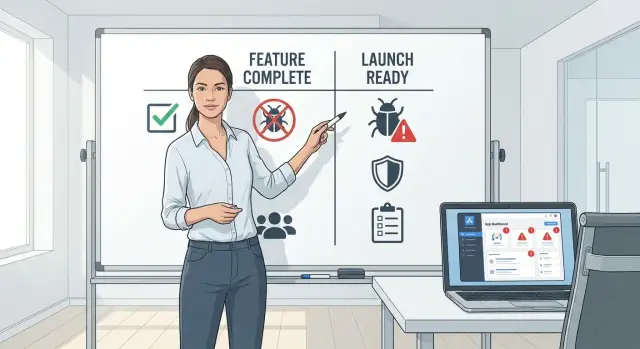
That’s why “feature complete” and “launch ready” are different. Feature complete often means the screens and actions exist. Launch ready means the same actions keep working under real conditions, and failures are handled without users getting stuck.
Here’s a founder-recognizable example. You built a prototype for a marketplace. The demo has a smooth “sign up, list item, message seller” flow. On launch day, half of new users never receive the verification email, one user uploads a huge image that crashes the page, and a handful of signups create duplicate accounts because the button can be clicked twice. Nothing “new” was requested, but the app still fails.
The good news is you can spot this early. You just need a higher bar for what “works” means.
What feature complete actually means
On a startup team, “feature complete” usually means one simple thing: everything on the planned list exists and can be shown end to end. The signup button is there, the dashboard loads, the payment flow runs, and the core screens look right in a demo.
That’s a real milestone. It means the product has shape, and the main user journey is no longer a sketch. It also gives you permission to stop adding and start stabilizing.
But feature complete is not the same as safe to launch. Feature complete says “we built it.” Launch ready says “it keeps working when real people use it, with real speed, and real mistakes.”
Feature complete doesn’t guarantee:
- Stability: it may work once, then fail on a slow connection, a second login, or unexpected input.
- Security: secrets can be exposed, auth can be bypassed, and basic protections may be missing.
- Supportability: when something breaks, it’s hard to trace, fix, and deploy fast.
Typical signs you’re feature complete (and should switch modes) look like this: you can demo the happy path without touching the database or restarting the app, but it works best on one person’s machine and feels fragile elsewhere. You also start saying “we’ll clean that up after launch” more than once.
A common example: an AI-generated prototype can look done because every screen exists. Then you notice login works only after a refresh, or an API key is sitting in client code. The features are “there”, but strangers stress-testing it is a different story.
What launch ready looks like in practice
Launch ready isn’t about more features. It’s about an app that behaves the same way on the hundredth run as it did in your demo, even with real users, real data, and real mistakes.
Reliability is the first tell. A launch-ready app handles slow networks, double clicks, refreshes, and two people doing the same thing at once. If signup works only after clearing cookies, or payments succeed only after a retry, you’re still in “works once” territory.
Safety is next. Launch ready means authentication and permissions are predictable, secrets aren’t exposed, and user data is treated carefully. A common failure is a prototype that hides admin buttons in the UI, but the server never checks permissions. Anyone who knows the endpoint can do admin-only actions.
Operations is the part most prototypes skip. You need basic visibility into what’s happening and a way back if something breaks.
A practical “launch ready” bar usually includes:
- Clear error logs for key flows (signup, checkout, core action)
- Monitoring for uptime and spikes in failures
- Backups and a tested restore step
- A rollback path for deployments
- Rate limits and sensible timeouts
Supportability is the last mile. Someone should be able to debug quickly without reading every file. That usually means consistent structure, one obvious place to change a behavior, and a small set of documented environment variables.
A simple way to think about the difference: feature complete answers “Can a user do the thing?” Launch ready answers “Can a user do the thing safely, repeatedly, and can we recover when it goes wrong?”
Where apps break after you hit “ship”
Most apps don’t fail because a button is missing. They fail because the parts between features were never tested the way real users will use them. You can click through a happy path once, but the app can’t handle real life.
The cracks that show up in week one
Authentication is a common first break. A login works in your browser, but sessions expire too soon, logout doesn’t clear state, or password reset emails never arrive. If you tested with one account on one device, it’s easy to miss issues like logging in on mobile after signing up on desktop, or a refresh that silently drops the session.
Secrets and environment settings are another fast way to ship a problem. A prototype might have API keys sitting in code, a database open to the internet, or “temporary” admin credentials that never got removed. Things also flip when you move from local setup to real deployment: different callback URLs, missing environment variables, or a production database that doesn’t match your local one.
Data problems show up when users do something you didn’t expect. Migrations run fine on a fresh database, then fail on a database with existing rows. A form accepts an emoji, a long name, or an empty field and breaks a query. Or your app assumes every record is present, but real users create partial data and the UI falls apart.
Performance is the quiet killer. The app feels fine on your Wi-Fi, then stalls on a slow network. Pages that load 20 items in dev load 2,000 in production and time out. This is especially common when generated code uses unbounded queries or does too much work on page load.
Third-party services fail in messy ways: payment confirmations arrive late, email providers rate-limit you, and webhooks get retried. If your app can’t handle retries safely, one event can create duplicate orders or double-send emails.
Five launch-week checks catch most of this:
- Test auth across devices: sign up, reset password, logout, then log back in.
- Confirm secrets aren’t committed and production env vars are complete.
- Run migrations on a copy of real data (not an empty database).
- Try the app on slow network settings and with 10x more records.
- Simulate third-party hiccups: webhook retries, payment failures, email delays.
Founder scenario: the day-one launch that unravels
Maya is a solo founder. Her app is feature complete: onboarding, a dashboard, payments, and a “generate report” button that works every time in her own testing. She launches on a Tuesday morning, posts to her community, and watches the signup counter climb.
By lunch, support emails start: “I can’t log in,” “My report is blank,” “Payment went through but I got an error.” Some users see a spinning loader forever. Others get kicked back to the login page. A few get a scary message: “Something went wrong.”
From Maya’s view, it looks random. Her analytics say users are active, her database has new rows, and the app worked five minutes ago. She checks logs and sees a wall of errors: failed token refresh, timeouts on the report job, and occasional 500s after checkout.
The root cause is small problems hiding behind a successful demo:
- The backend assumes every request has a valid user session. Under real traffic, the session cookie sometimes doesn’t arrive, so the backend throws errors.
- A background job relies on an environment variable that existed locally but was never set in production. When the first real users hit “generate,” the job fails and retries until the queue backs up.
A small set of fixes would have made launch day boring (in a good way): defensive auth checks with clear messages, startup validation for required config, timeouts and retries around external calls, and a quick load test on the heaviest endpoint.
How to go from feature complete to launch ready
A product becomes launch ready when the most important paths work every time, even when users do weird things, have slow internet, or click the wrong button.
Start by choosing the few flows that matter on day one. Pick the 3 journeys that pay your bills or prove your value, such as: sign up, create the core thing, pay, invite a teammate, export, or book a call. Then test those flows end to end on mobile and desktop, with fresh accounts and realistic data.
Work in this order:
- Lock in the top journeys. Run them start to finish, including edge cases (wrong password, expired link, empty form, slow network).
- Handle failure paths. Add clear error messages, safe retries, and defaults so users don’t get stuck.
- Secure the basics. Confirm auth works, roles actually restrict access, and secrets aren’t in the client, logs, or a public repo.
- Find your worst slowdown. Do a small load test and fix the biggest bottleneck first.
Then make sure you can see what’s happening and recover quickly.
- Add visibility and safety nets. Log key events, set up backups, and write down a rollback plan.
- Rehearse launch day. Do a final run with brand-new accounts, a clean browser, and someone acting like a confused first-time user.
Quick launch readiness checklist
If you’re not sure whether you’re ready, this is the fastest way to tell. A launch-ready app isn’t just “the screens exist.” It’s “a stranger can use it, it survives mistakes, and you can recover when something breaks.”
Run these checks with a fresh test account and a clean browser (incognito). If possible, ask a friend who has never seen the product to do it while you stay quiet and take notes.
- First-time user flow works end to end: create an account, confirm access (email or code if you use it), sign in, sign out, and get back in. Make sure password reset actually updates the password.
- Money paths behave in both directions: successful payments grant access, failed payments show a clear message, and refunds or cancellations update access without manual fixes.
- No secrets are sitting in your code: API keys, database passwords, and tokens aren’t committed anywhere. Rotate anything that might have leaked during development.
- You can explain what happened after a problem: logs show errors and key events like signup, login failure, payment results, and webhook handling.
- Deploy and rollback are boring: you can redeploy a change and roll back fast. Do a dry run before launch.
A founder example you’ve probably seen: login works on your laptop, then launch day arrives and half of users can’t log in because email verification fails in production. With no logs, you can’t prove why. That isn’t a missing feature. It’s a readiness gap.
Common traps founders fall into
Most launch pain comes from small shortcuts that felt reasonable during the build. A demo only needs to work once. A launch needs to work again tomorrow, with real users, real data, and real mistakes.
Traps that look harmless in a demo
Manual clicking is a start, but it doesn’t scale. If the only way to know the app still works is to open it and try things, you’ll miss breakages caused by a “quick change” right before launch.
Edge cases are another quiet killer. The app works when the form is filled out perfectly, the network is strong, and the user follows the happy path. Launch day brings empty states, double clicks, slow connections, retries, and weird inputs.
Security often gets treated as a later problem, but “later” arrives fast. Placeholder auth, open rules, and broad permissions can turn a small app into a data leak. Even non-sensitive products can expose API keys or admin actions if roles aren’t enforced on the server.
Database shortcuts also create slow-motion failures. If you ship without constraints, you end up with inconsistent data you can’t trust. If you ship without a migrations plan, even simple changes become risky.
Finally, AI-generated code tends to grow sideways. It’s easy to paste in another snippet to reach the next feature, until the structure becomes tangled and slow to change.
Five warning signs you can spot early:
- You can’t repeat the same checks quickly after every change.
- Errors are handled “later”, so failures show up as blank screens.
- Permissions are broad because tightening them felt inconvenient.
- Your data model allows almost anything, so bad data slips in.
- The code has many one-off fixes and few clear boundaries.
What to fix first when time is tight
When the deadline is close, the goal isn’t more features. The goal is fewer ways the app can embarrass you on day one. The difference is usually a few boring fixes that prevent big failures.
Start with security and data integrity. If you only have time for one category of work, pick the things that can leak user data, expose secrets, or corrupt records. A signup bug is annoying. An exposed database key or a webhook that can be faked can end your launch.
Then stabilize the top three user flows. Pick the paths that will get the most traffic and the most support tickets:
- Sign up / login / reset password
- The main “create and save” action
- Billing / checkout (or whatever triggers revenue)
Make those flows repeatable. Add basic logging, handle errors clearly, and test on slow networks and mobile. If the happy path works once but fails on the second try, it’s not ready.
When you’re fixing bugs, choose changes that reduce future bugs too. Small refactors can beat endless patching: remove duplicated logic, separate UI from business rules, and put input validation in one place.
Know when a quick patch is worse than a clean rebuild. If you’re stacking “just one more if-statement” onto a tangled auth system, or you can’t explain where state is stored, patches will keep breaking. A targeted rebuild of one module (auth, payments, data model) is often safer than trying to tape it together.
Next steps: set a launch bar and get a second set of eyes
“Launch ready” depends on what you’re promising users and what happens if something breaks. Before you change anything else, choose your launch bar so you have a clear target.
A simple bar that works for most teams:
- Internal beta: only your team and a few trusted testers. You’re still changing core flows daily.
- Limited release: a small group of real users, clear expectations, fast support.
- Public launch: anyone can sign up. You need reliability, security basics, and a rollback plan.
Once you pick the bar, write a short 7-day stabilization plan. Keep it specific.
- Day 1: list the top 3 user journeys (signup, pay, first success) and test them end to end on fresh accounts.
- Day 2: add monitoring and error tracking so you see failures quickly.
- Day 3: fix the highest-impact bugs, then retest the same journeys.
- Day 4: check auth, permissions, and secrets handling.
- Day 5-7: run a limited release, collect issues, and only ship fixes.
If your app was built quickly with tools like Lovable, Bolt, v0, Cursor, or Replit, it’s worth assuming there are hidden gaps in auth, secrets handling, and error paths. When that’s the situation, a focused audit can be the difference between a calm launch and a week of damage control. FixMyMess (fixmymess.ai) does codebase diagnosis and repairs for AI-generated prototypes, including security hardening and deployment prep, and offers a free code audit to surface launch blockers before you commit.
FAQ
What’s the simplest difference between “feature complete” and “launch ready”?
Feature complete means the planned screens and actions exist and you can demo the “happy path” end to end. Launch ready means those same actions keep working for new users, on different devices and networks, with messy inputs, and you can recover quickly when something breaks.
How can I quickly tell if my app only works in a demo?
Use a clean browser session (incognito), a brand-new account, and a second device if you can. Run your three most important journeys twice in a row, then once on a slow connection; if anything requires a refresh, manual database edits, or “try again,” it’s not ready yet.
Which user flows should I stabilize first before launch?
Pick the 3 flows that prove value or make money on day one, usually sign up/login, the core create-and-save action, and checkout or the key conversion step. Stabilizing a few critical paths beats polishing dozens of secondary features right before launch.
Why does authentication work on my laptop but fail for new users?
It often breaks when sessions expire, cookies don’t persist, email verification fails, or state isn’t cleared on logout. Fix it by enforcing auth checks on the server (not just the UI), handling missing sessions gracefully, and testing sign up, reset password, logout, and login again across devices.
What are the most common “secrets and env var” mistakes before launch?
Local setups hide missing config because your machine has keys, callback URLs, and defaults that production doesn’t. Make production fail fast by validating required environment variables at startup, rotating any keys that might have leaked, and confirming secrets are never shipped to the client or logged.
How do I prevent performance surprises after I launch?
A page that feels instant in dev can time out in production when there are more rows, slower networks, or heavier users. Start by finding the slowest endpoint, add pagination or limits, reduce work on initial page load, and set sensible timeouts so users get a clear error instead of a spinner forever.
What should I do about flaky email, payments, and webhook retries?
Webhooks and providers retry, delay, and occasionally send duplicates, which can create double charges or repeated emails if your code isn’t idempotent. Treat every external event as “may arrive twice,” store a unique event id, and make handlers safe to run repeatedly without changing the result.
What kind of logging do I need to be launch ready?
At minimum, log the start and result of signup/login, checkout, and your core action, including error details that help you reproduce the issue. You don’t need perfect observability on day one, but you do need enough signal to answer “what broke, for whom, and why” within minutes.
Do I really need backups and a rollback plan before launch?
A safe launch includes backups and a restore step you’ve actually tried, plus a deployment rollback you can execute quickly. If a fix goes wrong, the best outcome is returning to the last known good version without guessing or staying down for hours.
When should I rebuild instead of patching, and who can help?
If you’re stacking quick patches onto tangled code, can’t explain where state lives, or every fix breaks something else, a targeted rebuild of one module is often faster and safer. If your app was generated with tools like Lovable, Bolt, v0, Cursor, or Replit and you suspect hidden auth, secrets, or stability issues, FixMyMess can run a free code audit and turn the prototype into production-ready software in about 48–72 hours.