Feature flags for broken prototypes: ship fixes without chaos
Use feature flags for broken prototypes to isolate risky code, ship partial fixes safely, and cut down on rollbacks while you stabilize.
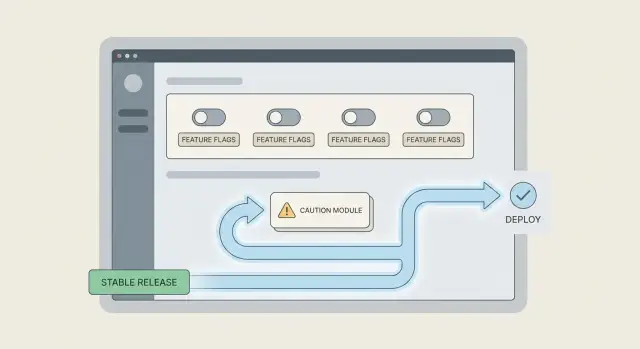
Why prototypes break when you try to ship fixes
A “broken prototype” is rarely one single bug. It is a pile of small assumptions that were never tested together: hard-coded values, half-finished screens, missing error handling, and “temporary” shortcuts that quietly became the product.
In real teams, it looks like this: the app works on the creator’s laptop, but fails after a deploy. One user can log in, another gets stuck. Payments work in sandbox but not in production. A small change in one place knocks out something unrelated.
Big-bang fixes keep failing because they change too much at once. When you rewrite a flow end-to-end, you also rewrite all the unknown side effects. If the codebase is messy, there is no safe place to stand while you make the change.
The outages usually come from risky code paths you do not notice until real users hit them. Examples include:
- A “fallback” branch that runs only when a third-party service is slow
- A rarely used role (admin, invited user) with different permissions
- A mobile-only screen with a different API call
- A background job that retries and duplicates actions
- A hidden dependency on environment variables or secrets
“Stabilize first” means making the app predictable before you add new features. You aim for smaller, controlled changes, fewer surprises, and faster recovery when something goes wrong. This is where feature flags for broken prototypes start to matter: you can isolate the risky parts, ship partial fixes safely, and avoid rolling back the whole release.
If you inherited an AI-generated prototype (Lovable, Bolt, v0, Cursor, Replit) and every fix feels like a gamble, FixMyMess can run a free code audit to map the high-risk paths before you start changing them.
Feature flags, explained without jargon
A feature flag is a simple on/off switch around a piece of code. You ship the code, but you decide who can use it (or if anyone can use it yet). That lets you make progress even when the prototype is shaky, because you can isolate risky paths instead of betting the whole app on one change.
For feature flags for broken prototypes, think of them as safety rails. They help you release partial fixes, test in production with a small group, and back out fast if something goes wrong.
Flags can protect you from some problems, but not all. They are great when a change might break a flow, load the database, or trigger bad edge cases. They do not fix bugs by themselves, and they do not replace good monitoring or testing.
Here are common flag types you will hear about:
- Release flags: hide a new feature until you are ready to roll it out.
- Ops flags: change behavior for stability (rate limits, caching, retries).
- Kill switches: turn off a failing feature instantly without a full rollback.
It also helps to know what flags are not. They are different from config, branches, and quick hotfixes.
- Config sets stable values (like timeouts). A flag is a temporary switch while you learn.
- Branches keep code out of production. Flags let you ship code safely and control exposure.
- Hotfixes patch production fast. A kill switch can buy you time while you build the real fix.
A simple example: your login page sometimes loops after password reset. You can add a flag that keeps the old reset flow for most users, while a small internal group tests the new flow. Teams like FixMyMess often use this approach when repairing AI-generated prototypes, because it reduces risky all-or-nothing deploys.
Decide what to put behind a flag first
The point of a flag is not to hide unfinished work. It is to reduce the blast radius when you touch a fragile prototype. If you flag the right thing, you can ship a safer build even when only part of the fix is ready.
Start by circling the areas where a small bug causes a big mess. In most prototypes, that is authentication, payments, anything that writes to the database, and anything that changes data shape (like migrations). Those paths can lock users out, charge money incorrectly, or corrupt records.
Pick the boundary that matches the risk
A common mistake is flagging a whole feature when only one branch is dangerous. If the problem is a new pricing rule, don’t flag the entire checkout page. Flag the pricing calculation or the final “charge” call. Smaller boundaries are easier to reason about and easier to remove later.
Use this quick filter to decide what deserves a flag:
- It affects login, access, billing, or permanent data writes
- It is hard to roll back cleanly once it runs (migrations, background jobs)
- You need to ship partial fixes while you keep investigating
- A failure would be visible to many users at once
- You are not confident you can test every edge case today
Hide it or degrade gracefully
Some things should be fully hidden until safe (for example, a new payment flow). Other things can fall back without drama. A good pattern is “new path if enabled, otherwise use the old path,” with a clear fallback if the new path errors.
Example: you’re fixing a shaky login flow. You can flag only the new token refresh logic. If it fails, users still log in using the old method, and you can keep collecting errors without breaking everyone.
Teams using feature flags for broken prototypes often discover the real issue is deeper than one bug. When FixMyMess audits AI-generated code, we usually flag the riskiest auth or data-write paths first so fixes can ship safely while the deeper cleanup happens.
A simple step-by-step way to add your first flag
When a prototype is shaky, your first flag should have one job. Pick the biggest risk you can reduce today: stop crashes, stop bad database writes, or stop data leaks. If you try to “flag everything,” you will lose track fast.
Start small and treat the flag like a safety switch you can flip without drama. This is the core idea behind feature flags for broken prototypes: you can ship a partial fix, keep the app usable, and avoid emergency rollbacks.
The first-flag workflow
Write the flag name so anyone can guess what it does, then add a one-sentence note that says why it exists and what “safe” means.
- Choose one risky behavior to control (example: “new checkout write path”).
- Name the flag clearly (example:
checkout_write_v2_enabled) and add a one-line intent: “Prevents duplicate charges by keeping v1 as default.” - Wrap an entry point first (a route, button click, API handler, or background job), not a deep internal helper.
- Make “flag off” the safest option, even if it is slower or less fancy.
- Add a quick way to turn it off immediately (config, admin toggle, env var), and confirm it works.
Where people get stuck
Most teams put the flag too deep in the code. Then you miss half the calls, and the risky path still runs. If you wrap the entry point, you control the whole flow with one switch.
A simple example: your “Import CSV” job sometimes writes empty rows. Put the flag at the job start. If the flag is off, run the older import or block imports with a clear message. That default may feel strict, but it prevents bad data.
If you inherited AI-generated code that behaves unpredictably, FixMyMess often starts by adding a small set of safety flags at these entry points so you can ship fixes without breaking production again.
Rollout patterns that avoid surprises
Most rollouts fail for the same reason: you change too much, for too many people, too quickly. With feature flags for broken prototypes, the goal is the opposite. You make a small change, expose it to a tiny group, and keep an instant escape hatch.
Default-off vs default-on
Use default-off when the new path might crash, affect money, or touch auth, billing, or data writes. It lets you ship the code safely, then choose when to turn it on.
Use default-on when the old path is the risky one and you need a safer baseline right away. In that case, keep the old behavior behind a flag so you can temporarily revert if a hidden dependency appears.
A few rollout patterns that reduce surprises:
- Ship default-off, then enable for your team only (or a small internal group) for a day.
- Expand to a small slice of real users first, like 1 to 5 percent, and watch support messages and error logs.
- Increase exposure in steps (5 to 20 to 50 to 100 percent) only after the app stays stable for a full business cycle.
- Use targeting rules: new users only, one account type only, or one region only, so you limit the blast radius.
- Keep a kill switch that turns the new code off immediately without a redeploy.
The kill switch matters most when you are fixing messy, AI-generated code. If a change touches login or payments, a fast rollback path can be the difference between a bad hour and a lost week.
Here’s a realistic example: you rebuild a flaky checkout validation step. You enable it for internal test accounts, then 2 percent of users. If error rate or charge failures tick up, you flip the kill switch and you are back to the old flow in seconds, not after a panicked hotfix.
Teams that use FixMyMess often pair this with a quick audit of the risky paths first, so you know where to start flagging before you touch production.
Add the right monitoring so flags actually reduce rollbacks
A feature flag only helps if you can quickly answer one question: did turning it on make things better or worse? Without that, you end up guessing and rolling back the whole release anyway.
Start by logging each time the app evaluates a flag. Keep it boring and safe. You want enough context to debug, but nothing that could expose users or secrets.
Log the same small set of fields every time:
- Flag name and variant (on/off, or which option)
- A request or session ID (not an email, not a full user profile)
- The route or action (for example, /login, create-invoice)
- Result codes and timing (status, timeout, duration)
- A short error tag (like "db_timeout"), not a full stack trace in the client
Then split your metrics by flag state. Track error rate, failed requests, and timeouts for flag on vs off. If errors jump only when the flag is on, you have proof and you can switch it off in minutes instead of rolling back the whole deploy.
Add simple health signals for the flows that hurt most when they break. For a login flow, that might be: login attempts, successful logins, and time-to-first-page after login. For checkout, it could be: payment attempts, successful payments, and drop-offs at confirmation.
Decide your “turn it back off” rule before you enable the flag. Example: “If login success rate drops by 2% for 10 minutes, or timeouts double, disable the flag and investigate.” Pre-deciding this removes debate during an incident.
This is especially useful with feature flags for broken prototypes where fixes touch fragile areas like auth or database calls. If you bring a project to FixMyMess, this is one of the first guardrails we add so partial fixes can ship safely while the deeper cleanup continues.
Testing both paths without doubling your workload
When you add flags, you create two behaviors: flag off (the safe baseline) and flag on (the new fix). The goal is not to double every test. It is to make sure neither path quietly rots.
For feature flags for broken prototypes, start by deciding which path is the “contract.” Most teams treat flag off as the contract until the rollout is complete. That means your core tests should always pass with the flag off, even weeks later.
A practical testing split that stays small
Keep one main test run in the default state (usually flag off), then add a thin slice of tests that run with the flag on. Focus the flag-on tests only where behavior changes.
A simple approach that works well:
- Run your full smoke suite with the flag off on every push.
- Add 3 to 5 focused tests with the flag on, covering the changed screens or API calls.
- Add one “guard” test that fails if the flag is missing or renamed (prevents silent drift).
- Make the flag value explicit in tests (set it in the test setup), never “whatever my laptop has.”
That last point matters. Many flaky tests happen because a developer toggled a flag locally, forgot, and the test started relying on that hidden state.
Prevent flag drift (the forgotten off-path)
Flag drift is when nobody remembers the off-path, so it breaks and you cannot roll back safely. A quick fix is to run a scheduled check (daily or before release) that boots the app with the flag off and does a short sanity pass: login, one key workflow, and logout.
Example: if you are fixing a shaky login flow, keep one automated test that verifies the old login still works with the flag off, and one that verifies the new login works with the flag on. If FixMyMess audits a codebase and finds broken auth, this “two-path” check is often the fastest way to stop emergency rollbacks while you repair the real root cause.
Common mistakes that make feature flags backfire
Feature flags can calm a messy release, but they can also add a new layer of chaos. Most problems come from treating flags as a permanent solution instead of a temporary safety switch.
The first trap is flag debt: you ship a flag, things stabilize, and nobody removes it. Weeks later you have two versions of the same behavior, and every new change has to work in both paths. That’s how a codebase slowly turns into a maze.
Another common issue is placing flags too deep in the code. When every function checks a flag, the logic becomes hard to read and easy to break. A better pattern is to gate at a clear boundary (route, controller, service entry point) so the rest of the code stays clean.
Flags also get misused to hide risky data work. A flag is fine for read-only behavior, UI, or alternate logic. It is a bad bandage for broken migrations, unsafe writes, or “we’ll fix the database later.” If both paths write different data, rolling back can leave you with a mixed, confusing state.
Here are mistakes worth catching early when using feature flags for broken prototypes:
- Leaving flags on forever, so complexity becomes permanent
- Splitting logic into tiny flagged branches across many files
- Flagging writes and migrations without a rollback-safe plan
- Forgetting a clear owner and date to remove the flag
- Storing flags in a way that exposes secrets or admin control
How to keep flags safe
Keep flag controls on the server side, lock down who can change them, and never ship “admin” toggles in the client. If your prototype came from AI tools and already has exposed keys or shaky auth, treat flag management like production access.
A practical rule: every flag should ship with an exit plan (when it gets deleted) and a verification plan (what signal proves it’s safe). Teams like FixMyMess often start by stabilizing the flagged path first, then removing the old path entirely so the fix actually sticks.
Quick checklist before you turn a flag on
Before you flip a feature flag, treat it like changing a fuse in a messy house. You want one switch, one clear circuit, and a safe fallback if something sparks.
Use this quick checklist to catch the problems that usually cause late-night rollbacks when using feature flags for broken prototypes.
- One entry point: The risky change should sit behind a single, obvious decision point (for example, one controller route or one service method). If the new code leaks into random helper functions, you will not know what is actually live.
- Safe default: When the flag is off, the app should behave in a boring, known-good way. If “off” still calls new code, or returns half-new data shapes, you have not really created a safety net.
- Fast off switch: Make sure you can disable the flag without redeploying. If the only way to turn it off is a new build, it is not an emergency brake.
- End-to-end check for both paths: Run one real flow with the flag off and one with it on (login, checkout, whatever matters). Unit tests help, but they do not catch broken redirects, missing env vars, or mismatched API responses.
- Clear ownership and audit: Decide who can change the flag, where it is changed, and how it is logged. If anyone can flip it from a hidden admin screen, expect surprises.
A quick example: if you are swapping in a new auth provider, keep the decision at the “start login” handler, default to the old provider, and verify the full sign-in plus logout cycle in both modes.
If your prototype is already unpredictable, a short external review can save time. FixMyMess often sees flags added in three places, with no safe default, which makes failures harder to undo than the original bug.
A realistic example: stabilizing a shaky login flow
You have a prototype where login seems fine in dev, but production users get random failures. Sometimes the session cookie never sticks. Sometimes the callback hits the wrong URL. Support messages pile up because people can not get in, and every “quick fix” risks breaking it for everyone.
Instead of replacing the whole auth system in one shot, you add a feature flag that controls which path runs: the current login flow (old) or the new login flow (new). The old path stays as a fallback while you test the new one safely. This is the practical side of feature flags for broken prototypes: you can ship progress without betting everything on a single deploy.
How the rollout looks
First, you wire the flag at one decision point (for example, right before the app exchanges an auth code for a session). If the flag is OFF, it uses the old exchange code. If ON, it uses the new one.
Then you roll it out in small steps:
- Internal users only (your team, test accounts, or a hidden allowlist)
- 5% of real users
- 25% of real users
- 100% once it is boring and stable
If you see a spike in login errors, you flip the kill switch OFF. That immediately forces everyone back to the old path without a rollback or a hotfix scramble.
What “done” looks like
A flag is not done when it reaches 100%. It is done when you can delete it.
You are finished when:
- Login success rate stays stable for days (not hours)
- Error logs show no new auth-related spikes after rollout steps
- Support tickets about login drop to near zero
- The old path is removed, and the flag code is deleted
Teams often stop at “it works now” and keep both paths forever. If you inherited a messy AI-generated codebase (the kind FixMyMess sees a lot), set a deadline to remove the fallback. That is how you avoid turning a safety tool into permanent complexity.
Next steps: stabilize, then clean up and ship with confidence
If you want feature flags for broken prototypes to actually buy you time, keep them focused. Pick the few places where failures hurt the most, and make those safer first.
Start by writing down your top three risky user flows. Think in terms of what causes support pings and emergency rollbacks: login, checkout, saving settings, or anything that touches billing. Add flags only around the risky parts of those flows, not around whole pages or entire services.
Then treat every flag like a temporary cast, not a permanent feature. Give each one a clear removal date and put it on your calendar. Once the fix is stable and fully rolled out, delete the flag and the old code path. Leaving flags forever is how prototypes turn into confusing, fragile systems.
If your prototype was generated by an AI tool, do a quick risk audit before you expand the rollout. The problems are often hidden until real users arrive.
Here’s a simple next-steps checklist you can copy into your notes:
- Identify the 3 flows most likely to trigger a rollback
- Add a flag only at the decision point that separates old vs new logic
- Set a removal date for the flag and assign an owner
- Audit for auth gaps, exposed secrets, and SQL injection risks
- If rollbacks keep happening, get an expert review before the next release
Example: your new login fix works for most users, but breaks accounts created with social sign-in. Keep the new path behind a flag, enable it for internal users first, then a small slice of traffic, while you patch the social sign-in edge case.
If you are dealing with frequent rollbacks and messy AI-generated code, FixMyMess can help with a free code audit, then targeted repairs and deployment prep in 48-72 hours so you can ship safely and remove the flags sooner.