First remediation call: what to bring to get answers fast
Prepare for your first remediation call with the right links, error examples, and access so the team can diagnose issues quickly and give clear next steps.
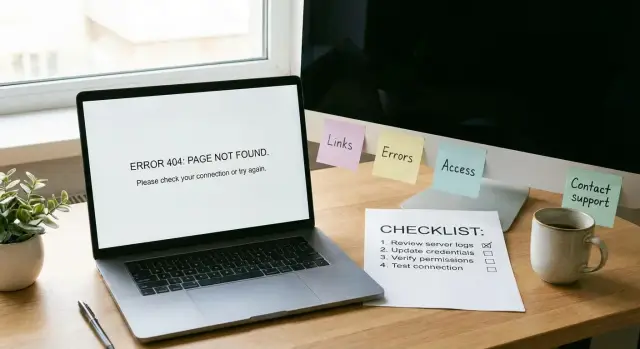
Why preparation matters for remediation
When details are missing, remediation calls slow down fast. People end up guessing, talking past each other, or spending half the time trying to find the right screen, repo, or error message. That’s frustrating, and it leads to vague advice instead of a real plan.
A little prep turns a conversation into a diagnosis. When you can show the issue and point to the right environment, a team can spot patterns quickly: a broken auth flow, a missing environment variable, a database mismatch, or a deployment setting that was never meant for production. You’ll also get a clearer estimate because the scope is easier to see.
The goal of a first remediation call isn’t to solve everything live. It’s to shorten the path to the fix: fewer follow-ups, fewer “can you send one more thing?” messages, and fewer surprises once work starts.
What usually stalls the call is pretty predictable: nobody can point to the exact app version that’s failing (local vs staging vs production), the error is described from memory instead of shown, access is missing, the app “sort of works” but there are no clear steps to trigger the bug, or key context is scattered across chats, docs, and multiple repos.
It also helps to set expectations. On the first call, you can usually get answers to:
- what’s most likely broken and why
- what information is still needed to confirm the root cause
- whether this looks like a quick repair or a deeper rebuild
What you usually can’t get yet is a guaranteed timeline down to the hour without seeing the code and reproducing the problem.
AI-built prototypes also repeat the same failure modes: authentication that breaks in production, exposed secrets in config files, messy structure that makes changes risky, and security gaps like unsafe input handling. A good team uses the first call to sort which bucket your app fits into, then moves into a focused audit and repair plan.
What the team is trying to learn in the first 30 minutes
The first 30 minutes are about getting a clear picture of what you see, why it matters, and what boundaries the fix has to respect. A good remediation team isn’t trying to judge the code. They’re trying to remove guesswork so they can give you accurate answers quickly.
They usually look for three things:
- Symptoms: what’s visibly failing (errors, broken screens, failed payments).
- Context: what changed recently and how the app is supposed to behave.
- Constraints: deadlines, budget limits, and any must-keep tools or hosting.
It helps to separate business impact from technical detail. Business impact is simple: what’s broken, who it blocks, and how urgent it is. Technical detail is useful once the impact is clear.
Most intakes boil down to three buckets: where the app and code live (links), proof of the failure (screenshots, logs, exact messages), and the minimum access needed to reproduce and confirm the fix.
You don’t need to be technical to provide strong inputs. If you can show what you clicked, what you expected, and what happened instead, that’s already high-quality data.
A few early questions your team will try to answer:
- What’s the single most painful failure right now?
- When did it last work, if ever?
- Can we reproduce it on demand, or is it random?
- Is this blocking users, revenue, or internal work?
- What must stay the same (domain, database, auth provider, hosting)?
Example: “Sign-in is broken” is vague. “New users can’t sign up, existing users get sent back to the login page, and it started after we changed an auth setting yesterday” is actionable.
Links to gather before the call
Having the right links ready saves a lot of back-and-forth. The fastest way to get accurate answers is to show what exists today (what users see), where it runs (hosting), and what it depends on (database, auth, payments).
Start with the app entry points. If you have more than one environment, include both so it’s clear whether the problem is only in production or also in staging.
Bring:
- the production app entry point and any staging/preview environment
- any admin/back-office area you use to manage users, content, or orders
- 2-3 core flows you care about most (signup/login/reset, checkout/subscription, main dashboard)
Next, gather the places where settings and logs live. Fixes often require checking environment variables, build logs, and service settings, not just code.
Include the dashboards for your hosting/deployment, database, auth provider, payments provider, and any error tracking or analytics you already use.
Finally, write down what changed recently. A “worked yesterday” clue is often the shortest path to the root cause.
Keep it safe: share links, not passwords. If a dashboard needs access, be ready to grant it during the call using the normal invite flow.
Error examples that help the most
Bring a few clear failure examples, not a long story. Aim for 3-5 short notes, one per issue, in a simple format:
- what you did (the last 1-2 clicks)
- what you expected
- what happened instead
- the exact error text (copy/paste) and where you saw it (banner, console, server log)
- which account you used and roughly when it happened
Specificity matters. “Login breaks” is vague. “After clicking Sign in, I see a red banner saying ‘Invalid callback URL’” is something a remediation team can act on.
If you can, paste the raw error text exactly as shown, including punctuation. Small details matter. “401 Unauthorized” points to authentication. “500 Internal Server Error” points to server logic. A message like “SQL syntax error near…” can hint at a risky query pattern.
Intermittent issues are still fixable, but only if you describe the pattern. “Sometimes it fails” is hard to test. “Fails about 1 in 5 times, usually after I refresh twice” gives a starting point.
Concrete example:
You try to invite a teammate. You enter their email and click Invite. The modal closes, but the user never appears. In the browser console you see: “POST /api/invite 403 Forbidden”. It happened at 2:14pm using an admin test account. It happens every time, but only for Gmail addresses. That single note is often enough to narrow the cause quickly.
Step-by-step: how to write good reproduction steps
Good reproduction steps save hours. They help a team separate a real bug from a one-time glitch, and they make it easier to tell whether the issue is in the UI, the API, or the database.
Start from a clean, repeatable baseline. Testing while logged in with old cookies, half-filled forms, or a tab that’s been open for days can hide the real behavior.
A simple format that works well:
- Reset state: log out, close extra tabs, retry in a fresh browser session (incognito/private is fine).
- Write the exact path: page name, buttons clicked, and the values you type (small details like spaces and capitalization matter).
- Capture the break: exact error text, where it appears, and roughly when it happened.
- Expected vs actual: one sentence each.
- Quick cross-check: try one other browser or device and note whether anything changes.
Add one “happy path” too, even if it’s basic. For example: “Signing up works, but logging in fails,” or “Creating a project works, but saving settings fails.” One working flow helps narrow the search because it shows which parts are healthy.
Concrete example (good):
You test a Lovable-made app and password reset fails.
Starting state: logged out, Chrome incognito.
Steps: open the app, click “Forgot password,” enter [email protected], click “Send reset link.”
Expected: confirmation message and an email arrives.
Actual: a red toast says “500 Internal Server Error,” no email.
Cross-check: happens in Safari on iPhone too.
Screens, recordings, and logs: what to capture
Good evidence beats long explanations. A few clear captures let the team spot patterns quickly.
Use screenshots when the problem is visual or blocks progress. Capture the whole screen, not just the error toast, so it’s clear what page you’re on and what state the UI is in. If the issue is “I can’t get past this screen,” include the step right before it too.
Short screen recordings help most when the failure takes several clicks or timing matters. Keep it tight: 20-60 seconds is usually enough. Narration is optional, but pausing for a moment when it breaks is useful.
For frontend issues, capture the browser console output at the moment of failure. If there’s sensitive data (emails, tokens, API keys), blur it before sharing or crop the image to the error message only.
For backend issues, share a small log snippet rather than a full dump: a few lines before the error, the error itself, and a few lines after. If logs have timestamps, include them so they can be matched to your recording.
What helps most often:
- a full-screen screenshot of the broken page (and the step before it)
- a short recording showing the exact clicks that trigger the failure
- a console capture from the moment it breaks (with secrets removed)
- a focused backend log snippet around the error
Example: A Lovable-built app shows a blank dashboard after login. A 30-second recording shows the login succeeds, then the dashboard spins forever. A console screenshot reveals a 401 request, and a small server log snippet shows “JWT verification failed.” That combination is usually enough to move from “something’s wrong” to a concrete plan.
Account access: what to grant and how to keep it safe
Access is often the difference between “we think we know what’s wrong” and a clear answer in the first call. When the team can see the real settings and logs, they can confirm whether the issue is code, config, or missing secrets quickly.
Start by identifying the smallest set of services that control real behavior. For most AI-generated prototypes, that’s hosting/deployment, database, authentication provider, email/SMS provider (if you send messages), and payments (if you charge users).
Aim for least privilege. Give access that matches the task, not your top-level owner account. If your platform supports it, start with read-only for auditing and logs, then elevate only when a specific fix requires it. Time-limited access is ideal.
Credentials should never be pasted into chat, email, or shared docs. Use one safe method your team already trusts (password manager share, an encrypted vault item, or a one-time secret that expires). Plan to rotate anything sensitive after remediation.
A simple safety checklist:
- Create a dedicated remediation user (not a personal account)
- Turn on multi-factor authentication for that user
- Limit scope (read-only first)
- Time-box access and remove it when the work is done
- Rotate keys, tokens, and webhook secrets after fixes ship
Also decide who can approve access changes if you can’t. If you’re the only admin and you’re traveling, the call can stall.
Example: a founder shares full hosting access but forgets the auth provider. The team can deploy a fix, but login still fails because callback URLs point to the old preview domain. One missing permission turns a 30-minute answer into a day of back-and-forth.
Common mistakes that slow remediation down
Most delays on a first remediation call aren’t about code quality. They happen because the problem can’t be pinned down quickly enough to test, observe, and fix.
The biggest blocker is vague steps. “Login is broken” can mean anything: a wrong password message, a spinning button, a redirect loop, or an API error. If nobody can reproduce it the same way twice, the team ends up guessing.
Mixing up environments is another classic slowdown. People share a staging URL while describing a production incident, or they test locally while reporting what a customer saw. If you’re not sure which one you’re using, say so. Small differences like data, feature flags, or API keys can change everything.
Teams also lose time when recent changes are missing from the story. A new dependency, a prompt-generated refactor, a database migration, or a “quick fix” in an admin panel can be the trigger.
Access problems are the quiet time-killers: the right person is on the call, but it’s the wrong workspace, or the account is missing one permission needed to view logs, environment variables, or deployment settings.
Common issues that add hours:
- steps are too general to reproduce reliably
- the wrong environment is shared, or it isn’t labeled
- nobody knows what changed in the last 24-72 hours
- access is granted to the wrong account or missing a key permission
- secrets are included in screenshots, recordings, or messages
If secrets do get shared, the safest move is usually to rotate them immediately.
Quick checklist you can copy before the call
Bring what you can. The goal is to remove avoidable back-and-forth, not to be perfect.
- Places we can click: production URL (if any), staging/preview URL, admin area, and 2-3 core flows.
- Your top failures: 3 issues, each with reproduction steps, expected vs actual, and the approximate time it happened.
- Proof that’s easy to scan: a few screenshots or one short recording, plus the exact error text.
- Access map: which services are involved and who can grant access.
- Non-negotiables: deadlines, must-keep tools, and any data rules (for example, no production data in screenshots).
If the app was built with tools like Lovable, Bolt, v0, Cursor, or Replit, say that up front. It helps a remediation team anticipate common failure points and choose the fastest safe path.
If you can only do one thing: pick one broken flow, record it end-to-end, and write the steps like a recipe someone else could follow without guessing.
A realistic example: a broken AI prototype handoff
Maya has an AI-built MVP created in Replit. It looks fine locally: she can sign up, log in, and reach a simple dashboard. After deploying, login fails for real users. She books a first remediation call because she needs answers fast, not another round of guessing.
Before the call, she gathers a small, focused packet: the production URL and the local dev URL (or the command she uses to run it), one test user that fails in production (plus the exact time she tried), the exact error shown to the user (copy/paste, not paraphrase), the last change before it broke (for example, switching auth providers or moving env vars into the host dashboard), and where the code lives (repo name and who owns access).
On the call, the team confirms scope in plain language: “Is login the only blocker, or are there other must-fix flows for launch?” Then they reproduce the problem in production using the failing user. Because Maya brought a timestamp and the exact error text, it’s easy to match the issue to the right log lines.
Within 20-30 minutes, the root cause becomes clearer: the app reads a different environment variable name in production, so the auth callback URL doesn’t match. Locally it works because the dev config is correct. In production, the callback points to an old domain, so the provider rejects the session.
Next steps are concrete. A team can run a codebase diagnosis to map related risks (auth flow, exposed secrets, session storage, and obvious security gaps), then deliver a prioritized fix list with an estimate.
If you inherited an AI-generated prototype that won’t hold up in production, FixMyMess (fixmymess.ai) is built for that handoff: diagnosing what’s broken, repairing logic, hardening security, refactoring messy code, and getting deployments ready. They offer a free code audit up front, and most projects are completed within 48-72 hours with expert human verification.
FAQ
What are the three most important things to bring to a first remediation call?
Bring one broken flow you can show live, the exact error text copied from the screen or console, and the URLs for the environment where it fails (production, staging, or preview). If you can also say what changed in the last 24–72 hours, the team can usually narrow the cause much faster.
Why does it matter whether the issue happens in local, staging, or production?
Because many “bugs” are actually environment differences, not code. A login flow can work locally but fail in production due to missing environment variables, wrong callback URLs, different databases, or stricter security settings.
How do I write reproduction steps that are actually useful?
Write it like a recipe someone else can follow without guessing. Include your starting state, the last one or two clicks, what you expected, what happened instead, and the exact message you saw so the team can reproduce it and confirm the fix.
What error details should I copy/paste instead of paraphrasing?
Copy and paste the raw text exactly as shown, including punctuation, and note where you saw it (banner, browser console, server logs). Small differences like a 401 versus a 500 often point to totally different root causes.
Should I bring screenshots or a screen recording?
A full-screen screenshot is best when the problem is visual or blocks progress because it shows page context and UI state. A short recording is better when timing or multiple clicks matter, because it shows the exact path to failure without interpretation.
What’s the safest way to share access without exposing secrets?
Share links to dashboards and invite access through the normal user-invite flow, but never paste passwords or API keys into chat or email. If you accidentally share a secret, rotate it immediately and treat it as compromised.
What accounts or services should I be ready to grant access to?
For most app fixes, the minimum set is hosting/deployment, the database, your authentication provider, and any email/SMS or payments service involved in the broken flow. If you can, start with read-only for logs and settings, then elevate only when a change is required.
How do I explain business impact without getting too technical?
Start with business impact in one sentence, like who is blocked and what you’re losing or delaying. Then add technical context: when it last worked, whether it’s consistent or intermittent, and anything you changed recently.
How many issues should I cover on the first call?
The fastest path is one clear failing example plus a “happy path” that still works, because it shows what’s healthy. If you have more issues, note them briefly and pick one as the priority so the call doesn’t turn into a vague tour of problems.
What happens after the first call, and how fast can FixMyMess help?
Expect a diagnosis and a clear next step, not a full fix on the call. If you’re dealing with an AI-generated prototype from tools like Lovable, Bolt, v0, Cursor, or Replit, FixMyMess can run a free code audit, then typically deliver repairs within 48–72 hours with expert human verification and a 99% success rate.