Fix broken OAuth login in AI-generated apps (production)
Fix broken OAuth login in AI-generated apps by finding redirect URI mismatches, callback bugs, missing state checks, and production-only cookie issues.
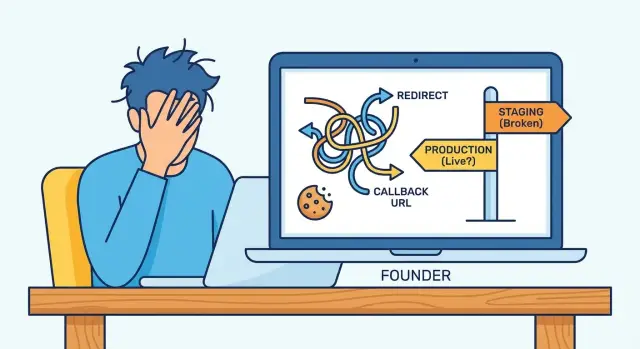
What’s actually breaking when OAuth fails in production
OAuth failures feel confusing because your code often looks fine. The provider does what you asked, but a small mismatch between local and production causes the handshake to fail.
“Works locally but fails in production” usually looks like this: you click Google or GitHub, come back to your app, and hit a blank page, a 401/403, or an endless redirect loop back to the login button. Sometimes the provider shows a clear error (often about a redirect URL). Other times it looks successful, but the app immediately forgets who you are after the callback.
OAuth is picky because it depends on exact URLs and browser rules. The provider compares your redirect URI to what you registered. Your app has to read the callback, validate login state, and set a session cookie that the browser will actually send on the next request. Small differences like http vs https, www vs non-www, or a cookie flag can be the difference between “signed in” and “who are you?”
Common production symptoms:
- The provider complains about a redirect URI mismatch
- The callback hits your app but then redirects in circles
- Login works once, then users get logged out on refresh
- Only some users fail (often Safari, iOS, or incognito)
- Errors appear only behind a proxy or on the real domain
AI-generated apps often wire auth in fragile ways: hard-coded callback URLs, missing state checks, and cookie settings that pass locally but fail under real HTTPS, real domains, and modern browser privacy defaults.
Map your login flow before changing anything
The fastest way to waste time is to start tweaking random settings without a clear map. OAuth is a chain. One wrong assumption about which URL is used, where the session lives, or where HTTPS is terminated can break the whole flow.
Write down the exact production flow (not what you assume from local). Many AI-generated apps switch base URLs based on environment variables, and some have multiple callback routes (Google vs GitHub, web vs mobile).
Capture these details so you can compare local vs staging vs production:
- Frontend origin (what the browser loads) and API origin (where requests go)
- The callback URL your app receives after the provider redirects back
- The redirect URI registered at the OAuth provider (exact string)
- Where the session is stored (cookie, token in localStorage, or server session)
- Your edge setup (reverse proxy/CDN) and where HTTPS becomes HTTP
Reality check: if your proxy terminates HTTPS, your app server may see requests as http unless forwarded headers are set correctly. That can change generated callback URLs and cookie security flags.
Example: local works because everything is http://localhost on one domain. In production, the frontend is on app.example.com, the API is on api.example.com, and the callback lands on the wrong host. The provider redirects successfully, but your session cookie gets written for the API domain and never reaches the frontend. Result: a “logged out” loop.
Redirect URI mismatches: the fastest way to break social login
If you need a quick win, start with the redirect URI. One character off and the provider will block the callback.
Most providers require an exact match, including:
- Scheme (
httpvshttps) - Domain (
wwwvs non-www, subdomains) - Path (including trailing slash)
- Query params (present, missing, or ordered differently)
- Port (common in local dev)
Production issues often come from mixing environments. You tested with a staging domain, then launched with a custom domain, but the provider still only allows the staging callback. Another common case is a tool generating multiple deploy URLs (preview builds, temporary URLs), and the app accidentally constructs the callback using the wrong one.
Proxies can make this worse. If your app thinks it’s running on http, it may generate an http redirect URI while the real site is https. In production, that shows up as a provider error like “redirect_uri mismatch” or a blank page after login.
Simple example: local uses http://localhost:3000/auth/callback, but production should be https://app.yourdomain.com/auth/callback (no trailing slash). If your code outputs https://app.yourdomain.com/auth/callback/, some providers treat that as a different URL and reject it.
Bad callback handling and redirect loops
At the end of OAuth, the provider sends the user back to your app with proof they signed in. If your callback route is treated like a normal page route, small mistakes can turn into loops or “works locally, fails in production” failures.
What the callback route should do
A callback endpoint should be short and boring. If it tries to render UI, fetch user data first, or go through your normal router with auth guards, it’s easy to create a loop.
A healthy callback handler does this:
- Read the provider response (
code,state, and anyerrorfields). - Exchange the code for tokens (server-side) and validate the response.
- Create or resume a session (set the right cookies) and store the user identity.
- Redirect to a safe “you’re logged in” page.
A common AI-generated bug is loading the full app on the callback. The app’s auth guard sees “not logged in yet” and immediately redirects back to the provider, creating a loop.
Handle provider errors without crashing
Providers regularly return errors like access_denied (user canceled) or invalid_grant (code expired or already used). If your code assumes a code is always present, you get a 500, then the frontend retries, and the loop continues.
Keep error handling simple:
- If
errorexists, show a friendly message and offer a “Try again” button. - If the token exchange fails, log a sanitized error and stop the flow.
- Don’t reuse the same auth code on retry. Start a fresh login.
Also watch post-login redirects. Many apps accept a returnTo query param and blindly redirect to it. That can cause broken paths (looping back into /auth/callback) and open-redirect risk. Allow only same-site paths, default to a known page, and strip anything suspicious.
Missing state validation and why it fails intermittently
The state value is a safety tag your app creates before sending someone to Google, GitHub, or another provider. When the provider redirects back, your app must verify the returned state matches what you issued. That blocks CSRF-style attacks and confirms the callback belongs to the same browser session.
When state is missing, stored incorrectly, or not validated, it often looks random:
- “Invalid state” or “CSRF detected” errors that users can’t reproduce
- Login works once, then fails on the next attempt
- Users get logged in, then instantly logged out after the callback
- Reports like “it works on my laptop, but not in production”
Why it becomes intermittent in production: state must survive the time between the initial redirect and the callback. Apps usually store it in a server session (memory, Redis, database) or a short-lived cookie.
If it’s stored in server memory, production breaks as soon as you have more than one instance. The initial request might hit server A, while the callback hits server B. Server B has never seen that state.
If it’s stored in a cookie, production settings can silently drop it: missing Secure behind HTTPS, wrong cookie domain, or SameSite blocking it on the cross-site redirect.
Also check PKCE. For many providers, public clients (single-page apps, mobile, and some “no-backend” setups) must use PKCE: the app creates a code_verifier, hashes it into a code_challenge, and later proves it during token exchange. If PKCE is missing or mismatched, failures can show up only on certain devices or browsers.
Cookie issues: SameSite, Secure, domain, and path
A lot of OAuth failures are really cookie failures. Your app sets a session cookie (or a temporary cookie for the OAuth flow), but the browser doesn’t send it back on the callback. The provider side is fine, yet your app can’t reconnect the user to a session.
SameSite: why callbacks behave differently
OAuth flows jump across sites (your app -> provider -> your app). That callback is a cross-site navigation.
With SameSite=Lax, cookies are sent on top-level navigations in many cases, but edge cases appear with POST-based callbacks, iframes, or custom browser views. If your flow truly needs cookies on a cross-site callback, you often need SameSite=None.
If you set SameSite=None, you must also set Secure, or modern browsers ignore the cookie.
Secure, domain, and path: small settings, big impact
Production runs on HTTPS and usually on real domains rather than localhost. Check these:
Secureis enabled on HTTPS, and not mistakenly required on plain HTTP in local dev.- Cookie
Domainmatches what the browser sees (watch forapp.example.comvsexample.com). - Cookie
Pathisn’t too narrow (for example/apiwhen your callback hits/auth/callback). - Cookies aren’t being overwritten on redirect with different settings.
- The callback isn’t served from a different subdomain than where the cookie was set.
CORS errors are loud. Cookie errors are quiet. A good tell: if the network call succeeds (200/302) but the user still looks logged out, it’s usually cookies rather than CORS.
Finally, embedded browsers (in-app webviews) and newer third-party cookie restrictions can break social login in ways you won’t reproduce on desktop Chrome. Test on the actual device and environment your users use.
Production-only configuration mistakes to check
Often the bug isn’t in code. It’s in production configuration. Local works because the environment is forgiving; production is stricter.
Start with the environment variables that control OAuth. One wrong value can cause a clean login page followed by a vague “something went wrong” after the provider redirects back.
The most common config mismatches
- Client ID and client secret are from the wrong app (dev credentials used in prod, or the other way around).
- Callback URL or allowed redirect URLs don’t exactly match the production scheme, domain, and path.
- API base URL points to localhost or staging, so the callback exchanges a code against the wrong server.
- Cookie and session settings differ in prod (
Secure, domain, path), so the session can’t be read during the callback. - A rotated secret was updated in one place but not another (host config vs provider console).
If you inherited an AI-generated project, also check for “quick fixes” where secrets were pasted into the frontend or logged to the console. That can make a test pass once, but it creates a real security problem and breaks again as builds change.
Rare, but real: clock skew
OAuth exchanges can fail if server time is off. It’s uncommon, but if tokens look expired immediately, check hosting time sync and container images.
Step-by-step: diagnose a broken OAuth login end to end
The fastest path is to make the failure repeatable and visible. Treat it like a checkout bug: one path, one browser, one clear “this is the first bad step.”
Use one test account at the provider and a fresh browser profile (no extensions, no password managers). If the bug “only happens sometimes,” reduce variables.
A simple flow that finds root causes quickly:
- Reproduce once, then stop. Don’t retry 10 times and erase the original trail.
- Capture the full redirect chain and copy the exact failing URL (including query string).
- Compare the provider’s allowed callback/redirect URIs with the deployed callback URL you captured.
- Inspect cookies right before you leave for the provider, and right after you return. Confirm Domain, Path,
Secure, andSameSite. - Verify
stateand PKCE are created, stored, and validated. Confirm thestateyou send out is the same one you check on return.
If steps 1-5 look correct, focus on the server-side token exchange. Your backend should receive the code, exchange it for tokens, and handle errors without loops. Log the provider error response in a sanitized way, and return a clear failure page instead of bouncing back to /login forever.
AI-generated codebases often contain “helpful” retry logic or duplicated callback routes that make production behavior unpredictable.
Common traps that make OAuth bugs worse
Under pressure, it’s easy to patch symptoms and make the real problem harder to diagnose.
One common mistake is registering a pile of redirect URIs “just to make it work.” You end up with near-duplicates across staging, production, and preview URLs, and nobody knows which one the app uses. A later deploy switches domains and login breaks again.
Another trap is disabling state validation to stop “state mismatch” errors. That error is usually a real signal (cookie issues, multiple tabs, multi-instance routing, broken callback code). Turning off state removes an important safety check and increases risk.
Token storage is another common footgun. Many AI-generated apps drop access tokens into localStorage because it’s easy. If any XSS slips in, tokens are easy to steal. Prefer server-side sessions or httpOnly cookies when you can.
Patterns that frequently cause production-only failures include misconfigured cookie domains, mixing SPA routes and API routes so the callback hits the wrong handler, masking loops with extra client-side redirects, and copying provider code without handling provider-specific parameters.
Example: your callback route exists in the SPA, but the OAuth provider sends users to an API path. Locally it works due to dev rewrites; in production the platform routing is stricter.
Quick checklist before you ship the fix
Test login the way real users will hit it: a clean browser, a real HTTPS domain, and the actual provider settings.
Checklist:
- Redirect URI is an exact match: same scheme (
https), host, path, and trailing slash as saved in the provider settings. - Callback ends clearly (no loops): it either sets the session and redirects once, or shows a clear error page.
- State is per attempt and validated: generate a new
stateeach attempt, store it safely, and verify it on return. - Cookies survive the callback: confirm cookies exist after the redirect back. On HTTPS, they should be
Secure, andSameSitemust match your flow (some requireNone+Secure). Also verify cookie domain and path. - Production config is real, not empty: client ID/secret, callback URL, app base URL, and allowed origins match the deployed domain.
Do one pass in a fresh profile (no existing cookies), then on mobile. If it only works when you’re already logged in once, you likely still have a cookie or state handling issue.
A realistic example: local works, production fails
A founder ships an AI-generated app that signs in fine on localhost. The moment they move to the real domain, Google login fails with a clear error: redirect_uri_mismatch.
They update the provider settings. The error disappears, but now the app bounces between the provider and their site in a loop. Sometimes it lands on the homepage still logged out.
Two small production differences are usually enough to cause this:
First, the redirect URI is almost right, but not exact. For example, the app sends https://app.example.com/auth/callback/ (trailing slash), while the provider allows only https://app.example.com/auth/callback (no slash).
Second, the session cookie that stores login state isn’t sent back on the callback. In production, this often happens when SameSite doesn’t fit the flow, or when Secure is missing on HTTPS.
A practical resolution path:
- Make the app and provider redirect URIs match exactly (scheme, host, path, trailing slash).
- Set cookies for production correctly (
Secure, appropriateSameSite, correct domain and path). - Confirm the app persists and validates
stateacross the redirect.
To confirm it’s fixed, test in an incognito window, then a normal window, then after a full browser restart. Try at least two browsers. The result should be boring: one redirect out, one redirect back, and you stay logged in.
Next steps if your AI-generated auth is still unstable
If the usual checks don’t fix it, stop changing settings blindly. Most “almost working” auth bugs come from missing logs, unclear ownership of URLs, or tangled code paths that behave differently under real domains and HTTPS.
Write down the exact production URLs involved: your base URL, the provider callback URL, and any intermediate redirect pages. Lock those into the provider settings. Small differences (www vs non-www, trailing slash, http vs https) can create failures that look intermittent because users enter from different entry points.
Add minimal logging around the callback so you can see what failed without leaking secrets. Log timestamp, provider name, HTTP status, and a safe internal error code. Don’t print tokens, auth codes, session cookies, or full query strings.
If the code is AI-generated, instability often comes from duplicated auth handlers, mixed session approaches (cookies plus localStorage), or redirects that hide real errors. A focused refactor is usually faster than patching:
- One callback endpoint per provider
- Validate
state(and nonce when applicable) in one place, every time - Restrict post-login redirects to a short allowlist
- Centralize cookie settings (
Secure,SameSite, domain, path) - Provide one clear error page for failed logins
If you inherited a messy prototype and production login keeps breaking, FixMyMess (fixmymess.ai) is built for this exact situation. We diagnose AI-generated codebases, repair auth logic, harden cookies and security checks, and prepare the app for production deployments.
FAQ
Why does OAuth work locally but fail in production?
Start by comparing the exact redirect URI your app sends with the exact redirect URI saved in the provider settings. One character difference can break it, including https vs http, www vs non-www, a trailing slash, or an extra query parameter.
If you’re not sure what your app is sending in production, capture the final URL used during the login redirect and treat that as the source of truth.
What does “redirect_uri_mismatch” actually mean, and what’s the fastest fix?
It usually means the provider is rejecting the callback because the redirect URI doesn’t match exactly what you registered. Fix the mismatch first, then retest before changing anything else.
If the error disappears but you still end up logged out, the next likely issue is the session cookie not being set or not being sent back after the callback.
How can a reverse proxy or CDN break OAuth even if my code is correct?
When HTTPS is terminated at a proxy or load balancer, your app server might see the request as HTTP unless forwarded headers are configured correctly. That can make your app generate an HTTP redirect URI or set cookies without the right security flags.
The practical fix is to make your app aware of the original scheme and host so it generates the correct HTTPS callback and cookie settings in production.
Why do I get an endless redirect loop after the provider sends users back?
A redirect loop typically happens when the callback route is treated like a normal protected page. Your app checks “am I logged in?” before it has finished creating the session, then sends the user back to the provider again.
Keep the callback handler boring: process the provider response, create the session, and redirect once to a normal page.
If login looks successful, why does my app immediately forget the user?
Because the provider is returning to your site from a different origin, and modern browsers apply cookie rules strictly. If your session or temporary OAuth cookie isn’t sent on the callback, your app can’t reconnect the browser to the login attempt.
Most production fixes involve SameSite and Secure being set correctly, plus making sure the cookie domain and path match what the browser is actually using.
What is the OAuth “state” value, and why does it fail intermittently?
state is a per-login safety value that your app generates and must verify on return. If it’s missing, not stored properly, or not validated, you’ll see “invalid state” errors or flaky behavior that’s hard to reproduce.
Don’t disable state checks to “make it work.” Fix the storage and verification so the callback can be trusted and consistent.
Why does OAuth break only after I scale to multiple instances?
If you store login state only in server memory, it breaks as soon as you have more than one server instance. The initial login request can hit one instance, but the callback can land on another instance that doesn’t have the stored state.
Use a shared session store or a short-lived cookie approach that works across instances, and then retest with multiple deploy instances enabled.
Do I need PKCE, and what does it break when it’s wrong?
PKCE is a verification step used by many providers to protect authorization codes, especially for single-page apps and mobile-style clients. If the verifier/challenge pair is missing or mismatched, token exchange fails even though the provider redirect looks fine.
If failures show up more on certain browsers or devices, PKCE mismatches are a common culprit to check early.
Why does OAuth fail only on Safari, iOS, or incognito mode?
Safari, iOS, incognito, and embedded webviews can enforce stricter cookie and tracking rules. That can prevent cookies from being set or sent during the cross-site redirect, making state validation or session creation fail.
Test on the real device and environment your users use, not just desktop Chrome, and focus your debugging on cookies and state persistence.
What should I log or check first to diagnose a broken production OAuth flow?
Log only what helps you pinpoint the failing step without exposing secrets. Capture timestamps, which provider was used, whether you received an error versus a code, whether state validation passed, and a simple internal error code for token exchange failures.
If your auth code is AI-generated and tangled, FixMyMess can run a free code audit, identify the exact break, and typically stabilize production login within 48–72 hours, or rebuild the auth flow fast when it’s beyond patching.