Fix ESM vs CommonJS dependency breakage in Node apps
Fix ESM vs CommonJS dependency breakage by spotting module mismatches fast and choosing the right package.json, build, or dependency fix.
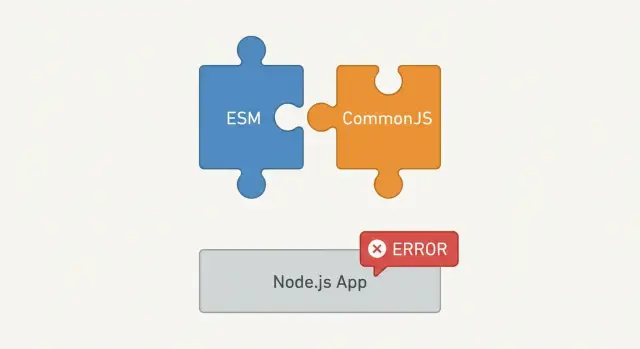
What ESM vs CommonJS breakage looks like
Node.js has two ways to load JavaScript files. CommonJS is the older style that uses require() and module.exports. ESM (ECMAScript Modules) is the newer style that uses import and export.
Most apps aren’t “pure” one way or the other. Your code might be CommonJS, a dependency might be ESM-only, and your dev tool might rewrite imports while you’re running locally. That mix is where the trouble starts.
When people say “module format mismatch,” they mean a file is being loaded as if it were CommonJS, but it’s actually ESM (or the reverse). For example: your code does require('some-lib'), but some-lib is ESM-only, so Node refuses to load it with require().
This is why it often breaks right after you add a dependency or after you deploy. A lot of dev setups hide the mismatch:
- TypeScript + ts-node/tsx can run ESM-style imports in dev even if your built output ends up as CommonJS.
- Bundlers can make it work locally by bundling dependencies, while production runs unbundled Node resolution.
- A serverless or Docker build might use a different Node version or a different entry file than your local run.
A typical scenario: a prototype runs fine with npm run dev, then fails in production right after you add a small utility package. Locally, the dev server transpiles everything on the fly. In production, you run the compiled dist/index.js, Node treats it as CommonJS, and the first require() of an ESM-only dependency throws.
This hits a lot of teams using TypeScript, Next/Nuxt-style tooling, and AI-generated starters. Generated code also tends to mix signals (for example, "type": "module" in package.json, but CommonJS output from the build), which creates “works on my machine” module-loading failures. The core problem is simple: the runtime and the build output aren’t speaking the same module language.
Common error messages and what they usually indicate
When a Node app mixes ESM and CommonJS, the crash message is often the fastest clue. The wording usually tells you what Node thought the current file was (ESM or CJS) and what it tried to load.
ERR_REQUIRE_ESM
This happens when CommonJS code calls require() on a package that is ESM-only.
You’ll often see it after upgrading a dependency, because many libraries moved to ESM in major versions. Common triggers include: your file being treated as CommonJS (no "type": "module", or the file ends in .cjs), requiring a deep path that bypasses the package entry points, or a tool (test runner, config loader) running your code in CommonJS even if your app is otherwise ESM.
What the error is really saying: stop using require() for that import, or choose a dependency version that still supports CommonJS.
“Cannot use import statement outside a module”
This is the mirror image. Node is treating the current file as CommonJS, but it contains ESM syntax like import.
Common causes include a missing "type": "module" in package.json, using .js where Node expects .mjs, or a build step that outputs ESM while your runtime starts it as CommonJS.
“Named export ... not found” (or default export surprises)
These usually come from assuming ESM and CommonJS export shapes are the same. A CommonJS module often exports a single object, while ESM expects named exports.
A quick smell test: if import { thing } from "pkg" fails, but import pkg from "pkg" works, you’re likely dealing with CommonJS interop.
“exports is not defined” and similar runtime surprises
This often shows up when code that expects CommonJS globals (exports, require, module) runs in an ESM context that doesn’t provide them.
A common pattern is “it worked in dev.” A dev server transpiles everything, but production runs the built files directly. The build output still contains exports.foo = ..., and Node loads it as ESM, so it crashes.
Quick checks before changing anything
When you hit module-format errors, it’s tempting to flip "type": "module" or start rewriting imports. Don’t. A few quick checks usually tell you whether you pulled in an ESM-only dependency, you’re starting the wrong entry point, or a tool is running your code in a mode you didn’t expect.
Start by confirming the exact runtime. The same code can behave differently under node, ts-node, a test runner, or a bundler. Also check the Node version in the environment that fails (local, CI, production). Defaults and edge cases changed across Node releases, and many hosting setups lag behind what you have locally.
Before touching code, confirm:
- The Node version and the start command in each environment (for example,
node server.jsvs a TypeScript runner). - The first file that throws and its extension:
.cjs,.mjs,.js, or.ts. - The nearest
package.jsonto that file and whether it sets"type": "module". - The dependency name and file path mentioned in the first stack trace line that matters.
- Whether it happens only in dev or only in production, and what differs (build output, install method, environment variables).
Two quick patterns show up again and again. If the stack trace points into node_modules/<pkg>/... and says it can’t be require()-d, you likely pulled an ESM-only package into CommonJS code. If it points at your built output (like dist/index.js), your build and your runtime disagree about the module format.
A small example: a prototype runs locally via ts-node (which may handle ESM differently), but production runs plain node dist/server.js. That switch alone can surface the mismatch you actually need to fix.
Step-by-step: diagnose the module format mismatch
The fastest path is to stop guessing and identify where Node thinks the boundary is between ESM and CommonJS.
1) Start with the first “your code” frame
Open the error and scroll to the stack trace. Ignore the long list of frames inside node_modules at first. Find the first frame that points to a file you own (your repo path), and note the filename and extension, the line that triggered the load (an import, require, or dynamic import()), and the nearest package.json that controls that file.
That frame is usually where the wrong module format decision becomes visible.
2) Confirm how Node interprets that file (ESM or CJS)
Node decides ESM vs CJS mainly from file extensions and package.json:
.mjsruns as ESM..cjsruns as CommonJS..jsdepends onpackage.jsontype(if"type": "module", it’s ESM; otherwise it’s CommonJS).
A common gotcha: you think you’re in CommonJS because you wrote require(), but your package is type: module, so the .js file is actually ESM.
3) Inspect the dependency’s entry points
Look at the dependency being loaded at the failure point. In its node_modules/<pkg>/package.json, check what Node is selecting:
main(often CommonJS)module(often ESM, but Node doesn’t always use it directly)exports(can map different files forimportvsrequire)
If exports exists, it often decides everything. A package might export ESM for import but provide no CommonJS path for require, which leads to ERR_REQUIRE_ESM.
4) Reproduce with the smallest possible snippet
Create a tiny file next to your app (or in a scratch folder) and test only the problematic import.
// test-load.js
const pkg = require("the-problem-package");
console.log(pkg);
Then try the ESM version too:
// test-load.mjs
import pkg from "the-problem-package";
console.log(pkg);
If one works and the other fails, you’ve confirmed it’s a format mismatch (not your business logic).
5) Decide what to change: app, build, or dependency
Use what you learned to pick the least risky fix:
- Change your app’s module mode (extensions or
type) if you control most of the code. - Change your build/transpile output if you compile TypeScript or bundle.
- Change the dependency (pin a version, switch packages, or use a different entry) if the package no longer supports your format.
Targeted fixes in package.json (type, main, exports)
A lot of “module format” crashes can be fixed without rewriting the whole codebase. The goal is to make it unambiguous whether your package (or dependency) is ESM, CommonJS, or both.
Start with "type". Setting "type": "module" flips the default for every .js file in that package to ESM. That’s great if you’re fully committed to ESM, but it can also trigger a cascade of require() failures. If you still have CommonJS files, consider leaving "type" unset and opting in file-by-file.
When you need different behavior per file, prefer extensions over global switches:
- Use
.cjsfor files that must be CommonJS (require,module.exports). - Use
.mjsfor files that must be ESM (import,export). - Use
.jsonly when your package default (type) matches what you intend.
Next, check your entry points. "main" is the classic Node entry and is usually CommonJS. Some bundlers also look at "module" as an ESM entry. If you need both builds, point them to different files (for example dist/index.cjs vs dist/index.js).
"exports" is the most powerful and the most likely to surprise you. Once present, it can block deep imports like some-lib/dist/internal.js even if that file exists. Older tooling and test runners can also fail if they rely on deep paths. Use "exports" to expose only what you intend, but be explicit about both ESM and CommonJS conditions.
If you’re changing entry points, avoid breaking consumers by doing it gradually: keep "main" stable while you introduce "exports", export both "import" and "require" targets when you support both, and replace deep paths with a documented public export.
Fixes through build and transpilation settings
Many ESM/CommonJS failures aren’t really about the dependency. They come from build output that doesn’t match how Node runs your app.
TypeScript settings that decide what Node will load
TypeScript can compile code that looks fine in an editor, but the emitted files may not match your runtime. If you run compiled JavaScript, check these options first:
compilerOptions.module:CommonJSoutputsrequire(...);NodeNextorESNextoutputsimport.compilerOptions.moduleResolution:NodeNextunderstands ESM rules (like file extensions andexports).compilerOptions.esModuleInteropandallowSyntheticDefaultImports: these can make imports compile even when runtime interop is still wrong.outDir: make sure all runtime code comes from one folder (usuallydist).
A simple rule: compile to the same module format your Node process expects. If your app is ESM, emit ESM. If your app is CommonJS, emit CommonJS.
When the bundler “fixes” it in dev, then Node breaks later
Bundlers and dev servers often rewrite or bundle dependencies, so the app appears to work during development. Then production runs plain Node against your built files, and you suddenly hit ESM/CJS errors.
To reduce surprises, run your production start command locally against the compiled output, not the dev server.
Avoid the “src vs dist” mix-up
Breakage often comes back when your runtime imports some files from src and others from dist. That mixes module systems and file extensions.
Keep it clean:
- Ensure production runs only
dist(or onlysrc, if you truly run TS directly). - Remove old build artifacts before building (stale files can still be imported).
- Use consistent import paths that point to built files.
Fixes by adjusting, pinning, or swapping dependencies
Sometimes the fastest fix is in the dependency choice, not your app code. Treat the dependency as the variable: pick a compatible version, use a supported entry point, or swap to an alternative.
Swap to a CJS-friendly alternative (when you can)
If your app is CommonJS (uses require) and a dependency moved to ESM-only, swapping is often cleaner than forcing a build step just for one package. This is especially true for small utilities.
When you’re picking an alternative, keep it simple: make sure it supports the module system you’re using today, matches your Node version, and doesn’t require deep imports.
Pin a compatible version (with caution)
Pinning can be the quickest way to stop the bleeding, especially when a release flipped the module format. Treat it as a temporary safety move. You can ship, then plan the real fix (migrate your app to ESM, or replace the dependency). Also keep an eye on security fixes you might miss on older versions.
Use the documented entry point, not a deep import
Many breaks happen because the code imports an internal file path that used to work, like some-lib/dist/index.js. After an update, the package adds an exports map and blocks deep paths. The fix is usually to import from the public entry point (or a documented subpath export).
If the dependency is ESM-only but your app is CJS
You have three realistic choices: switch your app to ESM, replace the dependency, or isolate it.
Isolation is often a good compromise: load the ESM package in a small wrapper module (using dynamic import()), and keep the rest of your code CommonJS while you plan a fuller migration.
Common traps that make the breakage come back
A lot of ESM/CommonJS fixes fail the second time because the app isn’t actually consistent. It works in one command (often dev), then breaks in tests, CI, or production because a different entry point or toolchain is used.
Mixing require() and import on the same runtime path
The trap isn’t “using both styles somewhere in the repo.” The trap is when the same code path can execute under both module rules.
Example: you patch one route to use dynamic import() for an ESM-only dependency, but a CLI script or test still hits the old require() path.
If you must mix formats for a while, keep the boundary obvious: one wrapper module that does the dynamic import, and everything else calls that wrapper.
Shipping TypeScript source instead of compiled JS
This shows up when you deploy a folder that still contains .ts (or ESM-flavored output) while your runtime expects CommonJS (or the reverse). Locally it seems fine because ts-node, a dev server, or a bundler compiles for you.
A sanity check: look at what actually gets deployed. If your server starts with node dist/index.js, make sure dist exists and contains the format you think it does. Also confirm your package entry points (main, exports) point to built files, not source.
Dev tooling that patches module loading
Test runners, dev servers, and transpilers can mask problems by transforming imports on the fly. Production runs plain Node.js and hits the raw mismatch.
If dev uses a custom runner but production uses node directly, treat “works in dev” as unproven until you run the production start command locally.
Adding "type": "module" to fix one file and breaking everything else
Setting "type": "module" changes the meaning of every .js file in that package. It can instantly break require() calls, config files that tools expect as CommonJS, and older dependencies that assume CommonJS entry points.
If you only need ESM in one area, consider using .mjs for ESM files and .cjs for CommonJS files, or isolate the change in a subpackage instead of flipping the whole project.
Dual-package hazards (different behavior in ESM vs CJS)
Some libraries ship both ESM and CJS builds. Node may choose a different entry depending on whether you import or require, and depending on the package’s exports conditions. The tricky part is that both versions may “work” but behave slightly differently (default export shape, side effects).
When the breakage keeps returning, pin the dependency version and lock the entry point you want (by using the library’s documented import style). If the library stays unpredictable, swapping to a simpler dependency is often the fastest long-term fix.
Example: a prototype that works in dev but breaks in production
A common story with Node prototypes: everything looks fine on your laptop, then the deployment logs explode. Locally you ran node server.js, clicked around, and the API responded. In production, the process starts, hits the first request, and crashes.
Here’s a realistic setup. The prototype has a CommonJS server file (server.js) that uses require() everywhere. One dependency, added for convenience, is ESM-only.
The crash often looks like this:
Error [ERR_REQUIRE_ESM]: require() of ES Module ... not supported.
Instead change the require of ... to a dynamic import()
The root issue is straightforward: a CommonJS file tries to load an ESM-only package with require(). Node refuses because ESM and CommonJS have different loading rules.
Two fixes tend to work well, depending on how much you want to change.
Fix option 1: switch one file (or the boundary) to ESM
If the server file is the only place pulling in the ESM-only dependency, move that boundary to ESM.
You can either rename server.js to server.mjs and replace require() with import, or keep server.js and load the ESM dependency with a dynamic import:
const esmLib = await import('esm-only-lib');
This keeps most of the code as-is, while making the ESM-only package load correctly.
Fix option 2: swap the dependency for a CommonJS-friendly alternative
If converting a key file to ESM triggers more changes (tests, configs, other imports), swapping can be faster. Pick a dependency that supports CommonJS (or provides dual builds) and update the usage.
To confirm the fix, don’t just rerun the server in the same environment. Do a clean rebuild and a cold start: delete build output and caches, reinstall dependencies from scratch, start the server fresh, and hit the endpoint that previously crashed.
Next steps if you need a clean, production-ready fix
Move faster by making one decision and making it consistent: change the app format when most of your code and tooling already leans one way, change the dependency when one package is the odd one out, or change the build when the source is fine but the output is wrong.
If you’re asking someone else to help, bring a clean snapshot:
- The exact error text and full stack trace
- Your
package.json(especiallytype,main,exports, and dependencies) - Your Node version (and whether it’s local, CI, or production)
- The file and line that triggers the failure
- The exact run command (plus any build step)
If this came from an AI-generated prototype that’s been patched repeatedly, module mismatches often show up alongside other production problems (like broken auth, exposed secrets, or hard-to-maintain structure). FixMyMess (fixmymess.ai) focuses on getting those inherited codebases stable: diagnose what’s failing, apply the smallest safe changes, and verify the result with human checks. If you want a low-risk starting point, their free code audit can quickly tell you which module boundary is wrong and what fix path is safest.
FAQ
What’s the simplest difference between ESM and CommonJS in Node?
CommonJS uses require() and module.exports, while ESM uses import and export. The practical problem is that Node loads a file as one format at runtime, and if the code or a dependency expects the other format, it will crash.
Why does it work in dev but fail after deploy?
Usually your dev tool is silently making the mix work. A dev server, TypeScript runner, or bundler may rewrite imports or bundle dependencies, but production often runs plain node against dist files, which exposes the real module format mismatch.
What does `Error [ERR_REQUIRE_ESM]` usually mean?
It almost always means a CommonJS file is calling require() on a package that only ships ESM. The quickest fixes are to switch that import to a dynamic import() wrapper, pin/swap the dependency to a CJS-compatible version, or migrate that part of your app to ESM.
How do I fix “Cannot use import statement outside a module”?
Node is treating the file as CommonJS, but the file contains ESM syntax. Check whether you’re missing "type": "module", using .js when you meant .mjs, or emitting ESM from your build while starting it like CommonJS in production.
Why do I get “Named export … not found” or weird default export behavior?
It’s usually an interop mismatch: you’re importing named exports from a CommonJS module shape. Try importing the whole module as a default and then read properties from it, or adjust your build/runtime so the dependency is loaded in the format it expects.
What’s the fastest way to find the real source of the mismatch?
Start with the first stack trace frame that points to your repo (not node_modules). Note the file extension, the exact line doing the import/require, and the nearest package.json that controls that file, because that’s what decides whether .js is ESM or CJS.
How do I tell if a dependency is ESM-only?
Look at the dependency’s package.json in node_modules and check exports, main, and any import/require conditions. If it has exports and no require path, require() will fail even if older versions worked.
Should I just add or remove `"type": "module"` in package.json?
Avoid flipping "type": "module" as a first move because it changes the meaning of every .js file. Prefer being explicit: use .mjs for ESM-only files and .cjs for CommonJS-only files, or fix the boundary with a small wrapper module.
What TypeScript/build settings most often cause ESM/CJS breakage?
Make your build output match how you start the app. If production runs node dist/server.js, ensure TypeScript emits the same module format that Node will interpret for that file, and avoid mixing imports between src and dist during runtime.
What should I collect before asking for help, and can FixMyMess fix this quickly?
Send the exact error text and stack trace, your Node version (local and production), the start command, and your package.json details (type, main, exports, dependencies). If this came from an AI-generated starter (Lovable, Bolt, v0, Cursor, Replit) and you need it stable fast, FixMyMess can run a free code audit and apply the smallest safe fix, typically within 48–72 hours.