Fix infinite re-render loops in React: AI pattern pitfalls
Learn to fix infinite re-render loops in React by spotting AI-generated state and effect traps, then following a step-by-step workflow to stabilize updates.
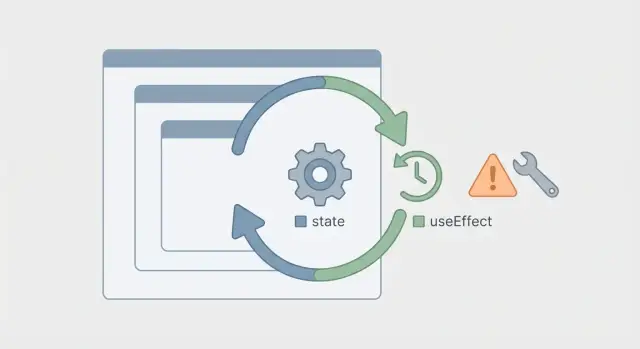
What an infinite re-render loop looks like
An infinite re-render loop happens when a React component keeps rendering over and over without ever settling. Instead of a normal render cycle, something keeps triggering another update.
The first signs are usually user-facing: the page feels stuck, buttons stop responding, inputs lag, or the UI flickers as state keeps changing faster than the browser can paint.
Common technical symptoms:
- A red error overlay like "Too many re-renders. React limits the number of renders to prevent an infinite loop"
- CPU spikes and the tab becomes hot or slow
- The same network request firing repeatedly
- Console logs printing nonstop
- UI that resets itself (for example, a modal that instantly reopens after you close it)
These loops are more than a performance problem. They break logic. A form never finishes validating, auth checks bounce between "logged in" and "logged out", and effects that should run once run hundreds of times. That often creates extra bugs like duplicated analytics events, repeated toasts, or rate-limited APIs.
A common scenario: a dashboard loads, refetches data, sets state with the response, then refetches again because an effect depends on something that changes every render. The user sees a spinner that never ends, and your backend sees a flood of identical requests.
Why AI-generated React code often loops
AI tools can produce React that looks fine in a demo, then falls apart with real data and real users. A big reason is mixing three things that should stay separate:
- Source state (what you store)
- Derived values (what you compute from stored values)
- Side effects (what you do because something changed)
When those get blended together, you end up setting state during render, or running an effect that changes the same values that cause the effect to run again.
Pattern 1: “Do everything in one useEffect”
AI-generated components often pack fetching, parsing, filtering, and UI state into a single effect. The effect runs, calls setState a few times, re-renders, and then runs again because a dependency changed.
The loop usually looks like: fetch -> setState -> re-render -> effect runs again -> fetch again.
Pattern 2: Unstable dependencies created on every render
Another common cause is putting values in the dependency array that are recreated on every render, even if they look “the same”. Examples include inline objects/arrays, inline functions, or derived values rebuilt each render.
React compares dependencies by reference, not deep content. A new object reference means “changed”, so the effect runs again.
One realistic scenario: a dashboard builds queryParams as an object inside the component and uses it in useEffect to fetch. Each render creates a new object, so the effect fires again, fetches again, sets state again, and the dashboard never settles.
How to confirm where the loop starts
First, confirm it’s a real loop and not just “a lot of renders.” Add a counter at the top of the component function.
console.count('Component render')
If the counter races upward even when you’re not interacting with the page, you’ve confirmed it.
Next, isolate the trigger. Temporarily disable side effects until the loop stops. The fastest way is to comment out effects one by one (or return early inside them) and reload after each change. When the loop stops, the last change points to the source.
A practical order:
useEffectblocks that set state or write to storage- Effects that call APIs or subscribe to something
- Derived state computed or synced every render
- Context providers and parent components
React DevTools can also help. Turn on highlight updates, then watch which part of the UI flashes repeatedly. That often shows whether the loop is in the current component or one level above.
If the Network tab shows the same request over and over, the chain is often: render -> effect -> fetch -> setState -> render. Fixing the loop also prevents duplicate requests and rate-limit issues.
Step-by-step workflow to stop the loop
Treat a re-render loop like a chain reaction. One update causes the next render, which causes the next update. Your job is to find the first domino.
- Identify the update that happens right before the next render.
Watch which setter runs (setUser, setItems, setLoading) and what triggers it. If there are multiple setters, comment them out one at a time to see which one stops the cycle.
- Make sure you’re not updating state during render.
A common mistake is calling a setter while “calculating” values, or inside a helper that runs while JSX is being built. State updates belong in event handlers, effects, or callbacks, not in the render body.
- Shrink the effect to its real job.
Reduce the effect to the smallest version that still reproduces the bug. Write down what it truly depends on (props, state, and any external values it reads). Dependency problems often hide here.
- Stabilize the inputs and make updates idempotent.
A few fixes that stop loops quickly:
- Make unstable inputs stable (memoize callbacks/objects, or move them outside the component)
- Don’t store derived values in state unless you have to (compute them from props/state, or use
useMemo) - Guard updates so you only call
setStatewhen something meaningfully changed - Add cleanup for subscriptions, timers, and in-flight requests
If an effect “syncs” one value into another, it must be safe to run more than once. Running an effect twice shouldn’t change state unless its inputs actually changed.
Fixing useEffect dependency problems
Most useEffect loops come down to the same pattern: the effect sets state, and that state change causes the effect to run again.
Treat every setState inside an effect as suspicious until you can explain why it stops.
Key rule: don’t set state unconditionally inside an effect. If the effect runs on mount and on dependency changes, you need a condition that prevents a repeating update.
A practical guard is “only update when the next value is actually different.” This matters when code rebuilds arrays or objects and stores them in state every time, even when the content didn’t change.
Good fixes:
- Compare before calling
setState(or compare inside the functional update) - Memoize dependencies when you truly need to depend on objects/functions
- Compute derived values during render instead of syncing them via an effect
- Keep dependencies intentional (depend on primitives when possible)
Also, don’t treat the dependency array like a checklist. Linters are helpful, but silencing a warning by adding a dependency can turn a one-time setup effect into a self-triggering loop. Often the real fix is restructuring: split one effect into two smaller effects, or move work into an event handler.
State updates that accidentally trigger re-renders
It’s easy to fixate on useEffect, but some loops come from simple state mistakes.
Setting state during render
If you call setState in the render body, React has no choice but to render again. This can be direct (a plain setX(...)) or indirect (a helper you call during render that updates state). Even something that looks harmless, like “normalize data if it’s missing,” can turn into a loop.
Mirror state (derived state chasing props)
Another trap is copying props into state and then “syncing” whenever they don’t match. If the prop is a new object each render, your syncing logic never stops.
A few patterns that often cause repeated renders:
- Updating state while rendering (including in helpers called from JSX)
- Storing derived values in state instead of computing them
- Creating new arrays/objects and setting them on every render without checking equality
- Passing a changing
keyprop that forces remounts
When the next state depends on the previous state, use functional updates. Instead of setCount(count + 1), use setCount(c => c + 1). It avoids stale values that can trigger “correction” updates.
If you have several related updates that bounce off each other (loading, errors, retries, cached data), useReducer can help by keeping transitions in one place.
Data fetching, subscriptions, and cleanup traps
Loops often hide inside “normal” side effects: fetches, subscriptions, and timers. If each callback calls setState, you can end up with constant re-renders even if the UI looks unchanged.
Fetches that keep re-running
If a fetch is tied to state that the fetch itself updates, you get a loop.
Make requests cancelable so stale responses don’t overwrite newer state. Use AbortController inside the effect and abort in cleanup.
To reduce duplicates, add a simple guard using a ref (not state), such as tracking an in-flight request key.
Subscriptions, timers, and cleanup
Listeners and timers can fire forever if you forget cleanup. A simple rule: every “start” needs a matching “stop” in the cleanup function.
Clear intervals/timeouts, unsubscribe from listeners, and remove event handlers.
One data source, one writer
Avoid updating the same piece of state from multiple places. If a fetch sets profile, a subscription also sets profile, and another effect “syncs” profile, you’ve created a feedback loop. Pick one owner for writes. Others can trigger a refresh, not write the same state.
Common mistakes that keep the loop alive
Some loops “disappear” when you comment out one line, then come back when you add it back. That usually means the underlying trigger is still there.
StrictMode makes unsafe effects obvious
If an effect fires twice in development, React StrictMode may be doing its job. Don’t turn StrictMode off to hide it. Make the effect safe to run more than once by adding cleanup, guarding updates, or moving one-time initialization out of the effect.
Stale closures create “compensating” updates
A common pattern is an effect that reads old state, then “corrects” it with setState. That correction triggers a new render, which creates another stale read, and the cycle repeats.
If an effect uses state but the dependency list doesn’t match, you can end up fighting your own past values. Prefer functional updates when you need the latest value.
Memoization can also backfire. useCallback/useMemo with the wrong dependencies still creates a new function/object every render. If that value sits in a dependency array, your effect will run every time.
Quick ways to spot a loop that’s still alive:
- Log “stable” dependencies (functions, objects, arrays) and see if they change every render
- Compute derived objects inside the effect from primitive dependencies
- Make sure every subscription/listener has cleanup
- Avoid syncing state to props unless you have a clear reason
Quick checklist before you ship
Do one last pass with real-user behavior in mind. Loops often disappear on the happy path, then come back when users click quickly, switch tabs, or have slow networks.
- Scan for setters that can run during render (including helpers called from JSX)
- Read each
useEffectlike a sentence: “When X changes, do Y.” Make sure there’s a stop condition - Check dependency stability (inline objects, arrays, and functions change every render)
- Verify cleanup for timers, listeners, subscriptions, and observers
- Make network work resilient: cancel stale requests, dedupe calls, and ignore late responses
A simple test: open the page, then change a filter three times quickly. If you see overlapping requests and the UI keeps “correcting” itself, you likely have unstable dependencies and missing cancellation.
A realistic example: the dashboard that keeps refetching
A common case in generated admin dashboards: load a list of users, store it in state, and show a table. Everything looks fine, except the page refetches constantly and the UI feels jittery.
The bug
The pattern usually starts with an effect that depends on an inline object. That object is recreated on every render, so React treats it as “changed” every time.
// Problem
function AdminUsers({ orgId }) {
  const [users, setUsers] = React.useState([]);

  const options = { method: "GET", headers: { "x-org": orgId } }; // new each render

  React.useEffect(() => {
    fetch("/api/users", options)
      .then(r => r.json())
      .then(data => setUsers(data));
  }, [options]);

  return <UsersTable users={users} />;
}
Some code makes it worse by “normalizing” the response into a brand-new array every time, so it calls setUsers even when nothing changed.
The fix
Stabilize the effect inputs, avoid pointless updates, and cancel in-flight requests.
function AdminUsers({ orgId }) {
  const [users, setUsers] = React.useState([]);

  const options = React.useMemo(
    () => ({ method: "GET", headers: { "x-org": orgId } }),
    [orgId]
  );

  React.useEffect(() => {
    const controller = new AbortController();

    fetch("/api/users", { ...options, signal: controller.signal })
      .then(r => r.json())
      .then(data => {
        setUsers(prev => (sameUsers(prev, data) ? prev : data));
      })
      .catch(err => {
        if (err.name !== "AbortError") throw err;
      });

    return () => controller.abort();
  }, [options]);

  return <UsersTable users={users} />;
}
To verify it worked:
- Add a render counter and confirm it stops climbing
- Watch the Network tab: repeated requests should stop
- Change
orgIdonce and confirm you get exactly one new fetch
A small refactor helps keep the bug from coming back: extract the fetch into a useUsers(orgId) hook, name memoized values clearly, and keep effect dependencies short and stable.
Next steps if the code still keeps looping
If you fixed the obvious issue (like a missing dependency array) and the app still spins, assume there’s more than one trigger. Many loops are a chain: one state update triggers an effect, that effect updates something else, and another component reacts by writing back to the first state.
A small fix is enough when you can point to one clear cause, like an effect that sets state every run or a prop callback that changes identity every render.
A rewrite is often the better call when a component is doing too much: fetching, sorting, filtering, form state, and UI state all mixed together. If you keep adding “only run once” flags, you’re treating symptoms.
If you inherited an AI-generated React codebase that won’t settle, FixMyMess (fixmymess.ai) can help by tracing the trigger chain and repairing the underlying state and effect flow, not just adding guards. A free code audit is often enough to pinpoint the exact loop and the quickest safe fix.