Fix password reset flow problems: delivery, expiry, tokens
Learn how to fix password reset flow failures: store tokens safely, set TTLs, improve email deliverability, and handle edge cases.
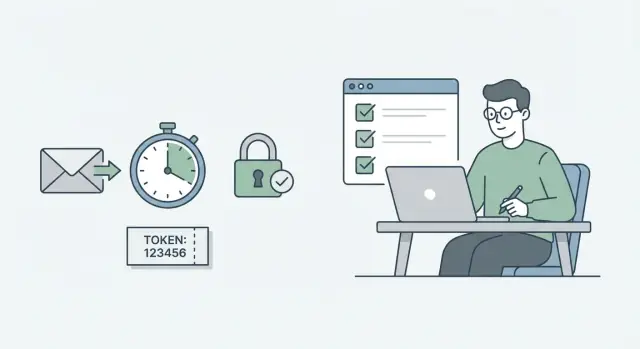
What “broken password reset” usually looks like
People rarely report password reset bugs with technical detail. They describe symptoms: “I never got the email,” “the link says it’s invalid,” or “it worked yesterday but not today.” Those symptoms usually point to a small set of root causes.
The most common user-facing failures look like this:
- No email arrives (or it arrives much later).
- The link opens, but shows “token invalid” or a generic error.
- The link works once, then keeps working forever (no expiry).
- The link says “expired” immediately.
- The link works on mobile but fails on desktop (or the reverse) due to URL encoding or routing.
This is a high-risk area. If reset links are easy to abuse (tokens don’t expire, tokens can be reused, accounts can be guessed), you raise account takeover risk. If they’re hard to use (emails don’t arrive, links break), you raise support load and churn.
Most failures fall into two buckets:
1) Delivery problems
The token may be fine, but the email never arrives or arrives too late. Common causes: spam filtering, domain or DNS misconfiguration, provider rate limits, suppression lists, or the app failing to send at all.
2) Token validation problems
The email arrives, but the token can’t be used. Common causes: storing tokens incorrectly, hashing mistakes, inconsistent TTL checks, clock skew, using the wrong user record, or marking tokens “used” too early.
A quick example: a founder tests locally, everything works. In production, the email arrives but the link fails. Later they find tokens were stored in an in-memory cache that gets cleared on deploy, so validation fails after the next restart.
You should be able to answer these from logs in five minutes:
- Did we attempt to send the reset email for that address (and did the provider accept it)?
- Which user ID was the token created for, and when?
- Where is the token stored (DB, cache, auth provider), and can we find the matching record?
- Why did validation fail (not found, expired, already used, wrong user)?
- How many reset requests happened recently for this account or IP (abuse or rate limiting)?
If your app was generated by tools like Bolt, v0, Cursor, or Replit, it’s common to see missing logs, tokens stored in the wrong place, or expiry checks that never actually run server-side.
How a healthy password reset flow works (plain English)
A good password reset feels boring. The user asks for a reset, gets an email quickly, clicks a link, sets a new password, and the link can’t be reused.
1) The request should not leak whether an email exists
When someone types an email and clicks “Send reset link,” your app should respond the same way whether the email is in your system or not. That avoids account discovery and also prevents confusing support cases.
Behind the scenes, if the email matches a user, you create a one-time token and store a server-side record. If it doesn’t match, you do nothing else, but still show the same success message.
2) The email is just a delivery vehicle for a short-lived token
The usual flow is:
- User requests a reset.
- Server creates a random token, stores it with an expiry time, and marks it unused.
- Server emails a reset link that contains the token.
- User sets a new password; server verifies the token, then invalidates it.
- Server optionally ends other sessions and notifies the user.
The important detail: the token must be random (not guessable), time-limited, and one-time. The database record is the source of truth, not what the browser says.
3) Confirming the reset should be strict and final
When the user opens the link and submits a new password, your server checks that the token exists, matches what you stored, hasn’t expired, and hasn’t been used. Only then do you update the password.
Invalidate the token immediately after success so it can’t be reused. Many apps also end other active sessions so a stolen session cookie stops working.
Example: a user clicks the reset link twice (common on mobile). The first attempt should succeed. The second should say the link is no longer valid, and it should not change the password again.
Step by step: create and store reset tokens safely
If you’re fixing password reset flow bugs, start with the token. Many “it works locally” resets fail in production because tokens are predictable, stored unsafely, or can be reused.
1) Generate a token that can’t be guessed
Use a cryptographically secure random generator (CSPRNG), not timestamps, user IDs, or short codes. A good rule of thumb is at least 32 bytes of randomness, then encode it (for example, base64url) so it fits cleanly in URLs and emails.
Keep tokens single-purpose. A password reset token should only be accepted for resetting passwords, not for email verification or magic-link sign-in.
2) Store the minimum, and store it safely
Never store the raw token in your database. Store only a hash of it. That way, if your database leaks, attackers can’t immediately use reset links.
Alongside the token hash, store:
- The user ID (or account ID) the token belongs to
- The purpose (password_reset)
- Timestamps like created_at, expires_at, and later used_at
Decide how you handle multiple requests and make the rule obvious in code. In most products, “one active token per user” is simplest: a new request invalidates the old.
Finally, invalidate tokens after use, and do it atomically to prevent reuse. The safest pattern is to “consume” the token in a single database operation (for example, set used_at only if used_at is still null and the hash matches), then confirm exactly one row was updated before allowing the password change.
Concrete example: a user clicks the reset link twice (or opens two tabs). Without an atomic consume step, both clicks might succeed.
Step by step: set TTLs and make expiry reliable
A reset link that never expires is a security risk. A reset link that expires too fast feels broken. Pick a clear TTL and enforce it in one place: your server.
1) Pick a TTL that fits real users
Most apps do well with 15 to 60 minutes. Shorter is safer; longer is kinder to people who get interrupted.
A practical guideline:
- High risk accounts (admin, finance): 10-20 minutes
- Typical consumer app: 30-60 minutes
- B2B where people may be in meetings: 60-120 minutes
Whatever you pick, make the email copy match it (for example: “This link expires in 30 minutes”). If you say 30 minutes but enforce 10, users will retry and assume delivery is broken.
2) Store created_at and expires_at on the server
Don’t rely on the client (browser or mobile) to calculate expiry. Don’t store only created_at and re-calc expiry in different parts of the codebase. Store expires_at with the token record.
When the link is used, the server should check:
- token exists
- token has not been used
- current server time is before expires_at
This keeps behavior consistent across devices.
3) Avoid time zone and clock skew problems
Use server-side time in UTC for both writing and checking expiry. If you have multiple servers, make sure they agree on time. Small drift can cause random failures near the edge of expiry.
If you see false expiries in logs (especially with queued email delivery), a small grace window (1-2 minutes) can help. Keep it tight so it doesn’t become a loophole.
4) Decide what happens when someone requests another reset
You need a clear rule. Two common options:
- Revoke old tokens when a new one is issued
- Allow multiple active tokens that expire independently
For most products, revoking old tokens is the better default. It reduces confusion and cuts down the risk of old links being used later.
5) Clean up expired tokens (without breaking anything)
Expired tokens pile up and make debugging harder. You can clean them up with a scheduled job that deletes expired records, or with “lazy cleanup” (delete on lookup if expired). Lazy cleanup is faster to ship; scheduled cleanup keeps the table tidy. Many teams do both.
Step by step: email deliverability basics that matter
A reset flow can be perfect in code and still fail because the email never arrives, lands in spam, or the link breaks. Treat email as part of the system.
1) Confirm the email was actually sent
Start by proving your app handed the message to a real email provider. Record the provider response for each reset email, including a message ID and send status.
Log what will actually help you debug later:
- User ID (or hashed email), timestamp, and destination domain (not the full address)
- Provider message ID and status (queued, sent, deferred, rejected)
- Template or version used and the reset URL length
- Error code or rejection reason (if any)
- Correlation ID tying the email to the token record
If you can’t see a message ID, you’re guessing.
2) Basic hygiene that affects inboxing
Use a From name and address people recognize, and keep it consistent. Keep the subject simple (“Reset your password”) and avoid salesy wording.
Also check domain authentication (SPF, DKIM, DMARC). If these are missing or misconfigured, deliverability will be unreliable, especially for corporate inboxes.
3) Watch bounces, complaints, and suppression
If a provider suppresses an address after a bounce or complaint, the next reset email can be dropped without obvious errors. Check your provider dashboard for hard bounces, spam complaints, blocked recipient domains, and suppression list entries.
4) Template mistakes that break the link
Reset emails fail even when delivered because the link is unusable. Common causes: missing token parameter, bad URL encoding, or emails that render poorly.
Make the reset link easy to click and safe to copy and paste. Keep the URL short, avoid line breaks, and include a plain-text version with the full link visible. Watch punctuation near the link since some clients include it.
Edge cases that commonly break resets
Most password reset bugs show up in normal testing, but the nastier ones hide in real behavior.
Multiple emails, stale links, and changing emails
People often tap “Forgot password” twice, then click the first email they see. If you allow multiple active tokens, an older link can still work and override the newer one. If you invalidate old tokens, users will still click old emails, so your error message needs to be clear.
A simple default works well: allow only one active token per user at a time, and return a neutral message when the link is no longer valid.
Another common break: the user changes their email address during the reset window. If token lookup depends on the current email, the token becomes orphaned. Store tokens against a stable user ID, not a mutable email string.
Devices, sign-in methods, and weird email clients
Resets often start on mobile and finish on desktop. If your reset page assumes an existing session cookie, CSRF token, or same-browser storage, the final step can fail. Treat reset as a standalone flow: the link should identify the reset attempt, and the final submit should not require an existing login session.
Also decide what to do for OAuth-only users (Google, Apple) or magic-link users who may not have a password set. If you allow them to “reset,” you might silently change how they sign in. Pick a policy and say it plainly.
Some email clients prefetch links for “safe browsing,” which can accidentally consume a single-use token before the user taps it. That’s another reason to only mark a token used after the password actually changes.
A few guardrails prevent most failures:
- Keep the token single-use, but don’t mark it used until the password changes.
- Bind the token to a user ID and store created_at and expires_at server-side.
- Support cross-device resets with no dependency on cookies or local storage.
- Handle OAuth-only users explicitly.
- Add basic rate limits to slow bots without locking out real users.
Security and privacy checks you should not skip
Password reset is a direct path into an account. Fixing “broken” resets is only half the job; closing common security holes matters just as much.
Stop account enumeration first
Your reset request screen should always respond the same way, whether the email exists or not. If you say “No account found,” attackers can test who has an account.
Use one neutral message like: “If that email is registered, you’ll receive a reset message shortly.” Keep timing similar too, so the page doesn’t respond noticeably faster for non-existing accounts.
Protect tokens like passwords
Treat reset tokens as secrets. Never log them in plain text, and never store them in a way that turns a database leak into instant account takeover.
A safe pattern is to store only a hashed version of the token and compare hashes when the user clicks the link. In logs, record only a short masked snippet (for example, first 4 characters) plus a request ID.
Checks that prevent most real-world incidents:
- Rate limit reset requests per user and per IP
- Ensure reset links are HTTPS only, from click to final password change
- Avoid putting the token in places that leak (like analytics events or third-party scripts)
- Enforce your password policy (length, reuse rules) consistently
- Invalidate older tokens when a new reset is requested
One common mistake is putting the token in the URL and then loading third-party content on the reset page. In some setups, the browser can leak the full URL as a referrer. If you can’t avoid third-party scripts, consider keeping the token out of the URL and using a short-lived one-time code entered by the user.
Privacy matters too: emails and screens shouldn’t reveal whether a person has an account, and internal tools should have audit trails for sensitive actions.
Common mistakes and traps (and how to avoid them)
Small bugs in password reset flows often look random: some users never get the email, some can reuse the same link, others hit “expired” immediately. Most of the time it’s a handful of repeat mistakes.
Token handling traps
The biggest mistake is storing raw reset tokens anywhere that can leak: your database, logs, error trackers, or analytics events. A reset token is a temporary password.
Expiry bugs are next. Tokens “never expire” when code checks the wrong field, compares times as strings, mixes time units (seconds vs milliseconds), or uses inconsistent time zones. Make expiry boring: store a single expires_at timestamp and always compare using server-side time.
Another quiet trap is non-atomic logic: “check token is valid” then “mark token used” in two steps. Under load, two requests can pass the check. Consume the token with one atomic update and verify exactly one row changed.
If you want a quick hardening pass, these fixes cover most breakages:
- Hash tokens and avoid logging them.
- Enforce expiry with a single expires_at check using server time.
- Make token use one-time with an atomic consume step.
- Validate against the right identity (bind to user ID, not email).
- Return the same response for unknown emails.
Email and UX traps
A common validation bug is mixing user ID and email during lookup, especially when naming is inconsistent. Decide what the token is bound to (usually user ID), and stick to it.
Also check the reset URL itself. A frequent production failure is sending the wrong frontend domain or environment (staging, preview, old subdomain). The email is “delivered,” but resets never complete.
Quick checklist before you ship the fix
Before you mark it done, do one full reset from a real browser, using real inboxes. Most bugs hide in the handoffs (API -> database -> email -> link -> token check).
Trace one request end to end
Pick a test account and trigger a reset. Confirm you can follow it across logs: request received, token created, email queued or sent, link clicked, token verified, password changed.
A simple pass/fail:
- You can find one reset attempt by email (or user ID) and trace it from request to completion.
- The email send step is visible (provider response, message ID, or a clear sent/failed status).
- Clicking the link produces a clear outcome (success, expired, already used), not a generic error.
Expiry, retries, and old email behavior
Test what real users do: wait too long, request multiple resets, click an older email.
Confirm:
- Tokens expire when expected, even after restarts or deployments.
- An older reset email fails safely with a clear message.
- Multiple reset requests follow your documented rule.
- Re-using a link after a successful reset fails.
- Submitting the reset form twice does not create two password changes.
Deliverability reality check (Gmail + Outlook)
Don’t assume “sent” means “received.” Send to real Gmail and Outlook inboxes and confirm where the email lands.
Verify:
- The message arrives quickly.
- It doesn’t land in Spam for a fresh test mailbox.
- The reset link is clickable and not broken by wrapping.
Next steps: make it reliable, then keep it reliable
After you fix the flow, treat password reset like a small product. It’s used when someone is stressed, so you want clear failure signals and a routine way to confirm it still works after every change.
Add lightweight monitoring
You don’t need a huge observability setup. A few counters and alerts will catch most issues:
- Reset requests created per hour/day (watch drops or spikes)
- Email send failures and bounces (by provider response)
- Reset confirmation failures (invalid, expired, already used)
- Median time from request to successful reset
- Top errors from reset endpoints
If requests are steady but confirmations drop near zero, it’s usually delivery (emails not arriving) or expiry (TTL too short, time problems).
Write a few repeatable tests
Aim for 3 to 5 tests you run on every deploy:
- Happy path: request reset, reset password, sign in
- Expired token: older than TTL must fail with a clear message
- Second request wins: newest token works, older token is rejected
- Rate limit behavior: repeated requests slow bots without locking out real users
- Email content: link points to the correct environment
Prepare a small support playbook
When a user says “reset doesn’t work,” support should ask a few basics: which email they used, roughly when, whether they requested multiple times, and whether they checked spam and inbox tabs. Internally, support should have one place to check reset logs and the latest failure reason.
If you inherited an AI-generated codebase and the reset flow is brittle, a focused audit can usually pinpoint whether you have a delivery problem, a token problem, or both. FixMyMess (fixmymess.ai) does this kind of diagnosis and repair for AI-generated apps, starting with clear logging and then hardening token handling, expiry, and email sending so resets work consistently in production.
FAQ
How do I quickly tell if my password reset is failing because of email delivery or token validation?
Start by splitting it into two parts: delivery and validation. Check whether your app attempted to send the email and whether the provider accepted it, then check whether the clicked token can be found, is unexpired, and is unused.
If you can’t answer those from logs quickly, add a correlation ID that ties one reset request, one token record, and one email send together.
Why does my app say it sent the reset email, but users never receive it?
“Sent” usually just means your app tried to hand off the message. The provider may defer it, suppress it after a bounce/complaint, or your domain authentication may be weak so it lands in spam.
The practical fix is to log the provider’s message ID and status for each reset email so you can see queued, deferred, rejected, or suppressed outcomes instead of guessing.
Why does the reset link work locally but fail in production?
It often happens when tokens are stored somewhere that doesn’t survive deploys or restarts, like in-memory storage, a local cache, or a single instance without shared persistence.
Store the token record in a real database (or a shared durable store), and make the validation path read from that same source of truth in production.
What’s a good expiry time (TTL) for password reset links?
A safe default is 30 to 60 minutes. It’s long enough for real people to find the email and switch devices, but short enough to limit risk if the inbox is compromised.
Whatever TTL you choose, make the email text match it and enforce expiry on the server, not in the browser.
Why shouldn’t I store password reset tokens in plain text?
Because a reset token is basically a temporary password. If an attacker gets database read access, raw tokens let them take over accounts immediately.
Store only a hash of the token and compare hashes during validation. Also avoid logging the raw token, because logs often end up in multiple tools and backups.
How do I prevent reset links from being reused (or used twice in two tabs)?
Because users click links twice, email clients prefetch links, and attackers reuse tokens if they can. A reset token should succeed once and then be permanently invalid.
Make consumption atomic: the same server-side action that verifies the token should also mark it used, and it should only succeed for one request.
How do I stop attackers from discovering which emails have accounts via password reset?
Return the same message either way, such as “If that email is registered, you’ll receive a reset message shortly.” This reduces account enumeration and prevents attackers from probing who has an account.
Keep timing similar too, so the response isn’t noticeably faster when the email doesn’t exist.
Why does the reset link work on mobile but fail on desktop (or the other way around)?
It’s usually URL encoding, routing, or environment/domain mismatches. Some clients wrap long URLs or alter characters, and some apps email a staging domain or an old frontend host.
Use a URL-safe token encoding, keep the reset URL predictable, and verify the email contains the correct production domain end to end.
Do password resets need to work across devices without being logged in?
Treat password reset as a standalone flow. Don’t require an existing session cookie, local storage value, or same-device CSRF setup just to submit the new password.
The link should identify the reset attempt by token, and the final submit should validate the token server-side without relying on being logged in.
What should I verify before I ship a password reset fix, and when should I get help?
You should be able to trace one reset attempt from request to password change, see provider send status, and confirm the token becomes invalid after success.
If your app was generated by tools like Bolt, v0, Cursor, or Replit and the flow is brittle, FixMyMess can run a free code audit, add the missing logs, and harden token storage, expiry, and email sending so resets work reliably in production.