GitHub permissions for contractors should expire
Set GitHub permissions for contractors by task, protect main, separate deployment approval, preserve audit evidence, and revoke access on schedule.
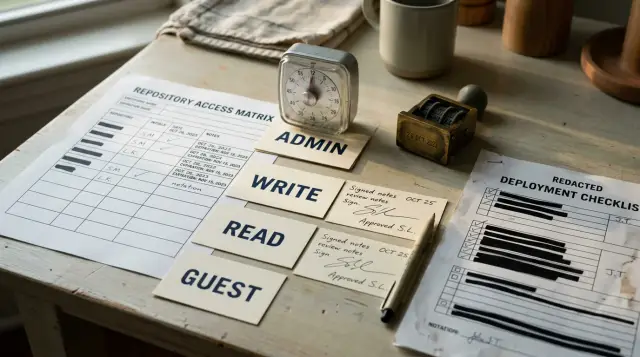
External remediation teams should receive the lowest GitHub role that lets them finish the task in front of them, and that role should have an expiration date. For most engagements, that means Read during diagnosis, Write during repair, no direct production approval, and a brief Admin window only when a named repository setting must change.
A vague request for "GitHub access" is how a two-day repair turns into indefinite authority over source, secrets, workflows, releases, and repository settings. I have seen owners grant Admin because they did not know which smaller role would work, then discover that nobody recorded what changed or remembered to remove the account. The safer approach is not complicated: split the engagement into phases, attach each permission to an output, keep protected branches between the repair team and production, and schedule revocation before the invitation goes out.
This matters even more with AI-generated applications. A team may need to trace broken authentication, exposed secrets, SQL injection, tangled modules, and a deployment that only works from one person's laptop. Those problems justify close access to the code. They do not automatically justify control of billing, collaborators, branch rules, webhooks, environments, or production credentials.
Assign permissions to tasks, not job titles
GitHub roles describe authority, not trustworthiness. A respected external engineer can still make a damaging mistake with an overly broad role, while a tightly scoped role makes both honest errors and account compromise less costly.
GitHub's Repository roles for an organization documentation orders the standard roles as Read, Triage, Write, Maintain, and Admin. Its own descriptions are useful: Read suits people who need to view or discuss a project, Triage adds issue and pull request management without write access, Write supports active code contribution, Maintain covers repository management without some sensitive or destructive actions, and Admin provides full access. The mistake is treating that ladder as a career ranking. It is a capability map.
Translate the engagement into deliverables before assigning anyone:
- A diagnosis report, dependency inventory, or architecture map normally needs Read.
- Issue labeling, reproduction tracking, and pull request coordination may need Triage.
- Repair commits and pull requests need Write, unless the team works through a fork.
- Changes to branch rules, collaborators, environments, or security settings may need Admin for a short window.
- Production release approval should remain with an internal owner even when the external team prepares the release.
Write the mapping down. A small access contract is more useful than a paragraph in a statement of work because an owner can check it against GitHub settings:
repository: acme/example-app
team: external-remediation
phase_1:
  role: read
  output: diagnosis-and-repair-plan
phase_2:
  role: write
  branches: repair/*
  output: reviewed-pull-requests
admin_window:
  allowed_changes:
    - branch-protection
    - deployment-environment
  approved_by: internal-repository-owner
  ends_at: 2026-08-15T18:00:00Z
revocation_owner: engineering-director
That file does not enforce anything by itself. It prevents the common failure where the scope changes in conversation but access never changes with it. If the team discovers that it needs a new capability, update the record, obtain approval, and then change the role.
If the repository belongs to an organization, add named individuals as outside collaborators or use an appropriate organization structure controlled by your own administrators. Do not share one vendor account. Individual identities make reviews, audit events, and revocation meaningful. Require two-factor authentication at the organization level where your setup supports it, and verify that each person has accepted under their own identity.
Read is enough for an audit
A serious code audit does not require push access. Read access to a private repository lets the team inspect and clone the code, study commit history, review branches, and participate in ordinary discussion, which covers the first pass for most remediation work.
The audit should produce evidence before anyone edits code: an entry-point map, a list of failing paths, a secrets exposure assessment, a dependency and build review, and a proposed repair sequence. The team may also need read access to related repositories that contain shared packages or infrastructure definitions. Grant those repositories explicitly instead of broad organization membership.
Read does have consequences. A collaborator can make a local clone, and revoking GitHub access cannot retrieve that copy. GitHub's documentation on managing individual repository access says removal cuts off repository access and deletes private forks in the covered cases, but local clones remain. Contractual handling of confidential source, deletion on exit, and a list of approved devices therefore sit outside GitHub's role controls. Do not pretend a revocation button erases data already copied.
The audit phase is also the right moment to control secret exposure. Repository Read does not mean the team needs database passwords, cloud credentials, payment keys, or customer exports. Secrets should not live in the repository in the first place. If the audit finds a committed credential, assume the value may have been copied, rotate it through the system that issued it, and remove it from active use. Rewriting Git history without rotating the credential fixes the appearance, not the exposure.
Read can become insufficient when diagnostics depend on private build logs, security alert details, or external systems. Treat each of those as a separate request. GitHub's role matrix notes that access to some security alert lists begins at Write, while code scanning results attached to pull requests have different visibility. Do not upgrade the entire repository role without identifying the exact missing view. An internal owner can often export the needed alert, reproduce the failure, or screen-share a setting instead.
A good audit ends with a permission checkpoint. The remediation team should name the files it expects to change, the branches it will create, the checks it needs to run, and any repository settings that block the plan. Only then should Read become Write. If the report does not explain why code modification is needed, more access will not improve the report.
Triage does not authorize repairs
Triage is useful for running the work queue, but it cannot substitute for Write. It lets an external coordinator manage issues, labels, milestones, discussions, and parts of pull request handling without permission to push code.
That makes Triage a reasonable role for a project lead who reproduces bugs, removes duplicates, assigns work, requests missing evidence, and keeps the owner informed. It is also useful when a separate repair team contributes through forks and an external lead needs to organize incoming pull requests. The role separates coordination from source modification.
Teams often misunderstand the word "triage" and assume it includes small fixes. It does not. If a person must create a branch in the private repository, push a commit, update a workflow, or merge an approved repair, evaluate Write. Repeatedly asking an internal engineer to paste vendor patches into a branch creates bad provenance and wastes review time. Either keep the person in a true coordination role or grant the role that matches the coding task.
Triage is not automatically safer than Read for every auditor. It adds the ability to change how work is presented and prioritized. A malicious or careless coordinator can close issues, alter labels, or disrupt the review queue even without touching source. Grant it only when issue management is part of the output, not because it sounds like a middle option.
Do not use Triage to compensate for a missing process. Decide who may close security findings, who accepts a fix, and who communicates scope changes. An external team can mark an item ready for internal verification without being allowed to declare its own work accepted. That distinction keeps the record honest when deadlines get tight.
For a short engagement, Read plus normal pull request comments may be enough for the diagnosis phase. Add Triage when the volume of findings makes active queue management necessary. Remove it with the rest of the team's repository access at the end, since an old coordinator account still exposes private discussions and code.
Write belongs on repair branches
Write is the normal role for engineers who must repair code inside your repository. It allows active contribution, so pair it with protected branches, pull request review, automated checks, and an explicit ban on using long-lived shared credentials.
Write should open a path to propose changes, not a path to redefine acceptance. External engineers can create repair/* branches, push commits, open pull requests, respond to review, and update the proposed fix. Internal maintainers should own approval for changes that affect authentication, authorization, data migration, payments, build workflows, or production infrastructure.
The simplest working branch policy has four parts:
- Require pull requests before changes reach the default branch.
- Require at least one internal approval for high-impact paths.
- Require the repository's build, test, lint, and security checks to pass.
- Block force pushes and branch deletion on protected release branches.
Add code ownership for areas where an apparently small edit can change production authority. A compact file might look like this:
/.github/workflows/ @acme/platform-owners
/auth/ @acme/security-owners
/db/migrations/ @acme/data-owners
/infra/ @acme/platform-owners
A CODEOWNERS file identifies reviewers, but it only becomes a gate when branch protection or a ruleset requires review from code owners. Without that enforcement, the file is a routing hint. This is one of the distinctions teams routinely blur, and the consequence is a pull request that looks governed while GitHub still permits a merge without the named owner.
Avoid giving the external team a shared personal access token. Each engineer should use an individual account, and automation should use a narrowly scoped GitHub App or token owned by your organization when automation is actually needed. User removal is much cleaner when commits, approvals, and API activity point to separate actors.
Write can expose more than code modification. Workflow files deserve special attention because a person who can change an automation workflow may be able to influence what executes on a runner or how available credentials get used. Keep workflow changes behind internal review, restrict the default GITHUB_TOKEN permissions to what each job needs, and never treat a passing workflow as proof that a workflow edit is safe.
Do not allow repair convenience to erase history. Ban force pushes on shared repair branches, require meaningful commit authorship, and ask the team to explain security-sensitive changes in the pull request body. Squashing at merge may be fine, but the pull request must retain the discussion and checks that justified the result.
Admin is a short controlled exception
Admin should be a temporary exception for a named settings task, not the starting role for a remediation engagement. It covers sensitive and destructive actions, including access and repository rule management, that ordinary code repair does not need.
There are legitimate cases. The existing branch protection may be absent or misconfigured. A deployment environment may need a reviewer or branch restriction. Security settings may need to be enabled. A webhook or deploy key may be part of the failure. Some of these changes require Admin under GitHub's standard roles, depending on the feature and plan.
The wrong response is to leave Admin in place for the full repair because several settings might need attention. Use an elevation window:
- The external lead submits the exact current setting, proposed setting, reason, and rollback.
- An internal repository owner approves the change and records the start and end time.
- One named external engineer receives Admin, while other team members keep their existing roles.
- The internal owner observes or reviews the setting change and captures evidence.
- The owner returns the engineer to Write immediately after verification.
An internal admin can make the change from the team's written recommendation when the setting is simple. That is often faster than designing temporary Admin access. External Admin makes more sense when diagnosis depends on a complex interaction among rules, environments, webhooks, or security controls and the specialist needs to inspect the configuration directly.
Maintain is sometimes proposed as a harmless compromise. It can manage parts of a repository without all Admin actions, but it is still broader than code contribution and may not include the specific sensitive setting that prompted elevation. Granting Maintain without checking the capability matrix combines two failures: excess unrelated authority and no guarantee that the required task will work. Choose it only when a documented set of maintenance actions matches the engagement.
Never hand over organization Owner for a repository repair. Repository Admin and organization Owner operate at different scopes. If the team needs organization-wide information, an owner can export it, perform the change, or create a supported custom role on GitHub Enterprise Cloud. A single broken application does not justify control over every repository and member.
Admin access also makes bypass behavior more important. Some protection rules allow admins to bypass them unless configured otherwise. If you temporarily raise someone's role, verify whether the rule still applies to administrators. The label "protected" does not answer that question.
Branch protection must outlive the engagement
Protected branches and rulesets should constrain both the external team and your own administrators where the risk calls for it. A repair process fails if the branch gate disappears whenever someone has enough permission to feel inconvenienced by it.
GitHub's Managing a branch protection rule documentation says protected branch rules can require pull request approval and passing status checks. It also warns that only one branch protection rule applies at a time, which can make overlapping patterns hard to reason about. GitHub points to rulesets as an alternative. That detail matters during remediation: adding a new wildcard rule may not combine with the rule you expected, so test the effective policy on the actual default and release branches.
Start with the default branch and every branch or tag that can deploy. Require pull requests, dismiss stale approvals when material code changes, require conversation resolution when your review practice uses it, and name the status checks that truly block a bad build. A required check that never runs can freeze merging, while a check with a changing job name can silently stop matching the intended gate. Verify the behavior with a disposable pull request.
Keep bypass lists short. The remediation team usually does not belong on them. If a migration or urgent repair cannot pass an existing check, record why the check is wrong or why a controlled exception is necessary. Fixing a flaky check is part of making the repository production ready; bypassing it for every pull request merely hides the defect.
Repository rules do not replace review judgment. A green build can confirm syntax, tests, and configured scanners. It cannot decide whether a new authentication flow matches the product's account recovery policy or whether a data migration preserves business meaning. Assign internal reviewers who understand those consequences.
Review the rules after any Admin window. Compare the final configuration with the approved access contract, check for new bypass actors, confirm that force pushes remain blocked, and verify that code owner review applies to the paths you intended. Capture screenshots or exported configuration where appropriate, but keep a text record of the decision so future owners can search it.
When FixMyMess repairs an AI-generated application, the useful permission boundary is the same one I would demand from any external team: enough access to diagnose and submit verified changes, with the repository owner retaining the final controls. The platform's code diagnosis, logic repair, security hardening, refactoring, and deployment preparation do not require permanent ownership of a client's repository.
Deployment access is a separate decision
Repository Write does not need to include authority to approve production deployment. Treat code contribution, workflow modification, environment approval, cloud access, and the ability to read production secrets as separate controls.
GitHub deployment environments can require reviewers, restrict deployment branches or tags, and hold environment secrets until protection rules pass. The Deployments and environments documentation also supports preventing self-review, so the person who initiated a deployment cannot approve the same protected job when that option is enabled. Use that separation for external repairs: the team prepares the release, while an internal reviewer authorizes production.
A safe flow looks like this:
- The external engineer opens a repair pull request and all required code checks run.
- Internal owners review sensitive paths and merge the approved commit.
- A deployment workflow references the protected production environment.
- An internal reviewer checks the commit, migration plan, and rollback, then approves the job.
- The workflow receives environment secrets only after the protection rules pass.
The environment should accept deployments only from the intended protected branch or release tag pattern. Do not assume that protecting main automatically restricts every environment. Configure the environment's deployment branch or tag rules and test them.
Be careful with workflow edits. A contributor with Write may propose a change that alters triggers, runner commands, artifacts, or credential use. Require code owner review for .github/workflows/, minimize workflow token permissions, pin trusted actions according to your policy, and review any use of self-hosted runners. GitHub notes that self-hosted runners do not gain container isolation merely because a job uses an environment. A workflow can become the route around an otherwise careful repository policy.
Cloud consoles, hosting providers, databases, domain registrars, and observability systems have their own access models. Do not put those credentials into a GitHub issue or hand an external engineer a general production account because the repository role feels controlled. Create separate time-limited identities where possible, record their owners, and revoke them in the same exit process.
If the external team must execute a production repair, require an internal approver and a written rollback. The person who wrote the change should explain it, but a different person should decide whether it runs against live data. Small teams sometimes cannot achieve perfect separation. They can still require an explicit approval event and preserve the reason instead of letting deployment happen as an incidental side effect of a merge.
Audit evidence needs an owner
An audit log is useful only when someone knows which events to review and what decision the record must support. Collect evidence throughout the engagement, not after a suspicious change or a rushed revocation.
GitHub's organization audit log records who acted, what action occurred, when it happened, and which repository was involved. The documentation says organization owners can search it and that organization audit events remain available for a limited period, so assign an internal owner to export or retain the evidence your policy needs. The external team should not be the sole custodian of the record used to assess its own access.
Use a saved search tied to the repository, actors, and engagement dates. For example:
repo:acme/example-app actor:vendor-engineer created:2026-08-01..2026-08-15
The review record should capture fields such as the action, actor, repository, source, and timestamp. A compact normalized event can look like this:
{"action":"protected_branch.update","actor":"vendor-engineer","repo":"acme/example-app","created_at":"2026-08-04T14:22:10Z"}
The exact events available depend on the action and account setup, so test the search before work begins. Make one harmless, approved change, confirm that the expected event appears, and confirm that the person responsible for review can access it. Discovering after the engagement that nobody could see the organization log is not an audit strategy.
Audit source changes through Git as well. Pull requests should connect a finding to the repair, list the affected behavior, identify tests, and preserve review comments. Releases or deployments should point to the merged commit. Repository settings changes need their own approval record because they may not appear in a code diff.
Review access events at three moments: after invitations and role assignments, after any temporary elevation, and at revocation. Look for extra collaborators, role changes, deploy keys, new apps, webhooks, bypass actors, environment changes, workflow modifications, and unexpected personal access paths. GitHub warns that removing a user does not neutralize a deploy key held elsewhere, so include keys and installed automation in the exit review.
Do not drown the owner in raw events. The final evidence pack should answer four questions: who had access, what they changed, who approved sensitive changes, and whether every access path was removed or transferred. Keep raw exports according to your policy, but write a short exception list that a future maintainer can understand.
Revocation starts before the first commit
Set the revocation date when access is granted, name the person who will perform it, and define what completion means. An engagement end date buried in a contract will not remove a collaborator, token, deploy key, cloud account, or copied secret.
Use a calendar event or ticket that opens before the planned end. The internal owner should have enough time to inspect outstanding branches, transfer issues, confirm deployment ownership, and decide whether a narrow extension is justified. Extensions should be explicit and dated. "They may help again" is not a reason to preserve private repository access.
The exit checklist should cover every path created for the work:
- Remove outside collaborators or organization membership that was granted for the engagement.
- Revoke team access, temporary tokens, GitHub Apps, deploy keys, and machine credentials that are no longer needed.
- Remove the team from bypass lists, code ownership, required reviewer groups, and environment approvals.
- Transfer open pull requests, issues, runbooks, and release responsibilities to named internal owners.
- Rotate any secret that the team received when continued possession would create unacceptable risk.
GitHub says that removing a collaborator from a private repository cuts off access and removes private forks in applicable cases, but local clones remain. Get written confirmation that the team handled retained source and data under the agreed deletion terms. This is a legal and operational control, not a GitHub feature.
After removal, verify with a fresh view of repository access rather than trusting the ticket status. Search the audit log for removal events, inspect installed apps and deploy keys, confirm environment reviewers, and review organization base permissions. A person removed from one direct repository assignment may still inherit access through another route.
Keep the repair history. Do not delete branches or conversations merely to make the repository look clean before internal owners have accepted the work. Merge or close pull requests deliberately, retain the evidence required by your policy, then delete obsolete branches through the normal repository process.
A remediation team should leave you with less operational ambiguity than it found. If nobody can name the current repository admins, production approvers, active credentials, and next revocation date after the work ends, the code may be better while the ownership problem remains. Close both.
FAQ
Can an external developer audit a private GitHub repository with Read access?
Yes. Read normally supports cloning and inspecting the repository, commit history, branches, and discussions needed for an initial audit. Ask for a specific exception only when a required security alert or external log is unavailable at that role.
Does GitHub Triage permission let a contractor push code?
No. Triage supports issue and pull request coordination without granting code push access. Use Write for engineers who must create repository branches and submit repair commits.
Should a remediation company receive GitHub Admin access?
Only for a named settings change that cannot be completed by an internal admin. Time-box the elevation, limit it to one person, record the approved change, and return the account to its prior role immediately.
Is GitHub Write permission safe for an external team?
It can be appropriate when protected branches, required reviews, status checks, and individual accounts constrain how changes reach production. Write without those gates gives convenience more weight than control.
Can branch protection stop repository admins from bypassing reviews?
GitHub offers controls that can apply rules to administrators or restrict bypass, depending on the rule type and repository setup. Check the effective rule instead of assuming that the word "protected" covers admins.
Do contractors need production secrets to prepare a deployment?
Usually no. They can prepare and test the release while an internal reviewer approves the protected production environment. Environment secrets should become available to the deployment job only after its configured protection rules pass.
What should a GitHub contractor access agreement include?
Name the repositories, people, roles, permitted branches, expected outputs, any admin tasks, approvers, and the revocation date. Add rules for local clones, confidential data, credentials, and deletion because GitHub cannot retract a copy already made.
How can an owner monitor an external team's GitHub activity?
Use individual accounts, pull requests, deployment history, and the organization audit log. Save searches for the repository, external actors, and engagement dates, then review them after invitations, elevation, and revocation.
When should external GitHub access be revoked?
Revoke it when the accepted work and handoff are complete, using the date set when access was granted. If work continues, approve a new narrow end date instead of leaving access open indefinitely.
Does removing a GitHub collaborator delete every copy of the code?
No. Removal ends repository access and can remove private forks in the cases GitHub documents, but it does not erase local clones. Your contract and exit procedure must cover retained source and confidential data.