Hard-coded URLs audit: fix staging links and callbacks
Hard-coded URLs audit to catch staging links and localhost callbacks, then move them into env config with safe defaults for production.
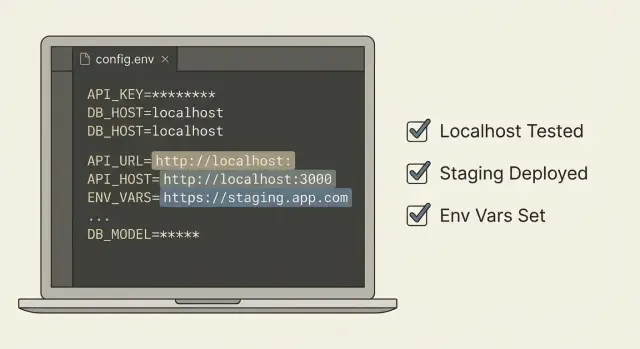
What goes wrong when URLs and callbacks are hard-coded
A hard-coded URL is a web address written directly into your code, like https://staging.example.com or http://localhost:3000, instead of being read from settings for each environment. It feels fast during a prototype, but it ties your app to one place.
A callback URL is where another service sends users or data back to you. Common examples are OAuth login redirects (Google sends the user back after sign-in) and webhooks (Stripe, GitHub, or a form tool posts events back to your server). If that callback points to the wrong place, the other service does its job, but your app never receives the result.
When staging links or localhost callbacks sneak into production, real users hit dead ends. localhost only exists on the developer's computer, so a production user can't reach it. Staging domains also tend to use different cookies, secrets, and allowed origins. Even if the page loads, the session or request can still fail.
This usually shows up as:
- Login that works at the provider, then returns to a blank page or error
- Webhooks that fail silently or keep retrying because the endpoint is wrong
- Password reset and email verification links sending people to staging
- Redirect loops caused by mixed domains (app points to staging, API points to prod)
- CORS errors because the frontend origin doesn't match what the backend expects
These problems often cluster around auth, payments, and email flows because they rely on exact, pre-registered URLs.
It's especially common in AI-generated prototypes and rushed builds. Tools often generate happy-path code with placeholder domains, copy/paste snippets, and defaults like localhost. If nobody does a production pass to move those values into environment configuration, the app keeps shipping the wrong URLs.
Where staging links and localhost callbacks usually hide
Most teams check one file for a base URL, then get surprised when users still hit staging. Assume the wrong URL can be hiding in several layers: the frontend bundle, backend utilities, and third-party dashboards.
On the frontend, look for API base URLs, OAuth redirect URIs, and asset paths. In code generated by tools like Lovable, Bolt, v0, Cursor, or Replit, it's common to find http://localhost:3000 baked into a fetch call, an auth helper, or a build-time variable. Another frequent issue is a copied .env.example quietly becoming the real .env in a deploy.
On the backend, watch for URLs embedded in helpful utilities: webhook callbacks, password reset links, magic login links, and invite emails. These often concatenate a hostname in code, so even if you fix one config value, email links still point to staging. CORS settings are another trap: a single leftover http://localhost:5173 origin can break login in production (or accidentally allow an origin you didn't intend).
The last remaining staging link is usually in one of these places:
- Frontend constants and API clients
- Auth redirect helpers
- Server config for CORS, webhooks, and email link generation
- Deployment config (CI variables, Docker, scripts)
- Third-party dashboards (OAuth providers, payments, analytics)
A common real-world failure: Google OAuth is configured correctly in the provider, but the app still sends users to a localhost callback because the code has a hard-coded fallback. Everything looks fine until a production user tries to log in and gets redirected to their own machine.
Step-by-step: run a hard-coded URLs and callbacks audit
First, list the environments your app actually uses. Most teams need three: local (your laptop), staging (a test server), and production (real users). If you also have preview deploys or client demo environments, include them now. Extra environments are where bad URLs slip back in.
Next, run a focused search for values that should change per environment but are baked into code.
- Search for:
localhost,127.0.0.1,0.0.0.0,staging,dev.,ngrok,vercel.app,railway.app - Search for full URLs:
http://andhttps:// - Search config-like keys:
BASE_URL,FRONTEND_URL,API_URL,CALLBACK_URL,REDIRECT_URI,WEBHOOK_URL - Check templates: email text, password reset links, invite links, and open-in-browser buttons
- Check mobile and desktop configs too (deep links and custom schemes can be hard-coded)
Don't stop at the repo. Some of the most painful URL and callback settings live in dashboards: OAuth providers, payment webhooks, email providers, and auth services. If login works locally but fails in production, it's often a mismatch between what the provider expects and what your app sends.
As you find issues, write them down in a small table (a notes doc is fine). Capture:
- Where you found it (file, service, or dashboard)
- The exact value
- What it breaks
- What it should be in local, staging, and production
If the project was generated quickly from templates, expect duplicates. It's common to find the same URL hard-coded in both UI code and server code. Getting a complete list first prevents the "fixed it once, broke it later" cycle.
Move URLs into environment config (without breaking the app)
Hard-coded URLs fail quietly. The app works on your machine, then a deploy points users to staging, or login redirects to localhost and nobody can sign in.
The fix is simple: put every URL that can change into environment configuration, then read it from one place.
Start by grouping URLs by what they are, not where you found them. Most apps need three buckets:
- Public app address (what users see)
- API base address (what the frontend calls)
- Callback/redirect addresses (what third parties call back into)
Use environment variables for anything that differs between local, staging, and production. Keep names consistent so they're easy to recognize:
- APP_URL
- API_URL
- OAUTH_REDIRECT_URL
- WEBHOOK_BASE_URL
- ASSET_URL (if you have a CDN/storage base)
Then centralize access through one config module or settings file. The rule: the rest of the codebase never reads process.env directly. That reduces drift and prevents copy-paste defaults from spreading.
// config.js
const required = (name) => {
  const v = process.env[name];
  if (!v) throw new Error(`${name} is missing`);
  return v;
};

export const config = {
  appUrl: required('APP_URL'),
  apiUrl: required('API_URL'),
  oauthRedirectUrl: required('OAUTH_REDIRECT_URL'),
};
Keep safe defaults only for local development, and make production fail fast. Defaulting APP_URL to http://localhost:3000 can be fine in dev, but in production it should crash on startup instead of sending real users to localhost.
To avoid breaking things, change one path at a time. Replace hard-coded strings with config values, deploy to staging, and confirm the flow still works (especially login and password reset).
Safe defaults and guardrails you should add
After you move values into config, the next risk is fallbacks that point to the wrong place.
In local development, defaults should be safe and obvious. In production, the app should fail fast if a required URL is missing or clearly wrong.
Guardrails that work well in most apps:
- Validate config at startup: required keys present, URLs parse correctly, schemes are expected (https in prod).
- Block localhost and staging domains in any production build.
- Allowlist domains for callbacks and redirect URLs.
- Keep errors clear but non-sensitive: say which key is invalid and why, but don't print secrets.
- Make misconfig obvious in logs and monitoring: one short message that points to the missing or invalid setting.
A simple example: if OAUTH_REDIRECT_URL is empty, a sloppy default can become http://localhost:3000/callback even on a server. Your guardrail should detect "prod + localhost" and crash with a message like "Invalid OAUTH_REDIRECT_URL for production: localhost not allowed."
High-risk areas: auth, webhooks, CORS, and email links
These are the spots where a bad URL breaks real users quickly, and the failures can look random: login loops, missing webhook events, intermittent CORS errors, or emails that send people to the wrong place.
Auth (OAuth, SSO), cookies, and sessions
OAuth and SSO redirect URIs must match exactly: scheme (http vs https), domain, and path. One leftover http://localhost or a staging domain can block sign-in for everyone.
Even when the redirect looks right, cookies and sessions can fail:
- Cookie domain doesn't match
secureflag is missing in productionsameSitesettings don't fit the flow (especially across domains)
A typical symptom is "I logged in, then I instantly look logged out".
Webhooks, CORS, and email links
Webhooks need environment-specific callback URLs and signing secrets. A common mistake is pointing production webhooks to staging, then wondering why orders, payments, or sync jobs never arrive. Another is using the right URL but the wrong signing secret, which makes every request look invalid.
CORS should be an allowlist, not a wildcard. Local, staging, and production origins should be separate, and the API should only accept the ones you expect.
Email links (password resets, invites, magic links) must use your public app URL. If they use localhost or staging, users click an email and hit a dead page.
A fast audit pass for these areas:
- Search for
localhost, staging domains, and old product domains - Check OAuth redirect URIs and cookie settings per environment
- Verify webhook URLs and signing secrets are paired correctly
- Confirm CORS origins match your actual frontends
- Send a test reset email and click the link from a real inbox
How to test after the change (quick but reliable)
After URLs and callbacks move into config, testing is mostly about making sure every environment points to itself and nowhere else.
Write a tiny environment matrix: one row per environment (local, staging, production) and a few columns for the values that matter (app base URL, API URL, OAuth callback, webhook receiver URL, email link domain). The goal isn't perfect documentation. It's to stop guessing.
Then run a smoke test that touches the flows most likely to break when a callback is wrong:
- Login and logout (including "Continue with Google/GitHub")
- Signup and password reset (click the email link end-to-end)
- Payment success/cancel redirects (if you use a payment provider)
- One incoming webhook (trigger a test event from the provider)
- Any magic link or invite flow your users rely on
While doing this, watch for redirect surprises. A common failure is "login works, then you land on staging" because one callback still points at an old domain.
Open your browser's Network panel and scan request domains. You're looking for anything unexpected: localhost, a staging subdomain, a raw IP address, or a forgotten preview URL. When you spot one, note which action triggered it and trace it back to the config value.
Finally, confirm third-party dashboards match what you deployed. Your OAuth app settings should list the production callback when you're testing production, and your webhook provider should be sending events to the production endpoint.
Common mistakes that keep the problem coming back
Most teams fix one obvious URL, deploy, and move on. Then a week later someone finds another staging link buried in a different file, or login breaks because a callback still points to localhost.
Common repeat offenders:
- Temporary hotfixes that hard-code a redirect or webhook target "just for now"
- Mixing staging and production values in the same environment file
- Naming drift across services (
PUBLIC_APP_URLin one place,APP_URLin another) - Accidental commits of local
.envfiles or config values copied into code
A few rules that prevent most regressions:
- Use one consistent variable name per setting across the web app, API, and workers.
- Keep staging and production in separate deployment configs.
- Treat localhost and staging domains as invalid in production builds.
- Include mobile and deep link callbacks in the same audit if you ship them.
Quick checklist before you ship
Before you deploy, do a final pass focused on URLs and callbacks.
- Build your production bundle and search it (and your logs) for strings like
localhost,127.0.0.1,staging,ngrok, or old preview domains. - Confirm every external URL (API base URL, OAuth redirect URI, webhook target, frontend origin, email link host) comes from environment configuration.
- Make sure the app fails fast when a required URL is missing.
- Test the full user journey end-to-end in the real deployed environment.
- Double-check third-party dashboards match the environment you deployed (same domain, same callback paths, same protocol).
One practical tip: open your auth provider settings and compare the allowed redirect URLs with what your app prints at startup. If they don't match exactly, login can fail with confusing "callback mismatch" errors.
Example: fixing a localhost OAuth callback that breaks login
A common pattern looks like this: login works on your laptop, but in production users get bounced back to a blank page or an error like "redirect_uri mismatch". Your app is fine, but the OAuth provider is sending users to the wrong place.
During an audit, search for terms like localhost, 127.0.0.1, your staging domain, and /callback. A frequent culprit is an auth config file copied from local testing and never updated.
Here is what that bug often looks like in code:
// auth.config.js (problem)
export const oauthRedirectUrl = "http://localhost:3000/auth/callback";
Fixing it has two parts. First, move the value into environment configuration with a safe default for local development:
// auth.config.js (fixed)
const DEFAULT_REDIRECT = "http://localhost:3000/auth/callback";
export const oauthRedirectUrl = process.env.OAUTH_REDIRECT_URL || DEFAULT_REDIRECT;
Second, update the OAuth provider settings to allow the production callback, for example https://yourdomain.com/auth/callback (and only the domains you actually use). If you also have staging, add a staging callback too, but keep it separate from production.
Add a simple startup guardrail so production can't boot with localhost settings:
if (process.env.NODE_ENV === "production" && oauthRedirectUrl.includes("localhost")) {
  throw new Error("OAUTH_REDIRECT_URL is still localhost in production");
}
Then retest the full flow end to end: click "Sign in", complete the provider consent screen, and confirm you land back on the correct domain and stay logged in after refresh.
Next steps if your app was AI-built and keeps shipping the wrong URLs
If the app was generated with tools like Lovable, Bolt, v0, Cursor, or Replit, wrong URLs are often a symptom of scattered defaults and missing guardrails. Sometimes it's a quick fix. Other times it's a sign the codebase needs cleanup.
It's usually a quick fix when you can move the values into one config module, add startup validation, and everything behaves the same way in local, staging, and production.
It's usually a refactor when URL-building logic is duplicated across many files, different features build their own callback URLs, or changes keep breaking auth and webhooks.
Signs you need more than a quick audit:
- Multiple ways of building the same URL across the app
- Auth callbacks differ between frontend and backend
- Secrets or API keys are committed next to URL constants
- CORS and webhook allowlists are set in code instead of config
- Fixing one place causes other environments to fail
If you want a fast second set of eyes on an inherited AI-generated codebase, FixMyMess (fixmymess.ai) focuses on diagnosing and repairing issues like hard-coded callbacks, broken auth flows, exposed secrets, and unsafe defaults so the app behaves correctly in production.
FAQ
Why are hard-coded URLs such a big problem in production?
Because they lock your app to one environment. When you deploy, users can get redirected to staging or even localhost, which they can’t reach, so login, webhooks, and email links break in ways that look random.
What’s the fastest way to spot a broken OAuth redirect URL?
OAuth providers require an exact redirect URL match. If your app sends http://localhost... or a staging domain as the redirect, the provider may reject it, or it may redirect users to a dead page where the session never completes.
Why does `localhost` in a callback break for real users?
localhost points to the user’s own computer, not your server. In production that means callbacks, API calls, and links can end up going nowhere, even if everything looked fine during local testing.
Where should I search first for hard-coded URLs?
Search for localhost, 127.0.0.1, staging, old domains, and full http:// or https:// strings across the whole repo. Also check email templates and any code that builds links by concatenating a hostname.
Can the wrong callback URL be in a provider dashboard even if my code is correct?
In third-party dashboards. OAuth apps, payment providers, webhook senders, and email services often store callback URLs outside your code, so you can “fix” the repo and still have events going to the wrong place.
What’s a clean way to move URLs into environment configuration?
Put URLs that vary by environment into environment variables like APP_URL, API_URL, and OAUTH_REDIRECT_URL, then read them through a single config module. Avoid sprinkling process.env reads everywhere so you don’t end up with multiple conflicting sources.
What guardrails stop staging or localhost URLs from sneaking into production again?
Allow safe defaults only for local development, and make production fail fast. If a required URL is missing or points to localhost or staging while NODE_ENV is production, crash on startup with a clear error so you don’t ship a silent broken flow.
Which areas break most often when URLs are wrong?
Auth, webhooks, CORS, and email links. Those paths depend on exact domains and protocols, and small mismatches can cause login loops, missing events, blocked requests, or password reset links that send users to the wrong site.
How do I test quickly after fixing URLs and callbacks?
Do one end-to-end smoke test per environment: login/logout, password reset from a real inbox, one webhook test event, and any payment success/cancel redirects. While testing, watch the browser network requests for unexpected domains like staging, preview deploys, or raw IPs.
When is this a quick fix vs a sign the codebase needs a deeper cleanup?
If URLs are scattered across many files, auth and webhook behavior differs between frontend and backend, or every fix breaks another environment, it’s usually not a one-line change. FixMyMess can audit an AI-generated codebase, centralize configuration, repair auth and webhook flows, and get it behaving correctly in production fast.