Invite-only beta testing: access control and success criteria
Invite-only beta testing helps you learn fast without breaking trust. Set access control, define success criteria, and collect feedback with less chaos.
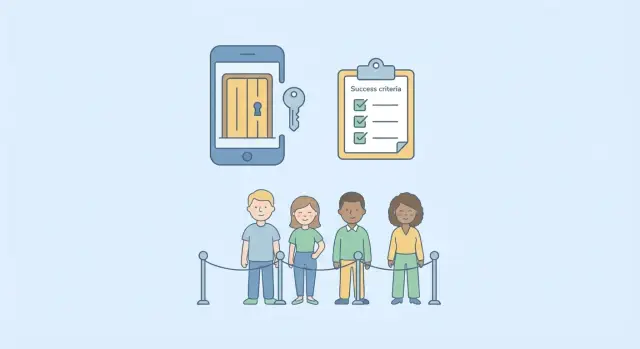
Why public betas turn into chaos
A public beta sounds simple: ship, watch what happens, learn fast. In practice, it often creates more noise than insight. The loudest feedback usually comes from people who aren’t your target users, while the quiet majority (often the most useful testers) never says a word.
Open betas also create an instant support problem. If 200 people join on day one and 30 hit the same login bug, your inbox fills faster than you can fix the cause. Those early failures can also turn into screenshots, posts, or reviews that stick around even after you ship the fix.
Learning breaks down when you can’t control who sees what. Different devices, half-finished features, and inconsistent flows make it hard to tell whether a metric moved because the product improved or because the crowd changed. You also can’t run clean experiments when you have no way to limit a feature to a small slice of testers.
A private, invite-only beta protects your reputation and your time. You decide who gets in, what they can access, and what you’re testing this week. That keeps feedback focused, reduces support load, and lets you fix issues before they become public baggage.
Sometimes the best move is to skip a beta and fix basics first. If you still have frequent crashes, broken authentication, exposed secrets, or confusing setup, inviting users will mostly teach you that things are broken. Do a quick internal test, stabilize the app, then invite a small group you can personally support.
Pick a clear goal and the right testers
Treat an invite-only beta like a small experiment, not a mini launch. Pick the single most important thing you need to learn, and design the beta around that.
If you try to test pricing, onboarding, performance, and new features at once, you’ll get scattered opinions and conflicting requests. A clear goal also helps testers understand what “good” looks like.
Strong beta goals are specific and behavioral, for example:
- Can a new user finish onboarding and complete the core task without help?
- Does the main workflow hold up with real data and real habits?
- Where do users get stuck, and what do they do next?
Then invite the right people. Choose one or two tester types that match your goal. If you’re testing onboarding, invite first-time users, not power users. If you’re validating a niche workflow, invite people in that niche, not friends who “might use it someday.”
Send a short scope note with the invite. Include what you want them to try, and what’s out of scope (for example, “payments are test-only” or “mobile isn’t supported yet”). This prevents feedback spiraling into debates about missing features.
Finally, cap and time-box the beta. Two weeks is often enough to see patterns. A small group (often 20 to 50) keeps support manageable and makes it easier to act on what you learn.
Access control options that work in real life
Invite-only betas come down to two things: keeping the wrong people out and keeping the right people from accidentally breaking things. The best access method is the one your team can explain in one sentence, and support on a bad day.
Common access patterns (and when to use them)
An email allowlist is the simplest. People sign up with an email, you approve it, and only those accounts can log in. It’s easy to explain, easy to revoke, and easy to audit later.
Invite codes work well when you want controlled sharing (like “each tester can invite one friend”). Add limits and tracking so a code can’t be posted publicly and reused forever.
A waitlist with manual approval is slower but gives you tight control. It fits when each tester needs onboarding, or when you want a deliberate mix (for example, beginners and power users).
Feature flags let you test without exposing half-built areas. If payments, admin tools, or account deletion are risky, hide them behind flags so only a small group can access them, or keep them off until you’re ready.
A separate beta environment can reduce risk, but it adds work. It can also create confusion if data resets, or if the beta behaves differently from production. Many small teams start with production plus strict access control, and only add a separate environment when they truly need it.
What to lock down before you invite anyone
Before you send the first invite, define what “safe” means for this beta. People should be able to explore the product without creating a mess you can’t undo.
Start with sign-up. Don’t allow open registration. Require an invite code or allowlist so only approved testers can create accounts. If you’re using email invites, block unknown emails and cut off disposable domains.
Sign-in should be boring and predictable. Make sure password resets work, sessions don’t log people out every few minutes, and you handle common edge cases like “clicked the link twice” or “token expired.” If sign-in is flaky, it will dominate your feedback and hide real product issues.
Limit risky actions until you trust the system. If something could cause real damage, turn it off for the beta or add extra confirmation. In many products, that means:
- Disable destructive actions (delete, bulk edits) or add an undo.
- Pause payments, refunds, and real email/SMS sends if you can.
- Restrict exports and admin views that expose sensitive data.
Plan for access leaks. A tester may share credentials with a teammate, or an invite may get forwarded. You need a fast way to remove access: take them off the allowlist, invalidate sessions, and rotate codes or tokens if needed.
Finally, keep a basic audit trail. Log who signed in, what they changed, and when. When a tester says “it broke,” you’ll have something concrete to check.
Step-by-step: set up an invite-only beta
The calmest betas feel almost boring: clear rules, controlled access, and a small dry run before you scale.
Write your beta rules in plain language. Decide who can join, how long the beta runs, what support looks like (for example, replies within 48 hours), and what gets someone removed (sharing screenshots, inviting others, abusing the system).
Choose an access method you can manage under pressure. An email allowlist is hard to leak. Invite codes are easier to share, so pair them with limits (like one account per code) or require both an allowlisted email and a code for sensitive apps.
Add a small welcome screen before the product. Tell testers what’s in scope, what’s not, and where to report issues. Keep the disclaimer short: this is a beta, things may break, and data may be reset.
Use feature flags as safety rails. Anything unfinished or risky should be behind a toggle so you can disable it without a redeploy.
Do a dry run with two or three friendly testers. If they can’t log in, can’t complete the core flow, or can see each other’s data, pause invites and fix those basics first.
Define success criteria you can actually measure
Write down what “success” means before the first invite goes out. If you don’t, every bug feels urgent, every opinion feels equal, and you’ll struggle to decide whether the beta helped.
Pick three to five metrics that match your goal. If your goal is “validate onboarding,” daily active users isn’t the main signal. Focus on the numbers that tell you whether the core flow works.
A practical approach is to set a clear threshold and a timeframe. For example: “Within 7 days, 40% of invited testers complete onboarding and reach the first successful action.”
Track the key steps in your flow so you can see where people drop off and where errors happen:
- Entry (opened app or clicked invite)
- Onboarding completion
- First “value moment” (saved a project, sent a message, exported a file)
- Error events (failed login, crash)
- Support volume (tickets per tester)
Decide what counts as a blocker. If it prevents testers from reaching the value moment, it’s a blocker. If it’s confusing but workable, it’s minor. Writing this down saves you from renegotiating severity on every report.
Also set a stop rule so you know when to pause invites. Examples:
- More than 5% of sessions hit a login error
- Any exposed secret or security issue is found
- Crash rate exceeds 1% for two days
- Two or more blockers appear in the same core step
Collect feedback without drowning in it
Feedback only helps if it lands in one place. If you accept DMs, emails, group chat messages, and scattered screenshots, you’ll lose track and the same issues will be reported repeatedly.
Pick a single intake path: an in-app “Send feedback” button, one email address, or a simple form. Make reports easy to write but structured enough to act on. A short template is usually enough:
- What you tried to do (steps)
- What you expected
- What happened (include exact error text)
- Device/browser and account email (or tester ID)
Triage on a schedule (daily is usually enough). The goal isn’t to fix everything immediately. It’s to label and prioritize so nothing disappears:
- Bugs (broken or unsafe)
- UX confusion (works, but people get stuck)
- Feature requests
- Questions
Maintain a short “known issues” note and share it with testers. It cuts duplicate reports and reduces frustration. Then close the loop weekly: what shipped, what’s still being investigated, and what you’re not changing (with a brief reason).
Security and reliability basics for a private beta
A private beta still touches real users and real devices, and sometimes real money. Treat it like a small production launch.
Keep secrets out of the client. If an API key, admin token, or database credential is inside a mobile app, browser bundle, or public repo, assume it will be copied. Put secrets on the server, use environment variables, and rotate anything that’s ever been exposed.
Double-check permissions. Many early apps fail here: a user can guess an ID and see someone else’s data. “Only my data” needs to be enforced in every query and endpoint, not just the UI. If you have roles (admin, tester, user), test them with a normal account, not just your own.
A few basics prevent most private-beta disasters:
- Don’t ship real secrets in the client.
- Enforce per-user access on every request.
- Rate limit sensitive endpoints like login, invites, and password reset.
- Monitor errors and traffic spikes.
- Have a rollback plan for sign-in and onboarding changes.
Monitoring can stay simple. You mainly need error rate, slow requests, and unusual spikes after a new build. When testers say “it’s broken,” your logs should show where and when.
Keep testers aligned with simple communication
A private beta stays productive when people know exactly what you want from them. If you leave it vague, testers will wander, report “it’s broken” without details, and drift away.
Send one welcome note that sets the frame
Keep it short and skimmable. Cover:
- What to test (two or three key flows)
- What to ignore (known issues, unfinished screens)
- Timebox (how long the beta runs, and how much time you expect)
- Support rules (when you reply, and where messages should go)
- Privacy (what can be shared publicly vs what must stay private)
If you can’t offer fast help, say so upfront. Clear expectations reduce frustration.
Make bug reporting a 2-minute habit
Most “bad feedback” is missing context. Give testers a tiny checklist:
- What were you trying to do?
- What did you expect?
- What happened instead?
- Steps to reproduce
- Screenshot or short recording (if possible)
A simple cadence also helps: one weekly note with what changed, what to test next, and one question you need answered. Pair it with a short survey so you get comparable answers.
Example: a calm private beta for a small app
A two-person startup built a simple booking app for local fitness coaches. They wanted real users, but they also wanted quiet evenings and predictable support work. They ran a private beta with a clear cap of 50 testers.
Access had two layers. First, only invited emails could create an account. Second, they staged features with feature flags so not everyone hit the same sharp edges at once. The first 20 testers got the core flow (create profile, publish availability, accept a booking). The next 30 got payments and cancellation rules after the team fixed early bugs.
They kept success criteria tight:
- 80% of invited testers complete one booking end-to-end within 7 days
- Fewer than 2 “booking failed” errors per 100 booking attempts
- Support load stays under 30 minutes per day
Feedback rules kept things calm. They ignored “nice to have” requests and fixed anything that broke trust immediately: double-bookings, missing confirmation emails, and confusing pricing screens.
After a week, completion was high, errors were rare, and support messages shifted from “this doesn’t work” to “could you add X?” They expanded to 150 testers, kept the same gates, and only opened the next feature after the previous one stayed stable for three straight days.
Common mistakes that ruin invite-only betas
The fastest way to turn a private beta into noise is to treat it like a mini launch. A good beta stays small, controlled, and focused on learning one or two things.
Inviting too many people before the basics are stable is the most common failure. If sign-in, password reset, and onboarding are still flaky, every tester becomes a support ticket and you learn nothing about the product.
Another mistake is skipping a real off switch. If you can’t revoke access per user or per invite, one bad actor or one breaking bug can force you to shut the whole beta down.
Mixing testers and real customers in the same environment also backfires. Test data leaks into real reports, real users see half-finished features, and trust erodes. If you can’t fully separate environments yet, at least separate databases and label the UI clearly.
Finally, teams often measure the wrong thing. Page views and time-on-site can look good while the core task still fails. Anchor success to completed tasks.
Quick checklist and next steps
Before you send the first invite, do a quick pass on access, tracking, support, and release safety. These are the areas that usually create chaos when skipped.
- Access: invites are required, revoking access works, and risky actions (payments, deletes, admin tools) are limited or sandboxed.
- Tracking: key steps are logged (signup, login, core action), errors are visible, and you know where logs live.
- Success metrics: one to three metrics are written down, with a number and a date.
- Support: one feedback channel, daily triage, and a short known-issues note.
- Release safety: feature flags for risky areas and a rollback plan you can execute quickly.
Pick one next action: invite a small group (5 to 20), or run a dry run yourself with two fresh accounts. Dry runs catch the embarrassing stuff like broken password resets or permissions that let one tester see another tester’s data.
If you’re dealing with an AI-generated prototype that keeps breaking in basic places (auth, secrets, database logic, deployments), fix the foundation before you scale the beta. FixMyMess (fixmymess.ai) is built for that situation: diagnosing and repairing AI-built codebases so you can run a controlled beta that measures the product, not the breakage.
FAQ
Why is a public beta more likely to turn messy than an invite-only beta?
A public beta is open to anyone, so feedback and bugs can pile up fast and come from people who don’t match your target user. An invite-only beta keeps the group small and relevant, so you can learn one thing at a time without turning support into a full-time job.
What’s a good single goal to set for an invite-only beta?
Start with one clear learning goal, like “Can new users finish onboarding and reach the first success moment without help?” When the goal is narrow, it’s easier to pick the right testers, track the right steps, and decide what to fix first.
How do I choose the right testers for a private beta?
Pick one or two tester types that match your goal, not whoever is easiest to recruit. If you’re testing onboarding, prioritize first-time users; if you’re testing a niche workflow, recruit people who actually do that work today.
What’s the simplest access control method that still works in real life?
An email allowlist is usually the simplest and hardest to leak: only approved emails can create accounts and sign in. Invite codes can work too, but they need limits and an easy way to revoke them when they spread.
What should I lock down before I send the first invite?
Require invites for sign-up, make sign-in and password reset stable, and block anything that can cause irreversible damage. Also make sure you can remove access quickly and see an audit trail of who did what when something breaks.
Do I need a separate beta environment, or can I run the beta on production?
A separate environment can reduce risk, but it also adds setup and can confuse testers if it behaves differently or resets data. Many small teams start on production with tight access control and add a separate environment only when they truly need it.
How do I define success criteria that aren’t vague?
Write down three to five measurable checkpoints tied to your goal, like onboarding completion and the first successful core action. Add a threshold and a timeframe so you can tell if the beta is working instead of arguing about opinions.
How do I collect feedback without drowning in messages?
Use one intake channel and a simple template that captures steps, expected result, actual result, and device details. Then triage on a schedule so reports don’t disappear and you can spot patterns instead of reacting to the latest message.
What are the most important security basics for a private beta?
Assume anything in the client can be copied, so keep secrets on the server and rotate anything exposed. Also test permissions like a normal user, because many early apps fail when one account can access another account’s data.
When should I pause the beta and fix the product first?
If the app keeps failing at basics like authentication, permissions, secrets handling, or deployment stability, a beta will mostly generate repetitive “it’s broken” reports. In that case, fix the foundation first; teams often bring in a service like FixMyMess to diagnose and repair AI-generated code so the beta measures the product rather than the breakage.