Lightweight helpdesk with AI tools that teams will use
Build a lightweight helpdesk with AI tools that tracks status, ownership, and notifications without bloat, so your team actually uses it daily.
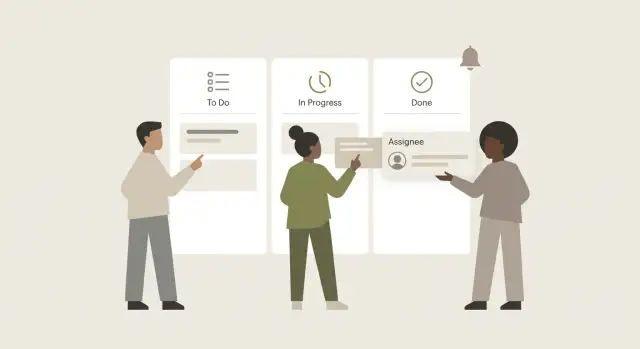
What a lightweight helpdesk is (and what it is not)
A lightweight helpdesk with AI tools exists for one reason: to stop support requests from living in five places at once. When questions are split across chat threads, inboxes, and random docs, you lose history, miss handoffs, and answer the same thing twice.
Small teams often try a full helpdesk and quit. Not because they don't care, but because the tool asks for too much: too many fields, too many categories, too many rules, and too many ways to do the same thing. People stop updating it, and the system becomes a second job.
"Lightweight" means you optimize for speed and clarity, not completeness. Anyone should be able to open a ticket or update it in under 30 seconds, even between meetings.
In practice, that usually means a short form (subject, requester, status, owner), clear defaults (new tickets start unassigned, due date optional), one obvious place to see what's waiting and who owns it, and only the automation that prevents drops and duplicates.
A lightweight helpdesk is not a reporting warehouse. It's not where you build perfect taxonomies, map every edge case, or design a "future-proof" workflow nobody uses today.
Picture a 10-person team: a customer pings Sales in chat, Support sees it later, and Engineering gets pulled in after a screenshot is forwarded twice. In a lightweight setup, the first person who sees the request logs it, assigns an owner, and sets a simple status. Everyone else can see what's happening without asking for an update.
If you're building this with AI tools, keep the same mindset. AI can draft forms and screens quickly, but the win comes from fewer choices and clearer defaults. If an AI-built prototype ends up messy or unreliable, FixMyMess (fixmymess.ai) helps by diagnosing and repairing AI-generated code so the simple workflow actually works in production.
Start by picking a very small scope
A helpdesk only works when it feels easy. The quickest way to lose adoption is to try to handle every type of request, every rule, and every edge case on day one. Start by agreeing on the minimum that makes a ticket useful.
Think of each ticket as a simple promise: "Someone owns this, we know where it stands, and we know what happens next." You only need a few fields to support that.
A small set that prevents chaos:
- Request: the problem or question in plain language
- Status: where it is right now
- Owner: one person responsible (not a team name)
- Next action: the very next step (ask for details, reproduce, fix, review)
- Last updated: so stalled tickets are easy to spot
Everything else is optional at first. Many teams add "nice" features that quickly turn into work: extra forms, long category lists, and complex rules no one remembers.
Hold off on things like SLAs, deep category trees, heavy intake forms, automated routing rules, and multi-step approvals until you feel real pain without them.
Next, decide who the tool is for. If it's internal only, optimize for speed and plain language. If you plan to make it customer-facing later, don't build that version now. Keep a short note of future needs (like a public-facing status view) and move on.
One decision matters more than the tool itself: pick one intake path. If requests arrive in chat, email, DMs, and hallway conversations, you'll always be missing context. Choose a single "front door" and treat everything else as a reminder to create a ticket.
Example: a small agency keeps getting "can you fix this login bug?" in chat. They agree that every request becomes a ticket, even if it starts in chat. The person who sees it creates the ticket, sets the owner, and writes the next action: "Reproduce on staging and capture steps." If the app was generated by an AI tool and the code is messy, they can still track it the same way. If they later hand it to a service like FixMyMess, the ticket already contains the essentials to diagnose and repair fast.
The simplest ticket model that still works
Resist the urge to model every edge case. Most teams stop using a helpdesk when it feels like data entry.
The cleanest approach is one record type: a Ticket. Not "Issue", "Task", "Incident", and "Request" all at once. You can always add categories later, but it's hard to undo a messy structure.
A minimal ticket that stays usable:
- Title: one line you can scan in a list
- Description: details, steps to reproduce, and what "done" means
- Requester: who needs help (name or email)
- Status: the current state
- Assignee: the one person currently responsible
Two small additions help a lot:
Priority (simple): keep three levels (Low, Normal, Urgent). If everything is "High", nothing is.
Last updated: store it automatically and show it everywhere. People trust a queue more when they can see what's stale.
For conversation, pick one place and stick to it. A single running timeline (comments, status changes, reassignment, priority changes) works well for small teams because nobody has to hunt for context. Separate "internal notes" can help later, but they often create a second, hidden truth.
Example: a teammate reports "Login link loops back to sign-in." The title captures the gist, the description includes a screenshot and steps, the requester is saved, it's assigned to one owner, priority is set to Urgent, and every follow-up lives in the timeline so the next person can understand what happened in 30 seconds.
If you're using AI to generate this tool, keep the model strict. Vague fields and multiple comment systems are where AI-built prototypes often get inconsistent, and fixing that later is harder than starting simple.
Statuses: keep them few and easy to understand
A lightweight helpdesk with AI tools only works if everyone can glance at a ticket and know what to do next. Long status menus force people to "think like the system" instead of doing the work.
Keep statuses to 3 to 5. That's enough to show progress without making status changes a job.
A simple set that fits most teams:
- New: reported, not yet picked up
- In progress: someone is actively working on it
- Waiting: blocked on the requester or a third party
- Done: verified and closed
Write the meanings down where people will see them (for example, in the sidebar text or the ticket template). If you don't, "Waiting" becomes a dumping ground and "In progress" turns into "I looked at it once."
Rules matter more than labels. Keep forward movement as the default, and limit backward moves:
- New -> In progress only when an owner is set
- In progress -> Waiting only when you asked a question or need access/approval
- Waiting -> In progress as soon as the blocker is cleared
- In progress -> New only if the ticket was misrouted or lacks basic info
- Done -> In progress only if verification failed or the issue came back
Avoid "maybe" statuses like On hold or Paused. They hide stuck work because they don't explain what's missing. If you need a parking spot, use Waiting and require a short reason: "Waiting for budget approval" or "Waiting for user to reply."
Example: someone reports "password reset email not sending." It starts New. When a teammate takes it, it becomes In progress. They discover the email provider needs a DNS change, so it becomes Waiting with a note. Once the change is done, it goes back to In progress for a test, then Done after verification.
Assignment: simple rules beat clever automation
A lightweight helpdesk only works if tickets always have a clear owner. Trust breaks when people ask, "Who's on this?" and nobody can answer.
Start by choosing when assignment happens. If requests are predictable and low risk, assign on intake. If requests vary a lot (billing, bugs, access), assign during a short triage step so the right person gets it.
A simple pattern is one default owner who handles first touch. That can be a single triager (best for very small teams) or a rotating "on support" role (best once volume grows). The default owner's job isn't to solve everything. It's to make sure every ticket has a path forward within a set time.
Assignment rules that work for most teams:
- Every new ticket gets an owner within 15-60 minutes during business hours
- The default owner is responsible for first response and routing
- Reassign only with a short note: what you tried, what's needed next
- If the assignee is out, reassign after one missed check-in (for example, by end of day)
- No ticket stays unassigned longer than a stated limit (like 2 hours)
Also be clear about what "unassigned" means. Many teams treat it as a temporary parking spot, then forget to move it. If you allow unassigned at all, make it short-lived: either the triager claims it, or it goes to the next person on rotation.
Example: your inbox receives "Can you reset my access?" The triager assigns it to the rotating on-call person. If that person is on vacation, the rule is simple: the ticket returns to the triage owner after a set time, then gets reassigned to the backup.
If you're building this quickly and the AI-generated app starts behaving oddly (tickets not saving owners, assignment rules breaking, notifications firing twice), FixMyMess can audit and fix the underlying code so the rules stay reliable in production.
Notifications that people will not mute
Notifications are where a helpdesk either becomes trusted or gets ignored. If every update pings everyone, people mute the channel, and tickets quietly stop moving.
Pick one primary channel plus a backup. For most teams that's email (good for "I need this later") and one chat tool (good for "I need this now"). More channels usually mean more noise.
Notify only on events that change what someone should do:
- New ticket: notify the assignee (or the on-call person), not the whole team
- Reassigned ticket: notify the new assignee and the previous assignee
- Waiting on you: notify whoever has the next action (requester or assignee)
- Comment mention: notify only people who were explicitly mentioned
- Ticket closed: notify the requester (assignee optional)
Even with good rules, constant pings add up. Offer a daily digest so people can choose "one summary at 4pm" instead of 20 interruptions. Digests work best for watchers and managers who need awareness, not action.
Avoid the biggest trap: notifying the whole team by default. Broad alerts feel fair, but they teach everyone to ignore you. If you need shared visibility, post a digest to a team channel once a day, or broadcast only true emergencies (for example, "production bug").
Example: a customer emails "Login is broken." The ticket is created and assigned to Sam, so only Sam gets a chat ping and an email. Sam asks a question, and the ticket moves to "Waiting on requester," so only the requester gets a notification. When Sam reassigns it to Priya, Priya gets the alert and Sam stops getting pings.
When notifications are boring and predictable, people stop fighting them and start trusting the system.
Step by step: build the MVP with AI tools
Start with a one-paragraph spec. If you can't explain your helpdesk in a few sentences, it will grow too big before anyone uses it.
Write something like:
"A ticket has title, description, requester, assignee, priority, and created date. Statuses are New, In progress, Waiting on requester, Done. Roles are Requester and Agent (plus Admin). Notifications: requester gets updates on status changes and replies; agent gets notified when assigned and when a requester comments."
Generate the first version from your spec
Copy that paragraph into your AI builder and ask for a working MVP, not a polished product. Keep the request focused on the few screens you need (ticket list, ticket detail, new ticket form) and the few actions that matter.
A prompt that stays focused: build a basic internal helpdesk with the fields and statuses above, include assignment, comments, and a minimal notification system.
Manually test the core flows (before adding features)
Do a fast, hands-on test with two people, even if it's just you in two browser windows:
- Create a ticket as a requester
- Assign it to an agent
- Change status through the full cycle
- Add a comment from both sides
- Close the ticket and confirm it stops showing up in active work
You're looking for obvious friction: confusing labels, missing defaults (like assignee or status), and moments where the user isn't sure what to do next.
Then do one short fix pass. Adjust wording to match how your team talks, set sensible defaults (New status, Normal priority), and add basic validation (title required, description required). If your team needs it, require a final comment before closing so "Done" always includes a clear outcome.
Finally, add basic permissions so the tool feels safe:
- Requesters can view their own tickets and comment
- Agents can view all tickets, assign to themselves, and change status
- Only agents (or admins) can close tickets
- Only admins can edit status names and notification rules
If your AI tool produces a working app but the logic is buggy (auth breaks, permissions leak, notifications fire nonstop), fix that before rollout. Teams mute tools they can't trust. If you end up with an AI-generated prototype that falls apart in production, FixMyMess can audit and repair the code so the MVP behaves like a real helpdesk.
A realistic example your team can copy
A 6-person product team (PM, 2 engineers, designer, support, ops) ships weekly and handles about 20 internal requests per week. They use a lightweight helpdesk with AI tools to capture requests, keep them moving, and avoid noisy alerts.
Here's one ticket from start to finish.
Ticket: "Reset billing email for Acme Co"
New (created by Support)
Comment 1 (Support): "Customer says invoices are going to the old email. New email is [email protected]. Please update and confirm next invoice will send correctly."
Assigned (auto or manual) to Ops
Comment 2 (Ops): "I can update the email, but I need the account ID. @Support can you confirm the ID from the admin screen?"
Waiting (blocked on someone else)
Comment 3 (Support): "Account ID is 18422. Also, customer asked if this affects past invoices."
In progress (Ops working)
Ops updates the billing email, checks that the next invoice will use the new value, and replies in one clean note.
Done
Final note (Ops): "Billing email updated to [email protected]. Next invoice will go to the new address. Past invoices won't resend automatically; we can send a copy if needed."
Notifications stay simple so nobody mutes them:
- Fires: when a ticket is assigned to you, when you are @mentioned, when status moves to Waiting, and when a ticket is marked Done
- Does not fire: every status change for everyone, every comment to the whole team, or edits like fixing a typo
One small rule keeps Waiting from becoming a graveyard: if a ticket sits in Waiting for 48 hours, only the current assignee gets a reminder.
Common mistakes (and how to avoid them)
A lightweight helpdesk only works if people trust it and can update it in seconds. Most failures happen when the "simple" system slowly turns into a mini enterprise tool.
Mistake 1: Too many statuses (so nobody uses them)
If you give people 12 statuses and 20 labels, they'll pick whatever feels close, or skip updates entirely. Keep the status list small and obvious, and make labels optional. If you need detail, put it in the ticket text, not in a maze of dropdowns.
A practical rule: if two statuses sound similar in a meeting, you only need one.
Mistake 2: No clear owner (tickets sit forever)
Unowned tickets are where good intentions go to die. Even in a tiny team, every ticket needs a person responsible for the next step. That doesn't mean they must solve it alone, just that they will move it forward.
If a ticket is open for more than a day, it must have an owner or it gets reassigned during a quick daily sweep.
Mistake 3: Notifications for everything (people mute them)
If every comment triggers a ping, the channel gets muted, and the one important alert gets missed. Send notifications only for events that change work. Everything else should stay inside the ticket.
Rules that teams rarely regret:
- New ticket: notify the triage person (or rotating on-call)
- Assigned to you: notify you only
- Status changed to blocked or urgent: notify the team channel
- Comment without an @mention: no notification
- Ticket reopened: notify the previous owner
Mistake 4: No single intake path (duplicates and confusion)
If requests arrive via chat, email, DMs, and hallway talk, you get duplicates and lost context. Pick one front door, even if it's just a short form or one shared inbox, and train people to use it. When someone posts in chat, reply once: "Please send it through the intake so it gets tracked."
Mistake 5: AI-built MVP works in a demo, fails with real users
A lightweight helpdesk with AI tools can be fast to build, but real usage exposes weak spots: login that breaks on refresh, roles that leak data, edge cases that crash forms, and notifications that double-send.
Example: a founder builds an internal support tool in a weekend, then the first real user signs in with a different email domain and gets access to the wrong tickets. The fix isn't more prompts. It's testing auth, permissions, and data handling with real scenarios.
If you already have an AI-generated codebase and it's acting flaky, FixMyMess can diagnose and repair the parts that usually break in production, like authentication, exposed secrets, security issues, and messy logic.
Quick checklist and next steps
Before you add features, do a 10-minute reality check. A lightweight helpdesk with AI tools only works if it feels faster than tapping someone on the shoulder.
If you answer "no" to any item, fix that first:
- Can someone file a ticket in under 1 minute (including adding a screenshot or short note)?
- Can you tell what's blocked and who owns it at a glance, without opening every ticket?
- Does every ticket have a clear next action?
- Can a new teammate understand your status names after seeing them once?
- Do notifications help people act, instead of creating noise?
A practical test: ask two people who didn't build the system to submit a ticket, then process it end to end. Watch where they hesitate. That hesitation is your next fix.
Next steps that keep adoption high
Run a one-week pilot with a small group (5 to 10 people) and treat it like an experiment. Pick one support channel to start (for example, internal IT requests or customer bug reports) and keep the rules boring.
Make changes slowly:
- Adjust one rule at a time (a status, an assignment rule, or a notification rule), then wait a day to see the effect
- Hold a 15-minute weekly review: close the oldest tickets, rewrite unclear tickets, and delete any status nobody uses
- Track one simple number: time to first response. If it gets worse, your workflow is too heavy
When the prototype fights you
AI-built internal support tool prototypes often look fine but break in production: auth issues, exposed secrets, fragile logic, confusing data models, or permission leaks. If your helpdesk is buggy or you're not sure it's secure, FixMyMess can do a free code audit, then repair and harden the codebase and prep it for production. Most projects are finished in 48-72 hours, with expert human verification on top of AI-assisted tools.
FAQ
What makes a helpdesk “lightweight”?
A lightweight helpdesk is a simple place where every request becomes a ticket with an owner, a clear status, and a next action. It’s meant to stop support work from being scattered across chat, email, and docs, not to capture perfect data for reports.
What’s the minimum ticket setup that still works?
Start with one ticket type and only the fields that prevent confusion: title, description, requester, assignee, status, and last updated. Add a simple priority if you truly need it, and skip categories, SLAs, and complex routing until you feel real pain without them.
Which ticket statuses should we use?
Pick a short list most people can understand instantly: New, In progress, Waiting, Done. If you need detail, put it in the next action or a comment rather than adding more statuses that people won’t use consistently.
When should a ticket be assigned, and to whom?
The default should be: the first person who sees the request logs it and assigns an owner right away, or hands it to a single triage owner who assigns quickly. The key rule is that every ticket has one named person responsible for the next step.
How do we choose a single intake path when requests come from everywhere?
One intake path reduces duplicates and lost context. Choose one “front door” (a form or a shared inbox), and treat chat messages as reminders to create a ticket rather than a separate workflow.
What notifications should we send so people don’t mute them?
Notify only when someone needs to act: assignment, reassignment, being mentioned, a ticket moving to Waiting, or closure for the requester. Avoid notifying the whole team on every update, and consider a daily digest for people who want awareness without interruptions.
Where should ticket discussion live—chat or the ticket?
Keep conversation in one timeline so the full history is easy to scan. Use comments for decisions, questions, and outcomes, and avoid splitting the truth across chat threads, internal notes, and side docs unless you have a strong reason.
How do we build a helpdesk MVP with AI tools without it becoming a mess?
Write a one-paragraph spec that lists fields, statuses, roles, and notification rules, then generate only the three core screens: ticket list, ticket detail, and new ticket form. Test the full flow with two people and fix defaults and wording before adding any features.
What are the signs our AI-built prototype won’t survive real use?
Look for trust breakers: tickets saving without an assignee, roles leaking data, notifications firing twice, or auth breaking on refresh. Fix these before rollout, because a tool that behaves unpredictably will get abandoned even if it looks polished.
How can FixMyMess help if our AI-generated helpdesk app is buggy or insecure?
FixMyMess audits and repairs AI-generated codebases so simple workflows work reliably in production, including authentication, permissions, logic bugs, security issues, and messy architecture. You can start with a free code audit to see what’s broken before deciding on next steps.