Logging cost control for prototypes: retention, sampling, redaction
Logging cost control: set retention tiers, sampling rules, and redaction so fast-growing prototypes keep useful logs without surprise bills.
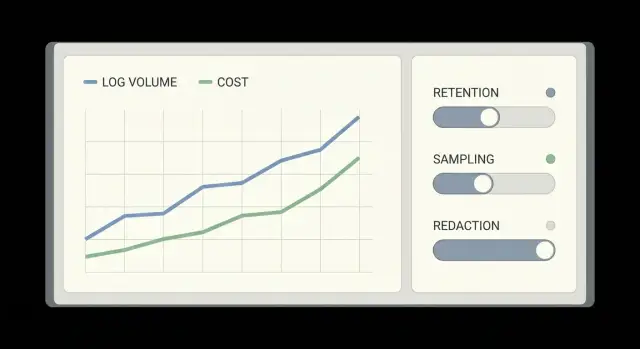
Why prototypes get surprise logging bills
Prototypes often start with “log everything” because it feels safer than missing something important. Then real users arrive, traffic jumps, and each click produces multiple log lines across the frontend, backend, auth, database, and third-party services. What was a trickle becomes a fire hose, sometimes in a single weekend.
Surprise bills happen when costs scale in more than one direction at once. You pay to ingest log volume, store it for longer than you need, and make it searchable. Logs can also be duplicated across regions, forwarded to multiple tools, or pulled back out for analysis, which adds egress and query costs.
The usual triggers are simple:
- Debug logging left on in production
- One request creating many logs (retries, loops, chatty clients)
- High-cardinality fields (user IDs, full URLs, random tokens) being indexed
- Long default retention nobody revisits
- Large payloads dumped into logs (full request bodies, repeated stack traces)
“Useful logs” for a small team is simpler than it sounds. You mainly need to answer: What broke? Who is affected? When did it start? Can we reproduce it? That usually means a clear error, a request or trace ID, a few key context fields, and one good stack trace when something fails, not a diary of every successful request.
The goal is to debug quickly without paying to store noise.
Where logging costs really come from
Most logging bills come down to a few predictable multipliers that show up once a prototype gets real traffic.
Ingest is the first driver. Every log event has to be shipped and accepted by a logging service. If your code logs on every request, every retry, and every background job tick, volume rises with users and with bugs.
Storage and retention is next. Keeping raw logs for 30 to 90 days can feel safe, but it’s expensive when most of those logs never get read. This gets worse when dev, staging, and production all keep the same retention.
Search and indexing is another common surprise. Making “everything searchable” often means indexing far more fields than you actually filter on day to day.
Cardinality is the hidden multiplier. Fields with tons of unique values (user IDs, session tokens, full URLs with query strings, dynamic error text) can explode the number of unique combinations your logging tool has to track.
A quick set of cost multipliers to look for:
- High-volume “info” logs on every request
- Long retention on chatty environments (dev and staging)
- Indexing too many fields by default
- High-cardinality fields added as tags or labels
- Duplicate pipelines that forward the same logs twice
Decide what you actually need from logs
Logging cost control starts with one decision: what questions do you need logs to answer when something breaks.
For most prototypes, logs are mainly for:
- Errors and crashes (what failed, where, and why)
- Authentication issues (login failures, token errors, permission checks)
- Payments and billing (failed charges, webhook errors, duplicate events)
- Latency and timeouts (slow endpoints, slow queries, third-party delays)
Next, decide when you need full context and when a summary is enough. Full context helps with brand-new bugs or security incidents, but it’s expensive. For many events, a short record is enough: event name, request ID, user ID (or a safe hash), status code, and duration. Keep “full payload” logging for rare cases, behind a flag, or only on errors.
It also helps to draw a clear line between logs, metrics, and traces:
- Logs tell you what happened for a specific request.
- Metrics tell you how often and how bad (error rate, p95 latency) without huge volume.
- Traces show where time went across services.
If you push everything into logs, bills grow fast and debugging still feels messy.
Finally, classify data into three buckets:
- Must keep: errors, auth decisions, payment state changes, deploy version, request IDs
- Nice to have: debug details you only use sometimes
- Never log: secrets, passwords, access tokens, full credit card data, raw personal messages
A simple example: if signup fails, log the error code and the field name that failed validation, not the full request body.
Set retention tiers that match real usage
A good retention plan assumes one truth: you need different kinds of logs for different timelines. If you keep everything for the same number of days, you either lose the details you need, or you pay to store noise.
A practical 3-tier retention setup
- Hot (short): High-volume app and debug logs used for active troubleshooting. Keep 1-3 days.
- Warm (medium): Standard request logs and key business events for incident follow-ups. Keep 7-14 days.
- Cold (long): Low-volume, high-value security and audit events (auth changes, permission updates, admin actions). Keep 30-180 days depending on your risk and requirements.
Hot should be small but detailed. Cold should be stable and searchable, not stuffed with every debug line.
Different environments should have different rules:
- In dev, keep short retention (hours to 1 day).
- In staging, keep enough to compare releases (2-7 days).
- In production, keep warm and cold longer, but be strict about what qualifies.
Picking numbers without guessing
Start from real behavior:
-
How long after an issue do you usually notice it (same day, next day, next week)?
-
How long does it take to reproduce and confirm a fix?
-
What events must you keep for security or customer support?
Use sampling to reduce volume without going blind
Sampling keeps the signal while you stop paying to store every “everything is fine” message.
Start with an error-first rule: capture failures at 100%. That includes error logs, exceptions, timeouts, and any request that returns a 4xx or 5xx. When something breaks, you want the full trail.
Then target the loudest success paths. These are often health checks, background polling, chatty retries, and endpoints hit on every page load.
Practical sampling rules that still let you debug
- Keep 100% of errors and warnings, plus any request over a latency threshold.
- Sample high-volume 200 responses (for example, keep 1 in 50).
- Add per-endpoint caps (for example, max 20 success logs per minute per route).
- Keep rare events at 100% (password reset, billing, admin actions).
- Drop repeats: if the same message happens 1,000 times, keep the first N and then summarize.
Rate limits are the safety net. They stop a bug (like a retry loop) from exploding your log volume overnight.
Document the rules in plain language and keep them stable. Predictable sampling makes debugging calmer because you know what’s fully captured and what’s intentionally sampled.
Redaction basics: protect secrets and user data
Redaction cuts risk and often cuts volume. The goal is simple: keep logs useful for debugging without capturing secrets or personal data you shouldn’t store.
Redact at the source (your app), not later in a log tool. If a secret is logged once, it can be copied to backups, exports, and alerts.
Focus on the places that spill data:
- Request headers
- Cookies
- Auth payloads
- Query parameters
Common fields to treat as risky include Authorization, Cookie, session IDs, password fields, reset links, API keys, and any “token” value. Many frameworks also log full error objects that include request context, so check defaults.
When you need to connect events across requests, mask rather than delete. For example, keep only the last 4 characters of a token, or log a one-way hash of an email instead of the email itself.
A quick rule for PII: avoid logging names, emails, phone numbers, addresses, and IPs unless you have a clear reason and a retention policy.
Automated checks help prevent regressions:
- Add a denylist-based redaction middleware (headers, cookies, known fields)
- Add tests that fail if logs contain patterns like
Bearer,sk-, orpassword= - Add a pre-deploy scan that searches recent logs for secrets
- Keep a small allowlist for “safe to log” fields
Step-by-step: implement retention, sampling, and redaction
Start by listing every place logs are produced. Don’t guess. Include your web app, background workers/queues, edge functions, database logs, and anything touching sign-in (auth, identity provider callbacks). One missing source can keep costs high and make incidents harder to debug.
Next, standardize a small log shape so you can filter fast and avoid noisy one-off formats. Keep it boring: timestamp, level, service name, and a request ID (or trace ID). Add a short “event” name and a small JSON context.
Then set defaults per environment:
- Production: info/warn/error only
- Staging: allow debug for short periods
- Local dev: anything goes
Here’s an implementation order that usually works:
- Inventory sources and assign an owner for each
- Adopt a small schema and enforce it in new code
- Set environment-based log levels with a safe production default
- Add sampling or rate limits for repetitive events (health checks, polling, retries)
- Add redaction filters for secrets and PII, plus automated tests
Roll changes out gradually. Compare before vs after on volume, cost, and incident usefulness for a week.
Observability cost monitoring: catch spikes early
If you do nothing, logging bills tend to jump quietly and show up after the damage is done. Logging cost control is mostly about watching a few numbers every day and knowing where to look when they change.
Track three trends:
- Daily ingest volume (how much you send)
- Storage growth (how much you keep)
- “Top talkers” (services or routes producing the most logs)
Top talkers are often one noisy endpoint, one background job stuck in a retry loop, or one error that logs a full payload on every request.
Budget alerts matter more than perfect dashboards. Set alerts at a few steps (for example 50%, 75%, 90% of your monthly budget) so you have time to act.
Spikes often follow releases, migrations, config changes, and traffic jumps. After each, check ingest and error volume in the first hour. A single debug flag left on can multiply costs overnight.
Build one cost triage view
When costs rise, you want answers in minutes:
- Which service increased the most since yesterday
- Which endpoint or job produced the surge
- Which log level changed (info vs error vs debug)
- Which field got added (payload dumps, headers, stack traces)
- Which release correlates with the spike
Once you find the source, the fix is usually one of: lower the log level, add sampling, remove a noisy field, or cap a repeating error.
Keep it lightweight: a weekly 15-minute review is enough while you’re growing fast.
Example: a fast-growing prototype that outgrew its logging
A small team launched a prototype and went from 50 to 5,000 users in two weeks. Right after adding email login, authentication started failing for a slice of users. They turned log level up to debug to catch it, and their log volume exploded overnight.
The problem wasn’t just “more users.” They were logging full request bodies, full headers, and entire auth responses. That included long JWTs, refresh tokens, and occasionally session cookies. During incident response, people copied logs into chat, which multiplied the leak risk.
They switched to “just enough” logs. Instead of dumping everything, each auth event logged: a request ID, user ID (or anonymized ID), endpoint, status code, error code, latency, and a short reason string. For debugging, they logged which step failed (token parse, database lookup, password check), not the raw payload.
Sampling did most of the work. They kept 100% of errors and timeouts, but only 5% of successful auth requests. That still showed trends without paying to store every OK.
Redaction closed the security gap. Tokens and secrets were masked at the logger, so searches during the outage didn’t expose credentials.
Their retention plan was simple:
- 7 days: full error logs (unsampled)
- 14 days: sampled request logs (successes)
- 30 days: security and audit events (minimal fields)
- 90 days: daily aggregates only (counts, p95 latency)
Common mistakes that drive costs (and risk)
Most logging cost control problems come from one habit: turning on “everything” during a prototype sprint, then never dialing it back when real users arrive.
A common trap is logging full request and response bodies by default. It feels useful, but it multiplies volume fast and often captures passwords, tokens, payment details, or private messages. If you need payloads, log only a small allowlist of safe fields and only for a short time.
Another quiet cost driver is making every field searchable. High-cardinality fields like user_id, session_id, trace_id, email, and full URLs with query strings can explode index size. Keep most fields as plain text, and only index a few stable fields you actually filter on.
Three mistakes that usually show up right before a surprise bill:
- Leaving debug or verbose logs enabled in production after an incident
- Using logs for analytics (funnels, cohorts) instead of metrics or events
- Adding redaction only after logs are shipped to your vendor
Redaction has to happen before anything leaves the app. “We’ll scrub it in the pipeline” fails the first time a new endpoint logs something unexpected.
Quick checklist before your next growth spike
A growth spike turns “fine for now” logging into a bill and a risk overnight.
- Write down your retention tiers and why they exist. Short retention for high-volume debug logs, longer retention only for logs you truly use.
- Add sampling rules for your noisiest paths. Sample routine success logs, keep full logs for errors and rare edge cases.
- Redact secrets and personal data before logs leave the app. If you wouldn’t paste it into a public chat, it shouldn’t be in a log line.
- Enable budgets and alerts, then test them. Confirm alerts fire and someone actually sees them.
- Review top log sources weekly, with a single owner. Make one person responsible for approving logging changes so “temporary debug” doesn’t become permanent.
Next steps: stabilize logging as you move toward production
Once surprise bills stop, the goal is to keep logs useful as usage grows. That’s less about one big change and more about habits that prevent volume from creeping back.
Start with a quick audit in your log explorer and sort by what produces the most data: the noisiest service, the busiest endpoint, and the largest log lines. For each, ask: does this help fix a real problem, or is it just “nice to have”?
Fix the biggest offenders first:
- Debug noise that accidentally stayed on in production-like environments
- High-cardinality fields (full URLs with unique query strings, user-provided values)
- Raw payloads (full request/response bodies, large JSON blobs, repeated stack traces)
Then make protections hard to undo by accident. Add redaction tests that fail the build if logs contain patterns like API keys, JWTs, passwords, or common secret prefixes. Add a simple “log contract” for key events (auth failures, payment errors, background job failures) so you know what must be logged and what must never be logged.
If you inherited an AI-generated prototype, plan extra time for cleanup. These projects often ship with chatty default logging, copied snippets that print headers or tokens, and fragile auth flows that trigger repeated errors (and repeated logs).
If you want outside help, FixMyMess (fixmymess.ai) specializes in diagnosing and repairing AI-generated codebases, including noisy logging, secret exposure, and production hardening. A quick audit can identify the log volume hotspots and the safest changes to make first.
FAQ
What’s the fastest way to stop a surprise logging bill?
Start by turning off debug/verbose logging in production and removing any full request/response body dumps. Then reduce retention for high-volume logs to a few days and add sampling for routine 200 OK requests while keeping 100% of errors. These three changes usually cut volume fast without making incidents harder to debug.
What should I log in a prototype to keep it useful but cheap?
Default to logging failures and important state changes, not every successful request. A good baseline is: timestamp, level, service name, endpoint, status code, duration, and a request or trace ID, plus a short error code when something fails. Add only the minimum context you actually use to reproduce issues.
How do I choose log retention without guessing?
Retention costs grow with volume, so high-volume logs need short windows. Keep detailed “hot” troubleshooting logs for 1–3 days, keep general request logs for about 7–14 days, and keep low-volume security/audit events longer if you truly need them. If you’re unsure, choose shorter retention first and extend only after you confirm you’re using older logs.
How can I use sampling without going blind during incidents?
Capture 100% of errors, exceptions, timeouts, and unusually slow requests so you don’t lose the evidence you need during incidents. For high-volume success paths, sample a small percentage so you still see trends without storing every event. Add a hard rate limit so a retry loop can’t multiply your log volume overnight.
What does “high cardinality” mean, and why does it raise costs?
High-cardinality fields are values that are almost always unique, like full URLs with query strings, session tokens, random IDs, and dynamic error text. When these are indexed as tags/labels, your logging tool has to track a huge number of unique combinations, which can raise costs quickly. Keep high-cardinality data out of indexed fields and store only stable fields you actually filter on.
How do I decide which fields to index for search?
Index only a small set of stable fields you routinely filter by, such as service name, environment, log level, endpoint, and a small set of error codes. Leave everything else as unindexed JSON/text so it’s available when needed but doesn’t inflate index size. If searches feel slow, add one field at a time rather than indexing everything by default.
What’s the safest way to prevent tokens and secrets from leaking into logs?
Redact before logs leave your app, because once a secret is shipped it can spread into alerts, exports, and backups. Mask or drop sensitive headers and fields like Authorization, cookies, passwords, API keys, reset links, and tokens. If you need correlation, log a one-way hash or a partial value instead of the raw secret.
Why did my logging volume explode right after a release?
It’s often a config flag left on after troubleshooting, or a code path that logs on every retry or loop. Another common cause is a new field added to logs that’s very large, like request bodies or repeated stack traces. When volume spikes, find the top talker service/route first and roll back the noisy change immediately, then add sampling or rate limits.
How do I monitor logging costs so spikes don’t surprise me again?
Track daily ingest volume, storage growth, and “top talkers” by service and endpoint, and set budget alerts that trigger early in the month. When an alert fires, check what changed: a new deploy, a config change, or an endpoint that started retrying. Treat logging changes like production changes, with an owner and a quick review after releases.
My prototype was built with an AI tool and the logs are a mess—what should I do?
AI-generated prototypes often ship with chatty default logging, copied snippets that print headers or tokens, and fragile auth flows that trigger repeated errors and retries. If you’re not sure where the noise is coming from, FixMyMess can run a free code audit to find the biggest log-volume drivers, secret exposure risks, and the safest fixes. We can then clean it up and harden the code for production quickly, even if the prototype is messy.