Maintenance window planning: schedule fixes without surprises
Plan a maintenance window that fits customer usage, communicate expected impact clearly, and confirm everything works after the release.
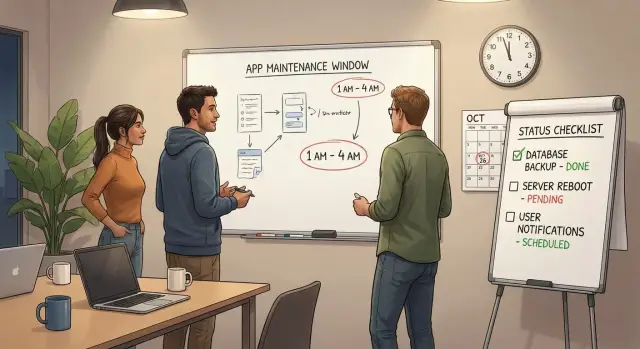
Why scheduling fixes is hard when customers are active
When customers are online, there is no real “quiet time.” Someone is always logging in, placing an order, sending a message, or syncing data. That makes even a small change feel risky, because you’re changing the ground under people who are trying to get work done.
The tricky part usually isn’t the fix. It’s the timing. Patch something at random and a few users will hit errors with no warning. They won’t know if it’s their account, their device, or your app. That confusion turns into support tickets, angry messages, and churn.
Planned downtime is usually forgiven. Surprise downtime is remembered. A clear maintenance window tells people what will happen, when it will happen, and what they should do (or not do). It turns “your app broke” into “maintenance is in progress,” which protects trust even if something takes longer than expected.
It also helps to be specific about what “maintenance” covers. It’s not just big upgrades. Common work includes:
- Bug fixes that touch core flows (login, checkout, payments)
- Security patches and dependency updates
- Database changes (migrations, indexes, permissions)
- Infrastructure changes (deployments, config, scaling)
- Hotfixes for incidents that aren’t fully resolved
Small changes can still cause outages. A one-line config tweak can break authentication. A “safe” database migration can lock tables longer than expected. And an AI-generated prototype can hide fragile logic that only fails under real traffic.
Scheduling is hard because you’re balancing speed, risk, and customer trust while the app is live.
How to choose a maintenance window that minimizes impact
Start with what customers actually do, not what you guess they do. Look at sign-ins, checkouts, API calls, support tickets, and error spikes across a normal week. You’re looking for the most consistent low point where a short interruption affects the fewest people.
Usage patterns are rarely as simple as “weekends are quiet.” A B2B tool may be busiest Monday morning. A consumer app may peak at night. If you have any reporting at all, plot traffic by hour for the last 2 to 4 weeks and look for a pattern you can trust.
Time zones matter more than most teams expect. Decide who your core customers are, then optimize for them. If half your customers are in the US and the other half are in Europe, pick a window that’s late evening for one group and early morning for the other. Avoid lunch hours for both.
Also consider risk, not just convenience. A short window today can be safer than waiting two weeks for a “perfect” time if the issue involves data loss or security. On the other hand, complex fixes often go better with a slightly longer window that leaves room to test and roll back.
Before you pick the final slot, be honest about the kind of interruption you need:
- No downtime (feature flags, gradual rollout)
- Partial outage (read-only mode, limited access)
- Full outage (everything offline for a bounded period)
Pick a backup window at the same time of day, ideally within 24 to 72 hours. If you need to roll back or retry, you don’t want to renegotiate calendars while customers are already frustrated.
Define scope and risk before you announce anything
Before you publish a maintenance window, get specific about what’s actually changing. Vague plans create vague messages, and customers feel that uncertainty.
Write a one-sentence goal in plain language. Example: “Fix sign-in failures for users created after Monday, without changing how billing works.” If you can’t say the goal simply, the work probably isn’t scoped enough.
Then list the exact changes you will ship. Keep it concrete: which screens or features change, whether authentication or session handling is touched, and whether the database schema will be updated. This is where teams often miss hidden risk, like a “small auth tweak” that actually forces everyone to log in again.
Estimate impact in customer terms. Don’t just say “minor downtime.” Say what people may notice: slower load times, temporary read-only mode, forced re-login, limited access to specific features, or full downtime. If impact is uncertain, say what you’ll monitor to confirm it stays low.
Finally, check dependencies that can break your plan even if your code is correct, like payments, email/SMS, auth providers, third-party APIs, hosting changes, database changes, and DNS.
Set clear ownership too: one person on point during the window, and one person who can approve a rollback.
Step-by-step: plan the release from prep to finish
Treat every fix like a small project. When the maintenance window starts, nobody should be guessing what happens next.
Freeze the change list. Pick the exact commits, tickets, or files that will ship, and stop adding “one more tiny fix.” Then write a short runbook that fits on one page. It should tell a tired teammate exactly what to do, in what order, and what “good” looks like.
Before you touch production, make sure you can go backward quickly. That means a fresh backup (plus a quick restore spot-check) and a rollback plan you can execute in minutes, not hours. If the rollback needs three people and perfect memory, it isn’t real.
Rehearse in staging as close to production as you can make it. Run the same steps you’ll run later, and time them. If rehearsal takes 25 minutes, don’t schedule a 20-minute window.
A simple timeline also keeps everyone calm:
- T-30: confirm scope, assign roles, open the runbook
- T-10: confirm backup completed and rollback steps are ready
- T+0: deploy and run the first smoke checks
- T+10: review monitoring signals and key user flows
- T+End: send the confirmation message and log outcomes
Set monitoring ahead of time, not during the rush. Watch error rates, latency, logins, payments, and background jobs.
Communicate the maintenance clearly (and without panic)
A good message does two things: it sets expectations and lowers anxiety. If users can quickly answer “when, for how long, and what happens to me,” they usually stay calm even if there’s a short outage.
Avoid vague timing. Instead of “later tonight,” name the window with a time zone and a clear duration. If your users are global, pick one primary time zone and include the duration so everyone can convert it.
Keep the details simple:
- What’s changing (one sentence)
- When it starts (date, time, time zone) and how long it should take
- What users may see (read-only mode, login errors, slower performance)
- What they should do (save work, log out, re-login, retry later)
- Where updates will appear during the window
If you don’t have a status page, say where updates will appear (an in-app banner, an email thread, or your support inbox).
Write two versions so the same facts can live in different places:
Short version (banner or in-app toast): “Scheduled maintenance: Tue 10:00-10:30 PM ET (30 min). You may be signed out. Please save work and re-login after.”
Detailed version (email or message): “On Tue, May 14 at 10:00 PM ET, we will perform scheduled maintenance expected to last 30 minutes. During this time, you may not be able to log in and some actions may fail. Please save any in-progress work before 10:00 PM ET. If you are signed out, wait until we confirm completion, then log in again. We will post updates every 30 minutes and send a final message when service is fully restored.”
If the fix is sensitive (for example, authentication), focus on what improves without sharing internal details. The goal is clarity, not drama.
What to do during the maintenance window
Treat the window like a short, controlled operation. You’re not trying to deploy fast. You’re trying to change safely and know it worked.
Start with a quick pre-check so you have a baseline before touching anything. Take two minutes to look at what users are experiencing right now: key endpoints, error rate, background queues, and anything that usually spikes under load. If you can’t measure it, you’ll argue later about whether the release helped.
A repeatable pre-check helps:
- App health: uptime, CPU/memory, recent error logs
- Traffic signals: error rate and latency for key requests
- Queues/jobs: backlog size and failure rate
- Critical flows: sign-in, checkout, or your top “money” path
- Data layer: database connections and slow queries
Put the app in the right mode for the change. Sometimes that’s read-only for a few minutes. Sometimes it’s feature flags so only admins see new behavior. Sometimes it’s limited access (for example, pausing sign-ups while existing users can still use the product). Pick the smallest restriction that keeps data safe.
Execute changes in a safe order and keep a running note of what you did and when. A schema change might require “database first, app second” to avoid crashes. A config-only fix might be “app first” with a quick rollback path. These notes help support answer customer questions later, and they make postmortems factual.
If things go sideways, decide quickly: fix forward or roll back. If the problem is understood and the fix is small, fix forward. If the cause is unclear or data could be corrupted, roll back and regroup.
Confirm success after release (not just deployment)
A deployment can be “green” and still be broken for real users. Treat the end of the window as the start of validation: you’re proving that customers can log in, do their work, and get the right results.
Start with a short acceptance test that mirrors what paying users do most. Keep it focused and repeatable so anyone on the team can run it under pressure:
- Sign in and sign out (including password reset)
- Complete the core flow end-to-end (the one that makes money)
- Run a payment or checkout test (or a $0 test mode order)
- Trigger email or notifications and confirm delivery
- Do one admin task (create, edit, export, or user management)
Then look for quiet failures users may not report right away. Check logs and dashboards for spikes in 500s, timeouts, retries, queue backlogs, and slowed response times. A common pattern is “it works once” but fails under load because a background worker, webhook, or third-party key is misconfigured.
If you touched the database, verify data integrity, not just schema changes. Spot-check a few real records, confirm counts match expectations, and make sure writes still succeed. If you ran a migration, confirm it finished and didn’t leave partial updates.
Before you declare victory, sync with support. Ask them to watch new tickets, live chat, and customer messages for 30 to 60 minutes. A founder might hear “users can’t log in” before alerts fire.
Send an all-clear message that’s calm and specific: what’s fixed, what to do if something looks off, and any known remaining issue.
Common traps that cause avoidable downtime
Most downtime stories aren’t caused by one big mistake. They come from small planning gaps that stack up right when customers are trying to use the product.
Traps to watch for
These patterns show up again and again:
- Late, fuzzy announcements. “Tonight” or “after 6” leaves people guessing. Give a clear start time, expected end time, and what’s affected.
- Optimistic timing on data work. Migrations, backfills, cache warm-ups, and search re-indexing often take longer than the code deploy. If you haven’t timed them in a test run, assume they’ll surprise you.
- Rollback that isn’t real. A rollback plan that lives in one engineer’s head is not a plan. Write the steps down, confirm who can do it, and make sure it works even if that person is offline.
- Sneaking in “one more thing.” Mixing unrelated changes with a fix increases the chance of unexpected breakage and makes diagnosis harder under pressure.
- Calling it done too early. Deployment success isn’t user success. If login, checkout, and key pages are broken, customers still see downtime.
A concrete example: teams fixing AI-generated apps often hit hidden delays because the database schema is messy and caches behave oddly. You might deploy quickly, then wait 25 minutes for a migration, then another 15 minutes for sessions to stabilize. That’s avoidable if you time slow steps and budget for them.
Before you end the window, do a reality check: sign in as a normal user, complete the most important action, and confirm logs and alerts are quiet.
Quick checklist you can reuse for every maintenance
A calm window starts with a repeatable checklist. Use this before every release, even for “small” fixes, so you don’t rely on memory when it matters.
Pre-flight checklist (15 minutes)
Don’t start until each item is a clear “yes”:
- Pick timing from real traffic. Check usage patterns (logins, checkouts, API calls) and choose the quietest slot, not the most convenient one.
- Write a simple notice. Include the exact start time with time zone, expected length, and what users may see (slow app, read-only mode, brief downtime).
- Make rollback real. Confirm you have a recent backup, a one-step deploy rollback (or restore plan), and that someone has practiced it before.
- Prepare monitoring and tests. Have dashboards, alerts, and a short acceptance test list ready so you can validate the basics fast.
- Assign roles and a stop rule. One person runs the release, one person watches health signals, and everyone agrees on what triggers a rollback.
After that, send the announcement to the same places customers will look when something feels off (in-app banner, email, or a support inbox reply).
Finish strong
Don’t treat “deployment succeeded” as the end. Verify the user experience (login, core workflow, payments if relevant), then send an all-clear note that confirms what changed and what to watch.
Example: fixing a critical bug without surprising customers
A small SaaS team wakes up to a crisis: some customers can’t log in, and support is getting flooded. The pressure is to “fix it now,” but pushing changes mid-day can create a bigger outage than the bug itself.
They choose a short maintenance window based on real traffic, not guesses. Looking at sign-ins, they pick a 45-minute slot that’s consistently low. They also decide one part of the product can run in read-only mode during the change. That keeps most customers working while the risky piece (authentication) is updated.
Their notice is plain and specific. It says when maintenance starts and ends, what customers will feel (a forced logout and a brief login error), and what not to do (avoid starting payments during that window). No drama, no vague promises.
During the window, the team follows a tight plan:
- Put the affected module into read-only and confirm it’s actually enforced
- Apply the fix and run the minimal database changes
- Test login on a fresh browser and an existing session
- Test one end-to-end flow (login to checkout) on a real account
- Update support with a clear “good to go” or “still investigating” status
After the deployment, they verify for another 15 minutes and watch error rates and support tickets. Then they close the loop: support gets a short internal note on what changed and what to ask customers to try.
The next day, they send a short follow-up: what was fixed, whether anyone needs to reset a password, and where to report problems.
Next steps: make maintenance windows routine, not stressful
The easiest way to reduce stress is to run maintenance the same way every time. When the steps are consistent, you stop relying on memory and you catch problems before customers do.
Keep a small “release kit” your team can copy for every window: an announcement template, a one-page runbook, a rollback plan, and a short list of acceptance tests written in plain language.
After each maintenance, track outcomes. This isn’t about blame. It’s about learning what your real risk is so you can plan better next time:
- Total downtime minutes (planned vs actual)
- Incidents or alerts during and after the window
- Support tickets and customer messages within 24 hours
- Time to detect and time to fully recover
If your app was built quickly, especially from an AI-generated prototype, plan extra time. Hidden issues are common: fragile authentication flows, secrets in the repo, messy data access, or changes that work in dev but fail in production. Those aren’t one-line fixes, and they can turn a simple patch into an extended outage.
If releases keep breaking in production, it’s often worth doing a deeper codebase diagnosis instead of stacking more patches. FixMyMess (fixmymess.ai) focuses on fixing and hardening AI-generated apps, and offers a free code audit to identify issues like broken authentication, exposed secrets, and SQL injection risks before you schedule the next high-stakes window.
FAQ
How do I pick a maintenance window that won’t annoy most customers?
Pick the quietest hour based on real usage, then keep the scope tight. Most teams do best with a short, predictable window (like 30–60 minutes) plus a backup slot if you need to retry.
Why is scheduled downtime better than “quick fixes” during the day?
Planned downtime is usually tolerated because people can avoid the risky time. Unplanned downtime feels like the app is unreliable, because users can’t tell if the problem is temporary or if their account is broken.
What if my customers are in multiple time zones?
Choose one primary time zone based on where most of your paying users are, and state the duration clearly so others can convert it. If your customers are split across regions, aim for late evening in one region and early morning in the other, and avoid lunch hours for both.
What should “maintenance” actually mean to users?
“Maintenance” should say what changes and what users may experience, like a forced re-login, read-only mode, or brief login errors. If you can’t describe the goal in one simple sentence, the work is probably too broad for a safe window.
When should I try no-downtime releases vs planned downtime?
Use no-downtime only when you can safely ship behind feature flags and you can roll back quickly. If you’re touching authentication, payments, or database migrations, it’s often safer to plan a short window than to gamble on a live change.
What does a real rollback plan look like?
A rollback is “real” when it’s written down, fast, and doesn’t rely on one person’s memory. You should be able to undo the change in minutes, and you should verify you have a fresh backup and a restore plan before you start.
How do I prevent a “small change” from turning into an outage?
Do a rehearsal in staging that’s as close to production as possible, and time the steps so your window isn’t based on hope. Also freeze the change list so you’re not adding last-minute extras that make failures harder to diagnose.
What’s the simplest way to announce maintenance without causing panic?
Keep the message short and specific: exact start and end times with a time zone, what might break, and what users should do. Avoid vague wording like “later tonight,” and say where updates will be posted during the window.
How do I confirm the release worked after the window ends?
Validate what real users do, not just that the deploy succeeded. Test login, the main money flow, and any critical notifications, then watch error rates and support messages for at least 30–60 minutes before declaring all-clear.
Why do AI-generated prototypes seem to fail more during maintenance and releases?
AI-generated code often hides fragile logic that only fails under real traffic, especially around auth, sessions, and data access. If your releases keep breaking, a deeper diagnosis can be faster than stacking more patches; FixMyMess can audit and fix AI-generated apps with expert verification so your next maintenance window is less risky.