Markdown XSS vulnerabilities: safe rich-text sanitizing steps
Markdown XSS vulnerabilities can hide inside comments and notes. Learn safe HTML sanitizing, embed restrictions, and how to test real payloads before launch.
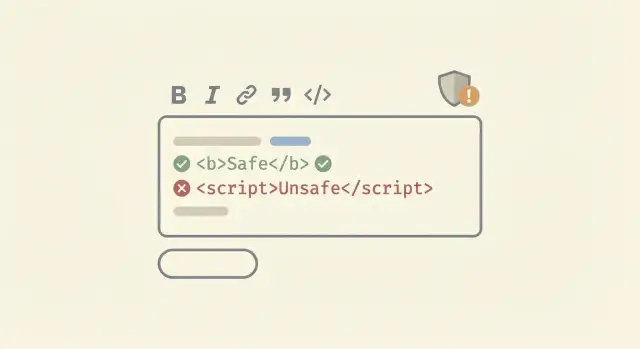
Why Markdown and rich-text can become a security bug
Markdown and rich-text feel safe because they look like plain writing. But many apps do the same thing under the hood: they take what a user typed, convert it into HTML, and render that HTML in someone else’s browser.
That last step is where trouble starts. If an attacker can sneak in HTML the browser treats as code, they can run JavaScript in another user’s session. That’s XSS (cross-site scripting) in plain terms: the attacker’s script runs as if it came from your site, with the victim’s access.
Comments, notes, and support replies are a common attack path because they’re easy to post (often with no review), shown to lots of people (admins, teammates, customers), and stored and re-rendered later. One bad post can keep harming people for months.
The tricky part is that Markdown and rich-text editors often create HTML you didn’t expect. A “simple” paste from Google Docs can bring in odd tags and attributes. Some Markdown setups allow raw HTML on purpose. Some editors output attributes you never planned to support. If your app renders that output directly, you can end up with Markdown XSS vulnerabilities even when the UI looks harmless.
A realistic example: a founder adds a notes feature where teammates can paste snippets and format text. One person pastes content that includes an event handler like onerror on an image. If your renderer keeps it, every time an admin opens that note, the browser executes the payload.
Content rendering is a security feature, not just a formatting choice.
The basic XSS risks in user-generated content
XSS happens when your app shows user input as if it were trusted page content. With Markdown and rich-text, the risk goes up because you’re often converting input into HTML and then rendering it in other people’s browsers.
For comments, notes, and profiles, the biggest problem is usually stored XSS. Someone posts a “comment” that contains sneaky HTML or JavaScript. Your server saves it, and every person who views that thread runs the attacker’s code.
Reflected XSS is the other common type: the payload is bounced back immediately (often from a URL or search field). It matters too, but stored XSS is the one that keeps hurting you over time.
The victims are not just random users. Staff are often at higher risk because they view more content: moderators reviewing reports, support agents checking tickets, and admins opening dashboards that show user posts.
If a stored XSS lands, an attacker may be able to steal session cookies or access tokens, read private data shown in the UI (messages, emails, billing details), perform actions as the victim (post, delete, change settings), or trick users with fake UI (phishing inside your own site).
“Only internal users can access this” is still risky. Internal accounts are often more powerful, reuse passwords, and are trusted by other systems. One malicious comment can jump from a low-privilege user to a staff account quickly.
A simple example: a user posts a note that looks normal, but it includes an event handler hidden in allowed HTML. When a support agent clicks to expand the note, the payload runs and silently sends their session to the attacker. That’s how Markdown XSS vulnerabilities turn into real account takeovers.
Where unsafe HTML sneaks in
Most teams expect problems only when they allow raw HTML. The surprise is that you can hit Markdown XSS vulnerabilities even when users only type “normal” Markdown.
Markdown features compile into HTML that the browser will happily interpret if you don’t clean it. Links and images are the big ones: a harmless looking [text](...) or  becomes an \u003ca\u003e or \u003cimg\u003e tag. The risky part is usually not the tag itself, but the URL scheme and attributes that end up inside it.
Some Markdown parsers also allow raw HTML blocks by default. That means a user can paste \u003cimg onerror=...\u003e or \u003csvg\u003e markup directly into a comment and it will pass through unchanged, then run when rendered. Even if you think “we escape HTML,” check your parser settings and any plugins that re-enable it.
Rich-text editors can be worse because they generate HTML that looks harmless at a glance. A short bold sentence might include extra attributes, inline styles, and odd tags that your sanitizer has to understand correctly. A common failure is allowing “safe” tags but forgetting dangerous attributes, like event handlers (onload, onclick) or URL-bearing attributes that can hide javascript: payloads.
Copy-paste from Google Docs or Notion is a frequent source of messy markup. Users paste formatted text, and suddenly you have nested spans, inline CSS, and metadata attributes that were never part of your plan. That extra HTML increases the chance of a bypass, or of your sanitizer breaking formatting in unpredictable ways.
During review, focus on the entry points that repeatedly cause trouble: raw HTML enabled in the Markdown parser; links or images where the URL is not restricted to safe schemes; “allowed attributes” lists that are too broad; plugins that add HTML features (tables, mentions, embeds); and paste paths that accept full HTML rather than plain text.
Pick a safe content model before you pick a sanitizer
Most stored XSS bugs start with a mismatch: you thought you were storing “comments,” but your system is actually storing mini web pages. Before you choose any library, decide what users are allowed to express.
A practical way to think about Markdown XSS vulnerabilities is to pick one content model and stick to it:
- Plain text: safest and easiest. You can still support basics like newlines and simple auto-linking.
- Limited Markdown: good for most products. Allow formatting (bold, italics, lists, code) but keep it predictable.
- Full rich-text (HTML-like): highest risk. Only choose this if you truly need complex layouts.
Once you choose, write down your rules as an allowlist. For limited Markdown, a typical safe set of elements is: p, strong, em, ul, ol, li, code, pre, and a. Keep the list short on purpose.
Also be explicit about what is never allowed. The obvious ones are script, iframe, object, embed, and style. But many “normal” tags can be dangerous depending on your setup, especially anything that can load remote content or affect the page.
Attributes need the same treatment. For example, links might only allow href, and you reject anything that looks like an event handler (onclick, onerror, and friends).
How to sanitize HTML safely (without breaking everything)
The safest way to handle Markdown XSS vulnerabilities is to assume user content and your dependencies will change over time. Your Markdown parser updates, browsers change, and “harmless” tags can get new behaviors.
That’s why sanitizing only when someone saves a post is risky. Sanitize again when you render it, so old content stays safe after a dependency update or a config change.
A practical rule: prefer an allowlist. Blocklists tend to miss edge cases (new tags, weird attributes, browser quirks). An allowlist answers one clear question: “What do we permit in comments?” Usually that’s basic formatting, simple links, and nothing that can execute code.
Before you sanitize, normalize what you’re sanitizing. Attackers rely on tricks like encoded characters and unusual whitespace to bypass filters. Decode entities, normalize Unicode, and parse into a real HTML tree (not regex). Then run the sanitizer on that normalized representation so it can’t be fooled by alternate spellings.
A workflow that avoids most breakage looks like this:
- Parse Markdown to HTML using a trusted library.
- Normalize and decode the HTML (entities, Unicode, attribute spacing).
- Sanitize with an allowlist (tags + attributes + URL schemes).
- Render the sanitized output, and set a safe Content Security Policy separately.
- Log or flag content that gets heavily stripped (often a sign of probing).
Keep your sanitizer rules in one place and treat them like code. Version the config, add a short changelog, and write a few tests that assert what gets kept vs removed. Example: if you later decide to allow \u003cimg\u003e, change the allowlist and update tests, then re-sanitize at render time so older comments don’t become newly dangerous.
Lock down links, images, and styling
Links, images, and styling are where “safe” Markdown often turns into stored XSS. Even if you sanitize HTML tags, you still need to treat every URL and every style value as untrusted input.
Start with links. A normal-looking anchor can become an attack if you allow risky URL schemes like javascript: or data:. The safest rule is simple: only allow https: (and maybe http: for internal or dev tools), and reject everything else. Normalize and decode before checking, because attackers use tricks like mixed case and encoded characters.
If you open user links in a new tab with target="_blank", lock it down. Without the right rel values, the new page can control the original tab (tabnabbing). Make this a default behavior of your renderer instead of relying on authors.
Images are not “just images.” A src can point to tracking pixels, internal network resources, or odd schemes. If you allow images at all, restrict the src schemes, and consider proxying images so the browser doesn’t fetch them directly from attacker-controlled servers.
Styling is the quiet danger. Even when CSS can’t run script, it can still cause harm by hiding warnings, moving buttons, or making a fake login box look real. For rich-text comment security, prefer a tiny allowlist of simple formatting (bold, italic, lists) and avoid letting users set arbitrary CSS.
A practical set of rules:
- Allow only
https:(optionallyhttp:) inhrefandsrc; blockjavascript:,data:,file:, andblob:. - If
target="_blank"is allowed, forcerel="noopener noreferrer". - Strip inline
styleand block\u003cstyle\u003eentirely. - Keep image support minimal, or proxy and cache images server-side.
- Set clear limits: max URL length, max attributes, max elements.
Example: a notes app renders Markdown to HTML and allows images. An attacker posts a “helpful diagram” that loads from their server, logs every view, and uses CSS to hide the real “Delete note” button under a fake “Re-authenticate” prompt. Fixing Markdown XSS vulnerabilities means treating these as core product risks, not edge cases.
Embeds: the fastest way to accidentally allow script execution
Embeds feel harmless because they look like “just a video” or “just a tweet.” In practice, they are one of the quickest ways to turn user content into stored XSS, especially when Markdown or rich-text allows raw HTML. Many Markdown XSS vulnerabilities start with one exception someone added for iframes.
If you support embeds, decide up front which providers are allowed and what “embed” means in your app. “Any iframe” is not a feature. It’s a security hole.
A safer pattern is: users paste a normal URL, your server checks it against an allowlist, then your server generates the final embed HTML. Don’t accept user-supplied iframe tags or arbitrary attributes like srcdoc, onload, or allow.
Rules that keep embeds useful without giving attackers a scripting surface:
- Allow only specific providers (by hostname and path pattern), and block everything else.
- Generate embed HTML on the server from a clean template, not from user HTML.
- Disable inline iframes in general comments/notes unless you have a strong reason.
- If you must allow an iframe, set fixed size limits and a strict
sandbox. - Strip all event handlers and risky attributes; never allow
javascript:URLs.
Even with sandboxing, remember that embeds load third-party content. Treat them like a separate boundary.
Test real XSS payloads before shipping
Sanitizers often look fine in a quick demo, then fail on the weird input real users create. Before you ship comments or notes, run a small set of repeatable tests that try to break your renderer and your HTML sanitization rules.
Start by testing with three roles and three views. Use a normal user who can post content, then verify what a moderator sees, and what an admin sees. Stored XSS often triggers only when someone else loads the page, especially in dashboards, moderation queues, email previews, or “recent activity” panels.
Use a short suite of payloads that cover common bypass styles (don’t rely on one or two obvious ones). For example, try encoded characters (HTML entities, mixed case attributes), malformed or unclosed tags (to confuse the parser), nested tags (safe-looking outer tag, dangerous inner tag), dangerous URLs inside links (javascript: or data:), and event-handler attributes (like onerror) on any tag your sanitizer allows.
Keep your tests realistic: the content should still render if it’s harmless, but must never execute code. A good check is: “Does this comment show up as text or safe markup, without popups, redirects, network calls, or unexpected UI changes?”
Also verify behavior across all places you display the same content. A sanitizer applied in the editor but not in the notification email, or applied in the comment page but not in the admin table, is a classic stored XSS path.
Common mistakes that cause stored XSS
Stored XSS usually happens when you assume user content is “already safe” because it came from a polished editor. A WYSIWYG can still output dangerous HTML (or be tricked into it), and Markdown parsers often allow surprising edge cases. That’s why Markdown XSS vulnerabilities show up in products that “only support comments.”
One common trap is sanitizing only in the browser. Client-side cleaning is easy to bypass with a direct request to your API or by replaying a request from another device. If the server stores unsanitized content, you have a stored XSS bug waiting to fire in every place that content is displayed.
Another mistake is allowing raw HTML inside Markdown to keep features working (custom buttons, iframes, fancy styling). That choice silently turns your Markdown feature into an HTML hosting feature. Even if you remove obvious tags like \u003cscript\u003e, attackers can use event handlers (onerror), tricky URLs, or SVG-based payloads depending on what you allow.
A big source of incidents is “secondary renderers” you forget about. You might sanitize the main comment page, but not the admin view, not the email template, and not the export-to-PDF flow.
Failure patterns that show up again and again include treating editor output as trusted data and storing it as-is; cleaning only on the client, then saving raw content on the server; using different sanitizers (or different allowlists) in different places; rendering the same saved content into HTML, email, and admin tools without re-checking; and logging or previewing raw HTML in internal dashboards.
Example: a user posts a “harmless” comment that includes an image with a crafted attribute. The public page is safe, but the admin panel uses a different renderer for moderation, and the payload runs when staff open the queue.
Quick safety checklist for comments and notes
Comments and notes are where Markdown XSS vulnerabilities usually show up first, because they feel harmless and ship fast. Before you turn them on for real users, do a quick pass with a security mindset.
Checklist that catches most stored XSS problems:
- Confirm raw HTML is either fully disabled in Markdown, or sanitized after rendering. Don’t rely on “the editor won’t generate it.”
- Use an allowlist for tags and attributes. Block all event handlers like
onclick, and avoid risky attributes likestyleunless you tightly filter it. - Validate and normalize URLs in
hrefandsrc. Rejectjavascript:anddata:schemes (and anything you don’t explicitly support). - Lock down embeds. If you allow iframes or “paste a video link” features, set strict rules and consider rendering as plain links instead.
- Check every place the content is shown, not just the main page: admin views, notification emails, mobile webviews, exports (PDF/print), and internal dashboards.
After the checklist, do a small smoke test with real payloads. The goal isn’t to “see an alert box.” It’s to confirm your output stays inert everywhere it appears.
Try a few known-bad inputs (script tags, event handler attributes, and weird URLs) and confirm they render as text or get removed. Verify the stored version in your database is safe, not just the preview. Repeat the test on the admin side, since admins often view more content and have higher privileges.
Example scenario: a simple comment feature that turns into XSS
A founder ships a small feedback widget: users can leave Markdown comments on each page. It feels safe because “it’s just text,” and the preview looks fine.
To support rich text, the app converts Markdown to HTML and then renders it on the admin dashboard. Someone also added “nice to have” features: autolink URLs, image support, and a quick embed for videos.
An attacker posts a comment that looks normal in the widget, like a bug report with a link. But the Markdown contains HTML that the converter keeps, or it hides a payload in an allowed tag attribute. Nothing obvious happens to the attacker. Later, when an admin opens the dashboard, the comment runs code in the admin’s browser.
What breaks next is rarely subtle. The attacker can steal the admin session and take over the account, read private feedback or internal notes shown in the same page, and change settings (like webhooks or API keys) using the admin’s permissions.
A safer design would have stopped it before it shipped. Treat comments as untrusted data and lock down what “rich text” really means: convert Markdown to a limited HTML subset, sanitize with a strict allowlist, remove or rewrite risky attributes (especially event handlers and some URL schemes), disable embeds by default (or only allow a small set of providers with hard rules), and test real payloads in the exact admin view, not just the public widget.
Next steps: ship safely and get a second pair of eyes
If you want to ship comments or notes without surprises, treat rich-text as a feature that needs a small safety plan, not a quick UI add-on.
Start by writing down decisions you can keep consistent across the app: pick one content model (plain text, Markdown without HTML, or sanitized HTML), define allowed elements and attributes (be strict; most apps need very few), lock down embeds up front (or skip them until you have time), create a small XSS payload set that matches your features (links, images, code blocks, mentions), and decide where sanitization happens (server-side is the source of truth).
Then add a release gate. The goal is simple: no deploy goes out unless your saved payloads render safely in the real UI. This catches problems that unit tests miss, like a client-side Markdown plugin silently enabling HTML.
A release gate can stay lightweight. Run the payload set against create, edit, and preview flows. Verify output in the browser, not only in API responses. Confirm the same rules apply everywhere user content appears (feed, email, admin views). Add one regression test for each bug you find so it stays fixed.
If your app was generated or heavily assisted by tools like Lovable, Bolt, v0, Cursor, or Replit, assume defaults can be inconsistent. One screen might use a safe renderer, while another uses a different library or a preview mode that allows raw HTML.
If you want a low-friction second opinion, FixMyMess (fixmymess.ai) focuses on diagnosing and repairing AI-generated codebases, including unsafe Markdown and rich-text rendering paths, and can start with a free code audit to pinpoint stored-XSS risks and related issues before you ship.
FAQ
Why can Markdown be a security risk if it’s “just text”?
Markdown usually gets turned into HTML, and that HTML is rendered in someone else’s browser. If any part of the input survives as executable HTML or dangerous attributes, it can become stored XSS, even when the editor UI looks like “just text.”
What type of XSS is most common with comments and notes?
It’s typically stored XSS: a malicious comment or note is saved, then executes later when another person views it. That’s worse than reflected XSS because it can keep hitting admins, support agents, and customers long after the original post.
Where does unsafe HTML usually sneak in with Markdown or rich-text?
Raw HTML support is the big one, but you can also get hit through links and images if you don’t restrict URL schemes. Rich-text paste can also introduce unexpected tags and attributes that your sanitizer doesn’t handle the way you assume.
What’s the safest “content model” to choose for user comments?
Default to limited Markdown: allow basic formatting and links, and reject everything else. Keep the allowed set small and explicit so you’re not accidentally hosting mini web pages inside comments.
Should I sanitize on save, on render, or both?
Sanitize at render time as well, not only when saving. Render-time sanitizing helps protect you when your Markdown parser, sanitizer config, or browser behavior changes and older stored content becomes risky again.
How do I make Markdown links safe against `javascript:` tricks?
Only allow safe schemes like https: (and optionally http: in controlled cases) after decoding and normalization. Block javascript:, data:, file:, and other unexpected schemes, since they’re a common way to smuggle execution or weird behavior into “normal” Markdown links.
Are images in Markdown dangerous, or just annoying?
If you must support images, treat src as untrusted: restrict schemes and consider proxying images so users’ browsers don’t fetch attacker-controlled URLs directly. If you don’t truly need images in comments, the simplest safe choice is to disable them.
What’s the safest way to support embeds (videos, tweets, etc.)?
Don’t accept arbitrary iframe HTML from users. A safer approach is to let users paste a normal URL, then have your server generate a fixed embed snippet only for specific allowed providers.
What’s one mistake teams make when they “sanitize” rich-text?
Sanitize on the server, not only in the browser. Client-side filtering is easy to bypass by calling your API directly, which can leave unsanitized content stored and later rendered in admin views or emails.
How can I quickly test if my Markdown rendering is vulnerable to XSS?
Test a small set of realistic payloads across every place the content appears: the public page, admin/moderation screens, notifications, and previews. The goal is that input stays inert everywhere—no popups, redirects, unexpected UI changes, or hidden network calls.