Migrate sessions to Redis without logouts: a practical plan
Learn how to migrate sessions to Redis without forcing logouts, keeping logins stable across deploys, multiple instances, and serverless restarts.
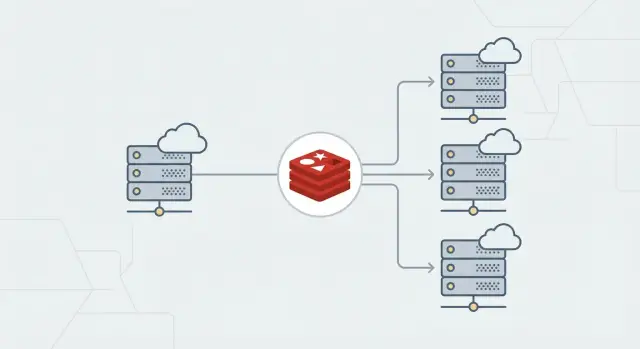
Why in-memory sessions cause surprise logouts
In-memory sessions keep a user’s login state inside the RAM of one running server. It feels great in local dev and early demos.
The catch is simple: RAM isn’t durable. When you deploy a new version, a process restarts, or a serverless function spins down, that memory is wiped. Every session stored there disappears.
Users experience it as something “random”: they log in, refresh, and they’re suddenly logged out. It often happens right after a deploy, or only sometimes, which makes it even harder to connect to a specific change.
Multiple instances make it worse. With two or more servers behind a load balancer, a user might log in on Instance A, then the next request lands on Instance B, which has no record of their session.
Some teams try quick patches like sticky sessions or longer timeouts. Sticky sessions can hide the problem, but they don’t fix it. Your session state is still tied to one machine’s memory, so restarts, scaling events, and routing changes can still break logins.
The goal is boring and reliable: users stay logged in through deploys, horizontal scaling, and restarts because every instance reads and writes sessions from the same shared store. That’s why many teams move sessions to Redis.
Quick inventory before you touch anything
Most surprise logouts during a Redis move happen because one small detail changed, not because Redis is hard.
Start by mapping your current session setup:
- Your framework and session middleware (plus versions)
- Cookie name and flags (Secure, HttpOnly, SameSite), plus domain and path
- Where the signing/encryption secret comes from (stable env var vs generated on boot)
- Where session data lives today (process memory, files, database, platform store)
- Whether you’re using server-side sessions vs JWTs
Two items are especially sensitive:
-
Cookie name and scope (domain/path). If these change, browsers won’t send the same cookie and everyone looks logged out.
-
Signing/encryption secrets. If these change, existing cookies stop validating. A common prototype mistake is generating a new secret on every boot.
Also confirm what “session” means in your app. With server-side sessions, the cookie usually holds only an ID and the data lives on the server. With JWTs, the token often holds the data itself, so Redis may be unnecessary for basic login (though it can still help with revocation, rate limits, or server-side state).
Capture a real cookie value from your browser dev tools so you can compare before and after. Even if you don’t fully understand the format, it’s useful for debugging.
How Redis sessions work (simple model)
Think of Redis as a shared, fast notebook every copy of your app can read and write. Instead of keeping sessions in one server’s memory (which disappears on deploys, crashes, or cold starts), you store them in Redis so they stay consistent across instances.
What Redis stores
A session is usually one record keyed by a session ID:
- The browser stores the session ID in a cookie.
- On each request, your app reads the cookie.
- It looks up that session ID in Redis.
- Redis returns the session data (user ID, roles, CSRF token, small flags).
Flow: cookie -> session ID -> Redis lookup -> session data.
Expiration: TTL and rolling sessions
Redis supports TTL (time to live) per key. When TTL hits zero, Redis deletes the session record. The next request looks like a logged-out user.
With rolling sessions, activity extends TTL. Without rolling, the session expires at a fixed time even if the user is active.
Capacity basics (plain terms)
Redis is memory-backed. If it runs out of memory and starts evicting keys, it may delete sessions early and users get logged out.
Treat sessions as “must not evict” data. Size Redis for peak active sessions and use an eviction policy that won’t remove session keys unexpectedly.
Design choices that prevent surprises later
A few early decisions quietly determine whether sessions stay stable or turn into mystery logouts.
Redis hosting: managed vs self-hosted
Managed Redis is usually safer if you care about uptime and predictable maintenance. Self-hosted can work for small internal apps, but you own patching, persistence settings, backups, and recovery.
Environment isolation and naming
Keep dev, staging, and production separated. The cleanest approach is one Redis per environment. If you must share a cluster, enforce isolation with key names.
Use a prefix that includes app + environment so keys don’t collide:
myapp:prod:sess:myapp:staging:sess:myapp:dev:sess:
That also makes it safer to scan or purge sessions without deleting unrelated data.
Session lifetime: TTL vs idle timeout
Match today’s behavior first, then improve it later. Decide:
- Absolute lifetime (how long a session can exist)
- Idle timeout (how long it can sit unused, often renewed on each request)
If users currently stay logged in for 7 days of inactivity, but you set Redis TTL to 24 hours, you’ll trigger a wave of logins tomorrow. That’s not a Redis bug, it’s a behavior change.
Write these choices down before coding. You’ll use them as a checklist when something feels off.
Step-by-step: implement Redis as a session store
Make the smallest change possible: keep the session cookie the same, but change where the server reads and writes session data.
1) Add Redis and a store adapter
Install a Redis client and the session-store package that matches your framework (Express, Rails, Django, NextAuth, and so on). Wire the adapter into your existing session middleware.
Don’t change cookie name, domain/path, or SameSite during this step. If those change, users will look logged out even when Redis is fine.
2) Configure Redis via environment variables
Avoid hard-coding hostnames. Use env vars so local, staging, and production can point to the right Redis.
You typically need:
- Redis connection (often a single
REDIS_URL) - TLS on/off (depends on your provider)
- Key prefix
- Timeouts and retry settings
3) Freeze cookie and secret settings during migration
Don’t rotate signing/encryption secrets during the move. If the secret changes, existing cookies can’t be verified and users get kicked out.
Keep cookie flags identical at first. Even changing Secure from false to true can break sessions if any traffic still hits HTTP.
4) Roll out behind a switch
Ship Redis support but keep it off by default. Use a config switch to choose between in-memory and Redis at runtime.
Before ramping up, verify:
- New sessions are written to Redis
- Users stay logged in across deploys
- Multiple instances can read the same session
- Redis TTL matches the intended session lifetime
Migration strategy to avoid forced logouts
The safest approach is an overlap period where the old and new stores run side by side. The cookie (session ID) stays the same while you move the data behind it.
A practical overlap window
On each request:
- Try Redis first.
- If the session isn’t in Redis, fall back to the old store (only if it’s still reachable).
- If found in the old store, copy it into Redis and continue.
At the same time, dual-write session updates (logins, refreshes, cart changes) to both stores.
Keep the overlap short. Dual-write adds complexity and can hide bugs.
Decide up front:
- How long overlap lasts (often 24-72 hours)
- Whether fallback reads are actually possible (in-memory on one server usually isn’t)
- How expiry stays consistent in both places
- What “cutover time” means (when you stop writing the old store)
Cutover, then cleanup
After most sessions have been copied naturally, stop writing the old store, keep fallback reads briefly, then remove fallback entirely.
The payoff is immediate: requests can land on any instance and still resolve the same session record. Deploys and restarts stop causing surprise logouts.
Testing plan: prove it survives deploys and restarts
Test the exact events that used to kick people out: deploys, multiple instances, and cold starts. Do this in staging with production-like cookie settings (Secure, SameSite, domain) and the TTL you plan to ship.
Run checks with two separate browsers (or one plus incognito) to catch cross-user mixups:
- Login and refresh several times. Confirm the session ID stays stable.
- Logout and refresh. Confirm you stay logged out.
- Idle expiry: login, wait past the idle timeout or TTL, then request again and confirm re-login.
- “Remember me” (if you have it): confirm longer lifetime works without breaking normal sessions.
- Two tabs: take an action in one tab and confirm the other stays authenticated.
Then test deploy survival: keep a user logged in, deploy, and keep making requests during and after rollout.
Test multi-instance behavior: put two or more instances behind round-robin routing and confirm requests can hop instances without losing auth.
If you’re on serverless, force a cold start (scale to zero or redeploy) and confirm the session remains valid. Watch for Redis connection issues: timeouts shouldn’t silently create a new session.
Common mistakes that trigger logouts anyway
Most “Redis migration” logouts aren’t caused by Redis. They’re caused by the app no longer recognizing the same cookie or rejecting signatures that were valid yesterday.
Common causes:
- Cookie name, domain, or path changed. The browser stops sending the old cookie.
- Secret rotated too early. Existing cookies fail validation.
- SameSite/Secure misconfigured. Secure cookies over HTTP, or SameSite values that break OAuth flows, can cause login loops.
- TTL/rolling settings changed. Sessions expire sooner than before.
- No Redis-outage plan. Brief Redis issues turn into repeated logins or redirect loops.
A classic example: you deploy behind a new subdomain, but cookie domain settings differ between environments. Half your traffic sends a cookie the server won’t accept, and it looks like Redis broke sessions.
Treat cookie scope, secrets, TTL, and outage behavior as part of the migration, not afterthoughts.
Operational basics for stable sessions in production
Once sessions are in Redis, “random logouts” usually come from operational details.
Connections, timeouts, and retries
Create one Redis client per app instance and reuse it. Don’t open a new connection per request (or per serverless invocation) unless you truly have to.
Set clear timeouts so requests don’t hang when Redis is slow. A practical pattern is short connection timeout, short command timeout, and a small number of retries with backoff.
Also ensure cookie lifetime and Redis TTL match. Otherwise a cookie can look valid in the browser while the server-side session is already gone.
Monitoring and maintenance
You don’t need a fancy dashboard, but you do need early warning signals:
- Redis latency (p95/p99) for GET/SET
- Error rate (timeouts, refused connections)
- Memory usage
- Evictions (any eviction can become a logout)
- Keyspace hits/misses (a spike in misses often explains logouts)
Plan for maintenance and failover. During restarts or failovers there’s often a brief error window. Decide what your app does then. For most apps, short retries plus a clear “please retry” error is better than silently creating new sessions.
Pre-launch checklist (quick checks)
Right before you flip the switch, verify the boring details that cause most cutover failures.
Browser-facing config:
- Cookie name, domain, and path are unchanged
- Cookie flags are what you expect (Secure/HttpOnly/SameSite)
- Signing/encryption secret is unchanged and shared by all instances
Operational checks:
- Redis is reachable from every instance with correct credentials
- Session TTL in Redis matches the intended session lifetime (including “remember me”)
- The app doesn’t silently fall back to in-memory sessions if Redis is down
- A rollback switch exists (config flag or feature toggle) and has been tested
Do one dry run in staging that mirrors production: multiple instances, a deploy, and at least one forced restart. Log in once, wait, refresh, deploy, refresh again, and confirm the session remains.
Example: scaling a small app without logging everyone out
A small SaaS app runs on one VM and uses in-memory sessions. “Logged in” really means “your session lives in that one server’s RAM.” As the product grows, the team adds a load balancer and scales to three instances.
The first deploy after scaling is messy. Some users get logged out right after signing in. Others stay logged in until the next rollout. Nothing is wrong with passwords. Requests land on a different instance than the one that created the session, or the instance restarts and wipes memory.
They move to Redis with a gentle cutover. For 48 hours they dual-write: every session update goes to Redis and the old store. Reads prefer Redis; if a session is missing, the app falls back to the old store and immediately copies the session into Redis. Active users move over naturally without a forced login.
They also keep session settings consistent across instances: the same cookie name, the same signing/encryption secret, and the same TTL behavior. After two deploys and a couple of normal traffic cycles, they remove the old code paths. From then on, scaling and deploys stop kicking users out.
Next steps and when to get help
Treat this like a release, not a casual refactor. Keep the first cutover focused, and keep a rollback switch for at least one release cycle.
A safe rollout usually looks like:
- Prove behavior in staging with real login flows and long-lived sessions
- Enable in production for a small slice first
- Watch session misses, auth errors, and login rates for at least a day
- Cut over fully only when the data looks boring
After it’s stable, remove dual-read/dual-write logic, delete temporary prefixes from test runs, and document TTL, cookie settings, and a safe secret-rotation plan.
If you inherited an AI-generated prototype (for example from Lovable, Bolt, v0, Cursor, or Replit), it’s worth getting a second set of eyes on auth, cookies, and secrets before you touch sessions. FixMyMess (fixmymess.ai) offers a free code audit and can help turn fragile, AI-generated session logic into something stable in production.