Open redirect vulnerability in auth callbacks: how to fix it
Learn how an open redirect vulnerability happens in auth callbacks, how attackers abuse it, and how to fix redirects using strict allowlists and safe URL parsing.
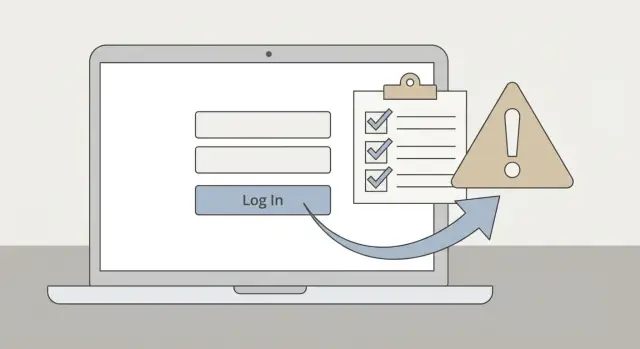
Why redirects in login flows can turn into a security hole
A redirect is an instruction that tells the browser, "go to this other page." In login flows, redirects are what make it feel seamless: your app sends someone to sign in, then returns them to what they were trying to view.
That "return me" step is usually carried in a parameter like returnTo, next, or redirect. If your app accepts any URL there, you have an open redirect vulnerability.
This shows up constantly in prototypes because redirects are an easy win for a smoother demo. AI-generated and rushed code often optimizes for "make it work" and skips the boring safety rules.
The risk is bigger than "user lands on the wrong page." Your domain becomes a trusted launch point for sending people to an attacker-controlled site. The link looks legitimate because it starts on your real domain and often includes a familiar login screen.
A realistic phishing flow looks like this: someone clicks a "Sign in" link from an email or chat, lands on your real login page, signs in, then gets redirected to a convincing fake screen that asks them to "log in again," enter an MFA code, or confirm payment details. Many users won't notice because everything looked normal until the final step.
What open redirects and auth callbacks mean
An open redirect is when your app lets untrusted input decide where a user is sent next. The classic example is a URL like https://yourapp.com/redirect?to=..., where to can be any website.
An auth callback is the page your identity provider returns to after login. After a user signs in with Google, GitHub, or another provider, the provider sends them back to your app at a callback URL so your app can finish the login and create a session.
Trouble starts when you combine the two.
A common pattern:
- A user tries to visit
/billing. - Your app sends them to
/login?next=/billing. - After login, your callback reads
next(orreturnUrl,redirect,continue) and sends the user there.
If the callback accepts next=https://evil.example, you've built an open redirect into the most trusted part of your product.
The impact isn't limited to phishing. Redirects inside OAuth flows can also increase the blast radius when teams pass sensitive values through URLs during early builds. Even when you "only" bounce an OAuth code, you can leak data through browser history, logs, referrer headers, or just by landing the user on a page designed to trick them into handing over access.
Common risky redirect patterns to look for
Most auth redirect bugs start the same way: a team wants "return to where you were," so they pass a redirect parameter around and treat it as safe.
Red flags to search for:
- Any query parameter that controls post-login navigation (
next,returnTo,redirect,url) being used directly in an HTTP redirect orwindow.location. - Code that accepts full URLs (
https://example.com) instead of internal paths (/dashboard). - Redirect targets coming from localStorage, cookies, or headers and being treated as trusted.
- "Validation" that only checks
startsWith('/'). - Multiple decode/normalize steps that make it unclear what was validated vs what was used.
Two edge cases trip up a lot of teams:
Protocol-relative URLs: values like //evil.com look like a path, but browsers treat them as "use the current scheme and go to evil.com." A simple startsWith('/') check will let this through.
Encoded URLs: attackers can hide the same trick in encoding. %2F%2Fevil.com becomes //evil.com after decoding. If you validate before decoding, or decode more than once in different places, you can approve one string and redirect to another.
How attackers actually abuse open redirects
Attackers like open redirects because they can "borrow" your domain's trust. The victim sees your real site in the address bar, signs in, and only gets sent somewhere malicious at the end.
A very common attack looks like:
-
The attacker shares a link to your real domain that includes a redirect parameter, for example
?next=https://evil.example. -
Your app shows the real login page.
-
After the user signs in, your app redirects them to the attacker site.
-
The attacker site shows a believable "session expired" or "confirm your account" prompt and captures credentials or MFA codes.
OAuth can make this worse if your callback endpoint exchanges or handles codes/tokens and then immediately redirects based on user-controlled input. Even if the data is short-lived, a short window can be enough.
A realistic example: the login link that sends users away
A prototype often adds a returnTo parameter so login feels polished.
A normal URL might be:
/login?returnTo=/billing
The bug appears when returnTo is treated as "any URL" instead of "a safe path inside our app."
Now this works too:
/login?returnTo=https://attacker.example/fake-dashboard
Nothing breaks. The user signs in successfully, then lands on a site that looks like your product but isn't. From the user's perspective, your login worked, so the next screen feels trustworthy.
The lesson is simple: a "return to where you were" feature should accept only safe, expected destinations. If it can point to an external URL, it's an open door.
The safer model: relative paths plus strict allowlists
The safest approach is intentionally boring: treat the post-login destination as an internal path, not a full URL.
Rule 1: accept relative paths, not full URLs
Only accept values like /settings or /billing. Avoid accepting https://... and explicitly reject protocol-relative values like //....
A useful baseline is: require a leading single /, and reject anything that starts with //.
Rule 2: validate against a strict allowlist
Even if you only accept relative paths, you may still want to restrict where users can land after auth. An allowlist prevents awkward or risky destinations like /logout loops, routes that trigger sensitive actions, or pages that only some roles should see.
Keep it small. Allow a handful of known-safe routes (or a few safe prefixes) and default everything else to a safe page like /dashboard.
Normalize and parse before you decide
Normalize the input once: trim whitespace and decode percent-encoding once. Then validate the resulting path. Avoid double decoding or doing validation on a different representation than the one you actually redirect to.
Make failures boring
If the value is missing or invalid, ignore it and redirect to a known-safe destination. Log rejections so you can spot probing and broken client code.
Step by step: fixing redirect handling in a prototype
Redirect logic tends to spread across middleware, callback handlers, and UI code. The fastest way to make it safe is to treat every redirect destination as untrusted input and centralize validation.
-
Inventory every redirect source: query params (
next,returnTo,redirect,callback,continue), cookies, local storage, and any auth middleware that "remembers" where the user was going. -
Choose your rule: for most apps, accept only relative paths. If you truly need external redirects (rare), allow only a short list of exact origins you control.
-
Normalize once: trim, decode once, and reject control characters.
-
Validate strictly:
- Require a leading single
/. - Reject
//, any scheme likehttp:orjavascript:, and backslashes (\\) including encoded backslashes. - Reject traversal like
..and null bytes. - If allowing full URLs, require an exact origin match against your allowlist.
- Redirect and log: on failure, send the user to a safe default and record the rejected value.
Common mistakes that keep the vulnerability alive
Most failed fixes look "validated" but still treat redirects as plain strings.
Common traps:
- Allowlisting by substring (for example, checking
includes('mydomain.com')). Attackers can usemydomain.com.evil.comor hide trusted text in the path/query. - Validating only on the client. Client-side checks help UX, but the server must be the final gatekeeper.
- Validating one parameter but redirecting with another because of framework helpers or parameter precedence.
- Normalizing inconsistently, validating before decoding, or decoding multiple times.
Also watch for "we set it earlier, so it's trusted." If a value is stored in local storage, a hidden field, or a cookie, the attacker can still edit it or bypass the page that set it.
Quick checks you can do before you ship
You can catch most redirect issues with a few focused tests. The goal is simple: no user-controlled value should ever send a browser to an unexpected domain, and unknown values should land somewhere safe.
Test the parameter your app uses after login (next, redirect, returnTo, callbackUrl). Confirm a normal internal path works, then try inputs that often slip past naive checks:
https://example.com(should be rejected)//evil.comand%2F%2Fevil.com(should be rejected)\\evil.com(some frameworks normalize this in surprising ways)- An unknown internal route like
/definitely-not-real(should fall back to a safe default)
Repeat the same tests on both the client routing code and the server endpoints that finish sessions or handle OAuth callbacks. Attackers will use whichever path is weaker.
Next steps: get to a clean, safe redirect setup
Open redirect bugs rarely live in just one place. In prototypes, they pop up anywhere the app tries to be helpful after login: route guards, middleware that bounces unauthenticated users, OAuth callback handlers, invite links, and onboarding flows.
A good end state is boring: every redirect is either a known-safe relative path, or (if you truly need it) an absolute URL that matches a short allowlist you control. Everything else is ignored and replaced with a safe default.
If you're dealing with an AI-generated codebase and you want a second set of eyes, FixMyMess (fixmymess.ai) focuses on diagnosing and repairing these kinds of auth and redirect issues, along with related problems like exposed secrets and unsafe patterns that work in demos but fail in production.