PII inventory for prototype database: find and reduce data
PII inventory for prototype database to locate emails, names, and tokens, then reduce what you collect and set clear expiration rules.
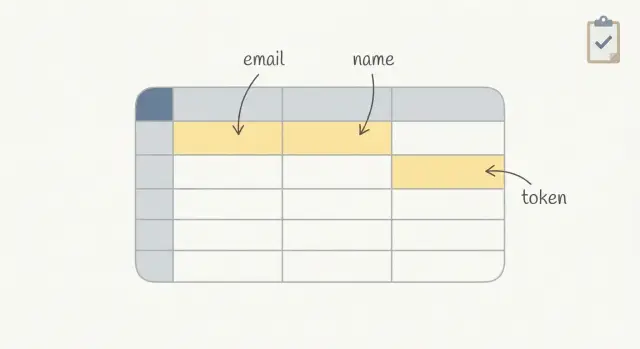
Why you need a PII inventory before your prototype grows
Prototypes collect sensitive data faster than you think. A simple signup form adds emails and names. An invite flow creates more emails. Login adds tokens. Debug logs copy it again. Before long, your "test app" is holding real people's data in places you never meant to keep it.
The risk isn't only a breach. It's also confusion and rework. If emails and tokens sit around with no owner, you can't answer basic questions: Who can see this data? How long do we keep it? Can we delete it on request? When the prototype turns into a real product, you end up doing an emergency cleanup while trying to ship features.
A PII inventory lowers that risk fast. It's not paperwork. It's a map of where personal data goes, plus a plan to collect less and delete on time. That one page changes how you build: you stop adding "just in case" fields, you notice when tokens are stored in plain text, and you set a retention rule before the database grows.
By the end, you want two outcomes: a clear data map (where emails, names, and tokens are created, stored, copied, and sent) and a retention plan (what to keep, what to avoid collecting, and when to expire or delete it). Along the way, you'll also end up with a shortlist of high-risk spots (logs, analytics events, backups, admin views, forgotten tables) and an owner for each data store.
If you inherited an AI-generated prototype (from tools like Bolt, v0, Cursor, or Replit), this matters even more. These builds often copy secrets into config files, store tokens without expiration, or scatter user data across multiple tables.
What counts as PII and sensitive data in a prototype
PII (personally identifiable information) is any data that can identify a real person, either on its own or when combined with other fields. The "combined" part is what trips teams up: a username plus a company name, or an IP address plus a timestamp, can point to a specific user.
Start with the obvious user profile fields, then look for shadow copies outside your main users table.
Common PII in prototypes includes emails, names, phone numbers, addresses, usernames and handles, date of birth, location, profile photos, payment-related metadata (even if you don't store card details), IP addresses, and device identifiers.
Some data isn't always PII, but it's still sensitive because it can unlock accounts or systems. Treat these as high-risk: auth tokens, session IDs, refresh tokens, password reset links or one-time codes, API keys, OAuth client secrets, and webhook signing secrets.
Also include places that quietly collect or duplicate data. Prototypes often leak PII into logs (request bodies, error traces), analytics events (for example, "invite_sent" with an email), support tickets (screenshots, pasted tokens), and exported CSVs shared in chat.
A simple example: your invite flow stores the invitee email in an invites table, logs the full request on error, and sends analytics with the same email as a property. That's three locations to track, expire, and delete.
List every place your app might store or copy data
A PII inventory starts with a simple idea: data rarely lives in just one place. Prototypes copy values for convenience, and those copies become the hardest parts to find later.
Map the full path of a user detail (like an email) from the moment it enters your app to every place it could end up. Include places created by your framework, hosting, and third-party tools, not just what you coded on purpose.
Most teams find personal data in a handful of buckets:
- Database tables and columns: user tables, invite tables, audit tables, temporary tables, and anything that stores raw request payloads.
- Auth provider and user profile store: emails and names can live in your app database and also in a separate auth system, often with extra metadata (last login, IP, device).
- File uploads and object storage: profile images, CSV imports, attachments, and generated exports. Filenames and file contents can hold PII.
- Background jobs, queues, and caches: job payloads often include full user objects; caches can keep them longer than you expect; retries duplicate data.
- Crash reports, request logs, and admin dashboards: errors may capture headers, cookies, and request bodies; admin search screens and CSV exports become another copy.
For each place, record what fields are stored (email, name, tokens), why they're needed, who can access them, and how long they stick around by default. If you can't answer the retention question, assume "forever" until you set an expiration.
A quick example: a magic link login might store the email in users, store the token in login_tokens, copy the email into a job queue to send the message, and then leak the token into request logs if you include it in a URL.
Step by step: build your PII inventory in one afternoon
Start with real paths people take in your app, not your schema. Pick 3 to 5 user journeys that happen today (or will happen next week). Common ones are signup, login, password reset, invite a teammate, and checkout. If you only document tables, you'll miss what gets copied into logs, analytics, and support tools.
For each journey, write down every field you collect and the plain reason you need it. If you can't explain the reason in one sentence, it's a good candidate to remove or delay.
Then trace each field end to end: where it enters (form or API), where it's validated, where it's stored (table and column), and where it might be duplicated (logs, background jobs, error trackers, email tools).
A simple worksheet (doc or spreadsheet) is enough. Use one row per field and capture:
- Field name and an example value (for clarity)
- Purpose (why you need it right now)
- Data type tag: PII, sensitive, or non-sensitive
- Where it flows: request, DB table/column, logs, third parties
- Who can access it (admin screen, direct database access, support tools)
If your prototype was generated by an AI tool, add one extra check: search for debug logging and copied request payloads. Those are common places where emails, names, and tokens get stored by accident.
How to locate emails and names in your database
Start with a schema scan. Most email and name fields aren't hidden, they're just scattered. Open your table list and look for the obvious first, then extra copies that got added during fast prototyping.
Check common column names across every table, not just users. You're looking for both direct fields (email, first_name) and helper fields (contact_email, displayName, invited_by).
A fast approach is to search your schema for patterns, then confirm with a few rows of data.
-- Postgres example: find likely PII columns
select table_name, column_name
from information_schema.columns
where column_name ilike '%email%'
   or column_name ilike '%name%'
   or column_name ilike '%contact%'
order by table_name, column_name;
After the obvious fields, look for places where emails and names hide inside free text or blobs. Prototype apps often dump user input into a metadata, notes, message, or json column and forget it exists.
Common hiding spots:
- Free-text and JSON fields (notes, message, metadata, profile, payload)
- Migrations and seed scripts that created temporary test users with real emails
- Duplicate tables (users plus billing/customers plus analytics/events)
- Queues and logs stored in the database (email jobs, invite logs)
- Backups and snapshots (old data can outlive your main tables)
Reality check: if your app has invites, you probably store emails in at least two places (the user record and the invite record). Write down where each copy lives and which one is the source of truth.
Where tokens live and what to record about them
Tokens are often the fastest way to get hacked in a prototype. They act like keys: if someone copies one, they can replay it to log in, call APIs, or reset a password. Treat tokens as sensitive data even if they aren't "personal" by themselves.
Common token types include session IDs, refresh tokens, magic link tokens, password reset tokens, and API tokens (for third-party services or your own endpoints). Risk goes up when tokens are long-lived, reusable, or work from anywhere without extra checks.
Tokens also end up in places nobody expects:
- Database tables (sessions, auth_tokens, password_resets)
- Browser cookies (including "remember me")
- Local storage or session storage in the frontend
- Application logs and error tracking (request headers, query strings)
- Email templates and outbound email logs (magic links)
For each token, record what it does, where it's stored, and how long it stays valid. Keep the rules simple: store the minimum, expire it fast, rotate on use, and hash tokens in storage when possible so a database leak doesn't give instant access.
Answer these questions for every token:
- What action does this token allow (login, reset, API access)?
- Where is it stored and copied (DB, cookie, logs, email)?
- What is the lifetime and can it be reused?
- How is it protected (hashed, encrypted, scoped, tied to device/IP)?
- What happens on logout, password change, or invite cancel?
Minimize collection: keep only what your prototype needs
A prototype database fills up fast because it's easier to save everything than to decide what matters. That "save it all" habit is how you end up with extra PII, long-lived tokens, and data you can't explain later.
Challenge every field with one question: what breaks if we don't store this? If the answer is "nothing, it would just be nice", don't collect it yet. You can add optional fields later once you're sure they support a real feature.
Progressive profiling helps keep early signups simple. Collect the minimum for the first step (often just an email), then ask for more only when the user hits a point where it's needed (billing, invitations, support).
High-impact cuts that work in most prototypes:
- Use display names instead of full legal names unless you have a clear reason.
- Don't store raw form submissions or full request payloads for debugging. Log the error and a request ID.
- Reduce free-text fields. If you must have them, add a clear warning (don't paste secrets) and a character limit.
- Make "nice to have" fields optional and push them to a later step.
- Prefer "country" over a full address until shipping requires it.
Example: an invite flow often tempts teams to store inviter name, invitee name, personal note, and full email history. For a prototype, you may only need inviter user ID, invitee email, invite status, and an expiration timestamp.
Create an expiration and deletion plan you can actually follow
A PII inventory is only useful if it ends with a simple rule: when does each thing expire, and how does it get deleted.
Set retention windows by data type and write them next to each table or field in your inventory, even if you're not enforcing them yet:
- Unverified signups: delete after 7 days
- Abandoned accounts (no login, no activity): delete after 30-90 days
- Support emails or contact forms: delete after 90 days
- Audit logs (avoid PII if possible): keep 30-180 days
- Backups: keep the shortest window you can (for prototypes, 7-30 days is often enough)
Tokens deserve their own rule because they're easy to misuse and hard to spot later. Expire session and reset tokens quickly, and make sure you can invalidate them early. A reasonable baseline is access tokens in minutes, refresh tokens in days, and revoke all tokens on password change.
Auto-delete is what makes the plan real. Add one scheduled cleanup job that runs daily: remove unverified users past the cutoff, delete invite records after they're accepted or after a short window, and clear old tokens.
User deletion requests should be predictable. Define the scope so you don't miss hidden copies:
- Delete the user profile and authentication records
- Delete or anonymize related content (comments, projects, files)
- Delete tokens, sessions, and API keys
- Remove from exports and third-party tools going forward
- Record a minimal deletion log (no extra PII)
Backups and exports are the hard part. You may not be able to surgically delete from old backups today, but you can plan forward: shorten backup retention, stop exporting raw PII by default, and rotate old exports out on a schedule.
Access controls and logging without getting complicated
You don't need an enterprise setup to protect a prototype. You need clear roles, fewer keys floating around, and enough logging to answer one question later: who looked at or changed sensitive data?
Write down the only roles you actually have today. Most prototypes fit into a small set: founder/admin (full access), support (read-only to user records), contractor (access only to the part they build), and a break-glass admin account used rarely. The goal is to stop "everyone can see everything" from becoming permanent.
A simple access plan that holds up:
- Give each person their own login. No shared database users or shared admin passwords.
- Limit direct database access to 1-2 people. Everyone else uses the app admin screen.
- Use read-only access for support when possible, and time-box contractor access.
- Review access monthly and remove accounts that are no longer needed.
- Keep one emergency admin account, stored safely, and only used when needed.
Logging can stay lightweight. Record admin actions that touch PII: viewing a user profile, exporting users, resetting passwords, changing email, generating invite links. Even a basic log with timestamp, admin user, action, and target record is enough to spot mistakes and respond to questions.
Mask PII wherever you can. In admin screens, show only what's needed (for example, partial email like j***@domain.com). In logs, avoid storing full emails, names, or tokens. Log IDs instead.
Finally, keep secrets out of code and out of your database. API keys, JWT signing secrets, and reset-token salts should live in proper secret storage, not in a config file or a settings table.
Example: quick PII inventory for a signup and invite prototype
Picture an AI-generated prototype: users sign up with email, create a workspace, and invite teammates by email. It works in testing, but no one has written down what personal data is stored where.
Walk the full flow once (signup, invite, password reset), then search for where data lands and where it gets copied. In a typical setup you'll find PII in more than one place:
- Database tables:
users(email, name),invites(invitee email, inviter id),audit_logs(sometimes stores raw payloads) - App logs: request bodies, error logs, background job logs
- Email provider: templates, event webhooks, delivery logs that include recipient addresses
- Analytics/monitoring: user identifiers, sometimes full emails if someone logged them by mistake
- Caches and queues: invite payloads or auth events kept longer than expected
A common risky find is token handling. For example, the prototype might store a password reset token in plaintext in a password_resets table, with no expiration (or a 30-day default). If someone gets read access to the database, they can use that token to take over accounts. Record whether tokens are hashed, how long they live, and whether they can be used more than once.
Then decide what to stop collecting now versus later. Many prototypes don't need full names at signup, and invites usually don't need to keep the invitee email forever once they accept or the invite expires.
Here's a simple retention table you can paste into a doc and assign an owner to:
| Data type | Where it lives | Purpose | Owner | Expiry |
|---|---|---|---|---|
| Email (user) | users.email | Login + notifications | Product | Keep while account active; delete 30 days after closure |
| Name (optional) | users.name | Display only | Product | Collect later; if collected, delete with account |
| Invitee email | invites.email | Send invite | Engineering | Delete 7 days after invite accepted/expired |
| Reset token | password_resets.token | Password reset | Engineering | Store hashed; expire in 30 minutes; one-time use |
Common mistakes that keep PII and tokens hanging around
Most prototypes don't leak data because of one big hack. They leak because small choices pile up, and nobody circles back to clean them.
One common trap is treating test data as harmless. Teams paste real customer emails, names, and phone numbers into seed files, admin screens, and CSV imports. A week later, that same database gets copied to a teammate's laptop or a staging server. Now real PII is in three places, and no one remembers where it came from.
Another quiet leak is logging too much. Debug logs that store full request bodies or headers often capture session tokens, password reset tokens, invite links, or API keys. Those logs live longer than the tokens were meant to, and they get shared in tickets and chat.
Tokens also become "forever data" if you keep refresh tokens, magic link tokens, or invite tokens with no expiry (or no cleanup job). That creates a long list of still-valid credentials.
Copying PII for convenience makes everything worse: duplicating an email into multiple tables, caching it in analytics events, or storing it again in a search table. Your inventory should flag every copy so you can delete and expire data in one place.
Last, write down decisions. Without a short note like "we never log Authorization headers", a future quick fix will bring the problem back.
Quick checklist and next steps
Do this pass before you share the prototype with more users. The goal is to find copies and make sure data doesn't live forever.
Fast checks that catch most problems:
- Emails and names: search tables, JSON columns, analytics events, and debug dumps for fields like
email,name,firstName,lastName,profile,invitee. - Tokens: note where session tokens, API keys, and reset links appear (database, cookies, localStorage, server logs, third-party tools).
- Secrets: scan environment variables,
.envfiles, build output, and any temporary admin pages for hardcoded keys. - Expiration: write down what should expire (invites, password resets, sessions), the exact time window, and what job or code deletes it.
- Access: list who can see production data today (founders, contractors, agency, support inbox, database dashboards).
Once you have answers, turn them into a small set of fixes you can finish this week. Keep it to 3 to 5 items so it actually happens.
If your prototype is an AI-generated build that's starting to buckle under real users, a targeted codebase diagnosis can help you find where PII, tokens, and secrets are leaking. FixMyMess (fixmymess.ai) focuses on taking broken AI-generated prototypes and making them production-ready, and their free code audit is a practical way to get a clear list of issues before you commit to a bigger rebuild.
FAQ
When should I create a PII inventory for my prototype?
Start as soon as real people can sign up, log in, or get invited. Even a “test” app quickly stores emails, tokens, and log entries that stick around longer than you expect.
What is a PII inventory, in plain terms?
Treat it as a one-page map of personal and sensitive data: what you collect, where it gets stored or copied, who can access it, and when it expires or gets deleted. If you can’t answer “where else does this value show up?”, the inventory isn’t done yet.
What data should I treat as PII or sensitive in a prototype?
Emails, names, phone numbers, addresses, usernames, IP addresses, device IDs, location, profile photos, and anything that can identify someone when combined with other fields. Also track “not exactly PII but dangerous” data like auth tokens and API keys because they can unlock accounts.
Where does PII usually hide outside the main database tables?
The usual culprits are logs, analytics events, background jobs, caches, exports (CSVs), admin dashboards, and third-party tools like email providers or error trackers. Prototypes often duplicate the same email or token across several of these without anyone noticing.
How do I build a PII inventory quickly without getting stuck?
Pick 3–5 real user journeys like signup, login, password reset, and invites. For each field, write down where it enters, where it’s stored, where it’s copied, who can see it, and how long it lives by default.
How can I find emails and names scattered across my database?
Scan your schema for common column patterns and then verify by checking a few sample rows. Don’t stop at users; invites, audits, events, and JSON “metadata” fields often contain extra copies you forgot existed.
What should I record about session tokens and reset tokens?
Tokens are sensitive because they act like keys, so track them even if they aren’t “personal.” For each one, record what it allows, where it’s stored (DB, cookies, localStorage, logs, email), whether it expires, and whether it can be reused.
How do I decide what PII to stop collecting in my prototype?
Default to collecting the minimum needed for the current feature. If you can’t explain why a field is necessary in one sentence, delay it, make it optional, or remove it until you actually need it.
What’s a practical retention and deletion plan for a prototype?
Set simple retention rules per data type and make them real with one daily cleanup job. Start with short windows for unverified signups, invites, reset tokens, and logs, because these are the easiest places for data to pile up and become risky.
How do I handle PII issues in an AI-generated prototype that I inherited?
Do a focused codebase diagnosis with an explicit search for secrets, debug logging, token storage, and duplicated user data. If you inherited an AI-generated prototype from tools like Bolt, v0, Cursor, or Replit and need it made production-ready fast, FixMyMess can run a free code audit and help you fix the leaks or rebuild cleanly.