Pre-commit hooks for inherited repos: simple guardrails
Set up pre-commit hooks for inherited repos with formatting, linting, secret scans, and fast tests to block bad commits before CI runs.
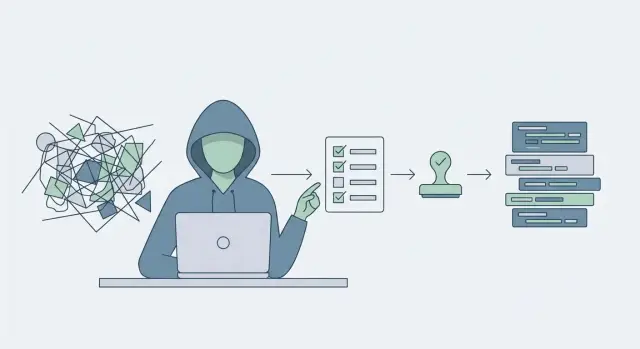
Why inherited repos keep breaking
An inherited repo is code you didn’t shape. The rules are unclear, the style is mixed, and “it worked on my machine” shows up because nobody knows what the repo expects.
The problems start small and turn into real failures: one file uses tabs, another uses spaces; a quick fix adds a dependency but doesn’t pin versions; a config file is edited by hand and drifts away from what production needs. Even simple changes become risky because the repo is full of hidden assumptions.
Relying on CI-only checks is usually too late. CI runs after the commit is already shared, reviews are already in motion, and people have already pulled the broken state. When CI fails, you burn time rerunning pipelines, rebasing, and guessing which change triggered the problem. Over time, reviewers stop trusting the signals because failures feel “normal.”
The real damage is how small bad commits stack up:
- A tiny formatting change creates noisy diffs, so a real bug slips through.
- A lint issue is waved off “for later,” then becomes a pattern.
- A test isn’t run locally, so a broken build blocks everyone.
- A secret gets committed and forces a scramble to rotate keys.
Pre-commit hooks help because they move the most common checks to the earliest point: before a change becomes a shared problem. They also create a consistent baseline without long debates about “the right way.”
When it’s working, it looks boring (in a good way): fewer broken builds, smaller diffs, and faster merges because reviews focus on logic instead of style.
What pre-commit guardrails should catch
Inherited repos fail in predictable ways. The goal isn’t to block every commit. It’s to stop the few high-impact mistakes that create noise, break builds, or leak data.
Start with formatting drift. Unformatted files create huge diffs that hide real changes. A one-line bug fix shouldn’t come with 400 lines of whitespace churn. Auto-formatting on commit keeps reviews readable and makes merges less painful.
Then catch lint issues that point to real bugs, not style opinions: undefined variables, unused imports, suspicious comparisons, missing awaits, or dangerous patterns like string-built SQL. If your linter mostly complains about commas, people learn to ignore it.
Secrets are the big one. Keys slip in when someone copies a .env into the repo, pastes a token into a config file, or adds a debug log with credentials. A secret scan should block the commit before it ever reaches a remote.
Finally, run quick tests that cost seconds, not minutes. The best hook is the one people keep enabled. A small smoke test, a fast unit subset, or a basic type check catches obvious regressions early.
A practical set of things worth blocking:
- Auto-format changes (so diffs stay small)
- High-signal lint errors (likely bugs)
- Detected secrets (tokens, API keys, private keys)
- Fast tests or type checks (quick red-green feedback)
- Sanity checks (valid JSON-YAML, lockfile consistency)
Pick a small toolset that fits your repo
When you inherit a repo, the goal isn’t “maximum coverage.” The goal is fewer broken commits. Start with three or four checks you can trust, then add more only after the team stops fighting the tool.
A good starter set:
- A formatter (auto-fixes, no debate)
- A linter (catches real mistakes, not style)
- A secret scan (stops keys and tokens from leaking)
- One fast test or build check (seconds, not minutes)
Match the tools to the language you actually run. If you have multiple languages, keep checks scoped to their folders so one side doesn’t slow down the other.
Speed matters more than perfection. If a hook takes 30 to 60 seconds, people will bypass it. Prefer tools that are predictable: same output on every machine, low false positives, and clear fixes.
Decide what blocks a commit and what only warns. Blocking should be reserved for things that are almost always wrong (formatting, obvious lint errors, secrets). Warnings are better for “maybe” rules (complexity limits, strict style rules) until the repo is stable.
If you’re working in a monorepo, a simple rule helps: run only what changed. If you edit the API folder, run API lint and a fast API test, not the entire repo.
Step-by-step: add pre-commit to an inherited repo
Create a baseline branch (or tag) from the current main branch. Then run the checks once across the whole repo to see the blast radius. This first run isn’t about perfection. It shows what’s already broken, what’s just style noise, and what will block everyone on day one.
Next, choose how you want to run hooks.
- A pre-commit framework is easier to share across the team and behaves the same on most machines.
- Native git hooks are simple, but they’re local-only by default, so people forget them or never install them.
For most teams, a shared, repo-configured setup works best because the configuration can be reviewed like any other change.
Keep the configuration boring: one file, clear names, and only checks you actually want to enforce. Install hooks locally and confirm they run by making a tiny change and committing it.
A rollout that avoids drama:
- Create a baseline branch and run all hooks once to record what fails.
- Add the config file to the repo and keep the first set of hooks small.
- Install hooks and verify they run on a real commit.
- Start by running only on changed files (or warn mode), then switch to blocking.
- Add one new hook at a time so failures are easy to understand.
Gradual enforcement matters. If your first commit blocks on 700 formatting changes, people will bypass the hooks. Fix high-risk issues first (secrets, obvious lint errors), then circle back to formatting.
Add formatting that stops style debates
Formatting is the easiest guardrail to add, and it pays off fast. Pick one formatter per language and treat it as the single source of truth. Once the repo has a consistent style, reviews can focus on logic, not whether someone used tabs or a different quote style.
For speed, run formatting only on staged files. That keeps commits snappy and avoids the “I touched one line and 2,000 lines changed” problem.
A good formatting baseline also prevents noisy diffs that waste time:
- Normalize line endings (so Windows and macOS don’t fight)
- Remove trailing whitespace
- Ensure files end with a newline
- Keep file encoding consistent (usually UTF-8)
Be careful with generated files and vendor folders. You usually don’t want a formatter rewriting build outputs, lockfiles you don’t own, or copied third-party code. Exclude them explicitly so formatting stays predictable:
# Example idea (not a full config)
exclude: "^(dist|build|vendor|\.next|coverage)/"
Finally, agree on when formatting happens. If you format on save in an editor, formatting on commit should match it, not fight it. A simple rule works well: format on save for day-to-day comfort, and enforce formatting on commit so the repo stays clean even when someone uses a different editor.
Add linting that catches real issues
Linting is most useful in inherited repos when it prevents real bugs, not when it starts arguments about commas. With pre-commit hooks, the goal is simple: stop obvious mistakes before they land in a branch and waste time in CI.
Pick one linter that matches your main language and configure it to prioritize bug signals over personal style. Rules that usually pay off quickly include:
- Unused variables and imports
- Missing error handling (uncaught promises, ignored return values)
- Unsafe string building (a common source of injection bugs)
- Suspicious comparisons and unreachable code
- Copy-paste mistakes and duplicated logic
If your repo is typed, add a lightweight type check where it helps. Don’t start by type-checking the entire world. Target the parts that break production most often (auth, payments, data access), then expand.
Legacy code is why linting fails in inherited projects. Don’t “fix the world” just to merge a guardrail. Use targeted ignores or limit linting to changed files. Another option is a temporary baseline so the hook blocks only new violations, then you burn down old issues over time.
Make the output friendly. Prefer configs that show a short explanation and a suggested fix, and enable auto-fix where safe.
Keep runtime predictable. A hook that sometimes takes 5 seconds and sometimes takes 2 minutes will get disabled. Aim for consistent, fast checks on staged files, then leave heavier analysis for CI.
Add secret scanning before anything hits the remote
Inherited repos often hide secrets in plain sight. A quick secret scan in your pre-commit hooks catches obvious leaks (API keys, access tokens, private keys, OAuth client secrets) before they leave a laptop.
Use a scanner that can detect patterns and block new leaks. Many teams choose tools that can fail the commit when a new secret is introduced, while still allowing a reviewed baseline of known findings.
Make the rule simple: block commits that add new secrets. If the hook fires, the developer removes the secret or marks it as a reviewed false positive through a controlled process (not by disabling the hook).
For exceptions, prefer an explicit allowlist that’s easy to review. Keep the baseline in version control and treat changes to it as meaningful.
Secrets usually sneak in through a few predictable places:
- .env files and local config
- Sample settings files
- Debug logs and error dumps
- Test fixtures and recorded HTTP responses
- Copy-pasted snippets from vendor dashboards
If you discover a secret was already committed, treat it as compromised, even if the repo is private:
- Rotate or revoke the key-token
- Remove it from code and replace it with an environment variable
- Check git history and purge it if needed
- Search for where it was used (logs, deployments, CI)
- Add a regression check so it can’t happen again
Add quick tests that developers will actually run
The only tests that help at commit time are the ones people don’t skip. Aim for a small, reliable set that finishes in under 60 seconds on a normal laptop. If it takes longer, developers will bypass it and your guardrail turns into noise.
Start with smoke tests that prove the repo still builds and the most important paths still work. Good candidates are tests that catch obvious breakage fast, not full coverage.
What to run in pre-commit
Keep this short and tied to failures you’ve actually seen:
- Build check (compile, typecheck, or a minimal bundle)
- Database migration sanity (validate schema or apply to a throwaway DB)
- One or two API call tests (health endpoint, core create-read flow)
- Auth smoke test (login works, protected route stays protected)
- A minimal unit test subset tagged as “smoke” or “fast”
Make the command work on any machine with minimal setup. Prefer a single entry point (for example, a make task or package script) that fails with clear output. Avoid requiring special services that exist only on one developer’s laptop.
Where the heavier tests go
If a test suite takes minutes, move it out of pre-commit:
- Pre-commit: fast smoke tests only
- On push or PR: full unit tests and integration tests
- Nightly: slow end-to-end tests, load checks, dependency audits
To keep tests deterministic, reduce flaky network dependencies. Stub external APIs, freeze time where needed, and use local fixtures. If you must hit a service, make it optional and skip by default in pre-commit.
Example: stabilizing an AI-generated prototype repo
Picture a repo that started as a quick prototype from an AI coding tool. It demos well, but production keeps breaking. Auth sometimes loops back to the login screen, folders are a mess, and every change risks opening a new hole.
This is where pre-commit hooks shine: add small guardrails that stop the worst mistakes early, without starting a big rewrite.
A simple three-commit rollout keeps trust high:
- First commit: add a formatter and a basic linter with safe defaults.
- Second commit: add secret scanning, remove any committed
.envfiles carefully, replace them with an example file, and rotate leaked keys. - Third commit: add one smoke test that mirrors the last outage (for example, an auth flow that must produce a valid session).
When you explain these changes to a non-technical founder or client, focus on outcomes:
- “This blocks accidental leaks of passwords and API keys before code leaves a laptop.”
- “This catches obvious mistakes before they waste time in CI or during deploy.”
- “This one quick test prevents the specific outage you just paid for.”
- “None of this changes features. It just makes future changes safer.”
Common traps and how to avoid them
Inherited repos already have enough friction. The fastest way to make pre-commit fail is to make it feel like a punishment. Good guardrails are quiet most of the time, and loud only when they catch something that would cost you time later.
Keep hooks fast and predictable
The top trap is making hooks so strict that nobody can commit. If it takes longer than a minute, people will reach for bypass flags and stop trusting the setup.
Practical rules:
- Run only fast checks locally (format, lint, secrets, and a small smoke test).
- Don’t run the full test suite on every commit.
- Fix only staged files. Auto-fixing unstaged files creates surprising diffs.
- Start with warnings for noisy rules, then tighten them once the repo is cleaner.
- Make output clear: one error message should tell you what to do next.
If your formatter or linter regularly touches files that weren’t part of the commit, switch to a staged-only mode (or a tool that supports it) so the hook never edits work in progress.
Make bypassing a conscious choice
Another common failure mode is letting people ignore hook failures without a plan. Sometimes bypassing is valid (hotfix, broken upstream tool, urgent demo), but it should be a deliberate exception.
Set expectations in the repo:
- Document when bypass is allowed and what follow-up is required.
- If someone bypasses, CI should still catch the same class of problems.
Watch for CI parity issues. If developers run one version of a linter locally and CI runs another, you get “works on my machine” commits. Pin tool versions and keep local hooks aligned with CI so failures are consistent.
Quick checklist and next steps
If you’re adding pre-commit hooks to an inherited repo, keep the first pass small and reliable. You’re trying to catch obvious problems early, without making commits feel like a punishment.
A baseline you can set up in an afternoon:
- Auto-format on commit
- Lint only the files you touched (fast, high-signal rules)
- Scan for secrets (keys, tokens, private keys, accidental .env commits)
- Run one fast test command (smoke test or a focused unit test set)
- Pin tool versions
Roll it out in stages so the team doesn’t fight the change:
- Baseline: run hooks only on new or changed files
- Warn: make hooks fail locally, but don’t block CI yet
- Enforce: block commits and fail CI when hooks fail
After a week, you should see fewer “fix formatting” commits, fewer PR comments about style, fewer CI failures caused by easy-to-catch issues, and faster reviews because people focus on logic instead of noise.
Know when to stop patching. If every hook uncovers deeper problems (flaky tests, randomly breaking auth, leaking configs, tangled modules), guardrails won’t fix the foundation. That’s when you need focused repair work: restructure, harden security, and get to a place where quick tests actually mean something.
If the repo started as an AI-generated prototype and keeps breaking in production, FixMyMess (fixmymess.ai) is built for that exact situation: diagnosing the codebase, fixing logic and security issues, and preparing it for deployment. A quick audit can also help you decide which guardrails to enforce first so you don’t slow the team down.
FAQ
Why use pre-commit hooks if we already have CI?
CI catches problems after the bad commit is already shared. Pre-commit hooks stop the most common mistakes before they reach your branch, your teammates, or your pipeline, which reduces broken builds and time wasted rerunning CI.
What are the first guardrails I should add to an inherited repo?
Start small: a formatter, a high-signal linter, a secret scan, and one quick test or type check. This set prevents noisy diffs, obvious bugs, leaked credentials, and easy regressions without turning commits into a slow chore.
How fast should pre-commit hooks be?
Aim for under 60 seconds on a normal laptop, and prefer checks that run only on staged or changed files. If hooks feel slow or unpredictable, people will bypass them and you lose the whole benefit.
How do I avoid a huge “format everything” diff?
Format only what you’re committing, not the whole repo. That keeps diffs small, avoids surprise changes in unrelated files, and makes it easier to merge a guardrail into a messy codebase without starting a formatting war.
How can I enforce linting without breaking the whole repo?
Use a baseline run to see what currently fails, then configure hooks to block only new violations at first. This lets you keep shipping while you gradually clean up legacy problems instead of trying to fix the entire repo in one painful PR.
What should we do when a hook finds a secret?
Make secret scanning a hard block for new leaks, and treat any committed secret as compromised. Remove it from code, rotate or revoke it, and then keep the scanner enabled so the same mistake can’t slip in again.
What tests belong in pre-commit vs CI?
Start with a simple smoke test that reflects real outages you’ve seen, like an auth flow that must produce a valid session or a minimal build that must succeed. Keep heavier integration and end-to-end tests for CI so local commits stay fast and reliable.
How do pre-commit hooks work in a monorepo?
Scope checks to the folders you touched so editing the API doesn’t trigger a full front-end build, and vice versa. The default should be “run what changed,” otherwise monorepos quickly make hooks too slow to keep enabled.
When is it okay to bypass hooks?
Allow bypass only for true emergencies, and make it a conscious choice with a clear follow-up. Even when someone bypasses locally, CI should still run the same class of checks so exceptions don’t become normal behavior.
When should we stop adding guardrails and get outside help?
If every change keeps breaking auth, leaking configs, or uncovering deeper structural issues, hooks won’t fix the foundation—they’ll just surface the pain sooner. If your repo came from AI tools and you need it production-ready, FixMyMess can run a free code audit and then diagnose, repair logic, harden security, refactor, and prep deployment, with most projects finished in 48–72 hours and a 99% success rate.