Prepare an AI-generated repo for remediation without delays
Prepare an AI-generated repo for remediation with clear steps to reproduce bugs, limit access, rotate secrets, and hand off safely to experts.
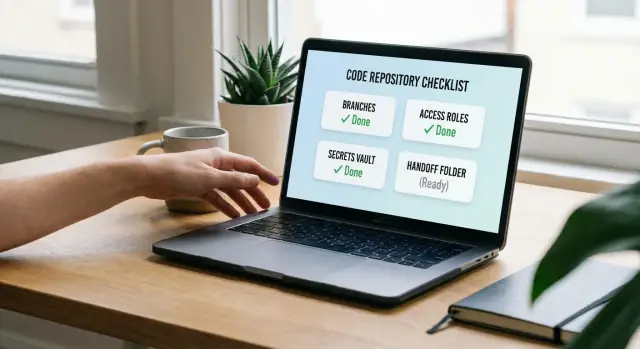
What a good remediation handoff looks like
Handoffs go sideways for the same reasons every time: the repo runs only on one person’s laptop, setup is unclear, and “temporary” secrets ended up in code (or a screenshot). With AI-generated projects, there’s a common extra twist: parts of the app look finished, but key flows break in production because the logic is inconsistent or the architecture is tangled.
A good handoff does three things:
- Makes failures easy to reproduce
- Reduces security risk
- Cuts back-and-forth so fixes can start right away
If an expert can pull the repo, run one or two commands, and hit the same failure you’re seeing, the work starts immediately.
“Expert remediation” isn’t automatically a redesign or a full rewrite. Most of the time it means diagnosing what’s wrong, repairing broken logic, tightening security (especially auth and input handling), refactoring the worst code paths so changes stop breaking other features, and getting the app ready for deployment.
You don’t need to be technical to do a solid handoff. You just need to collect a few things and keep them in one place:
- One repo with a clear starting point (main branch or a dedicated handoff branch)
- A short “what should work” vs “what fails” description
- A way to run the app locally or in a test environment
- Secrets handled safely (no keys in code, clear rotation plan)
- One person who can answer product questions quickly
Example: a founder shares a prototype that “logs in sometimes.” A good handoff includes one test account, steps that reproduce the login failure, and confirmation that any exposed keys were rotated before access is granted.
Collect the minimum context experts need
Fixing AI-generated code goes much faster when the repo comes with a small amount of clear context. You don’t need a long spec. You do need enough to understand what the app is supposed to do, how it was produced, and what “done” means for you.
Start with the origin story. Write down which AI tools were used (Lovable, Bolt, v0, Cursor, Replit, and any others), plus the prompts or instructions you gave. If you no longer have the exact prompts, a rough summary is fine, like: “Generate a Next.js app with email login, Stripe checkout, and an admin page.” This helps experts spot common patterns and likely failure points.
Add a one-paragraph product summary that answers three questions:
- Who the users are
- What the main flows are
- What must work first
Example: “Users sign up, create a workspace, invite teammates, and pay for a plan. First priority is signup/login and checkout, then the dashboard.”
Then describe the current state in plain language. Separate it into what works, what’s broken, and what feels risky (even if you’re not sure why). Focus on symptoms and frequency, not theories.
Finally, capture constraints so nobody has to guess:
- Deadline (hard date, or “as soon as possible”) and budget guardrails
- Hosting preference (or what you use today) and any environment limits
- Required integrations (payments, email, auth providers, analytics)
- Non-negotiables (keep UI, keep DB, must pass a security review)
Inventory the repo and its moving parts
Before anyone can fix an AI-generated project, they need to know what’s actually in scope. A quick inventory prevents the classic failure mode: someone starts debugging, then discovers there’s a second repo, a missing submodule, or a deployed version that doesn’t match the code you shared.
Start with basics: where the repo lives (GitHub, GitLab, Bitbucket, or a zip export) and what the default branch is. Share the latest commit that matches what you want fixed. If the app was generated across multiple tools, confirm whether it’s a single repo or split into separate frontend and backend repos.
Write down the moving parts at a high level. Keep it simple: framework, database, and auth provider are usually enough. For example: “Next.js app, Postgres, auth via Supabase.”
Capture deployment reality too. If there’s a preview or production deployment, note where it runs (local only, preview, production) and whether it currently works. If it only works locally, say that plainly.
A small inventory note often covers everything an expert needs:
- Repo location, default branch, and latest commit hash
- Any extra repos or submodules that must be pulled
- Key services used (DB, auth, storage, payments)
- Current deployment status and what’s broken
- Where environment variables live today (hosting settings,
.envfiles, secret manager)
Make problems reproducible without long explanations
Experts move fastest when they can see the failure in minutes, not after a long call. Your goal is to turn each issue into a repeatable recipe that behaves the same way on every machine.
For each major problem, write a tiny repro note in one place (for example, REPRO.md or a short ticket). Keep it consistent:
- Setup needed (branch, env file name, seed step)
- Steps (3 to 8 actions: click this, run that)
- Expected result
- Actual result
- Evidence (error text copied exactly, plus a screenshot if it’s UI-related)
Add safe data that makes the issue show up reliably. That might be a dummy user ([email protected]), a sample organization, or a known record in a local database. If a bug only happens with real production data, say so and describe the smallest data shape needed (fields, sizes, edge cases) without pasting sensitive values.
Prioritize so nobody burns time on the wrong thing. Label issues as P0 (blocking), P1 (serious), or P2 (nice-to-fix). P0 might be “login always fails” or “checkout returns 500.” P2 might be “settings page layout breaks on mobile.”
Also note what you already tried. Even a one-liner helps: “rotated the API key,” “rolled back a dependency,” “added logs in auth callback.” It prevents people from repeating dead ends.
Step-by-step: create a clean handoff branch
Experts can only move quickly if they’re looking at the exact state that fails. A clean handoff branch (or a tag) locks that state so nobody has to guess which commit you meant when you say, “it breaks on login.”
A simple approach:
- Create a branch like
handoff-YYYY-MM-DDfrom the current default branch. - Confirm the failure still happens on that branch.
- Stop merging into it. If work must continue, limit merges to one person and require a short note in the PR description.
- Add a short note in
README(or aCHANGELOGentry) listing what changed recently: new pages, new env vars, auth changes, database tweaks. - Optional: tag the exact commit you want reviewed (for example
handoff-ready).
This prevents “moving target” debugging, where a fix appears to work but the underlying code changes again mid-investigation.
Limit repo access safely during remediation
Access control is part of the fix. If too many people can push to the same branch, you lose track of what changed and you end up debugging a moving target.
Start with least privilege. Many remediation efforts only need read access at first to review code, run it, and document issues. If the team must commit fixes, give write access only where needed (often a single repo or a single remediation branch) rather than broad org-wide access.
A simple access plan:
- Make an invite list: who needs access, what level (read or write), and when it expires
- Keep main protected and prefer a dedicated remediation branch
- Require pull requests for merges so changes have a record and a reviewer
- Block force-push on main and the remediation branch (if supported)
- Set a calendar reminder to revoke access when the work is done
Even if you trust the contractor, you want a clean audit trail so you can answer basic questions later: what changed, why, and when.
Handle secrets and credentials without delays
Secrets are a common reason remediation stalls. With AI-generated repos, assume keys may have been copied into places you wouldn’t expect. Plan for rotation and a clean handoff before anyone starts making changes.
Start with a fast sweep for leaks: .env and .env.* files, config files, hard-coded constants in source, debug logs, and CI settings (build variables, pipeline logs, deploy settings). If you find a key in Git history or in a public paste, treat it as compromised.
Rotate first, then hand off. Create new API keys and passwords, confirm the replacement works, then disable the old ones. For sensitive services (payments, production email), schedule a short window and write down exactly what changed.
A clean way to share what’s needed without sharing secrets in plain text:
- List required environment variables by name and purpose (no values)
- Issue separate credentials when possible (new keys, temporary accounts, limited roles)
- Note where each secret is used (local dev, staging, production, CI)
- List connected services and which ones can be disabled during work
- Decide how you’ll send values securely (password manager, one-time share, secure vault)
If the app charges cards or sends emails, consider disabling live payments and production email during remediation. Provide staging keys and a test card setup so debugging doesn’t create real-world damage.
Provide a working local setup guide (even if it is short)
A short local setup guide saves hours. The goal isn’t perfect docs. It’s a repeatable way for someone else to run the repo, see the same failures you see, and start fixing fast.
Start with a minimal .env.example. Include only variables the app actually reads, and use safe placeholders.
# .env.example
NODE_ENV=development
DATABASE_URL=postgres://user:password@localhost:5432/app_db
JWT_SECRET=replace-me
STRIPE_SECRET_KEY=replace-me
WEBHOOK_SIGNING_SECRET=replace-me
Then add a tiny runbook in README.md (or RUNBOOK.md) with the exact commands you use. Keep it boring and specific. If something is unknown, say so.
Minimal runbook (copy/paste friendly)
- Install:
npm ci(orpnpm i/pip install -r requirements.txt) - Run:
npm run dev(expected URL/port:http://localhost:3000) - Tests:
npm test(if none: write “no automated tests yet” and how you manually verify) - Versions: Node
18.x(if unknown: “Node version unknown, repo currently runs on my machine”)
Finally, document one-time setup steps. These are common blockers in AI-generated repos: database migrations, seed data, and third-party webhooks.
Example:
- Database:
createdb app_dbthennpm run migrate(if the command is unknown, describe what you did) - Seed data:
npm run seedor “log in once to create the first admin user” - Webhooks: “use a dev webhook URL and confirm the signing secret is set”
Agree on scope: critical flows and security priorities
The fastest way to avoid delays is to agree on scope in plain language. Experts can fix almost anything, but they need to know what matters most and what “done” looks like.
Start by naming the few user journeys that must work end to end. Keep it short and pick what actually drives value today:
- Sign up and email verification
- Log in and password reset
- Create the main object (project, order, post)
- Edit and delete that object
- Checkout or billing (if applicable)
For each flow, write one success sentence anyone can test. Example: “A new user can sign up, verify email, log in, and see an empty dashboard with no errors.” Add one-line edge cases where needed, like: “wrong password shows a friendly message, not a crash.”
Then call out security priorities. If you only flag one area, flag auth:
- Authentication and session handling
- Admin actions and role checks
- File uploads (type checks, size limits, storage rules)
- Payments and webhooks (signature checks, replay protection)
If you have privacy or compliance constraints, write them down even if they’re informal: what counts as PII, whether you need audit logs, how long you keep data, and whether test data must be wiped.
Common handoff mistakes that waste days
Most delays happen because experts can’t safely reproduce the problem quickly. Avoid these traps.
Mistake 1: Sharing production credentials
Handing over real production keys feels fast, but it creates risk and often forces a pause while everyone argues about safety. Rotate secrets first, then create temporary access (time-limited tokens, least-privilege accounts, staging keys). If you can’t rotate immediately, provide a mocked config that lets the app boot without touching real services.
Mistake 2: Sending a zip with no repo history
A zip file removes context that helps fixes stick: commit history, branches, and a clean place to work. Keep the project in a proper repo, create a dedicated handoff branch, and include a short README with how to run and how to test.
Mistake 3: Fixes mixed with new features
If features land while remediation is underway, the target keeps moving and bugs reappear. Freeze product changes for a short window, or keep them on a separate branch. Remediation goes faster when everyone can point to one version and say, “this is what we’re fixing.”
Mistake 4: Vague bug reports
“Login broken” can mean ten different failures. Provide exact steps and a clear outcome. Include the environment (local, staging, prod), the exact error text, and when it last worked (if ever).
Mistake 5: Treating AI prompt history as documentation
Prompt logs rarely capture real constraints (roles, data rules, security needs). A simple note like “users must stay logged in across refresh” or “admin pages must be protected” saves hours.
Quick handoff checklist (10 minutes)
If you want the fastest win, aim for a handoff that doesn’t depend on private knowledge in someone’s head.
- Confirm repo access from a separate account (or incognito) so you know it works
- Create a handoff branch or tag and freeze unrelated changes
- Write repro steps for the top 3 issues and paste exact error text
- Rotate and list secrets by name, plus an
.env.example - Disable risky integrations during the debug window (payments, email, webhooks) when possible
Example: turning a shaky prototype into a clean remediation package
A founder has a Replit-built prototype that demos well, but users can’t log in reliably. Sometimes it throws 500 errors after signup. They want help, but they don’t want to leak production data or spend a week answering the same questions.
They create a handoff branch called handoff/remediation-jan18 and freeze it for diagnosis. If they must keep building, they do it on a separate branch.
Then they package three reproducible bugs:
- Login fails with “invalid session” after a successful OAuth callback (include test-user steps and the exact error)
- Signup returns 500 when the email already exists (include endpoint, payload, and response body)
- Refreshing a protected page sometimes logs the user out (include browser, steps, and console errors)
They add SETUP_NOTES.md with the minimum to run locally, plus an env var list with placeholders (DATABASE_URL=..., JWT_SECRET=..., OAUTH_CLIENT_ID=...).
For secrets, they avoid production. They generate temporary keys for the audit, and they rotate them immediately after remediation. If a third-party integration is required to reproduce the issue, they create a limited-scope test account with the smallest permissions possible.
What they don’t do: paste a production database password in chat, grant admin access to everything, or keep pushing commits while someone is trying to diagnose.
Next steps: getting expert help without turning it into a project
Decide what outcome you want before you involve anyone. Targeted fixes make sense when one or two flows are broken (login, payments, email). A refactor fits when it mostly works but the code is hard to change safely. A rebuild is often cheaper when the prototype is glued together, security is shaky, or every change breaks three things.
When you reach out, send one message that lets an expert start without a long back-and-forth:
- Repo access details (who, what role, and how long access should last)
- The handoff branch name
- Repro steps for the top 1 to 3 issues, plus expected vs actual behavior
- Your secrets plan (what’s temporary, what must be rotated, and when)
If you inherited AI-generated code and need it made production-ready, teams like FixMyMess (fixmymess.ai) focus on diagnosing and repairing AI-built apps, including security hardening and deployment prep. If you do only one thing before handing it off, make it possible to reproduce the problem in under 5 minutes.