Prevent account enumeration in signup, login, and reset
Learn how to prevent account enumeration by making signup, login, and reset responses indistinguishable, while keeping useful logs for support and analytics.
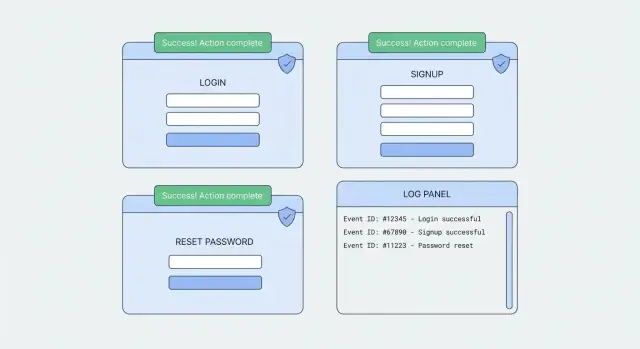
What account enumeration looks like in real life
Account enumeration is when someone can tell whether an email, username, or phone number is registered just by how your app responds. They don’t need to log in. They only need to try lots of guesses and watch for differences in messages, status codes, timing, or side effects.
Signup, login, and password reset are common targets because they’re public-facing and they naturally behave differently when an account exists. That makes it easy to leak clues by accident.
A simple example: a password reset form says:
- “We emailed you a reset link” when the email exists
- “No account found” when it doesn’t
An attacker can upload a list of 50,000 emails and quickly learn who uses your product. That list can be sold, used for harassment, or used for targeted phishing (“I know you have an account, click this link”). It also makes credential stuffing more efficient because attackers can focus only on emails they’ve already confirmed.
Enumeration is also a privacy issue. Even confirming that someone has an account can be sensitive for health, finance, workplace, or education products.
The goal is straightforward: make the user-facing outcome indistinguishable whether the account exists or not, while keeping strong internal visibility. Users should see the same message, the same status code pattern, and a similar response time. Internally, you still record the truth in logs and metrics.
The signals attackers use to guess if an account exists
Attackers don’t need your database. They only need tiny differences in what your app returns when someone types an email or phone number.
The most obvious signals are in the response itself: a 404 for “user not found” vs 200 for “reset sent,” or JSON like error: "no_such_user". Even if the text looks friendly, different status codes, error codes, or response shapes make it easy to automate.
UI behavior can be just as revealing. If the web app says “No account found” on login, but the mobile app always says “Check your email,” attackers will use the easier one. The same issue shows up when HTML pages differ from JSON APIs: one might leak a hint in the body, a header, or a redirect.
Common signals attackers measure:
- Status codes and error codes (200 vs 404,
USER_NOT_FOUNDvsINVALID_PASSWORD) - Message text and UI states (different banners, field highlights, disabled buttons)
- Response timing (fast fail for unknown users, slower path for real users)
- Secondary prompts (CAPTCHA appears only after a “real” email)
- Out-of-band effects (email/SMS only sent for existing accounts)
Timing differences matter more than most teams expect. If a reset request returns in 40 ms for a missing email but 400 ms when it generates a token, writes to the database, and queues an email, attackers can use that gap as a reliable signal.
Also watch for accidental leakage through tooling. If internal error detail or reason codes are mirrored to the client (directly or via verbose client-side logs), attackers can learn “user exists” without your UI ever saying it.
Choose one safe response pattern for each endpoint
The fastest way to reduce enumeration risk is to decide up front what the user will see in each flow, then stick to it: the same message, the same screen, and the same next step.
Treat each flow separately (login, signup, reset), but be consistent within the flow. Keep language neutral and non-committal. Avoid phrases that confirm existence like “not found”, “no account”, “already registered”, or “user does not exist”.
Safe response patterns that usually work:
- Login: Use a generic failure like “We couldn’t sign you in. Check your details and try again.” Keep the same help options available every time.
- Signup: Show something like “If you can receive emails at this address, you’ll get next steps shortly.” Don’t change the UI based on whether the address is already in use.
- Password reset: Always show “If an account matches that email, we sent reset instructions.” Always route to the same confirmation screen.
Text is only part of it. Attackers watch the full behavior. Keep these aligned across outcomes:
- Same HTTP status code pattern
- Similar response time range (avoid obvious fast-fail paths)
- Same page, buttons, and calls to action
- Same number of steps before confirmation
A practical approach for reset: always show the confirmation screen immediately and kick off the work in the background. Internally, log whether an email was sent, bounced, suppressed, or blocked, but never reflect that in the response.
Step by step: make responses indistinguishable
You need one clear contract: an endpoint should look the same to an outside caller whether an account exists or not. That means matching the visible message, the HTTP status, and the “feel” of the response.
Start by writing down what you have today, then tighten it with small, testable changes:
- Inventory every auth entry point: signup, login, password reset, email verification, “resend code”, plus every client that calls them (web, mobile, public API).
- Build a response matrix for each endpoint (success, wrong password, unknown email, locked account, MFA required). Mark which fields, status codes, and UI branches differ today.
- Standardize what the client can see: choose one status code strategy per endpoint and a response body that never confirms account existence.
- Normalize timing: if one path exits early, bring it closer to the slower path. You can add small jitter, or do the same kind of work on both paths.
- Update UI behavior to match the contract: don’t show “email not found”. Always show the same next step.
Then lock it down with tests, so it doesn’t regress when the code changes.
Tests to keep responses indistinguishable
Automated checks should compare outputs across cases that used to leak signals:
- Assert the same status code and response shape for “known email” vs “unknown email”.
- Assert failure messages are identical (or equally vague) across failure cases.
- Measure timing for both paths and fail the test if the gap exceeds a small threshold.
- Add an integration test that simulates a full reset request and confirms the UI doesn’t branch on “account exists”.
Signup, login, and reset: practical message templates
To prevent account enumeration, your public responses must look the same whether the account exists or not. The trick is to be boring on the outside while staying precise on the inside (logs, metrics, support tools).
Endpoint response templates (what the client sees)
Keep status codes and message shapes consistent. If you return JSON, always return the same fields.
- Login (any failure):
401with{ "error": "Invalid email or password." } - Signup (accept request, even if email is in use):
200with{ "message": "If you can sign up, you’ll receive an email with next steps." } - Password reset (always):
200with{ "message": "If an account exists for that email, we sent reset instructions." }
On login, it’s normal to return 401 for failed authentication. The key is that all login failures should look the same (unknown email vs wrong password), including response shape and timing.
Email/SMS templates (what the user receives)
Message content can also leak existence. Avoid “No account found” emails. Prefer silent behavior or generic notes.
Examples that work:
- Signup verification: “Confirm your email to continue. If you did not request this, you can ignore this message.”
- Reset email: “We received a request to reset your password. If you did not request this, ignore this message.”
- Reset SMS: “Your reset code is 123456. If you did not request it, ignore this message.”
For non-existent accounts, the safest pattern is often silent: show the same on-screen success message, but don’t send anything.
Preserve analytics and support tooling without leaking info
Uniform responses don’t mean you have to fly blind. You can capture exactly what happened, you just keep the detail on the server side.
A simple pattern: return the same user-facing message, but record a stable internal reason code for every request. These codes should never appear in API responses, UI copy, or client-side logs.
Examples of internal reason codes:
login_failed_no_userlogin_failed_wrong_passwordlogin_failed_mfa_requiredreset_requested_no_userreset_sent
Pair each auth request with a correlation ID generated on the server. Use it in server logs and audit events so you can trace a request across your auth service, email provider, and database without exposing anything to the user. If you show a request ID to users for support, keep it generic and make sure it doesn’t reveal account status.
Support teams still need to help real people. Keep support lookup tools behind staff authentication and default them to minimal output. “Account found” is fine inside the console; it should never be something a public caller can infer.
Be strict with PII. Log as little as you can while staying useful:
- Hash or tokenize emails in logs where possible
- Store full emails only in systems that already have a policy for them
- Keep retention short unless compliance requires longer
Add guardrails: throttling, detection, and abuse controls
Uniform messages are the baseline, but not the whole defense. You also need guardrails that slow attackers down and help you spot patterns early.
Throttling and progressive delays
Start with rate limits that make automation expensive without hurting normal users. Apply limits by IP and device fingerprint, and add a careful check on the submitted identifier (email/phone) without turning it into a new signal. A common approach is to keep separate counters and apply the strictest result.
After repeated attempts, add delays that grow over time. Keep delay behavior the same whether the account exists or not. If you add a lockout, don’t say “account locked” in the user message. Treat lockout as an internal state.
A practical setup:
- Per-IP cap (short window) to stop bursts
- Per-device cap to catch shared IPs (cafes, offices)
- Per-identifier cap to slow targeted guessing
- Progressive delay after N failures, applied uniformly
- Soft lockout with a cooldown, plus internal alerting
CAPTCHA can help, but don’t show it only when an email exists. Trigger it based on risk signals (volume, velocity, suspicious automation hints), and keep the user-facing text consistent.
Detection and abuse monitoring
Enumeration has patterns you can monitor. A bot may try hundreds of unique emails from one IP, or a few emails from many IPs.
Track and alert on:
- High request volume to login/reset/signup
- Many unique identifiers per IP or device
- Repeated attempts with low success rate
- Spikes at odd hours or from new regions
- Patterns across endpoints (reset then login using the same identifiers)
Common mistakes that reintroduce enumeration
Many teams fix the obvious message text, then leak account existence through side channels. Attackers test the whole flow, not just the sentence on the screen.
Different HTTP status codes are an instant signal. If a known email returns 200 but an unknown email returns 404 (or 422), bots will spot it immediately.
Timing is the next giveaway. One path hits the database, sends an email, or does password hashing while the other exits early. You don’t need perfect constant time, but you should avoid consistent fast-fail vs slow-path gaps.
Email content can leak too. Reset emails that include plan name, last login, or a personalized greeting confirm the account is real. Keep reset emails generic until the user proves control of the inbox by following the token.
UI logic often leaks. A “Create account” prompt that only appears when the email is unknown is a hint. Inline validation like “email already used” during signup is helpful to honest users, but it’s also a directory for attackers.
Quick checklist:
- Return the same status code strategy and same shaped JSON for both outcomes
- Keep response time in the same ballpark for both paths
- Avoid field-level errors that imply existence
- Don’t change UI options based on whether an email exists
- Keep reset emails generic until the user verifies control
Quick checks before you ship
Before you ship changes, test like an attacker. An outside caller shouldn’t be able to tell whether an account exists, while your team still gets the truth in internal telemetry.
A fast checklist:
- For login and password reset, confirm you return the same status code pattern for existing and non-existing accounts.
- Compare response bodies side by side. They should have the same fields, data types, and roughly similar length.
- Read email and SMS copy like a stranger. Messages should never confirm that an address or phone number is registered.
- Verify internal logs record the real outcome (user found vs not found, token created vs skipped) with a request ID your support team can search.
- Confirm support tools show outcomes only after staff authentication, not in public responses.
Then do a timing sanity check. Pick one endpoint (reset is a good start), and test 20 to 30 requests with an email that exists and one that doesn’t. You’re looking for a clear, repeatable gap. If you see one, pad the fast path or move expensive work to an async job.
Example: fixing a leaky password reset flow
A small SaaS team starts getting reports from customers: “Someone keeps trying to reset my password.” Their logs show many reset requests for addresses that look like a customer list. The pattern is classic: someone is probing which emails exist.
The old password reset endpoint had two outcomes that were easy to spot:
- If the email didn’t exist: “Email not found. Try signing up.”
- If the email existed: “Check your inbox for a reset link.”
That difference is enough to confirm valid accounts at scale. Even if the UI looks similar, small changes in status code, response body, or response time can still leak.
The fix is to make the public response identical every time, then record the real outcome internally using reason codes.
Public behavior (new): the same UI message and the same HTTP status for all requests, such as: “If an account exists for that email, we sent instructions.”
Internal behavior (new): write a structured event so analytics, security, and support can still act:
{
  "event": "password_reset_requested",
  "email_hash": "sha256(...)" ,
  "result": "SENT" ,
  "reason_code": "OK",
  "ip": "203.0.113.10",
  "user_agent": "...",
  "request_id": "..."
}
If the email doesn’t exist, keep the same public response but log result: "NOOP" with reason_code: "ACCOUNT_NOT_FOUND". If you block for abuse controls, log reason_code: "RATE_LIMIT".
Support can still help without confirming anything publicly. If someone says “I never got the email,” support can look up the latest reset event by email hash or request ID. If events show repeated NOOP, the user likely typed the wrong address. If events show SENT but no delivery, you can check bounces at the email provider without changing what the reset form reveals.
To validate the fix, do a before/after test: try reset with one known email and one random email, then compare status codes, response body, and timing. They should be indistinguishable from the outside, while your logs still show the true outcomes.
Next steps: roll out safely and get a second set of eyes
Standardize one endpoint at a time. Password reset is often the highest value because it’s easy to probe and frequently leaks obvious differences. Once reset is consistent, move to login, then signup.
Before you deploy, keep a simple test plan that covers both your web UI and any API clients (mobile apps, integrations, CLI tools). Be strict about what “same response” means across all of them.
- Try valid and invalid emails/usernames and compare status codes, body shape, and timing
- Test locked accounts, unverified emails, and MFA-required users
- Confirm the UI still guides real users without saying “that account exists”
- Verify logs and metrics still capture the real outcome internally
- Check localization, since translations can reintroduce different messages
If you’re dealing with AI-generated auth code, it’s worth assuming there are hidden leaks (extra JSON fields, early returns, different error handling between clients). FixMyMess (fixmymess.ai) focuses on diagnosing and repairing these kinds of production-breaking issues, including tightening auth responses while keeping internal telemetry useful for support and security.
FAQ
What is account enumeration, in plain terms?
Account enumeration is when someone can tell whether an email, username, or phone number is registered based on differences in your app’s responses. Those differences might be message text, HTTP status codes, JSON fields, UI behavior, timing, or whether an email/SMS gets sent.
What’s the safest overall strategy to prevent enumeration?
The safest default is to make the public response indistinguishable: same message, same general response shape, and a similar response time whether the account exists or not. You can still record the real outcome internally in logs and metrics so your team doesn’t lose visibility.
How should I handle login errors without revealing whether a user exists?
Login is easiest to leak because “unknown email” and “wrong password” often produce different errors or status codes. Keep all login failures looking the same to the client, and avoid returning different error codes or fields that hint at the true reason.
How can I prevent enumeration during signup if an email is already registered?
Don’t show “email already in use” or change the screen depending on whether the address is registered. A safer approach is to accept the request and show a neutral message like “If you can sign up, you’ll get next steps,” then handle the real case internally (invite flow, verification flow, or support path).
What’s the recommended pattern for a password reset endpoint?
Always show the same confirmation message like “If an account matches that email, we sent instructions,” and route to the same confirmation screen every time. For non-existent accounts, it’s often safest to do nothing (no email) while still logging that the request happened.
What are the most common signals attackers use to detect account existence?
Different status codes, different JSON shapes, different redirects, and even different UI hints (like showing a “Create account” button only for unknown emails) can all be signals. Timing differences are also a common leak if one path does more work and the other returns early.
How do I reduce timing leaks without making everything painfully slow?
Aim for the same “feel” rather than perfect constant time. If the non-existent path returns much faster, pad it slightly or move expensive work (like token creation and email sending) into an async job so both requests return in a similar time range.
How can I keep good analytics and support visibility while hiding account existence publicly?
Keep client responses generic, but write precise server-side events with internal reason codes (for example, “no user,” “wrong password,” “rate limited”). Use a server-generated request ID to correlate auth logs, email/SMS provider events, and support investigations without exposing account status to the user.
What guardrails help beyond uniform messages (rate limits, CAPTCHA, lockouts)?
Rate limit by IP and also consider device and identifier-based limits, but make sure the user-facing behavior stays uniform. If you add delays, CAPTCHA, or lockouts, trigger them based on abuse signals, not on whether the account exists, and keep the on-screen messaging consistent.
Why do AI-generated auth implementations often leak enumeration, and how can FixMyMess help?
It’s common for AI-generated auth flows to leak details through extra JSON fields, inconsistent status codes across web vs mobile, early returns, or verbose client-side logging. FixMyMess can run a free code audit to find enumeration leaks and other auth issues, then repair and harden the flow so it behaves consistently in production while preserving internal telemetry.