Prevent Double Submits: Safe Button Clicks Without Confusion
Prevent double submits with clear UI states, request tokens, and server checks so users do not trigger duplicate charges or repeated actions.
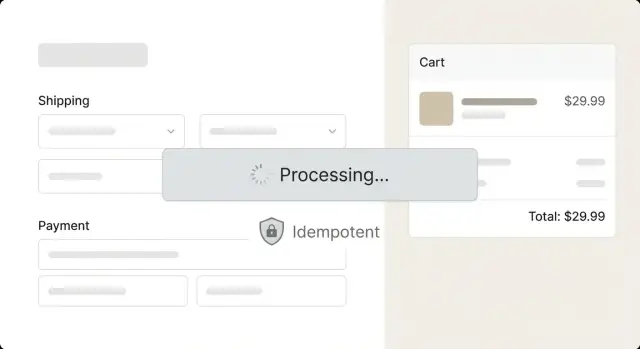
What goes wrong when a button is clicked twice
A double-click is rarely intentional. More often the page feels slow, the button doesn’t visibly react, and people click again to make sure it worked. On mobile, a tap can register twice if the UI lags.
The issue is straightforward: many button clicks trigger side effects. If your app treats each click as a brand-new action, you can run the same side effect twice even though the user only meant to do it once.
Common outcomes:
- Two orders created for the same cart
- Two payment attempts for the same invoice
- Two confirmation emails (or SMS) sent
- Duplicate rows in your database (users, invites, tickets)
- A “create” action that runs twice and breaks a later step
This is both a UX problem and a data integrity problem. Users see confusing sequences like “Success” followed by an error, or they get charged twice and lose trust fast. Your team then has to clean up refunds, merge records, and answer support tickets.
Slow networks make it worse. A request can be sent successfully, but the response arrives late, so the UI still looks idle. Some users refresh, reopen the app, or retry, which creates the same duplicate effects as a double-click.
The goal isn’t just to block extra clicks. People should get clear feedback that something is happening, and the system should still be safe if the user retries, refreshes, or the request gets repeated.
Which actions need protection (and which usually do not)
A “side effect” is anything your app does that changes the world outside the screen: creating a record, charging a card, sending an email or text, updating a password, reserving inventory.
“Safe” actions are usually reads. Loading a page, searching, sorting, opening a modal, or refreshing a dashboard can be repeated without real damage. They might be annoying if they flicker, but they don’t create lasting consequences.
The actions that most often need protection are the ones that create or finalize something, move money or credits, send messages, change access, or trigger downstream integrations.
Hidden repeat triggers are common. People hit Enter on a form, double-tap on mobile when the UI feels slow, or click again because the button didn’t show a clear working state. Browsers and networking layers can also replay requests after a temporary drop.
It can even happen with one click: a request times out, the user refreshes and tries again, or the network delivers the same request twice. The safest mindset is simple: any action with a side effect should assume duplicates are possible and handle them gracefully.
UI patterns that prevent confusion while blocking repeats
Double submits often happen because the interface doesn’t clearly acknowledge the first click. The fastest fix is to block repeat clicks. The better fix is to block repeats while making it obvious that work is in progress.
Disable the button the moment it’s clicked and make the disabled state look intentional, not broken. Pair it with a label change like “Saving...” or “Placing order...”. If the action fails, return the button to normal and show an error message that tells the user what to do next.
Keep the layout stable. If the button text changes length and the UI shifts, a second click can land on a different element. Reserve space for the loading label or keep the button width constant.
Small UI cues that reduce repeat clicking
A few small cues go a long way:
- Change the label to a short status (“Saving...”). Use a spinner only if it won’t cause layout jumps.
- Keep the button the same size and in the same place, even when disabled.
- For longer actions, add a helper line like “This can take up to 20 seconds.”
- If there are steps, show progress text (“Step 2 of 3”).
For actions that take longer than a second or two, set expectations early. A short message is often better than a vague spinner. If you can estimate time, be honest and round up.
Client-side guardrails: disable, debounce, and in-flight locking
Most double submits start the same way: the UI keeps accepting clicks while the first request is still running. Your first line of defense is a clear pending state that blocks repeats without making the app feel frozen.
A good pending state has two jobs: stop extra clicks and show the user that something is happening. If you only disable the button with no feedback, people will click elsewhere or refresh the page.
A practical client pattern:
- Set a
pending = trueflag immediately on click. - Disable the button and show a loading label.
- Ignore further clicks while
pendingis true (don’t queue them). - Re-enable only on success, or on a known failure state you can explain.
- Always clear
pendingin afinallystep so errors don’t lock the UI.
Debouncing is different. Disabling blocks repeats during an in-flight request. Debouncing filters rapid-fire events (like a trackpad double tap) inside a short window, such as 250 to 500 ms. Use it as a light guard, not as a substitute for proper state management.
Slow responses and instant responses should behave the same. Even if an API call returns in 50 ms, keep the flow consistent: show a brief pending state, then confirm success. Otherwise users learn “sometimes it works instantly, sometimes it doesn’t,” and they start clicking twice just in case.
Request tokens and cancellation: when they help and when they do not
Request cancellation sounds like it would stop duplicates, but it usually means something narrower: the app stops listening to an old response. The network call may still finish, but your UI ignores it because the user has moved on.
This is most useful when the latest intent should win. Think search boxes, filters, tabs, and infinite scroll. If older responses can still update the screen, the UI can flicker or show the wrong results.
When cancellation helps
Cancellation is a UX safety net when:
- The user navigates away and you don’t want a late response updating the previous page.
- The user changes filters quickly and only the newest results should render.
- The user types search text and older queries should be ignored.
- You fire background requests on scroll and want to stop work when the list is no longer visible.
A common bug is “stale response overwrites fresh state,” especially when multiple fetches race each other. Cancellation plus a simple “only apply response if token matches current request” check usually fixes it.
When cancellation does not fix duplicates
Cancellation doesn’t reliably prevent double submits. If the user double-clicks “Pay” and two requests reach the server, the server can still process both. Canceling the second request on the client may happen too late, and canceling the first doesn’t undo work that already happened.
To avoid a confusing UI, treat canceled requests as neutral. They shouldn’t flip a button from loading back to ready, and they shouldn’t show an error toast like “Payment failed” when the payment actually completed.
If you need real duplicate protection for critical actions, use cancellation to keep the UI accurate, but rely on server-side idempotency to stop double effects.
Server-side idempotency: the reliable way to stop duplicates
UI tricks help, but the only place you can truly prevent double submits is the server. Networks retry, users refresh, and mobile apps resend requests. If your backend treats every request as “new,” duplicates will slip through.
An idempotency key is a unique receipt for one intended action. The client sends it with the request (often in a header), and the server records that it already handled that exact action. If the same key shows up again, the server doesn’t run the side effect twice. It returns the same result it returned the first time.
How to use an idempotency key
A practical flow:
- Generate a unique key per action (for example, per checkout attempt).
- Send it with the request and store it with the final response.
- On a repeat request with the same key, return the stored response.
- Expire keys after a short window that covers realistic retries.
Client-generated keys work well when users might retry the same action after a refresh, back/forward navigation, or flaky Wi-Fi. Server-generated keys can work too, but only if the client can reliably reuse the same key on retries.
Keep keys long enough to cover realistic retries (minutes to a day is common), but not forever. Store them somewhere durable; in-memory caches alone can fail during restarts.
Database and business-rule checks that back up your UI
Even if your UI looks perfect, duplicates can still happen. The safest place to stop repeats is the database and the business rules closest to it.
Start by blocking duplicates at the source with a unique constraint. Instead of hoping your code only creates one row, make it impossible to insert a second one. Common examples include a unique order number, a unique payment intent ID, or a unique pair like (user_id, request_id).
Also make sure your code is concurrency-safe. A classic bug is “check then create”: the app checks whether a record exists, sees nothing, and then creates it. Under load, two requests can run that check at the same time and both create a row. Put the check and create inside a single transaction, or use an upsert pattern so only one wins.
A few protections worth having:
- Unique constraints for one-time records (orders, signups, password resets, payment intents)
- Transactions (or upsert) so two requests can’t pass the same gate
- A status field (pending, completed, failed) with allowed transitions
- Logs and alerts on duplicate attempts so you spot patterns early
When a duplicate is blocked, return a predictable response the UI can translate into friendly copy, such as: “This order was already created. Showing your receipt.” Avoid scary errors that make users click again.
Payment flows deserve extra care. You should never create two charges for the same intent. Treat the intent as a unique business object, enforce it with a unique key, and make the “charge” step run once even if the client retries.
Real-world edge cases that still cause double submits
Even if you disable the button and show a spinner, duplicates can sneak in. Many double submits happen without an obvious second click.
A slow network is the classic case. If the UI stays quiet for even a second or two, people tap again, especially on mobile. Timeouts make this worse: the first request might complete on the server while the browser shows an error and invites a retry.
Other common cases often look like user behavior, but they’re frequently browser or network behavior:
- Refresh or Back/Forward can replay a form submission.
- Multiple tabs or devices can confirm the same action in parallel.
- Automatic retries from OS networking, HTTP libraries, proxies, or gateways can replay requests.
- A lost response can make the user retry even though the server already succeeded.
A realistic example: a user taps Pay, the network stalls, and they see a generic error. They tap Pay again. Both requests reach your server, and you create two orders and charge twice. From the user’s point of view, they did what any reasonable person would do.
Treat the UI as a helpful hint, not a safety net. Make success safe to repeat with a server-side idempotency rule and return the original result on repeats.
Common mistakes that create duplicates (or break the UX)
Disabling a button is a good start, but it’s not enough. If the request is slow, the page refreshes, or the user opens a second tab, that disabled state disappears and the action can fire again.
Another trap is relying on a front-end timer like “debounce 500ms.” That only blocks rapid clicks, not real-world repeats. A user can click, wait two seconds, see nothing happen, and click again. If the first request is still in flight, you can create two orders, two invites, or two payments.
Partial failure is where teams get burned. The server may succeed, but the UI shows an error due to a timeout, a lost connection, or an app crash. The user retries. Without a server-side way to recognize “this is the same action,” the retry becomes a duplicate.
Tokens can help, but only if they’re truly unique per operation and scoped correctly. Problems show up when a token is reused across different actions, or when it isn’t unique per attempt. Then you either allow duplicates or block the wrong request.
A safer mindset: let the UI reduce accidental repeats, and let the server decide whether an action is new or a retry.
Quick checklist for preventing double submits
Before shipping anything that can create a charge, an account, a message, or a record, make sure repeats are safe and predictable.
- Name the risky actions. Write down every click that can create something. If it only opens a modal or changes a filter, it usually doesn’t need heavy protection.
- Make the UI obvious. Disable immediately, show a clear loading label, and only return to clickable when the action is done or fails with a message the user can act on.
- Make the API dedupe repeats. Accept an idempotency key (or similar dedupe token) for critical endpoints and return the same result for the same key.
- Back it with data rules. Use database constraints, transactions, and unique indexes so two requests can’t write the same thing twice.
- Make it supportable. Log the idempotency key, the final outcome, and why a duplicate was blocked so you can answer “did we charge twice?” quickly.
Example: stopping a duplicate checkout without annoying the user
A common failure case: someone is on a laggy mobile connection, taps “Place order,” nothing seems to happen, so they tap again. Without protection you can end up with two charges, two orders, and two confirmation emails.
A safer flow that still feels normal:
- On first tap, switch the button into a loading state and disable it.
- Send the request with an idempotency key (a unique token for this checkout attempt).
- If the user taps again, the UI ignores it because the button is disabled.
- If a duplicate request still reaches the server, the server returns the same “order created” result instead of creating a second order.
- Show a clear confirmation state with the order number and a single receipt.
The key detail is that the server does the final protection. UI controls reduce accidental repeats, but they can’t cover every case (refreshes, back button, retries after a timeout).
If the user returns later and tries again, don’t blame them. Show something like: “This order was already placed. Here is your confirmation.” Then offer a simple next step such as “View order” or “Contact support.”
Next steps: make one critical action safe, then scale the pattern
Pick one action that would truly hurt if it ran twice: checkout, subscription changes, sending an invoice, creating a payout, or deleting data. Fix that first. If you try to fix everything at once, you’ll miss the one place that matters.
Start on the server. Add an idempotency key (or equivalent) so the backend treats repeated requests as the same operation. Then match the UI to it with a clear loading state and sensible retry messaging.
If your app was generated by an AI tool, double-submit bugs often hide in messy state handling: multiple click handlers, duplicate fetch calls, auth redirects firing twice, or optimistic UI that commits before the server confirms. When that’s the situation, a quick diagnosis plus targeted refactoring usually beats piling on more front-end guards.
If you want a second set of eyes, FixMyMess (fixmymess.ai) helps teams turn broken AI-generated prototypes into production-ready software, including diagnosing duplicate-submit issues, repairing logic, and adding server-side duplicate protection where it’s missing.
FAQ
What’s the quickest fix to stop a button from submitting twice?
Disable the button immediately and show a clear working state like “Saving…” so the first click feels acknowledged. Still add server-side idempotency for anything that creates or finalizes something, because refreshes and retries can bypass the UI.
Which actions actually need double-submit protection?
Anything that changes data or triggers an external effect needs protection: creating records, charging money, sending emails/SMS, changing passwords, reserving inventory, or calling integrations. Simple reads like loading pages or searching usually don’t need heavy duplicate protection.
Is debouncing enough, or should I disable the button?
Debounce only blocks rapid taps within a short window, so it won’t stop a second click a few seconds later on a slow network. Disabling with an in-flight lock prevents repeats for the entire request duration, which is what you need for submits.
Why do users double-click even when they don’t mean to?
If the UI doesn’t change right away, users assume the click didn’t register and try again. Add immediate feedback (disabled state, label change, small message about expected time) and keep the layout stable so the second click doesn’t land somewhere else.
Does canceling a request prevent duplicate charges or duplicate creates?
Cancellation mainly stops your app from applying an old response after the user has moved on. It doesn’t reliably stop duplicates for critical actions like payments, because the server may still receive and process both requests.
What is an idempotency key in plain English?
It’s a unique token per intended operation that the client sends with the request. The server stores the first result for that key and, if it sees the same key again, returns the original result instead of running the side effect twice.
When should I add server-side idempotency, and when is it overkill?
Use it for endpoints that create or finalize something: checkout, subscription changes, invites, password resets, payouts, and “create” actions. Reads and “latest intent wins” actions (search, filters) usually don’t need idempotency keys, but may benefit from request tokens to avoid stale UI updates.
How do I stop duplicates at the database level?
Add a unique constraint for the “one-time” business object (like payment intent ID or order attempt ID) so a second insert can’t happen. Then use a transaction or upsert pattern so two concurrent requests can’t both pass a “check then create” gate.
What should the UI do when a request is canceled or times out?
Treat it as neutral: don’t show a scary error, and don’t flip the UI back to “ready” in a way that encourages more clicks. Ideally, show that the action is still processing or confirm the final state once you know it.
My app was generated by an AI tool and it double-submits—what’s usually broken?
AI-generated code often has duplicated event handlers, multiple fetches firing for one action, or messy state that re-triggers submits after redirects and rerenders. Fixing it usually means tracing the click path, adding a single pending lock, and adding server-side idempotency and database constraints so retries can’t create duplicates.