Prevent LLM transcript leaks: what to store and who can see it
Prevent LLM transcript leaks with a simple plan: choose what to log, redact sensitive inputs, set access controls, and keep a clear retention policy.
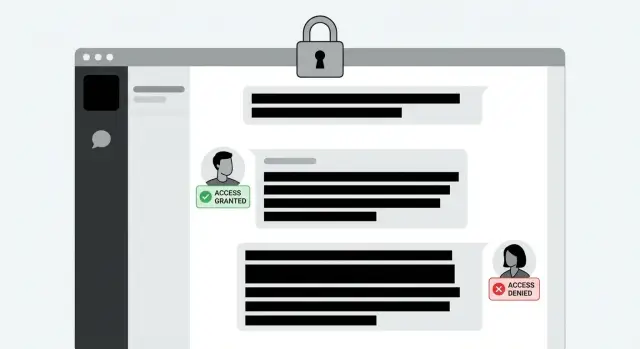
What an LLM transcript leak actually is
A transcript leak happens when prompts and outputs from your AI feature (chat history, system instructions, tool calls, and model responses) become visible to someone who shouldn’t see them. Sometimes it’s an outsider. More often it’s an internal leak caused by overly broad access or casual sharing.
Most leaks are unremarkable: a debugging dashboard that’s accessible to the whole company, a support agent pasting a conversation into a ticket, or a screenshot dropped into a public channel. It doesn’t feel like a “breach” in the moment. The end result is the same: sensitive text is copied into places where it becomes searchable, exportable, and hard to fully delete.
Prompts and outputs also hide secrets in plain sight because people treat them like “messages,” not data. Users paste API keys to test something. Teammates include database URLs while asking for help. Models echo confidential details they were given earlier. Even if you never ask for passwords, users will paste them anyway.
Leaks tend to come from a few repeat patterns:
- Verbose logging that stores full prompts, tool inputs, and model outputs
- Dashboards or admin views without tight role-based access controls
- Support workflows that export transcripts into third-party systems
- Screenshots and screen recordings used for bug reports
- Misconfigured log sinks where many services can read everything
For most products, “good enough” protection is simple: store less, redact what you must keep, and keep raw text visible to a very small set of roles. If you can answer, “Who can read a random user’s transcript today?” with a short list of named roles, you’re on the right track.
Map what data appears in prompts and outputs
You can’t control transcript exposure until you understand what your app sends to the model and what comes back. Teams are often surprised by how much sensitive info shows up inside normal-looking messages.
Separate the content into three buckets:
- User-provided text: what a customer types, pastes, or uploads
- System and developer prompts: hidden instructions, templates, and guardrails
- Tool outputs: database results, web page snippets, logs, error traces, and anything else you feed into the model
Then scan each bucket for high-risk data: passwords, API keys, tokens, customer PII (names, emails, addresses), internal URLs, and financial details like invoices or partial card data. Tool outputs are often the biggest problem, because a “helpful” query can pull entire user records, reset links, internal notes, or credentials.
Also track where transcripts (and transcript fragments) can show up outside your main database. They often get copied into analytics events, error tracking breadcrumbs, APM traces, data warehouse tables, support tools, and vendor consoles used for model debugging or evaluation.
Finally, label what is legally or contractually sensitive. PII is the obvious one, but also watch for health data, payment-related data, and customer secrets covered by NDAs. A simple classification like “public, internal, confidential, regulated” makes later decisions much easier.
Decide what to store (and what not to store)
Logging LLM prompts and outputs helps with debugging, support, quality review, and safety. But every extra byte you store is another thing that can leak.
A strong default is: store nothing by default, and collect more only when there’s a clear reason. Minimal logs are usually enough for day-to-day troubleshooting, and they keep your logging system from becoming a shadow database of customer data.
Useful fields that are typically low risk:
- Timestamp and request ID
- Model name/version and environment (prod/staging)
- Token counts, latency, and cost metrics
- Error codes and where the failure happened (auth, tool call, database)
- Outcome labels like success, timeout, policy blocked
Full text (prompt + model output) is the risky part. Capture it only when you truly need it, such as:
- Failures only, and only for a limited time
- Explicit user consent for quality review
- A dedicated “investigation mode” that expires automatically
Write a plain access rule that people can repeat without interpretation: who can see raw transcripts, and why. For example: “Only on-call engineers can view full transcripts for incident response; support sees summaries; everyone else sees metrics.”
Redact sensitive inputs and outputs
Redact before you store anything. Once raw text hits your database, log aggregator, exports, or backups, it tends to multiply.
The safest place to redact is right at ingestion: where you capture the prompt and before you write any log event.
Start with pattern-based redaction for high-impact strings that are easier to detect:
- API keys and token-like strings
- Emails and phone numbers
- SSNs or national IDs
- JWTs and session tokens
- Passwords and
secret=style config values
Pattern matching won’t catch everything in free text. Names, addresses, order details, and “my kid is allergic to…” notes don’t always follow clean formats. Treat this as a product and policy decision, not just a regex problem. If a flow frequently includes personal details, consider turning off transcript storage for that flow, or store only a summary.
Redact both user inputs and model outputs. Models often echo secrets (a user pastes a key, asks the model to confirm it worked, and the reply repeats it). Assume anything you show the model can come back.
Keep an audit trail without keeping the secret. It’s fine to log that redaction happened (rule name, timestamp, field type, and maybe a short hash). Don’t store the original value “just in case.”
Restrict who can view prompts and outputs
Treat prompts and outputs like production data. Many teams secure the model itself and then expose transcripts in dashboards, shared folders, or broad “everyone can view logs” tools.
Start with least privilege. Support rarely needs raw transcripts. Engineers may need them, but usually only for a specific incident or user report.
A simple role setup that works for many teams:
- Admin: manage policy and approve elevated access
- Engineer: view full transcripts only for assigned incidents
- Support: view summaries and safe metadata
- Analyst: aggregated metrics only, no raw text
Add friction for the sensitive path. Require approval or time-limited access (for example, 2 hours) for full transcript viewing. This reduces “just in case” browsing and makes unusual access stand out.
Log every view and export, not just writes. Record who accessed what, when, and from where. If something goes wrong, you shouldn’t be guessing whether a transcript was opened.
Keep raw text out of general analytics tools unless you truly need it. You can usually build funnels and performance dashboards from counts, latency, error types, and outcome labels.
Retention, deletion, and backups
Retention is where good intentions often fail. If transcripts stick around forever, you’re one support ticket or dashboard export away from trouble.
Separate raw text from safer records. Raw prompts and outputs can contain passwords, API keys, personal details, or internal docs. Metadata (timestamps, token counts, model name, error codes, request IDs) is usually enough for long-term reporting.
A practical retention setup:
- Debugging: keep raw text briefly (hours or a few days), then delete or fully redact
- Compliance/audit: avoid raw text when possible; keep minimal records that prove actions without storing content
- Customer support: store only what’s needed to resolve the case; prefer summaries over verbatim logs
- Analytics: keep aggregated metrics, not full transcripts
Deletion needs to be real, not symbolic. Support deletion at the level your product promises: per user, per conversation, and per workspace. Make it easy to run, easy to prove, and hard to accidentally skip.
Backups are a common leak path. If you delete a transcript in the main database but it lives for months in snapshots, you still carry risk. Decide which approach you’ll use:
- Design backups so deletions are honored (harder operationally), or
- Minimize what enters backups by not storing raw text, or by encrypting it with keys you can destroy
For customer deletion requests, keep the process consistent: verify identity and scope, delete transcripts and derived data (summaries, embeddings, exports), handle backups according to your policy, and record proof of completion without storing the deleted content.
Step-by-step: implement safer transcript handling
Treat transcripts like production data, not “just logs.” The goal is simple: keep enough to debug, but not enough to create a long-lived liability.
A practical rollout plan
Start by finding every place prompts and outputs are captured. Teams often check the main app logs and miss background workers, error tracking, APM tools, and “temporary” debug prints.
Then define log levels so people don’t improvise. A common setup is:
- None: no prompt/output text stored
- Minimal: metadata only
- Full: time-boxed, approved, and audited
A safe implementation sequence:
- Inventory all transcript surfaces (app server, workers, monitoring, support tooling, vendor dashboards).
- Add a single logging wrapper/middleware so every code path goes through the same redaction step.
- Lock down access with role-based permissions and an approval workflow for full text.
- Prove it works: seed fake secrets (for example, "sk_test_FAKE123") and verify they never persist in logs, backups, or exports.
Roll out gradually. Start with one endpoint or one team, then expand. Expect some short-term pain because people lose “easy visibility.” Replace it with better debugging signals: request IDs, error codes, token counts, model name, and redaction counters.
After rollout, review two metrics weekly: how often people request full transcripts, and whether redaction ever fails. Both should trend down.
Common mistakes that cause leaks
Most transcript leaks are boring. Not a hacker, not a zero-day, just small choices that quietly widen who can see prompts and outputs.
A classic problem is “temporary” storage that becomes permanent. Teams save full transcripts to debug, plan to delete them later, and the cleanup job never ships. Months later, chats with passwords, API keys, or customer details are still sitting in a database, a log bucket, or a support tool.
Another trap is confusing hiding with security. A UI can mask a message while the raw text still comes back from an API, appears in admin views, or gets included in exports. If access rules aren’t enforced at the data layer, someone will eventually find the unmasked version.
Patterns worth checking first:
- Redaction runs only on user input, but the model repeats the secret in its reply.
- Transcripts are forwarded to analytics, error tracking, or session replay tools by default.
- Anyone can copy, download, or export conversations, and those actions aren’t logged.
- Logs are pasted into tickets or chat channels as “quick context” and then copied again.
- Test and staging environments keep real transcripts with weak permissions.
A realistic example: a support agent pastes a customer error into an internal chat to get help. The customer had included an API key in the screenshot text. The model replies with a reformatted config snippet that includes the key again. Input-only redaction wouldn’t catch that.
Quick checklist to reduce risk this week
If you want to reduce transcript leak risk quickly, focus on two things: what gets saved, and who can see it.
Work through these checks in order:
- Transcript access: Can anyone in the company pull up prompts and outputs without a clear approval step (or a ticket)? If yes, restrict access to a tiny group.
- Secret hunting: Search stored logs for obvious patterns (API keys, tokens, private keys, password reset links). If you find one, assume there are more.
- Redaction timing: Ensure redaction happens before anything is written to disk or sent to a logging tool, and that every code path uses the same redaction function.
- Retention: Put a hard time limit on raw text (days, not months). Keep only what you need.
- User deletion: Test end-to-end deletion for a single user (primary database, log store, exports, and backups where feasible).
A simple test helps: ask a teammate to paste a fake API key into a chat, trigger your normal logging, then confirm it never appears in stored transcripts.
Example scenario: a support ticket that exposes a secret
Support gets a bug report: “The AI gave me the wrong refund amount.” The agent replies, “Can you send a screenshot of the chat so we can see what happened?” The customer tries to help and pastes the full transcript into the ticket.
In the middle of the chat, the user also pasted a private API key to “test faster.” The model echoed it back in its answer. Now the key sits in three places: the support ticket, the LLM transcript store, and any analytics pipeline that mirrors logs.
A safer policy blocks this in a few ways:
- Redact on ingestion so secrets never land in long-lived storage.
- Store less by default because most support cases don’t need verbatim prompts and outputs.
- Use summaries + trace IDs so support can work effectively without raw text.
To keep support effective without full transcripts, store a short summary, a trace ID for escalation, basic metadata (timestamps, model name/version, success/failure), and redaction flags (what was removed, not the removed value).
If a leak already happened, rotate the exposed key, notify internal owners (security, engineering, support), and tighten access controls so only a small, approved group can view any unredacted logs.
If you suspect a leak: a simple incident response plan
Treat this like a security incident, not a bug. Decide ahead of time what counts as an incident (for example: a prompt/output containing an API key, customer PII, or internal credentials) and who can declare one. Set a response target like “triage within 30 minutes, contain within 2 hours.”
First hour: contain and reduce further exposure
Move fast to stop the bleeding, even before you know the full scope:
- Revoke access to transcript dashboards for anyone who doesn’t need it right now.
- Rotate potentially exposed secrets (API keys, database credentials, webhooks) and invalidate active sessions if needed.
- Disable storing full prompt/output text temporarily, or switch to sampling with aggressive redaction.
- Block the endpoint, workspace, or integration producing risky logs.
- Start a written timeline: who noticed, when, what system, and what you changed.
After containment, preserve evidence without copying sensitive content around. Keep metadata (timestamps, request IDs, model name, token counts) and access logs (who viewed what, from where). Avoid exporting raw transcripts into tickets, chat threads, or shared drives.
Communicate, then prevent repeats
Internally, share a short update: what you know, what you don’t know, and the next check-in time. If customer data might be involved, plan customer communication early with clear facts, what you did to contain it, and what customers should do next (like rotating their keys).
Once stable, make at least one change that would have caught this earlier:
- Add an automated check that alerts when secrets or common key patterns appear in logs.
- Create a “break glass” role for viewing raw transcripts, with approval and auditing.
Next steps: lock it down, then verify it stays that way
Write your rules as a one-page policy that a new teammate can follow on day one: what you log, what you never log, who can see transcripts, and how long you keep them.
Turn the policy into defaults, not “best efforts.” If a support agent pastes an API key into a chat, the safest outcome is that it’s masked automatically and never reaches a dashboard that dozens of people can access.
Make mistakes harder by checking the places transcripts actually live (databases, log stores, exports), not just your source code. A practical starter set:
- Scan logs and transcript stores for API keys, access tokens, passwords, and private keys
- Redact common PII fields (email, phone, address) before storage
- Alert when new logging is added near auth, billing, or admin actions
- Require role-based access for viewing prompts and outputs, with an audit trail
- Use a “break glass” process for rare cases when deeper access is needed
If you inherited an AI-generated app, double-check logging and auth paths. Prototypes often log too much by default, and a small debug print can turn into a permanent leak.
If you want an outside audit focused on transcript handling (where prompts are stored, who can access them, and where redaction is bypassed), FixMyMess at fixmymess.ai does this kind of codebase diagnosis for AI-built apps, including a free code audit to surface the highest-risk logging and access issues.
FAQ
What counts as an LLM transcript leak?
A transcript leak is when prompts, tool inputs/outputs, or model replies are seen by someone who shouldn’t have access. It’s often caused by internal sharing or overly broad log access, not an outside attacker.
How do I quickly find where transcripts are being stored or copied?
Start by listing every place prompt/output text can land: app logs, worker logs, error tracking, APM traces, analytics events, support tickets, vendor consoles, and exports. Then answer one question for each: who can view raw text right now, without asking permission?
Why are transcripts risky if we never ask users for sensitive data?
Treat them like production data because they often contain secrets and personal info even when they look like normal chat messages. Users paste API keys and passwords, tools can pull full records, and models can echo sensitive text back in the output.
What data should I map in prompts and outputs?
Split it into three buckets: user-provided text, system/developer prompts, and tool outputs. Then check each for secrets (keys, tokens, passwords), PII (names, emails, addresses), internal URLs, and regulated data, because any of it can end up logged or exported.
What should we log by default for LLM features?
Default to storing no raw prompt/output text unless you have a clear need. Keep low-risk metadata like request IDs, timestamps, model version, token counts, latency, cost, and error codes so you can debug without building a shadow database of customer data.
When is it acceptable to store full prompts and model outputs?
Capture full text only in tightly controlled cases, like failures for a short time window, explicit user consent for quality review, or a time-boxed investigation mode. Make it expire automatically so “temporary” logging doesn’t become permanent storage.
Where should redaction happen, and should we redact model outputs too?
Redact before anything is written to disk or sent to logging tools, ideally at ingestion through a single shared logging wrapper. Redact both inputs and outputs, because the model can repeat secrets back even if the secret appeared only in the user message.
Who inside the company should be able to view raw transcripts?
Use least privilege: most roles should not see raw transcripts. A practical setup is support sees summaries and safe metadata, analysts see aggregated metrics, and only a small on-call engineering group can access full text with approval and time limits.
How long should we retain transcripts, and how do deletions work with backups?
Set short retention for raw text (hours to a few days), and keep long-term reporting on metadata and aggregates instead. Make deletion work per user and per conversation, and plan for backups by minimizing what you store or encrypting raw text with keys you can destroy.
What should we do in the first hour if we suspect a transcript leak?
Contain first: restrict access, stop storing full text temporarily, and rotate any potentially exposed secrets. Then preserve evidence without copying sensitive content around by keeping request IDs, timestamps, model info, and access logs that show who viewed or exported transcripts.