Privacy risks in AI-built apps: 5 mistakes founders miss
Privacy risks in AI-built apps are often simple: public links, open admin pages, and exposed keys. Learn quick checks and fixes any founder can do.
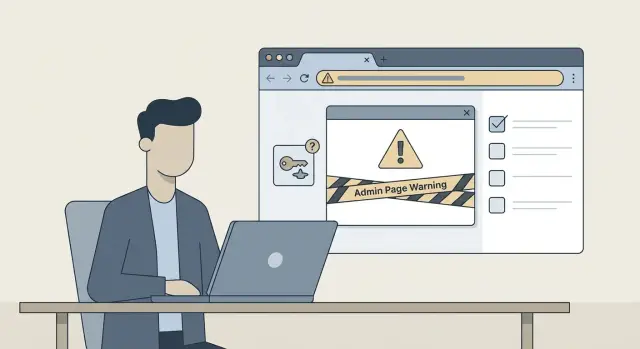
The simple privacy problem with AI-built prototypes
AI-built prototypes are designed to show the idea fast, not to protect real people’s data. When a tool generates screens, logins, and databases in minutes, it often skips the unglamorous parts: access rules, safe defaults, and basic checks like “what happens if someone guesses this URL?” That’s why privacy problems often show up right after you share a demo.
Private data isn’t only “medical records” or “credit cards.” In early-stage apps, the most common sensitive pieces are everyday items that can still cause real harm if leaked:
- Email addresses, names, phone numbers, invite lists
- Invoices, receipts, PDFs, and uploaded files
- Support messages and form submissions
- Session tokens, password reset links, and API keys
- Logs that accidentally capture full requests, cookies, or user input
Small gaps turn into real leaks because demos spread. A link gets forwarded to a friend, posted in a chat, or pulled into a preview tool. If one page is unprotected, it can expose more than you expect: a user list, an admin view, or a file area with customer uploads.
The good news: you can catch many high-risk issues without being technical. You’re not trying to “pen test” your app. You’re trying to answer a few simple questions:
- If I open the app in a private browser window, can I see anything without logging in?
- Can I type common paths like admin, dashboard, or users and get in?
- If I share a link to a specific page, does it still require a login?
- Do emails, invoices, or uploads appear in places meant for demos?
If you find even one “that shouldn’t be visible” moment, treat it as urgent.
Mistake 1: Public links and unprotected pages
A “public link” isn’t just something you post on social media. It can be a preview URL from your hosting provider, a share link from an AI tool, or a route that works without login. If someone can open it in a normal browser, it’s public. Even if the URL looks random, it can still get forwarded, indexed, or revealed in screenshots and recordings.
A common pattern in AI-built prototypes is pages that were helpful for testing but never locked down. Think of routes like /users, /orders, /uploads, /admin, or a debug page that prints real records. The UI may hide these pages, but hiding a button isn’t security. If the server doesn’t check access, anyone with the URL can see the data.
A quick founder check that takes two minutes:
- Copy the page URL and open it in an incognito/private window
- Try it on your phone using mobile data (not your office Wi-Fi)
- Change the URL slightly (for example, try
/usersor/uploads) - If there’s an ID in the URL, try another number
If you see real customer data, you’re looking at one of the most common prototype privacy failures.
Fixes usually fall into two buckets. First, require login before any page that shows personal or business data. Second, enforce access checks on every request, not just in the front-end. A page should fail closed by default.
Example: you share a demo link with an investor. They forward it to a colleague, who opens it in incognito and lands on a “users” page that lists emails. Nobody was “hacked,” but the privacy incident is real.
Mistake 2: Open admin pages and default admin access
AI-built prototypes often include an admin screen because the builder needed a quick way to edit users, content, or settings. The problem is that page is frequently left on a predictable path like /admin or /dashboard, and nobody adds real protection before sharing the demo.
Sometimes the page isn’t even labeled “admin.” It’s a generic dashboard that quietly includes admin actions: delete users, export data, view messages. This is one of the fastest ways a curious visitor can see data they should never touch.
Red flags you can check in minutes:
- You can open the admin page in an incognito window and it still loads
- There’s a “demo” account, or a shared password in a doc or chat
- The login accepts weak passwords (like admin/admin) or never locks out
- New signups instantly see admin controls
- Any user can change roles, view all users, or export data
Role mistakes are just as dangerous as missing logins. Many AI-generated apps use a single “user” table and then show admin buttons based on the page you visit, not your role. That means the UI can hide the button, but the action still works if someone can hit the request directly.
Fixes that actually reduce risk:
- Put admin routes behind real authentication, not a client-side check
- Add roles (admin, member, viewer) and enforce them on the server
- Remove demo accounts and reset all default credentials
- Turn off admin features you don’t need for the demo
Mistake 3: Exposed secrets (API keys, tokens, config)
Secrets are the “keys to the building” for your app. If they leak, someone can read private data, send spam through your email provider, rack up API bills, or take over parts of your system. Prototypes often hardcode credentials just to “make it work,” and then those credentials accidentally ship.
What secrets look like: API keys for services (payments, email, AI), database URLs with a password inside, JWT signing keys, OAuth client secrets, and “admin” tokens used for testing.
Where they usually leak is painfully simple. Secrets show up in frontend code (anything shipped to the browser), in public repos or shared zip files, and in error messages that display full connection strings. Debug logs can leak them too.
Quick checks you can do in 5 minutes:
- Search your code for patterns like
sk-,apikey,api_key,secret,token,password,DATABASE_URL - Open your app in a browser and view page source to see if keys are embedded
- Trigger a known error (wrong input, missing record) and see if the error screen reveals config values
- Check deployment settings for environment variables and confirm secrets are stored there, not in files
A simple example: a demo app uses an sk-... key in the React frontend to call an AI API. Anyone opening DevTools can copy it and start making requests as you.
Fixes: move secrets to server-side environment variables, never expose them to the browser, and rotate any key that might have leaked. If a secret was committed to a repo or deployed to a public preview, assume it’s burned and rotate it.
Mistake 4: Over-permissive database and file storage access
A lot of prototypes treat the database and file storage like a shared folder: anyone who can guess the right request can read or write data. That’s one of the quickest ways “it’s just a demo” turns into a real incident.
The common pattern is simple: the app relies on the UI to hide data, but the backend doesn’t enforce rules. So even if your pages look “locked,” the database may still allow reads or writes without a real login check.
File storage has the same problem. Uploads, exports, invoices, avatars, and “temporary” CSVs often end up in a public bucket. If filenames are predictable, one shared file can quietly expose many others.
Quick checks you can do without being technical:
- Open your app in an incognito window and try to load pages that show data
- Create a brand-new account and see if you can view other users’ items by changing an ID in the URL
- Upload a file, then log out and paste the file URL into a new window
- Try your export feature (CSV/PDF) and see if the download link still works after logout
A realistic example: you export “All customers” to a CSV for a demo, then share the export link in a chat. If that link works for anyone, you have a silent leak even if the app has a login screen.
Fixes are usually straightforward, but they must be enforced on the server:
- Default to deny, then allow access only for the logged-in user
- Validate ownership on every read and write (not just in the UI)
- Use separate test data and separate storage for demos
- Make file links private and time-limited where possible
Mistake 5: Logs and analytics capturing private data
Logs are supposed to help you debug, but they can quietly become a second database of personal data. Prototypes often log everything because it was “helpful during testing,” and then nobody turns it off.
The usual suspects are form submissions and auth flows. It’s easy to accidentally record emails, full names, password fields, password reset links, one-time codes, session IDs, or internal user IDs. If someone later exports logs to share with a contractor, or posts an error screenshot in a chat, that private data spreads.
Client-side analytics can be even sneakier. Some tools capture page content, clicks, and form field values by default, especially if a template copied a generic tracking snippet. That means a user typing into onboarding or checkout might be recorded before they even hit “Submit.”
Where founders can look in 10 minutes:
- Search the code for
console.log,print,debug, and “log request” - Check server logs for “request body,” “headers,” and “authorization”
- Review error reporting events for attached “context” or “user” objects
- Scan analytics settings for “session replay” or “capture inputs”
A quick example: you test a password reset, then a log line stores the full reset URL. Anyone with access to logs now has a working takeover link.
Fixes are usually simple:
- Stop logging request bodies for auth routes and delete sensitive logs
- Mask common fields (email, phone, tokens) before they hit logs
- Turn off input capture and session replay until you have clear consent rules
- Set short log retention and limit who can view logs
A 20-minute step-by-step privacy check (founder friendly)
Most prototype privacy issues show up without fancy tools. The goal is simple: prove that a stranger can’t see data they shouldn’t see, and that nothing private is accidentally public.
Set a timer for 20 minutes, open an incognito window, and keep notes. If you find even one “anyone can view this” page, treat it as a real issue, not a demo shortcut.
The 5-step check
-
Incognito walkthrough (5 min): In a private window, try your key pages: the dashboard, a user profile, settings, and any “shared” page. Copy a few URLs from your normal session and paste them into incognito. If anything loads without a login, ask: “Should a random person be able to see this?”
-
Two test accounts (5 min): Create Account A and Account B. As A, open a record (invoice, note, project, message) and copy the URL. Log in as B and paste it. If B can see A’s data, you likely have an access control bug (often called IDOR).
-
Admin pages (3 min): While logged out, try common admin paths like
admin,dashboard,backoffice, ormanageby typing them after your app’s main address. If you ever see an admin screen without a login, that’s a high-priority fix. -
Secrets check (4 min): In your repo and deployment config, search for obvious key patterns like
API_KEY,SECRET,TOKEN,sk-, orBEGIN. If you see real keys, assume they’re compromised and rotate them. -
Uploads and exports (3 min): Upload a file, then open it in incognito. Do the same for any export (CSV, PDF) or share feature. Public file links are a common source of leaks.
Common traps when you try to fix privacy issues
The fastest way to “fix” a privacy bug is often the least effective. AI-built apps are tricky because they look finished on the surface, while the real behavior lives in routes, APIs, and database rules you don’t see.
One common trap is patching the UI only. For example, you remove a “View all users” button or hide a table, but the backend endpoint still returns the full dataset if someone visits it directly.
Another trap is treating hidden pages as security. A page that isn’t in the menu is still public if it loads without login, or if it trusts a simple query like ?admin=true. Real access control means the server checks who you are on every request.
Key cleanup can also be misleading. Removing an exposed API key from code isn’t enough. If it was ever pushed to a repo, pasted into a chat, or deployed to a public preview, treat it as burned. Rotate it, update the app to use the new one, and confirm old keys no longer work.
Testing can fool you too. It’s easy to test while logged in as the owner and assume “it’s fine.” The risky case is the opposite: a new browser, logged out, or a brand-new user.
Quick ways to catch these traps
Do a short reality check before you call something “fixed”:
- Test in an incognito window while logged out, and on a second device if you can
- Paste the exact API or page URL directly into the address bar (not through the UI)
- Create a fresh, lowest-permission account and repeat the same actions
- After removing secrets, rotate them and verify the old ones fail
Quick checklist before you share your app with anyone
Before you send a demo to an investor, a customer, or even a friend, do a quick pass for common privacy failures. You’re looking for obvious doors left open.
- Open your app in an incognito window and click around as a logged-out visitor. You should never see real user data, past uploads, invoices, messages, or search results.
- Try common admin URLs (like
/admin) or any settings area you know exists. It should force a login, and it should only work for accounts with the right role. - Log in as a normal user and change the URL or an ID in the address bar (for example,
/profile/123). If you can view someone else’s record, you have a privacy bug. - Open browser developer tools and scan page source and network responses. You should not see API keys, tokens, database URLs, or authorization values in the frontend.
- Test uploads and exports. If you upload a file or generate an export, make sure it isn’t accessible by a guessable public URL, and that old files aren’t listed for everyone.
If any item fails, assume there are more issues nearby. A practical triage move is to pause sharing, remove public demo links, and rotate any keys you think might be exposed.
If your AI tool created a “demo account,” sign in with it and see what it can access. Demo accounts often have too much power.
Example scenario: a demo link turns into a privacy incident
Maya is a solo founder. She used an AI tool to build a working prototype in a weekend and sent a demo link to a pilot customer with one line: “Try it and tell me what breaks.”
The customer opens the app and, out of curiosity, types /admin after the URL. An admin page loads with no login. It shows a simple table: names, emails, and sign-up dates. The customer isn’t trying to hack anything. They just found what was sitting in plain sight.
Maya panics and emails support for the AI tool. To explain the issue, she includes a screenshot of the page and copies a snippet from her settings file. In that screenshot is an API key used for sending emails. Now the key is in an email thread, possibly in multiple inboxes, and potentially in ticketing software. A small privacy problem turns into a larger one.
This is how these incidents usually happen: not through a clever attack, but through normal people clicking around and stumbling into pages that should never be public.
A short set of checks would likely have caught it before she shared the link:
- Open the demo in an incognito window and try obvious paths like
/admin,/users,/settings, and/api - Create two test accounts and confirm one can’t see the other’s data
- View page source and network requests and look for keys, tokens, or full user records
- Search the code for strings like
API_KEY,SECRET,token, andprivatebefore sending screenshots - Follow a “share like a stranger” rule: if you can access it without logging in, assume anyone can
If you already shared a demo and you’re unsure what’s exposed, a fast audit can map the exact leak points.
Next steps: stabilize your AI-built app before it reaches users
If you suspect your prototype has privacy gaps, treat it like it’s already in production. One shared demo can expose real data quickly.
Start with the fastest, highest-impact moves:
- Turn off public sharing modes and require sign-in for every page that shows user data
- Lock down admin access: remove default accounts, enforce strong passwords, and add basic role checks
- Rotate any secrets that may have leaked (API keys, tokens, database URLs) and store them in environment variables
- Tighten database and storage rules so users can only read and write their own records
- Do a privacy pass on logs and analytics: stop sending emails, tokens, or full form payloads
After that, prove the fix. Test with a second account, try direct URLs you shouldn’t access, and confirm admin pages are blocked unless you’re truly an admin.
It’s time to get help when the issues touch core security logic:
- Authentication is flaky (users get logged out, sessions persist too long, password reset is broken)
- Roles and permissions are inconsistent across pages and API endpoints
- Database rules are hard to understand or look overly permissive
- You can’t confidently answer: “Can one user see another user’s data?”
If you inherited a broken AI-generated prototype (from tools like Lovable, Bolt, v0, Cursor, or Replit), FixMyMess (fixmymess.ai) focuses on diagnosing and repairing the underlying access logic, exposed secrets, and unsafe patterns that don’t show up in the UI. A simple place to start is their free code audit, which maps what’s exposed before you share the app wider, and many projects are completed within 48-72 hours with a 99% success rate.
FAQ
What counts as a “public link” in an AI-built prototype?
Treat anything that loads in a normal browser as public, even if the URL looks random or was meant “just for a preview.” If it’s reachable without a login, assume it can be forwarded, copied, or found by someone who’s simply curious.
How can I quickly tell if a page is accidentally public?
Open the exact URL in an incognito/private window while logged out. If you can still see dashboards, user lists, messages, invoices, uploads, or search results, that’s a privacy issue and should be fixed before sharing again.
Why does hiding a menu item or button not actually protect data?
It usually means the app checks permissions in the UI but not on the server. The practical fix is to require authentication for every data page and enforce role and ownership checks on every request, not just by hiding buttons.
Can an AI-built app accidentally expose an admin panel?
Yes, and it’s common because many prototypes place admin screens at predictable paths and skip real access control. If an admin page loads while logged out, treat it as urgent and lock it behind proper authentication and server-side role checks.
How do I check if one user can see another user’s data?
Create two test accounts. As Account A, open a specific record (like an invoice or message) and copy the URL; then log in as Account B and paste it. If B can view A’s data, you likely have an access control bug that needs server-side ownership checks.
What should I do if I think an API key or secret leaked?
Assume a key is compromised if it was ever placed in frontend code, a public preview, a repo, a zip you shared, or shown on an error screen. Rotate it, move it to server-side environment variables, and confirm the old key no longer works.
How can I tell if uploads or exported files are publicly accessible?
Upload a file, copy its direct URL, log out, and try opening it in an incognito window. If it still loads, your storage is effectively public; you’ll want private, permission-checked access (or time-limited links) and to avoid mixing real files into demos.
What’s the fastest way to spot private data leaking into logs or analytics?
Look for logging of request bodies, headers, authorization values, password reset links, one-time codes, and form inputs. The safest default is to stop logging sensitive fields, mask common identifiers, and keep log access and retention tightly limited.
I already shared a demo—what are the first steps to reduce risk?
First, pause sharing and disable any public preview modes. Then require login on data pages, block admin routes, rotate any suspected secrets, and retest with incognito and a fresh low-permission account to confirm the leak is actually closed.
When should I bring in experts instead of trying to patch it myself?
Get help when authentication, roles, permissions, database rules, or storage access are inconsistent and you can’t confidently answer “can one user see another user’s data?” If you inherited an AI-generated codebase from tools like Lovable, Bolt, v0, Cursor, or Replit, FixMyMess can start with a free code audit to map what’s exposed and then repair the underlying access logic and unsafe patterns quickly.