Production incident checklist for small teams that need clarity
Use this production incident checklist to spot where to look first, roll back safely, communicate clearly, and prevent the same outage from happening again.
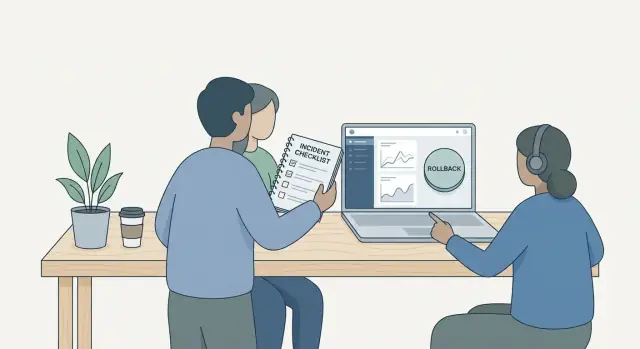
What a production runbook solves for a small team
A production runbook is a short, written playbook for when something breaks in production. It tells you where to look first, what actions are safe, and who communicates what. Small teams don’t have the luxury of “someone will know.” The right person might be asleep, busy, or brand new.
During an incident, the goal is simple: reduce harm, restore service, and keep the team coordinated. Root cause analysis can wait until customers can log in, pay, or use the product again. A checklist prevents panic and random clicking by turning stress into a few clear moves.
This checklist focuses on the first hour: quick triage, rollback decisions, customer communication, and a basic post-incident loop to prevent repeats. It doesn’t replace deep debugging, long-term architecture work, or a full security program. It’s designed for two to five people, including non-specialists.
A simple rule helps teams make better choices under pressure:
- Fix customer impact first, even if the fix is temporary.
- Choose the lowest-risk change (often a rollback) before a complex patch.
- Communicate early and briefly, then update on a predictable cadence.
- Save learning for after service is stable.
Example: if a deploy causes checkout errors, roll back first to stop failed payments. Investigate the code change once revenue and trust aren’t bleeding.
Set severity and roles before you need them
When something breaks, teams waste time debating how serious it is and who gets to decide. A simple severity scale and clear roles turn a runbook into action, not discussion.
Severity in plain language
Keep it short and tied to user impact. For many small teams, three levels are enough:
- Minor: Some users affected, workaround exists, no data risk.
- Major: Many users affected, core feature degraded, revenue or deadlines at risk.
- Critical: Service mostly down, security risk, or data loss likely.
One extra rule helps: severity can only be raised during an incident, not lowered. It avoids arguments about optics while you should be fixing.
Roles that remove bottlenecks
Assign roles immediately, even if it’s a two-person team. One person drives decisions. One person handles updates.
- Incident lead: owns the timeline, chooses next steps, prevents task thrash.
- Communicator: posts updates, answers stakeholders, keeps engineers focused.
- Rollback approver: the person who can say “yes, roll back now” (often the incident lead, plus a backup).
- Scribe (optional): notes key times and actions for the review.
Decide how to reach the rollback approver fast (call, text, whatever you actually answer). Write down the backup too, because incidents love vacations.
Finally, define “service restored” in one sentence. Example: “Users can log in and load the dashboard within 3 seconds, and error rate stays under 1% for 15 minutes.” That sentence prevents premature victory laps.
Prep work that makes the checklist actually usable
A checklist only works if it points to real places your team can access in minutes, not “we should check logs.” The goal is to remove guesswork when stress is high.
Start with a one-page system map. Keep it simple: what runs where, and what depends on what (web app, API, database, cache, auth provider, background jobs, third-party services). Add the single points of failure you already know.
Write down your top customer paths, not every endpoint. Most small teams live and die by a few flows like login, signup, checkout, and one or two core actions. If you can test these quickly, you can confirm impact and know when you’re back.
Keep a short “where to look” section that stays current. List the few metrics you trust (error rate, latency, login success, queue depth, DB connections), where the dashboards are, where logs live (app and edge/CDN), and how to see the last deploy version and time. Add a known-good baseline like yesterday’s numbers so you can spot what “normal” looks like.
Store emergency access steps and contacts in one place: who can approve changes, who has cloud access, who can roll back, and how to reach them.
Document where configs and secrets live without exposing them. Write “where and how to rotate,” not the actual values.
If you inherited a fragile codebase, this prep often reveals missing environment variables, hard-coded secrets, or deploy steps that only exist in someone’s memory.
The 10-minute incident checklist (step by step)
When something breaks, you need a short script you can follow under stress. This checklist is designed for the first 10 minutes, when speed and safety matter more than perfect diagnosis.
Start by confirming the impact in plain terms. What are users trying to do, and what fails? Is it everyone or a subset (region, plan, browser, new accounts only)? If you can reproduce once, write down the exact steps and the error message.
Then stabilize the system before you chase the root cause. Pause deploys and avoid quick tweaks that add noise. If the issue might spread, limit the blast radius (turn off a risky job, reduce traffic, or temporarily disable the affected feature).
Work one small hypothesis at a time. Pick the most likely trigger (last deploy, config change, third-party outage) and do one or two fast checks to confirm or rule it out.
- Minute 0-2: Confirm impact (what’s broken, who’s affected, when it started)
- Minute 2-4: Freeze risky change (stop deploys, avoid new migrations, keep the surface area small)
- Minute 4-6: Quick checks (recent deploy status, error rates, auth/DB connectivity, third-party status if relevant)
- Minute 6-8: Choose a path (mitigate now via rollback/flag-off, or keep digging if mitigation is risky)
- Minute 8-10: Log actions (timestamps, what you changed, what you observed, and the next decision)
Keep a running timeline in one place. Even a simple note like “10:07 rolled back build 214, errors dropped” saves hours during the review.
Where to look first when something breaks
Start with symptoms, not guesses. Confirm what users are seeing and how widespread it is: spikes in errors, slow requests, timeouts, or a wave of support messages. If you can, note the exact time the issue started. That timestamp guides everything else.
Next, anchor your search around what changed. Most incidents have a trigger: a deploy, a config tweak, a database migration, a rotated secret, or a feature flag flip. Even if the change seems small, treat it as suspect until you rule it out.
A simple first-pass triage order that works for small teams:
- Confirm impact: error rate, latency, and which endpoints or screens are failing.
- Check the last 30-60 minutes of changes: deploys, config edits, migrations, background jobs.
- Look for capacity and saturation: CPU, memory, disk space, slow queries, maxed connections.
- Scan logs for one repeating error (same message, same stack trace, same path).
- Verify dependencies: authentication, email/SMS, payments, CDN, and third-party APIs.
When you scan logs, don’t read everything. Search for the most common error pattern and follow it. If you see repeated “token signature invalid” or “database connection refused,” you already have a strong lead.
Also check basics that fail quietly: expired certificates, missing environment variables, and rate limits. These show up a lot in prototypes that were never hardened for production.
When you find a likely cause, write it down immediately (time, symptom, evidence). That note becomes your timeline and keeps the team aligned.
Quick mitigation options before a full fix
When production is burning, the goal isn’t a perfect fix. It’s to reduce impact with the smallest safe change, then buy time to diagnose.
Start by choosing the lowest-risk action that changes the fewest things. Avoid large refactors, dependency upgrades, or “while we’re here” improvements. Every extra change adds uncertainty.
Common mitigation moves that work well for small teams:
- Disable the new behavior (feature flag, config toggle, or environment variable) so users return to a known path.
- Switch to a fallback mode, like read-only or a limited feature set, so the core service stays available.
- Reduce pressure: rate limit, temporarily block abusive sources, or increase caching for hot endpoints.
- Pause risky operations if data is at risk (stop writes, background jobs, or imports) until you understand what’s happening.
- Add a quick guardrail: reject obviously bad input, lower concurrency, or adjust timeouts only if you know it helps.
Example: you ship a checkout change and error rates spike. The safest first move might be turning off the new flow and keeping the old one. If payments look inconsistent, you might pause order writes while leaving product browsing up.
Two rules prevent “helpful” changes from making things worse. First, make one mitigation change at a time and watch the one metric you expect to improve (errors, latency, queue depth). Second, write down what you changed and when.
How to roll back safely without making it worse
Rollback is the right move when the last change clearly triggered the issue and you can return to a known-good state fast. It’s risky when the problem is data-related (migrations, background jobs writing bad records) or when rolling back only fixes one layer while config, feature flags, or dependencies stay broken.
Before you touch anything, confirm what you are actually rolling back. Teams often revert the app version but miss that a config change, secrets update, or schema migration caused the outage.
A simple rollback path to keep in your runbook:
- Freeze new deploys and pause any auto-deploy pipeline.
- Identify the last known-good release (commit, build ID, container tag) and what changed since.
- Check for non-code changes: environment variables, feature flags, queued jobs, third-party keys, rate limits.
- Decide the database approach: safe to revert, or you need a forward hotfix.
- Roll back one thing at a time and note timestamps so you can correlate logs.
Database changes are the usual trap. If a migration deletes or reshapes data, a rollback can fail or make the app crash harder. In that case, prefer a small forward fix (re-adding a column, adding a compatibility layer, or disabling the new code path) rather than trying to undo the schema.
After rollback, smoke test the main flows: login, signup, checkout/billing, and one core action users pay for. If rollback fails, don’t thrash. Attempt one clean rollback to the prior known-good. Restore from a verified backup if needed. If neither is safe, stabilize (maintenance mode, read-only mode) while you plan a controlled fix.
What to communicate during an incident (and what to avoid)
When production is on fire, clear communication buys time and trust. It also reduces duplicate work. Share what is true right now, what users should do, and when they’ll hear from you again.
Set an internal rhythm early and stick to it. A small team usually needs one owner to post updates and one channel where all notes live (even if it’s a single chat thread). Use a steady cadence, not a constant stream.
An internal update checklist:
- Who is on point (incident lead) and who is fixing (assignees)
- Current status (investigating, mitigating, monitoring, resolved)
- Latest confirmed facts (what changed, what you observed)
- Next action and who owns it
- Next update time (for example, in 15 minutes)
For customers, keep it short and practical. Say what’s impacted in plain language, what they can do now (if anything), and when you’ll update next.
Avoid three things during the incident: guesses (“probably the database”), blame (“X broke it”), and unverified timelines (“fixed in 5 minutes”).
A lightweight template you can paste:
Status: [Investigating | Mitigating | Monitoring | Resolved]
Impact: [Who is affected and what they can’t do]
Workaround: [If available, one clear step]
What we know: [1-2 confirmed facts, no guesses]
Next update: [time]
Close the loop with a final update that confirms recovery, notes any follow-up user action (like re-login), and states what happens next (root-cause review and prevention work).
Example scenario: login outage right after a deploy
It’s a two-person team. You pushed a small release at 9:05 AM. By 9:08, support messages start: “I can’t log in” and “password reset doesn’t work.” New signups also fail. Everything else loads.
First, confirm it’s real and widespread. Try logging in yourself (incognito, normal account, and a fresh account). If it fails, check the fastest signals:
- Auth provider status (outage, rate limits, degraded performance)
- Recent deploy notes: env vars, callback URLs, cookie settings, CORS, redirect domains
- App error logs around the login endpoint (401 vs 500 matters)
- Recent config changes (secrets rotation, domain changes)
- Quick database check: did the users table or session storage change?
By minute 5, you usually hit a decision point. If errors started immediately after deploy and you can’t explain them quickly, prefer rollback. If you can isolate the issue to a new path behind a feature flag, disable it. Choose a hotfix only when you know exactly what to change and can test it fast.
Incident communication can be simple and calm:
- 5 min: “We’re investigating a login issue affecting many users. Next update in 20 minutes.”
- 30 min: “Cause appears related to the 9:05 deploy. We’re rolling back now. Next update in 15 minutes.”
- Resolved: “Login is restored. We’ll share a short summary of what happened and how we’ll prevent repeats.”
While you work, keep a small notes doc: exact deploy time, first user report time, error messages, what you tried, what fixed it, and what you’ll change (tests, config checks, alerts). If the codebase is hard to reason about under pressure, it can be worth getting an outside read quickly.
Common mistakes that slow down recovery
Most incidents don’t drag on because the bug is hard. They drag on because the team loses the thread.
Changing too many things at once is the classic mistake. When three people each “try a quick fix” in parallel, you get mixed signals: logs change, metrics wobble, and nobody can say what helped. Treat every change like an experiment: one action, one expected result, one quick check to confirm.
Rollback often gets skipped because it feels like admitting defeat. It’s the opposite. A rollback is a controlled return to a known-good state while you debug with less pressure. If you’re hesitating, ask: “Is there a safe rollback that reduces harm right now?” If yes, do it.
Another time sink is not pausing deploys. A teammate pushes a tiny improvement and overwrites your mitigation, or a CI pipeline keeps shipping builds while you’re stabilizing. Put a deploy freeze step early and make it visible.
Lack of a clear incident lead creates duplicated and conflicting work. One person should coordinate, keep a short timeline, and assign tasks so two people aren’t chasing the same clue.
Finally, teams often declare “fixed” too early. Validate with a real user flow (or a production-like check), confirm key metrics are back to normal, and watch for 10-15 minutes before closing. Many “second outages” are just the first one returning.
Prevent repeats with a practical post-incident routine
A post-incident routine should be short, specific, and scheduled. Do it within 24 to 72 hours, while logs, deploy notes, and memories still line up. The goal isn’t blame. It’s to make the next outage smaller, rarer, and easier to handle.
Keep the review focused by separating the root cause from contributing factors. The root cause is the direct trigger (for example, a bad migration). Contributing factors are what let it reach production or slow recovery (missing alert, unclear ownership, risky deploy timing, confusing code paths).
A 30-minute review agenda that works
Use a simple structure so you don’t spiral into opinions:
- Timeline: what users saw, when you noticed, when it was fixed
- Impact: who was affected and for how long
- Root cause and top 2-3 contributing factors
- What worked well (keep it) and what did not (change it)
- Action items with an owner and a due date
Turn findings into concrete work, not vague promises. Instead of “add more tests,” write “add a test that fails if login returns 500 on missing session cookie.” Instead of “improve monitoring,” write “alert if error rate exceeds 2% for 5 minutes after deploy.”
After you agree on tasks, update your runbook with one new check that would have shortened the incident. Example: “Before deploy, verify env var AUTH_SECRET exists in production.” Small edits add up.
If security was involved (exposed secrets, SQL injection risk, bad auth), include a clear remediation and a verification step. Remediation might be rotating keys and patching code. Verification means proving it’s fixed: confirm old keys no longer work, re-run the exploit path, and check logs for suspicious access.
Quick checks and next steps
When things are noisy, a short checklist beats a long document. Pin it where your team will actually use it.
- Detect: confirm impact, time window, and what changed most recently.
- Stabilize: stop the bleeding (pause deploys, disable risky jobs, add rate limits).
- Mitigate: apply the fastest safe workaround to restore service.
- Roll back: revert to the last known good version if the fix is unclear or risky.
- Verify + communicate: confirm recovery with real user flows, then post a clear update.
After the incident, make sure your runbook has the basics filled in for your stack. You want answers you can use at 2 a.m., not theory.
- Where to check first: dashboards, logs, error tracking, and recent deploy history.
- How to roll back: exact commands, who can do it, and what success looks like.
- Safe toggles: feature flags, kill switches, maintenance mode steps.
- Contacts: on-call owner, escalation path, vendor/support contacts.
- Known risky areas: auth, payments, background jobs, migrations, secrets.
Bring in outside help when incidents repeat, nobody understands the architecture well enough to debug quickly, or there’s any sign of a security issue (exposed secrets, strange database queries, injection attempts).
If you’re dealing with a broken AI-generated prototype that keeps failing in production, a remediation team like FixMyMess (fixmymess.ai) can help by diagnosing the codebase, repairing logic, hardening security, and getting it ready for reliable deploys.
Keep the runbook alive: assign a single owner, review it monthly for 15 minutes, and update it after every incident while details are fresh.
FAQ
What is a production runbook, in plain terms?
A production runbook is a short, written playbook for handling incidents. It tells your team what to check first, what actions are safe, and who communicates updates so you don’t rely on one person’s memory under stress.
What should a small team include in a runbook first?
Write it for the first hour, not for perfect debugging. Focus on impact confirmation, a deploy freeze, quick checks, a rollback decision path, and a simple communication cadence so you can stabilize service fast.
How do we set severity without overthinking it?
Use three levels tied to user impact: Minor, Major, and Critical. Add one rule that severity can only be raised during an incident so you don’t waste time arguing while customers are blocked.
Who should do what during an incident if we’re only 2–5 people?
Assign an incident lead to make decisions and keep a timeline, and a communicator to post updates and handle stakeholders. Even with two people, splitting these roles prevents thrash and keeps fixes moving.
Where should we look first when production breaks?
Start with what users see and when it started, then check what changed in the last 30–60 minutes. After that, look at capacity signals, one repeating log error, and critical dependencies like auth, database, and payments.
What are the safest quick mitigations before a full fix?
Default to the lowest-risk change that reduces customer harm quickly, often turning off a new behavior or switching to a safe fallback mode. Make one change at a time and watch the single metric you expect to improve.
When should we roll back versus hotfix?
Roll back when the incident clearly started right after a deploy and you can return to a known-good release quickly. Be cautious if the issue involves database migrations or bad writes, because rolling back code may not undo data changes.
How can we roll back safely without making the outage worse?
Freeze deploys first, confirm the exact thing you’re rolling back, and identify the last known-good build or tag. After rollback, smoke test the top user flows and watch key metrics for 10–15 minutes before calling it resolved.
What should we communicate during an incident, and what should we avoid?
Say what’s impacted in plain language, what’s confirmed, and when the next update will be. Avoid guesses, blame, and optimistic timelines, and keep updates short so the team can stay focused on recovery.
How do we prevent the same incident from happening again?
Do a short review within 24–72 hours with a timeline, impact, root cause, contributing factors, and a few concrete action items with owners and due dates. Update the runbook with one specific improvement that would have shortened the incident.