Prototype to production in 72 hours: a stabilization plan
Prototype to production in 72 hours: a realistic phased checklist for security, reliability, deployment, and minimal tests so you can ship safely.
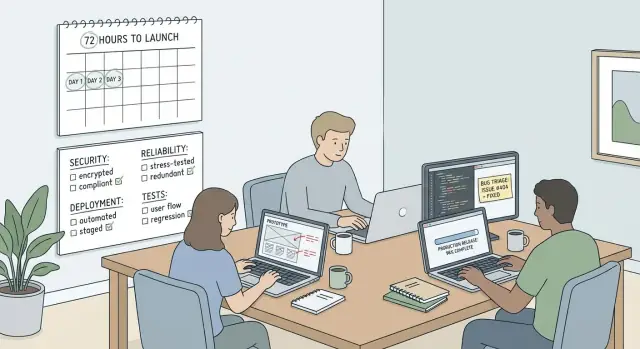
What “production-ready in 72 hours” really means
For a first release, “production-ready” doesn’t mean perfect. It means the app is safe to use, predictable under normal use, and recoverable when something breaks.
Shipping a prototype as-is is risky because prototypes often hide sharp edges: hardcoded secrets, weak authentication, missing access checks, and messy data handling. Even if the UI looks finished, a single bad request can leak user data, corrupt records, or take the app down. The cost isn’t just bugs. It’s lost trust, wasted time, and sometimes legal and compliance trouble.
A realistic 72-hour push focuses on stabilizing one core user path and reducing unknowns. You’re not chasing every edge case. You’re making sure the main journey works, fails safely, and can be deployed and watched without surprises.
For a first release, “production-ready enough” usually looks like this:
- No exposed secrets, basic security checks in place, and clear access control
- One core flow works end-to-end, with input validation and helpful errors
- Data changes are safe (no silent loss, no destructive actions without confirmation)
- Basic visibility (logs you can read, clear signals when something breaks)
- A repeatable deploy process and a simple rollback plan
What should wait: big refactors, style cleanups, broad feature work, and a full test suite. They matter, but they can consume the whole 72 hours without reducing the biggest risks.
Pick the one core flow you must ship safely
If you try to “fix everything” in 72 hours, you ship nothing. The fastest path is choosing one core flow that has to work every time, even when things go wrong.
Write the 3 to 5 actions a real user must complete end to end. Keep it plain and testable:
- Create an account and verify email
- Log in and reset password
- Create the main item (project, ticket, invoice, post)
- Pay or start a trial (if you charge)
- Export, download, or share the result
Then mark where sensitive data is touched: passwords, payment details, uploads, API keys, admin tools, and anything that could expose customer data. If secrets live in the browser, tokens appear in logs, or you’re shipping a public database key, the flow isn’t safe to release.
Define “done” before anyone starts patching code. You don’t need a long spec, just a clear bar:
- Works on a fresh account with realistic inputs
- Clear error messages and safe fallbacks (no blank screens)
- Basic logging for failures
- No obvious holes in auth and data access
- Someone can deploy it twice in a row without surprises
Finally, decide what’s out of scope. New features, redesigns, “nice to have” settings, and performance tuning can wait.
Hour 0-3: a quick audit to surface obvious risks
The first three hours are for understanding what you actually have and what could hurt you fast.
Start by confirming environments. Many prototypes blur local, staging, and production, or reuse the same database across all three. Write down which URL and database each environment uses, and who can access them. If staging is public, treat it like production.
Next, inventory every integration the app depends on by checking config files and service dashboards. Typical items:
- Auth (email login, Google, magic links)
- Database and migrations
- Email/SMS sending
- Payments and webhooks
- File storage (uploads, avatars, receipts)
Then do a fast secrets scan. Look for API keys in the repo, client-side config, build logs, pasted terminal output, or screenshots in docs and tickets. A common failure is putting a secret in frontend code “just for now” and forgetting that it ships to every browser.
End the audit with a short, ranked risk list: what could cause the most damage, the fastest? Examples: users can see other users’ data, password reset can be abused, admin actions are reachable without checks, a payment marks as “paid” without confirmation, or a webhook can be replayed.
If the prototype uses one shared database URL everywhere, assume someone will eventually test on staging and wipe production data. Fixing environment separation jumps to the top.
Phase 1 (Day 1): security must-haves before any release
Day 1 is about blocking obvious ways your app can get hacked. You’re not aiming for “perfect security.” You’re aiming for “nothing embarrassing or catastrophic.”
1) Lock down secrets (assume they already leaked)
AI-built prototypes often ship with keys in the repo, in the frontend, or in logs. Treat every key used during prototyping as compromised.
Do these first:
- Rotate keys (database, email, payments, OAuth) and revoke old ones
- Move secrets to server-side environment config (never in the client bundle)
- Restrict scopes and allowed domains where possible
- Check logs, error tools, and shared docs/screenshots for exposed tokens
Also confirm the database user isn’t an all-powerful admin. Give it only the permissions the app needs.
2) Fix authentication basics before anything else
Most incidents come from weak auth handling, not advanced exploits. Make sure protected pages and API routes require a valid session.
Quick checks:
- Protected routes: enforce access server-side, not only in the UI
- Session handling: secure cookies or short-lived tokens, and clear logout behavior
- Password resets: single-use, short expiry, and don’t reveal whether an email exists
If you store third-party tokens (storage, CRM, etc.), store them server-side and scope them tightly.
3) Validate inputs on the server (especially money and identity)
Don’t trust the browser. Add server-side validation for endpoints that create accounts, reset passwords, take payments, upload files, or write to the database. Prefer allow-lists (what you accept) over deny-lists.
4) Block common prototype vulnerabilities
Look for string-built SQL queries, unsafe file uploads, open redirects after login, and endpoints that accept raw URLs or file paths. For example, an untrusted returnUrl can redirect users to a phishing site.
Phase 2 (Day 2): reliability and failure handling
Day 2 is about making the app behave well when real users do unpredictable things. The goal is to avoid silent failures, prevent bad data, and make recovery simple.
Start with error handling. Every failure should do two things:
- show the user a clear next step, and
- write a safe server log you can use to debug.
Avoid leaking secrets or stack traces to the browser. A good message is plain: what happened, what to try next, and whether support needs to get involved.
Next, prevent data corruption. Duplicate submissions are common (double clicks, refresh, flaky networks). For anything that creates records or charges money, make it idempotent. Use an id or unique constraint so the same action can’t run twice.
Keep external calls under control. Add timeouts for payments, email, and third-party APIs. Retries should be limited and backed off; otherwise a brief outage turns into a flood of repeated requests.
A short reliability checklist is usually enough:
- Don’t crash on missing records (return 404s, use safe defaults)
- Dedupe “create” and payment actions (idempotency keys, unique constraints)
- Add timeouts and clear fallbacks for external calls
- Cap retries and surface failures in logs/alerts
- Pin runtime and package versions to reduce deploy surprises
Before you need it, write a rollback plan you can execute under stress: redeploy the previous build, revert the last commit, or disable a feature flag.
Phase 3 (Day 3): deployment readiness without surprises
Day 3 is about repeatability. If you can’t write down the exact steps to deploy, you don’t have a deployment plan.
Pick one deployment target for the first release and keep it simple. The goal is a setup you can run the same way every time.
Write a short “deployment recipe” that answers:
- What do we build?
- What do we run?
- What must exist first (database, storage, queues)?
Confirm requirements early: environment variables, the port the app listens on, and one-time steps like database migrations.
Treat migrations like a release of their own. Back up first. Prefer non-destructive changes (add columns, avoid dropping tables) so you can roll back without losing data.
Set up basic visibility before you ship. You don’t need a complicated monitoring setup, but you do need answers when something breaks:
- Centralized logs for app errors and background jobs
- At least one alert for spikes in errors or downtime
- Secrets set in the host (not hard-coded in the repo)
- Health checks (app starts cleanly and can connect to the database)
- One written rollback step and who can run it
Dry run first, then repeat
Do a dry run in staging using the exact steps you’ll use in production. Then repeat the same steps for production, without “small differences.” Missing environment variables (like DATABASE_URL) are easy to catch in staging and painful to discover in production.
Minimal tests that matter (not a full test suite)
In a 72-hour push, testing has one job: prevent scary failures. You don’t need dozens of edge-case tests. You need a small set that catches dangerous regressions fast.
Pick your one core flow, then add a few checks around it that prove the app is safe and not lying.
A good starter set (5 to 8 checks total):
- Core flow smoke test: signup/login and the main action (create a record, send a message, generate a report, or checkout)
- Permission check: logged-out users can’t access the core action; normal users can’t access admin-only pages
- Data isolation check: one user can’t see another user’s data by changing an ID or URL
- Input safety check: invalid payloads fail cleanly without stack traces
- Health check endpoint: confirms the app can serve requests and reach key dependencies
These tests should be boring: fast, repeatable, and easy to read.
Run them at the moments that matter: before merging risky changes, before deploying (in staging with production-like settings), and immediately after deploying to production.
A step-by-step 72-hour stabilization schedule
A 72-hour push works best when you treat it like an operations sprint, not a feature sprint. Your goal is one safe version, a clear way to verify it, and a clear way to undo it.
- Hour 0-3 (kickoff): Freeze new features, pick a release owner, define “done,” and write a short release checklist.
- Day 1 (security): Rotate and lock down secrets, remove hard-coded keys, fix auth and permissions on the core flow, and add server-side validation.
- Day 2 (reliability): Make failures predictable. Add timeouts, safe retries, clear user-facing errors, and logging for key events.
- Day 3 (deployment): Dry-run deploy, validate migrations, run smoke tests, and plan a controlled launch window with clear support ownership.
Before deploying, keep a checklist you’ll actually use:
- Migrations applied and reversible
- Required env vars present (and non-empty)
- Secrets stored safely (not in code or logs)
- Smoke tests passed in the live environment
- Rollback method confirmed and assigned
Set a “stop the line” rule. If login fails, 500s spike, or payments don’t complete, roll back first and investigate second.
Use a one-paragraph incident note so you can communicate fast:
What happened:
Impact (who/what is affected):
When it started:
What we did (rollback/mitigation):
Next update time:
Common traps that derail a 72-hour push
The fastest way to miss the deadline is to treat stabilization like feature work. A “small improvement” often touches the exact fragile parts you’re trying to make safe.
Common traps:
- Trusting client-side checks for security (the server must enforce permissions and validation)
- Assuming secrets are fine because the app still works (if keys ever touched a repo, logs, or shared docs, rotate them)
- Deploying without a safe place to test and no way back (staging and rollback are what keep mistakes small)
- Confusing “no console errors” with “safe” (many real failures happen on the server)
A prototype can look fine in a demo and still have an API call that lets anyone change another user’s data. It won’t show up in the console. Fixing it is often quick, but only if you stop adding features and focus on the basics.
Quick checks before you press deploy
Right before release, slow down for 15 minutes. This is where “it worked yesterday” launches often go wrong.
Security:
- No test keys, demo users, or debug routes
- Secrets rotated if they ever appeared in a repo, chat, logs, or screenshots
- Sign out and confirm protected pages and APIs truly block access
Reliability:
- Force an error (wrong password, bad input, slow network) and confirm the app fails politely
- Confirm double clicks don’t create duplicates or double charges
- Ensure retries stop quickly and failures surface in logs
Deployment:
- Rehearse deploy steps in staging the same way you’ll do production
- Run migrations in staging and confirm the app still starts and can read/write data
- Confirm logs are visible and at least one alert exists
Assign a human owner for the first few hours after launch. “On call” can be one founder with notifications on.
Example: turning a shaky AI prototype into a safe first release
A non-technical founder has a web app generated with an AI tool. It looks great locally, demo signups work, and payments “seem fine.” After deployment, things wobble: users get bounced back to the login screen, a webhook fires twice, and a key shows up in the client bundle.
Day 1 focuses on the biggest security issues. The audit finds an exposed API key in the frontend, a missing CSRF check on a session endpoint, and a broken auth redirect because the production callback URL doesn’t match the identity provider settings. The fixes are direct: move secrets to server-side env vars, lock redirects to an allow-list, and verify sessions on every request.
Day 2 focuses on reliability. The subscription webhook times out and retries, creating duplicates. The app also crashes when an env var is missing. The team dedupes webhooks by event ID, adds timeouts and clear retry rules, returns friendly errors instead of blank pages, logs key flows, and validates required env vars at startup.
Day 3 makes deployment predictable. The team adds a short smoke-test script (sign up, log in, complete one core action, confirm webhook processing), pins runtime versions, and writes down the required production env vars.
After launch, they document what’s still risky (rate limiting, deeper authorization rules) and schedule a follow-up hardening sprint.
If you inherited an AI-generated codebase from tools like Lovable, Bolt, v0, Cursor, or Replit and need it fixed fast, FixMyMess at fixmymess.ai offers a free code audit to surface the real release blockers. They focus on diagnosing and repairing broken logic, security gaps, and deployment issues so a shaky prototype can become a safe first release.