Random logouts in production: cookie and session fixes
Random logouts in production often come from cookie and proxy settings. Learn how SameSite, Secure, domain, and headers silently drop sessions.
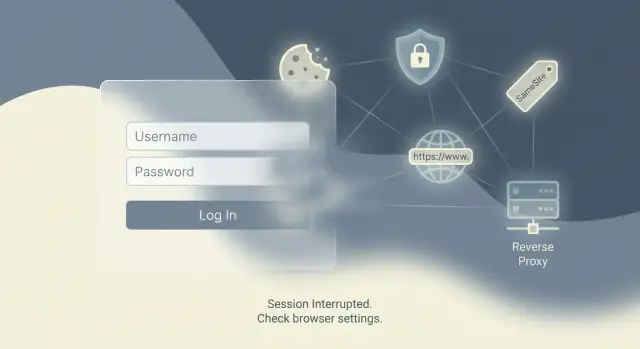
Why random logouts happen after you go live
A session is how your app remembers a user between page loads. Most of the time, that memory lives in a cookie. Either the cookie contains a signed token (common with JWT), or it contains a session ID that points to user data stored on the server.
“Random” logouts usually mean the browser stopped sending the session cookie back to your app. Nothing crashes. Your server just stops seeing a valid session, treats the user like a stranger, and sends them to the login page.
This is why things can look fine on localhost and fall apart in production. Local testing is often plain HTTP, one host, and no proxy in front. Production adds real domains, HTTPS, CDNs, and reverse proxies. Those changes affect how browsers store cookies and when they attach them to requests.
Silent session loss often looks like this:
- You can log in, then you’re logged out after a refresh or a few clicks.
- One tab stays logged in, another tab bounces to login.
- It only happens in production, or only on mobile/Safari.
- There are no helpful UI errors, just “please log in again.”
AI-built prototypes are especially prone to this because they often ship with default cookie settings and copied snippets that worked in a preview environment. The most common triggers are mismatched cookie domain/path, SameSite defaults that block certain requests, Secure cookies set in the wrong place, and proxy header issues where the app doesn’t realize the user is actually on HTTPS.
If you inherited an AI-generated codebase that “mostly works” but keeps logging users out, this is usually one of the first areas to audit before rewriting auth.
Cookie basics that decide whether sessions survive
Most session issues come down to a few cookie attributes. If any one of them is wrong, the browser may quietly stop sending the cookie that identifies the user.
A cookie has a scope. The pieces that matter most are:
- Domain: which hostnames can receive the cookie. If you set it for the wrong domain, or forget that
wwwand the root domain are different, the cookie won’t be sent on some requests. - Path: which URL paths receive it. If it’s too narrow, pages outside that path will act logged out.
- Expiration: how long it lasts. A missing or short expiration can make a login feel flaky, especially after a refresh or browser restart.
There are two common lifetimes. Session cookies usually disappear when the browser closes. Persistent cookies have an explicit expiration date, and are what “remember me” typically uses. If your app expects a persistent login but accidentally issues a session cookie, users will swear they got logged out “for no reason.”
The Secure flag is simple but unforgiving: when it’s on, browsers only send that cookie over HTTPS. That’s correct for production, but it breaks if your app thinks it’s on HTTP (often because of proxy setup).
SameSite controls when cookies are sent across “site boundaries”:
- Lax: sent in most normal browsing, but not in many embedded or cross-site flows.
- Strict: only sent on the same site. Safer, but it can break sign-in redirects.
- None: sent cross-site, but it must also be Secure.
One wrong attribute can make cookies “disappear.” The cookie might still exist in storage, but it isn’t attached to the requests that matter. Your server creates a fresh session and the user looks logged out.
SameSite settings that log users out without warning
SameSite is a cookie rule that tells the browser when it’s allowed to send your session cookie. If it’s too strict, the cookie is silently skipped on certain requests and your app looks like it “randomly” logs users out.
A common setup: your frontend is on app.example.com, and your API is on api.example.com. If your login sets the session cookie in a way the browser treats as cross-site, the next request may not include that cookie. The API then thinks the user is new and creates a fresh session.
Browser defaults tightened over the last few years. Many older tutorials assume cookies are sent more freely, so a “works on localhost” setup turns into production logouts once real domains, HTTPS, and redirect-heavy flows are involved.
What breaks most often
Problems show up in flows that aren’t a simple click-through on the same site: OAuth logins (Google, GitHub), magic link sign-ins from email, embedded widgets inside another site, and some subdomain setups where redirects bounce between hosts.
In many normal apps, SameSite=Lax is enough. Lax usually allows cookies on top-level navigations (like clicking a link to your site) but blocks them on many background or embedded requests. If your auth flow depends on cookies during a redirect callback or inside an iframe, Lax can still fail.
You generally need SameSite=None when your cookie must be sent in a clearly cross-site context (embeds, some OAuth setups, and certain cross-domain API patterns). But SameSite=None has a hard requirement: it must be paired with Secure, meaning the cookie will only be sent over HTTPS.
A practical rule of thumb:
- Default to
SameSite=Laxfor standard web apps on one site. - Use
SameSite=None; Securefor embeds, cross-site requests, or tricky OAuth callbacks. - Avoid
SameSite=Strictfor login sessions unless you fully understand the side effects. - After changing SameSite, test the full login flow on the real production domain.
Secure flag and HTTPS pitfalls
The Secure cookie flag tells the browser to only send a cookie over HTTPS. That’s good for safety, but it creates confusing behavior when any HTTP traffic still reaches your app.
A classic failure looks like this: a user hits the HTTP version of your domain, your server tries to set a Secure session cookie, then redirects to HTTPS. Browsers ignore Secure cookies set over HTTP. The redirect succeeds, but the session never sticks, so the user looks logged out right away.
Local testing hides this because you may run everything over HTTP on localhost. Then you deploy behind HTTPS, turn on Secure, and some users start losing sessions because an edge redirect, CDN rule, or proxy still allows HTTP for the first request.
Staging vs production differences
Staging often has different URLs, TLS settings, or proxy rules. If staging forces HTTPS but production allows both HTTP and HTTPS, cookie behavior will be inconsistent.
Also watch for environments where your app thinks it’s on HTTP because a reverse proxy terminates TLS. If the app doesn’t trust forwarded headers, it can set cookies and redirects based on the wrong scheme.
How to tell the browser is rejecting the cookie
Common symptoms:
- You see
Set-Cookiein the response, but the cookie never appears in browser storage. - Login “works” for one request, then the next page loads as logged out.
- Only some users are affected (often those using an old bookmark or typing the domain without HTTPS).
- DevTools shows warnings like “This Set-Cookie was blocked” or “Secure cookie over insecure connection.”
If you’re dealing with an AI-built codebase that sets cookies in multiple places, it’s also common to find duplicate or conflicting cookie settings that make this look random until you trace the very first request.
Domain and path mistakes that cause session loss
Sometimes the browser is doing exactly what you told it to do. It just doesn’t match what you meant.
Host-only cookies are the default: the cookie is tied to the exact host that set it (for example, app.example.com). Domain cookies are broader: if you set Domain=example.com, the cookie can be sent to app.example.com, api.example.com, and other subdomains. Neither is “better” by default, but mixing the two across services can create session gaps.
Subdomains: the classic split that breaks sessions
If your frontend lives on app.example.com and your API lives on api.example.com, a host-only cookie set by the API won’t be sent to the frontend host, and vice versa. The user looks logged in on one side and logged out on the other.
Also watch for bad Domain values. Domain=localhost is not a real production setting, and Domain=www.example.com won’t cover app.example.com. If you’re using a custom domain or a CDN, the “real” host the browser sees can differ from what your app assumes.
Path: a small detail with big impact
Cookies are only sent on URLs that match their Path. If you set Path=/api and then your app navigates to /dashboard, that cookie won’t be included. This shows up when code sets a cookie in one route group and reads it elsewhere.
A few sanity checks:
- Make sure the cookie’s Domain matches where you expect it to be sent.
- Only set
Domain=example.comif you truly need cross-subdomain sessions. - Keep
Path=/unless you have a strong reason not to. - Test login across every subdomain and both the “naked” and
wwwdomains.
Reverse proxy headers that break cookies in production
Many apps sit behind a reverse proxy in production (Cloudflare, Nginx, Vercel, Render, Fly.io, Railway). The proxy terminates HTTPS and forwards the request to your app. If your app doesn’t understand it’s behind a proxy, it may think every request is plain HTTP, or that the host is an internal name. That mismatch often shows up as “random” logouts.
The usual cause is simple: your app builds cookie settings from the request it sees. If it thinks the request is HTTP, it might skip Secure or generate the wrong redirect URL. If it thinks the host is something else, it may set a cookie for the wrong domain. The browser then ignores the cookie or keeps it scoped away from the real site.
These proxy headers decide what your app believes:
X-Forwarded-Proto: original scheme (HTTP vs HTTPS)X-Forwarded-Host: original host (your real domain)X-Forwarded-For: original client IP (often used for rate limits and security rules)
A concrete example: a proxy sends X-Forwarded-Proto: https, but your app ignores it. Session middleware thinks it’s on HTTP and sets a non-Secure cookie. On an HTTPS site, browsers may reject or mishandle that cookie, so users get logged out after a refresh or redirect.
The fix is often one framework setting (commonly called “trust proxy”). Be careful: trusting proxy headers from the open internet is unsafe. Only trust them when a real proxy in front of you is the only thing that can reach your app.
Step-by-step: set cookie and session settings correctly
If you’re seeing random logouts in production, don’t guess. Change one variable at a time so you can tell what actually fixed it.
Start by locking down the real public address. Write down the exact URL users type (including whether you use www). Confirm whether the site is always HTTPS from the first request, and whether anything can hit an HTTP endpoint before it redirects.
Next, decide if you truly need cross-site cookies. You usually need them when auth happens on a different domain (common with OAuth), when your API is on a separate subdomain and you’re sharing sessions, or when you embed the app inside another site.
Then align your cookie settings with that reality:
- For one-site apps,
SameSite=Laxis often enough. - For cross-site flows,
SameSite=Nonemay be required, but it must be paired withSecure. - Set
Securebased on what users see (HTTPS), not what your server thinks it sees. - Be intentional with
DomainandPath. If you don’t need sharing across subdomains, don’t setDomainat all. KeepPath=/in most cases.
Finally, handle the most common “it works locally” cause: proxies. Confirm your proxy forwards the right headers and that your app is configured to read them. Then retest like a new user: incognito window, full browser restart, and the exact login flow including redirects.
Common traps (especially in AI-generated codebases)
AI-built apps often work on localhost and then start logging people out in production. The gap is almost always cookie behavior changing once real HTTPS, real domains, and a reverse proxy are involved.
A quiet failure that shows up constantly is setting SameSite=None without Secure. Many browsers will ignore that cookie completely, so the session never sticks. It can look like login worked, but the next request arrives with no session.
Domain mistakes are another big one. Generators sometimes guess a cookie Domain or carry over a preview/localhost value. If the cookie is scoped to the wrong host (or scoped wider than intended), the browser won’t send it where your app expects.
HTTPS handling at the edge also trips teams up. If traffic hits a load balancer that terminates TLS, your app might believe requests are HTTP unless you correctly handle forwarded headers. That leads to cookies and redirects that don’t match what the browser is doing.
Finally, AI-generated codebases often mix auth systems without noticing: a framework session cookie plus a custom JWT cookie, or multiple middleware layers each mutating cookies. That creates “last writer wins” behavior that feels random.
A quick way to spot these issues is to compare cookie attributes between local and production (SameSite, Secure, Domain, Path), then watch what happens during redirects after login.
Quick checks before you change anything
Before you touch cookie flags or rewrite auth, spend a few minutes confirming what’s actually happening. A lot of “session expired” reports are really “the browser stopped sending a cookie.”
If you can reproduce the logout in a couple minutes, open DevTools (Application/Storage) and watch the session cookie after you sign in. Use a simple baseline:
- Log in and confirm the session cookie appears.
- Refresh twice and confirm the cookie still exists.
- Trigger an API call and confirm the cookie is sent with the request.
- Log out and back in and confirm you don’t end up with two similar cookies.
Then confirm whether the very first request is always HTTPS. If the first hit is HTTP and then it redirects, you can end up with cookies being set in a way the browser rejects.
If your app and API live on different subdomains (or different domains), write that down. Cross-site rules and cookie scope problems often explain why logins “sometimes stick.”
Also verify what the server thinks the external URL is. Behind a proxy, wrong forwarded headers can make the app believe it’s on the wrong scheme or host.
Finally, compare browsers. If it only happens on mobile, or only in Safari vs Chrome, SameSite and cross-site cookie rules are a strong suspect.
Example scenario: preview works, production keeps logging out
A common pattern looks like this: an AI-built app runs at app.example.com, calls an API at api.example.com, and both sit behind a reverse proxy. Login appears to work, but the session doesn’t stick.
In preview, everything felt fine because the app and API lived on one temporary host. Cookies were simple, and redirects stayed on the same origin.
After going live, users log in, see the dashboard briefly, then get kicked back to the login screen after a redirect (often after OAuth, email magic link, or a “finish signup” step). No obvious error, just silent session loss.
What’s usually happening is some combination of:
- The API sets the session cookie with
SameSite=None, but it’s missingSecure. - The proxy doesn’t forward the right
X-Forwarded-Protovalue, or the app doesn’t trust it. - The server believes the request is HTTP, so it avoids Secure cookies or generates redirects that bounce between HTTP and HTTPS.
Modern browsers treat SameSite=None cookies as cross-site cookies. If they’re not also marked Secure, the browser may drop them. So the response claims it set a cookie, but the browser never stores it, and the next request arrives without a session.
The fix tends to be boring and decisive:
- Make sure the proxy forwards the correct forwarded headers (especially
X-Forwarded-Proto). - Use
SameSite=None; Securewhere cross-site behavior is required. - Confirm cookie scope: set a Domain only if you truly need a shared session across subdomains, and keep
Pathsensible (usually/).
Next steps: get your AI-built app stable in production
If you’re still seeing logouts after tweaking cookie flags, it’s time to stop guessing and do a focused auth/session review. One wrong assumption (like trusting the wrong proxy header, or setting a cookie on the wrong host) can undo several “fixes” that looked right in a preview environment.
Before changing more code, collect a small set of facts:
- The exact cookie attributes being set (name, Domain, Path, SameSite, Secure, HttpOnly, Max-Age)
- Environment variables related to auth/sessions (session secret, base URL, cookie domain, trusted proxies)
- Your reverse proxy/CDN setup and which headers it adds (especially
X-Forwarded-ProtoandX-Forwarded-Host) - Clear repro steps (device/browser, login flow, what page triggers it)
- A couple of request/response samples from production (login response and the first failing request)
If this is an AI-generated prototype from tools like Lovable, Bolt, v0, Cursor, or Replit, cookie/proxy issues often show up alongside bigger problems like mixed auth patterns and leaked secrets.
If you want a second set of eyes, FixMyMess (fixmymess.ai) focuses on taking broken AI-generated apps and getting them production-ready. A short audit is often enough to pinpoint the exact cookie scope or proxy mismatch so logins stay stable.
FAQ
Why does my app log users out “randomly” after launch?
Most “random” logouts happen when the browser stops sending your session cookie. The app doesn’t crash; it just receives a request without a valid session and treats the user as logged out.
Why does it work on localhost but fail in production?
Localhost is usually one host, often plain HTTP, and often without a reverse proxy. Production adds real domains, HTTPS, redirects, CDNs, and proxies, and those differences can change whether cookies are stored and attached to requests.
How can I quickly confirm the logout is a cookie problem?
Start by inspecting the session cookie in DevTools after login and after a refresh. Confirm it exists, has the expected attributes (Domain, Path, SameSite, Secure, expiration), and is actually included on the requests that fail.
What SameSite setting should I use to stop logouts?
Use SameSite=Lax for a typical single-site app, because it usually keeps logins stable while adding some protection. Use SameSite=None only when you truly need cookies in cross-site contexts, and then pair it with Secure.
Why does `SameSite=None` sometimes make sessions disappear?
The browser will ignore a SameSite=None cookie if it isn’t also marked Secure. That often looks like login succeeded (you saw Set-Cookie), but the cookie never gets stored, so the next request arrives with no session.
How does the Secure flag cause immediate logout after login?
A Secure cookie is only stored and sent over HTTPS. If the first hit is HTTP (even briefly before redirect), the browser can reject the cookie, so the user looks logged out immediately after the redirect to HTTPS.
What does “trust proxy” have to do with session stability?
If your app is behind a proxy and doesn’t trust forwarded headers, it may think requests are HTTP or on the wrong host. That can lead to cookies being set with the wrong scheme or domain, which browsers then don’t send back consistently.
Can a wrong cookie Domain or Path cause logouts on certain pages?
If the cookie Domain is too narrow (like only www), some pages or services won’t receive it. If the Path is too specific (like /api), pages outside that path won’t send the cookie, and users will look logged out on those routes.
Why do I stay logged in on one subdomain but not another?
Yes. A host-only cookie set on api.example.com won’t be sent to app.example.com, so one side may see a session while the other doesn’t. If you need a shared session across subdomains, align Domain and SameSite settings intentionally.
What’s different about AI-built apps that makes this problem common, and how can FixMyMess help?
AI-generated projects often mix auth approaches (multiple session layers, JWT cookies plus framework sessions) and ship default cookie flags that only worked in a preview environment. A focused audit of cookie attributes, proxy headers, and redirects usually finds the exact mismatch quickly.