Rebuild app without changing database: cutover plan that works
Learn how to rebuild app without changing database with a safe cutover plan that preserves accounts and history, using staged rollout and rollback.
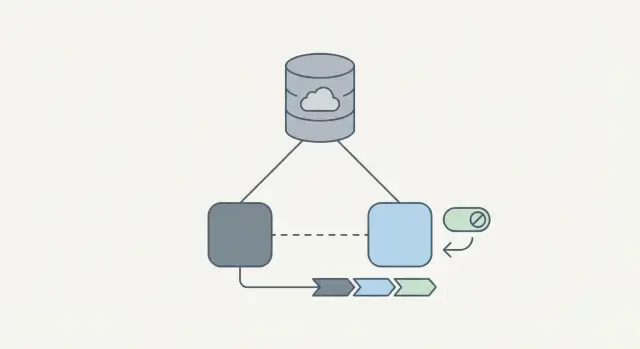
What can go wrong when you rebuild but keep the same database
Keeping your current database can feel safer than a full migration. But a rebuild can still fail in ways that look like “missing data” to users. Most issues come from small mismatches between what the old app assumed and what the new app actually does.
The most painful failures show up as account loss or “empty” histories. The rows might still be there, but the new app reads them differently. Common causes include changed password hashing, different email normalization (case sensitivity and trimming), new user ID formats, or a new auth provider that doesn’t map cleanly to existing identities.
A rebuild without a database change also risks subtle corruption during cutover. If the old app and new app both write at the same time, you can fork reality: duplicated records, overwritten updates, or events recorded in one system but not the other.
A cutover plan needs to protect a few things above all else: logins and identity mapping, write ordering (no double writes and no lost updates), audit trails and history (timestamps, status changes, invoices, messages), and background jobs (emails, webhooks, billing runs) that might reprocess old data.
Sometimes keeping the database is the wrong call. If the schema is unsafe (exposed secrets, evidence of SQL injection damage, missing constraints) or the data model is so inconsistent that every screen needs special-case logic, you may spend more time patching than rebuilding.
One simple example: your rebuild changes “organization membership” rules. Old data allows multiple roles per user, but the new app expects one. Users suddenly “lose access” because the new code picks the wrong role. Catching this early is what compatibility checks are for.
Set the goals and choose a cutover approach
Start by writing down the promises you refuse to break. This keeps the rebuild from turning into a risky rewrite where people lose access, history, or trust.
Most teams end up with promises like these: existing accounts still work, historical data stays intact, and downtime is either near-zero or scheduled and short. If any promise can bend (for example, a 10-minute maintenance window is fine), decide that now, not during launch night.
Turn “success” into plain checks the whole team agrees on. For example: users can log in and see the same role and permissions; key pages show the same totals (orders, invoices, messages); new actions create exactly one write in the database; critical jobs still run; and support has a clear script for the most likely issues.
Two common cutover styles
A scheduled switch (big-bang) moves all traffic to the new app at a planned moment. It’s simpler to reason about, but the stakes are higher if anything breaks.
A gradual shift moves traffic in steps (by percentage, by user group, or by feature). It takes longer, but lowers risk because you can learn from real usage before going all-in.
Define rollback as something you can decide quickly and execute without guesswork. Be explicit about what users will experience (a read-only period vs. a full return to the old app) and what happens to data created during the attempt.
Map the current data and the user journeys tied to it
Get a clear picture of what’s really in production today, not what the ERD says. Rebuilds often break because one “small” table or background job was quietly doing a lot of work.
Start by inventorying the data behind your most-used flows. Focus on the tables that decide who a user is, what they can access, and what you get paid for. In practice, that usually means identity and access tables, billing/subscription tables, your core domain records and settings, and the logs and integration tables that explain what happened (and why).
Next, map the relationships you can’t break. Look for foreign keys (or “soft” links enforced only in code), unique constraints, and “must exist” records (like a default org or an owner role). Write down what must stay true after cutover, such as: every subscription maps to exactly one active account.
Finally, document where data is created or edited. Keep it simple: UI forms, admin tools, background jobs, imports, and webhooks. Capture the quirks production depends on, even if they’re messy.
Example: if your current app writes org_id in two different ways (web signup vs. sales-assisted onboarding), your new app must handle both.
Make authentication and user identity compatible
Authentication is usually the first thing that breaks in production. Small mismatches in user IDs, org membership, or roles can lock people out or, worse, sign them into the wrong account.
Confirm what your system treats as “the” identity. Is it a numeric user_id, a UUID, an email, or an external provider ID (Google, GitHub)? Choose the stable key and use it the same way everywhere: org membership, permissions, billing ownership, and audit logs.
Run a compatibility check that catches most issues:
- The same user ID maps to the same email and org in both apps.
- Org and role tables mean the same thing (not just the same names).
- Uniqueness rules match real life (especially email uniqueness).
- Deleted or disabled users behave the same way.
- Audit fields like
created_atandlast_loginare preserved.
Password handling needs extra care. Don’t rehash passwords unless you truly have to. If the old app uses bcrypt and the new app expects argon2, keep verifying with the old hash and migrate on next login (store the new hash after a successful login). That avoids forced password resets, support tickets, and churn.
Sessions and tokens are the next trap. During a staged rollout, old sessions may still exist. Decide whether you’ll honor them, expire them, or run both token validators for a short window. If you rotate signing keys, plan it like a release, not a surprise.
Edge cases always show up: duplicate emails from legacy imports, users in multiple orgs, and old role names like "owner" vs "admin". Fix these with a mapping layer, not ad hoc database edits.
Design your schema and API changes for backward compatibility
Backward compatibility is what keeps the cutover calm. Start by agreeing on what must not change because the old app still depends on it.
Treat the database like a contract: table names, key columns, primary keys, and the meaning of existing values. If the old code expects users.id to be a UUID and users.email to be unique, keep that stable during the transition.
Then separate safe changes from risky ones.
Add-only changes are usually safe: new nullable columns, new tables, and new indexes.
Breaking changes (renaming columns, changing data types, tightening constraints) should wait until the new app fully serves traffic.
A practical pattern is expand first, switch second, and contract last. Example: add users.timezone as nullable, ship the new app to write it, backfill old rows, and only then consider making it NOT NULL.
A practical compatibility checklist
Before you ship any migration, make sure:
- New columns start as nullable or have a default.
- New enums accept old values (or you map them safely).
- Constraints tighten gradually (validate later, enforce later).
- Old APIs still work even if the new app adds fields.
- You have a plan to backfill and verify existing rows.
Old rows are the trap. If new validation rules reject legacy data (missing phone numbers, invalid states, blank names), don’t “fix” it by blocking logins. Use tolerant reads, migration scripts, and targeted prompts (ask users to update missing fields after they sign in).
Step-by-step staged rollout plan (read-only to full traffic)
Treat cutover as a series of small bets. Each stage should be reversible, and each should have a clear test that proves the new app behaves like the old one.
Stages (from safest to riskiest)
Start by pointing the new app at production data, but limit what it can do:
- Run the new app in read-only mode. Let users browse, search, and view history, but block actions that write.
- Add shadow traffic for a few key endpoints. The old app serves responses, while the new app runs the same requests in the background and you compare outputs.
- Enable a small set of write actions for a tiny group using feature flags (internal users, then a small percentage).
- Ramp traffic gradually (10%, 25%, 50%, then 100%), with monitoring gates at every step.
Between stages, pause and review what you learned. If anything looks off, stop the rollout and fix it before you increase risk.
Criteria to move forward
Write “go/no-go” checks ahead of time so decisions aren’t made under pressure:
- Error rate and latency stay within a small threshold compared to the old app.
- Shadow responses match for key fields (permissions, totals, prices, statuses).
- No unexpected writes happen in read-only mode (confirm with DB logs).
- Support tickets and user complaints don’t spike after each ramp.
- A rollback runbook is tested and can restore the old app in minutes.
Plan writes during the transition (avoid data forks)
The fastest way to break a cutover is to let both versions of the app write to the same records in different ways. You need one clear rule: at each rollout step, who is allowed to write what.
Pick a single source of truth for writes. Often, the old app keeps writing while the new app runs in read-only mode. Then you flip: the new app becomes the writer, and the old app becomes read-only or has write endpoints blocked. This prevents silent “split brain” data.
Dual writes (both apps writing) sound safe, but they often create forks you only notice days later, like mismatched subscription status or duplicate invoices. Only do dual writes if you can prove it’s safe.
If you must support dual writes for a short window, make conflicts predictable:
- Make every write idempotent using a stable request ID.
- Define conflict rules upfront (last-write-wins for profile fields, but never for payments).
- Add a small write-log table (request ID, user ID, timestamp, main entity touched).
- Reject unknown fields or “best guess” mappings.
- Put strict feature flags around new write paths so you can shut them off quickly.
A practical approach: while migrating sign-ups, let the new app create accounts, but route password resets and billing changes through the old app until you’ve verified every write path.
Monitoring and data validation during cutover
Cutover isn’t just a deploy. It’s a live experiment, especially while you move traffic in stages.
Start with a tight set of signals that tell you whether users can still sign in, browse, and save changes:
- Login success rate and password reset success
- Error rate by endpoint (5xx, timeouts, auth errors)
- Write failures and retries (creates, updates, payments, invites)
- Latency at p95/p99
- Queue and background job health (emails, webhooks, billing sync)
Numbers aren’t enough. Validate the data itself during each traffic step (5% then 25% then 100%): compare row counts and totals for the entities you touch, check recent activity consistency (foreign keys, timestamps, statuses), and spot-check the last set of writes for obvious anomalies.
Layer user signals on top. A spike in support tickets, a sudden drop-off after login, or repeated “something went wrong” screenshots often shows problems before dashboards do.
Set decision thresholds before you start. Example: if login success drops by 2% for 10 minutes, or write failures exceed 0.5%, pause the rollout and investigate. If the cause isn’t obvious quickly, roll back.
Rollback plan you can execute in minutes
Rollback isn’t a failure. It’s the safety valve that lets you protect user accounts and history.
Set clear rollback triggers
Pick a small set of alarms that force action, not debate:
- Login or signup failures above a set threshold (for example, 2% for 5 minutes)
- Suspicious writes (missing required fields, unexpected nulls, duplicated records)
- Major performance regression (timeouts, DB CPU pegged, queue backlog growing)
- Security red flags (auth bypass, permission checks not firing)
When a trigger hits, one person should have authority to call it. Everyone else executes.
The “minutes, not hours” rollback steps
Write this like an emergency checklist and rehearse it once:
- Switch traffic back to the old app (load balancer, feature flag, or deployment toggle).
- Freeze new writes in the new app (return a clear maintenance message).
- Preserve evidence: request logs, error traces, and a snapshot of affected tables.
- Drain or pause background jobs so they don’t keep writing bad data.
- Verify: one person checks logins and key workflows, one person checks data health.
For partial writes, keep a simple recovery rule. Either tag new writes by source (old vs. new) so you can isolate them, or queue writes and replay only after validation.
Common mistakes and traps (and how to avoid them)
Most cutovers fail for boring reasons: a small mismatch that only shows up with real users and real history. Treat compatibility as a product feature, not a last-minute task.
One classic mistake is breaking user identity. If you change primary keys, renumber users, or swap UUID formats mid-flight, you can silently disconnect accounts from subscriptions, permissions, and audit trails. Keep the same user IDs end-to-end, or add a stable mapping layer and test it on a full production snapshot.
Passwords are another frequent trap. Teams “migrate” auth and accidentally reset everyone because the new service can’t verify the old hashing scheme (or forgets per-user salt/pepper). Keep old verification working, re-hash on successful login, and never log or expose secrets during debugging.
Production data will surprise you. Test data rarely includes deleted users, duplicate emails from older imports, timezone quirks, partial records, or legacy flags the UI hid years ago. Plan tests around edge cases, not happy paths.
Five checks prevent most incidents:
- Freeze user ID format and primary keys for the duration of cutover.
- Confirm password hashing and session/token rules match old behavior.
- Rehearse with a production-like snapshot and real migration scripts.
- Inventory background writers (jobs, webhooks, cron) and gate them during rollout.
- Delay breaking schema changes until the new app owns 100% of read and write traffic.
Quick checklist before, during, and after cutover
Treat cutover like a rehearsal, not a single switch flip.
Before cutover (rehearse like it’s real)
Verify backups by restoring them to a test environment and opening the app against the restored copy. Rehearse migrations end-to-end (apply, verify, rollback) using production-like volume. Confirm monitoring and alerts cover errors, latency, and database locks/slow queries. Run auth flows (login, signup, password reset, session refresh, role-based access) for a few real roles. Sample key tables (users, subscriptions/orders, audit/history) and look for unexpected nulls, missing indexes, and inconsistent recent records.
Do one timed dry run with a small internal group. If something is unclear, turn it into a runbook step.
During and after cutover (trust, but verify)
Start with a tiny percentage and increase in steps. Confirm the rollback switch works without a code deploy (practice before launch day). Validate writes for the flows that matter most (profiles, payments, permissions). Check background work (queues, cron jobs, emails, webhooks) is firing once, not twice. Make support ready with a short status note, known-issues list, and a fast way to find affected users.
Example scenario: rebuilding a SaaS app while keeping all history
A small SaaS team decides to rebuild their web app because the current one is slow and fragile, but they can’t lose anything in the database: user accounts, projects, invoices, and subscription status. The goal is to rebuild the app without changing the database, then switch traffic safely.
First, they ship the new app in read-only mode. Users keep using the old app for edits, but the new app can log in, load projects, show past invoices, and display the current plan. Internally, the team compares counts and totals (projects per user, last invoice amount, next renewal date) between old and new screens. Customers see no change, but the team quickly finds where assumptions differ.
Next, they roll out to a small cohort: 5% of users with low support risk and a mix of plan types. They watch login success, project load time, invoice totals matching the old app, and new support tickets that mention missing data.
On day two, they spot a billing mismatch for annual plans. The new app displays “paid” correctly, but writes a wrong next_billing_date when a user updates their company profile. That’s a rollback moment. They flip traffic back to the old app, disable writes in the new app, and replay the small set of affected updates using a script and audit logs. No one loses history, and the fix gets tested again in read-only before re-enabling the cohort.
Next steps and when FixMyMess can step in
Treat the cutover plan as its own project. Start by writing down what must not break: sign-in, billing, key reports, and any integrations that write to the database.
Bring in help early if you see patterns like intermittent login/session issues across environments, a schema that “grew organically” with unclear ownership, or security gaps like exposed secrets and suspicious SQL queries.
If you inherited an AI-generated prototype that’s now failing under real production behavior, FixMyMess (fixmymess.ai) focuses on diagnosing and repairing those gaps - especially auth issues, unsafe schema patterns, and brittle logic - so your staged rollout and rollback plan matches what the code actually does. A common starting point is a free code audit to surface the real failure points before you flip traffic.