Rebuild from scratch while keeping your UX and data needs
Planning to rebuild from scratch? Keep the same UX, workflows, and data needs while replacing messy code with a clean, maintainable foundation.
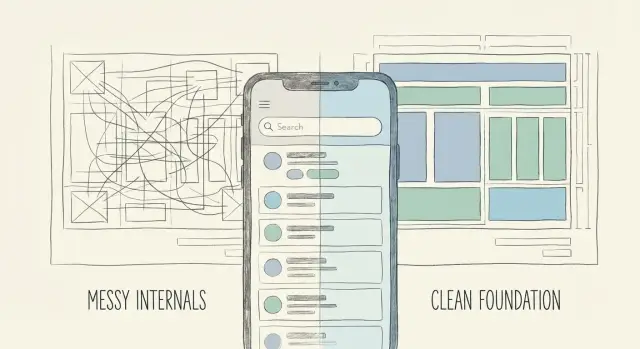
When a rebuild is the right move (and what you keep)
A rebuild isn’t “starting over.” For users, the product should feel like the same app. The promise stays the same. The main screens and the way people get from A to B stay the same. What changes is the code underneath.
A rebuild is usually the right call when the app looks fine in demos but breaks under real use. Messy internals show up as small annoyances at first, then turn into bigger problems: bugs that return, simple changes that take days, and deployments that feel like a coin flip.
You’re usually better off rebuilding (instead of patching forever) when:
- Fixing one bug regularly creates two more.
- Core features like login, payments, or email are brittle.
- You avoid deploying because you can’t predict what will break.
- The code is hard to understand, even for the person who wrote it.
- The app was generated quickly with an AI coding tool and never got a solid foundation.
What you should not lose is what users actually care about. That usually includes:
- The user experience: the main screens, flows, and copy.
- Your data requirements: what must be stored and why.
- Trust: accounts, billing history, permissions, and any promises you’ve made.
A simple example: a founder has a prototype that lets users sign up, create a project, and invite teammates. But authentication fails for some users, secrets are exposed in the repo, and the database schema keeps changing. A rebuild keeps the same flows and screens, but replaces the auth, database structure, and deployment setup with something stable.
Define the product you want to preserve
If you rebuild without agreeing on what must stay the same, you burn time fast. The goal is simple: keep what users value, replace what keeps breaking.
Start by writing down the non-negotiables. These are the core jobs your product must do even if every line of code changes. Think in outcomes, not feature labels. “Users can sign up” is a feature. “A user can create an account and return later to find their work” is a job.
A quick way to find non-negotiables is to answer:
- What are the 3-5 things users come here to accomplish?
- What would make them say, “This isn’t the same product anymore”?
- What must be true for you to charge money or prove value?
- What data must exist so the product feels continuous (history, saved items, settings)?
Next, map your top user journeys end to end. Keep it small: pick the 2-3 most common paths that lead to success. Write them as short stories from the user’s point of view: where they start, the key steps, and what “done” looks like. This becomes your rebuild target and prevents “helpful” changes that quietly break the experience.
Then capture the edge cases that damage trust. These are the complaints you hear repeatedly: password reset loops, payments that say “success” but don’t unlock access, invite links that fail, or data that disappears after refresh.
Finally, turn all of that into a short “must match” spec. Keep it to one page, plain language, no technical talk:
- Who the product is for (one sentence)
- The 3-5 non-negotiable jobs
- The 2-3 key user journeys (as bullet steps)
- The top 5 edge cases to handle
- Success metrics (for example: “User can finish onboarding in under 2 minutes”)
This spec is what you build against. It keeps the rebuild focused on continuity, not opinions.
Lock in the user experience before touching code
Before you rebuild, freeze what users actually experience. If you skip this, a “clean” rebuild can ship with tiny UX differences that feel like bugs.
Start by listing the surfaces that matter: key screens, states, and the exact words people see. Include empty states, error messages, confirmation toasts, and microcopy on buttons. Users notice when these change because they’re part of how the product communicates.
Write down behavior, not implementation. Describe what the user does and what they expect next. Avoid notes like “calls endpoint X” or “uses library Y.” Those internal choices are exactly what you’re replacing.
To capture UX without getting lost, focus on:
- The top user tasks (sign up, create, search, export, invite, pay)
- Steps for each task, plus common edge cases and error states
- Exact microcopy for high-trust moments (pricing, auth, destructive actions)
- Basic performance expectations (what should feel instant vs what can take a few seconds)
- What can change safely (spacing, minor layout) vs what must stay familiar (navigation, labels)
Performance is part of UX. If the current prototype feels fast and the rebuild feels slow, users assume something’s wrong. Set a few targets you can test, like “dashboard usable within 2 seconds” or “search updates within 300ms after typing stops.”
Get clear on data needs and migration scope
In a rebuild, data is the part you can’t “fix later.” If you don’t name what data matters and why, you’ll either lose something important or carry over a mess that slows down the new build.
Start by inventorying what you store today, even if it’s messy. Many quick prototypes end up with extra tables, duplicate fields, and unclear names. Make a plain list of what exists: database tables, spreadsheets, files in storage, and third-party data (payments, email lists, support tickets). Also note where secrets or personal data might be hiding in the wrong place.
Next, describe the data you need tomorrow in plain language, tied to real decisions:
- What reports do you need every week?
- What events or analytics do you rely on?
- Who can see what (admins, customers, teammates)?
- What needs an audit trail?
Define your “things” and how they relate
Write your key entities as nouns and keep it simple. For example: User, Team, Project, Subscription, Invoice, Message. Then add one sentence per relationship: “A Team has many Users,” “A Project belongs to a Team,” “An Invoice is linked to a Subscription.”
Sanity-check it without looking at code:
- What is the single source of truth for each thing?
- What can be deleted, and what must be kept?
- What changes need history (status changes, payments, permissions)?
- What data must be searchable?
- What data is personal or sensitive?
Plan the migration: preserve, transform, or reset
Not everything needs to move over. Decide what must be preserved (customer accounts, paid history), what can be transformed (merge duplicates, normalize formats), and what can be reset (test users, old experiments).
Example: the UI works, but the backend stores “customers” in three different places. The rebuild keeps the UX and the account list, but resets analytics events and removes test data so the new database starts clean.
Choose a clean foundation (architecture without jargon)
The goal is boring in the best way: a setup that’s easy to understand, easy to change, and hard to break.
Pick tools you can actually run and maintain. If you have one developer, a simple frontend, a single API, and one database is often enough. If you don’t have an in-house dev team, managed services can reduce ongoing work like patching, backups, and monitoring.
Before building features, set baseline requirements every screen and endpoint must respect:
- Authentication and password reset that works end to end
- Roles and permissions (even if it’s just admin vs user)
- Logging for key actions and errors so you can debug quickly
- Backups and a restore test (a backup you can’t restore isn’t a backup)
- Basic rate limits and input validation to reduce abuse
Keep the boundaries clear. Think of your app as three boxes: the UI (what users see), the API (the rules), and the database (the memory). Integrations like payments, email, and analytics should be connectors, not tangled into every feature. That way you can replace one piece without rewriting everything.
Secrets and config deserve special attention because they’re a common failure point in rushed builds:
- Put secrets in environment variables or a secrets manager, not in the codebase
- Separate dev, staging, and production configs
- Don’t log sensitive data (tokens, passwords, full payment details)
- Document where each key lives and who can access it
A practical step-by-step rebuild plan
A rebuild works best when you treat it like a controlled swap: keep what users recognize, replace what keeps breaking.
1) Triage what to keep and what to throw away
Start with a quick audit of the current app. Separate “usable” from “harmful.” Usable is often the copy, screens, flows, and business rules you can explain. Harmful is tangled code, hard-coded keys, and anything that breaks when one small thing changes.
Write down the few things that must remain true after the rebuild (for example: “User can sign up in under 60 seconds” and “Admins can export transactions”).
2) Plan milestones with clear acceptance checks
Turn the rebuild into small releases you can verify. Each milestone should have a plain test: what you click, what you expect to see, and what data should exist after.
- Milestone 1: Auth + basic navigation works on a fresh database
- Milestone 2: One core flow end to end (create, view, edit, delete)
- Milestone 3: Payments or the main money path (if relevant)
- Milestone 4: Secondary features (settings, notifications, dashboards)
- Milestone 5: Launch prep (security, monitoring, backups)
3) Build core flows first
Recreate the 1-3 most important user journeys before adding extras. If the app is a booking tool, nail “search -> select -> confirm -> receipt” before adding coupons, referrals, or fancy filters.
4) Migrate data, then cut over safely
Treat migration as its own feature. Map old fields to new ones, run a test import, and plan a cutover window. Also define a rollback: what happens if you need to switch back for a day.
5) Harden security and prep deployment
Before launch, do a security sweep: remove exposed secrets, lock down auth, validate inputs, and confirm you can deploy and roll back cleanly.
Common traps that make rebuilds painful
Rebuilds fail when people treat them like pure code projects. They’re product continuity projects. The new build has to behave the same way for users, even if the internals are completely different.
One common mistake is rebuilding without a written “must match” UX spec. If the only reference is the old app, small decisions get made differently every day. Two weeks later you realize the checkout flow has an extra step, dashboard numbers moved, or a key error message disappeared.
Another mistake is copying the old database mess into the new system. A rebuild is a rare chance to name things clearly, remove unused tables, and stop storing the same data in multiple places. If you clone the schema as-is, you keep the confusion and make future changes just as hard.
Auth and permissions are also easy to postpone, and that usually backfires. Teams build the happy path first, then discover late that roles, access rules, and session handling change the design of many screens and endpoints.
Don’t forget the parts users don’t see but depend on:
- Emails and password reset flows
- Webhooks to other tools
- Background jobs (syncs, retries, cleanups)
- Admin tools and audit logs
- Rate limits and basic abuse protection
Finally, launching without a rollback plan and basic monitoring turns small bugs into long outages. Keep the old version available for reference, migrate in a reversible way when possible, and watch a few key signals (errors, sign-in success rate, payments).
Quick rebuild checklist before you ship
A rebuild can feel “done” when the screens look right. The real test is whether real people can use it the same way as before, with fewer surprises and fewer support tickets.
Run this checklist in staging using realistic accounts and sample data.
- Walk the core journeys end to end. Sign up, log in, complete the main task, and finish checkout or save. Test on mobile and desktop. Watch loading states, confirmations, and what happens after refresh.
- Prove the data mapping with sample records. Write down where each old field goes, then test with a small batch (including missing emails, duplicates, and old statuses). If totals matter, compare before and after.
- Hunt for secrets before they ship. Confirm API keys and credentials aren’t in the repo, client-side config, or logs. Treat “temporary” keys as real keys.
- Test unhappy paths. Wrong password, expired session, blocked user, no internet, and server errors. Users should see clear messages, and the app should recover without getting stuck.
- Make deployment repeatable. One person should be able to deploy from scratch, rotate environment variables, and roll back. If only “the builder” can do it, you’re not ready.
If you can pass this checklist twice in a row (fresh deploy each time), you’re close to a launch you can support.
Example: keep the same product, replace the internals
A founder has a demo that looks great. The pitch works, the UI feels smooth, and early users sign up. But when real traffic shows up, logins fail, password resets don’t arrive, and one random deploy breaks the whole app. The code was generated fast, but it wasn’t built to survive production.
They choose to rebuild, without losing what made the demo convincing.
What they keep is everything a user can see and feel: the screens, onboarding steps, and pricing flow. The signup page stays the same. The dashboard layout stays the same. Even the copy and button labels stay the same. Users should feel like nothing changed, except the app now works reliably.
What changes is everything behind the curtain:
- Authentication moves to a proven setup with clear sessions and a real password reset flow.
- The database model is cleaned up so the same “user” isn’t stored three different ways.
- API boundaries are defined so the frontend isn’t tangled with database logic.
- Secrets and keys are removed from the codebase and handled safely.
Migration is handled like a careful move, not a risky flip of a switch. They preserve real users and paid access, then reset test and demo data so the new database starts clean.
They run both versions side by side briefly: the old app for reference, the new app for validation. A small internal group tests the full journey (signup, login, upgrade, cancel) before any wider release.
“Done” isn’t “it loads.” Done looks like this:
- Login and password reset work reliably in production.
- Changes take hours, not days, because the code is readable.
- Releases feel safe, with fewer emergency rollbacks.
- Basic security issues are removed (no exposed secrets, fewer injection risks).
Next steps: turn the plan into a rebuild you can ship
Write a one-page brief you can hand to anyone: what parts of the UX must stay the same, what data you must keep (and why), and what success looks like after launch. This is your anchor when rebuild decisions get noisy.
Then make one clear call: do you need a partial rescue or a full rebuild? If the app mostly works and only a few areas are unsafe or brittle (auth, payments, data access), a focused rescue can be faster. If every change breaks something new, a rebuild is often safer, as long as you preserve the product people already understand.
If you inherited an AI-generated app and want a second set of eyes, FixMyMess (fixmymess.ai) focuses on diagnosing and repairing these codebases, including rebuilds that keep the UX while fixing auth, security, and deployment issues. A quick audit can clarify whether you’re looking at a targeted rescue or a clean rebuild.
FAQ
How do I know if I should rebuild instead of keep patching?
Rebuild when the app looks fine in demos but keeps breaking in real use, and every fix seems to create new bugs. If core areas like login, payments, email, or deploys feel unreliable, rebuilding is often faster than endless patching because you replace the unstable foundation instead of chasing symptoms.
If I rebuild, what should stay the same for users?
You keep what users recognize: the key screens, navigation, flows, and the copy that guides them. You also keep the product promise and the outcomes users come for, even if every line of code changes behind the scenes.
What’s the simplest way to define what must not change during a rebuild?
Start by writing 3–5 “jobs” the product must do, phrased as outcomes a user can complete. Then capture 2–3 end-to-end journeys and the top trust-breaking edge cases, and put it all into a one-page “must match” spec that you can test against as you rebuild.
Why should I lock down the UX before touching the code?
Small differences can feel like bugs to existing users, especially around sign-in, pricing, and destructive actions. Freezing the UX first gives you a clear target so the rebuild stays about reliability and safety, not accidental product redesign.
What should I do about data when rebuilding an app?
Inventory what exists today, then define what data you need tomorrow to support real decisions like permissions, billing history, and reporting. Treat migration as a first-class task, deciding what you will preserve, what you will transform, and what you will reset so you don’t carry old confusion into the new system.
What are the “must fix first” items in a rebuild?
Run password reset end to end, confirm sessions behave correctly, and verify roles and permissions early, not at the end. If auth is brittle, everything else becomes harder to trust because users can’t reliably sign in, stay signed in, or access the right data.
How do I plan a rebuild so it doesn’t drag on forever?
Use milestones with plain acceptance checks you can click through, like “auth works on a fresh database” and “one core flow works end to end.” Ship the core journeys first, then migrate data, then harden security and deployment so you’re not polishing features on top of shaky basics.
How do I migrate data without risking user trust?
Start with a test import using real-looking sample records, including duplicates and missing fields, and verify totals and critical fields match expectations. Plan a cutover window and a rollback plan so you can switch back temporarily if something unexpected shows up in production.
How do I make sure the rebuilt app doesn’t feel slower than the prototype?
Set a few measurable targets like “dashboard is usable within 2 seconds” or “search updates quickly after typing stops,” and test them with realistic data. Performance is part of the experience, so a rebuild that’s correct but slower can still feel broken to users.
Can FixMyMess help if my app was generated with an AI coding tool?
FixMyMess helps teams rescue or rebuild AI-generated apps by diagnosing what’s unsafe or brittle and then making it production-ready while keeping your UX and product flow intact. A free code audit can tell you whether you need a targeted repair or a full rebuild, and what the safest path is before you commit.