Red flags when fixing a broken prototype: “easy” is a warning
Learn red flags when fixing a broken prototype: the missing questions, vague plans, and risky shortcuts that can create new bugs and delays.
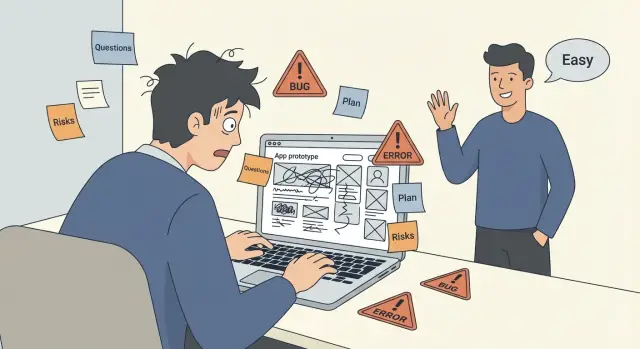
Why "easy" is often the wrong first answer
"Easy" can be true. If a prototype has one clear bug, a clean codebase, and a repeatable way to test the fix, an experienced person might solve it fast.
But when you hear "easy" before anyone asks real questions, treat it as a red flag. It usually means one of two things: they’re guessing, or they’re planning to patch the symptom and hope nothing else breaks.
Most broken prototypes aren’t one problem. They’re a stack of small problems that only show up outside a demo: half-finished flows, missing error handling, unclear data rules, and features that work only on the happy path.
A demo can look fine while hiding issues that make a product fall over in real use. The moment users sign in, refresh, upload, pay, or use it on a slow network, the cracks show.
What "easy" often skips:
- There’s no reliable way to reproduce the bug, so fixes become guesses.
- Authentication and permissions are brittle or inconsistent across pages.
- Secrets are exposed in client code or logs, which can turn into a security incident.
- The code is tangled, so "small changes" trigger new bugs elsewhere.
Shortcuts feel fast because they reduce today’s work, not because they reduce total work. A quick patch without tests or clear acceptance checks can turn one issue into three: the original bug, a regression, and a new edge case nobody saw.
A simple example: a founder has an AI-built app where sign-in "works" during a screen share. In real use, users get logged out randomly. Someone says it’s easy and swaps a library or disables a check. Now sign-in appears stable, but permissions are broken, and private data is visible to the wrong users.
This is why a careful team starts with diagnosis, not confidence. If the first answer is "easy," the next thing you should hear is a short set of concrete questions and a plan to verify the fix, not a promise.
The missing questions that should worry you
When someone hears "broken prototype" and replies "easy," the real signal is what they ask next. Fixing isn’t just making errors disappear on their laptop. It’s agreeing on what "fixed" means and proving it in the same place your users will see it.
A careful person pins down the finish line. Does "fixed" mean it works only for the demo account, or for every user? Does it need to work on mobile, in production hosting, and with real data? If they skip these basics, you can end up paying twice: once for a quick patch, and again when it fails under normal use.
Questions you should expect early:
- What are the exact steps to reproduce the bug, and what do you see (screenshots, error text, logs)?
- What changed right before it broke (dependencies, API keys, database changes, hosting move)?
- What does "fixed" mean in plain terms (which pages, which roles, which devices, what load)?
- What security or data risks are involved (secrets exposed, auth issues, risky inputs)?
- Who owns access to the code, accounts, and deployments (repo, domain, hosting, database)?
Security and data questions are the easiest to wave away with "we’ll do that later." That’s backwards. If authentication is broken, secrets are exposed, or user input isn’t handled safely, you can create a bigger problem while trying to fix a smaller one.
Ownership matters just as much. If nobody can access the hosting account or the production database, the "fix" might never reach users. Or it gets deployed from someone’s personal account, and you’re stuck when they disappear.
A quick example: an AI-generated app "works locally" but fails on login in production. A contractor says it’s easy and starts changing code. They never ask for production logs or whether keys differ between environments. Two days later, login still fails, and a new bug appears because the fix assumed test data. The right first move wasn’t coding. It was confirming the real failure point.
Vague plans that hide uncertainty
A vague plan can sound confident, but it often means the person hasn’t looked closely enough to know what’s actually broken. If the explanation stays fuzzy, you’re not buying a fix. You’re buying a guess.
One of the biggest warning signs is the absence of anything you can point to later: no written scope, no clear definition of done, no acceptance checks. That’s how a simple request turns into endless tweaks, or a "fix" that breaks three other flows.
Timelines can be slippery too. "A few days" isn’t a plan if it has no phases, no milestones, and no decision points. A real plan has moments where you stop, review what was found, and decide what to do next based on evidence.
A credible plan usually includes:
- A short written scope: what will change, and what will not
- Acceptance criteria in plain language: how you’ll confirm it works
- A first-pass diagnosis step before big code changes
- Milestones tied to user flows (not just tasks)
- Risks and unknowns called out upfront
Another red flag is when they can’t explain what they’ll check first. "I’ll just run it and patch bugs" is how people miss the root cause, especially in AI-generated prototypes where logic, auth, and data access are often tangled.
Be careful with fixed-price promises made before anyone reviews the repo. Fixed costs can be fine, but only after a quick audit. If someone won’t look first, they’re pricing based on assumptions.
If you want to test whether the plan is real, ask:
- What will you look at in the first hour?
- What does "done" mean for the top two user flows?
- What might make the estimate change?
- How will you prevent new bugs while fixing old ones?
- Which areas do you consider high-risk (auth, payments, database, deployment)?
If the answers stay generic, they may be treating every issue like the same kind of bug.
Shortcuts that usually create new bugs
When someone says your fix is "easy," listen for the shortcut hiding behind it. A quick patch can feel great for a day, then turn into a chain of new bugs.
One common shortcut is "we’ll just rewrite it." Rewrites can be the right call, but only if the person can say what will stay the same (features, data model, core flows) and what will change (framework, database, auth, hosting). If they can’t name what you’re keeping, a rewrite becomes a moving target.
Another shortcut is "we’ll just update packages." Dependency updates help with security and compatibility, but they rarely fix broken logic, tangled state, bad queries, or an architecture that can’t grow. In AI-generated code, updates can also introduce breaking changes when the code relies on older behavior.
Be especially careful with "temporary" bypasses like disabling authentication, skipping permissions, or hardcoding admin access "just for now." Those shortcuts tend to stick around. They also create security holes that are painful to unwind later.
A few questions that expose risky shortcuts:
- What exactly will you change, and what will you keep the same?
- How will you verify the fix (reproduction steps, acceptance checks, logs, tests)?
- What’s the rollback plan if today’s deploy causes failures?
- Which high-risk areas are you touching?
Copy-paste fixes are another trap. Dropping in snippets without tests or verification can give you a "working" screen with hidden edge cases and new security issues.
A simple example: a contractor disables auth to "prove the flow works," pushes straight to production, and plans to "turn auth back on later." A week later, users are locked out, sessions are inconsistent, and sensitive endpoints were exposed. The fix now costs more than doing it carefully the first time.
High-risk areas people skip when they say it is easy
When someone says fixing your prototype is "easy," pay attention to what they don’t mention. The hardest problems are often the ones you only notice after launch: user accounts that leak access, keys that get exposed, or a database that falls over under normal use.
Identity: logins that "work" but don’t protect anything
A login screen isn’t the same as real security. A risky fixer may focus on getting you past the sign-in page, then skip the parts that actually control access.
Common gaps:
- Users can see or edit data that isn’t theirs (missing authorization checks).
- Admin features exist "by accident" because roles were never defined.
- Password reset, email verification, and session expiry are ignored or half-built.
- Tokens are stored in unsafe places or never rotated.
- "Temporary" bypasses are left in to hit a deadline.
If they aren’t asking who should access what, they’re guessing.
Secrets, database safety, and the stuff that breaks quietly
AI-generated code often hides secrets in plain sight: API keys in the repo, copied environment files, or the same credentials used everywhere. The app might run, but it’s one leak away from a bad day.
The database layer is another danger zone. You can ship a prototype that reads and writes data, but still be exposed to SQL injection or runaway queries. A careful plan includes parameterized queries, basic indexing where needed, and clear handling for empty results.
Error handling is where "easy" turns into user pain. Timeouts, retries, empty states, and partial failures aren’t rare in production. They happen all the time.
Finally, deployment is rarely "one click." If they don’t separate staging and production settings, define environment variables, and explain how releases will be tested, you can end up with a fix that only works on their laptop.
A simple step-by-step way to evaluate a fix plan
A good plan isn’t a promise. It’s a clear path from today’s broken behavior to a working release you can trust.
Make the problem repeatable first. "Login is broken" isn’t enough. You want steps anyone can follow to reproduce the issue, including the device, browser, test account, and the exact error.
Next, map the blast radius. A serious plan names the flows touched (signup, password reset, billing) and the roles involved (admin, customer, staff). This prevents fixes that work for one path and break three others.
Then do a quick diagnosis: what framework it uses, what services it depends on, and whether the environment matches the code. With AI-generated prototypes, mismatched dependencies and half-wired auth providers are common. A lightweight audit here can save days later.
After that, triage by severity. Security problems and data-loss risks come first, even if they aren’t the loudest bug.
What to ask for before anyone codes
Ask for a phased plan with checkpoints and acceptance tests, not one big "we’ll fix it." You’re looking for:
- The top risks and what will be addressed first
- A few acceptance tests written in plain language (step by step)
- A checkpoint schedule (diagnosis, first fix, verification, deployment)
- A rollback note (how you revert if something goes wrong)
- A clear definition of done (and what’s explicitly out of scope)
If someone can’t provide that, "easy" probably means guessing.
A real-world scenario: a prototype’s checkout fails only for returning users. A weak plan patches the payment button. A strong plan checks session handling, role checks, dependencies, and token security, then verifies checkout end to end.
Common traps that waste time and money
The fastest way to burn budget is when someone starts coding before you agree on what "done" means. You might think "done" is sign-in works, payments work, and it can be deployed. They might think "done" is the app loads and the buttons look right.
Another trap is confusing UI polish with functional correctness. A prototype can look great while the logic is brittle: wrong permissions, broken edge cases, or data that saves in the wrong place. Those issues show up later, when users do something slightly different than your happy path.
Symptom fixing is a common money pit. "Login is broken" gets patched by bypassing an error, but the real cause is missing environment variables, a miswired auth callback, or secrets exposed in the client. The app seems fixed until the next deploy or the next user, then it breaks again.
Patterns to watch for early:
- They change code before writing down what "done" means and how it will be tested.
- They focus on visual tweaks while skipping basics like sign-up, password reset, and data saving.
- They treat each bug as isolated instead of looking for a shared root cause.
- They add new libraries or switch patterns mid-fix without explaining why.
- They avoid documenting what changed and why.
There’s also a subtle trap: "We’ll clean it up later." With AI-generated code, later often never comes. Small inconsistencies turn into spaghetti, and each new patch makes the next one harder.
A quick checklist you can use in a 15-minute call
If someone says your broken prototype is "easy," use the call to see if they can think clearly under pressure. You’re not judging confidence. You’re checking for proof: do they know what to look at, what could go wrong, and how they’ll know it’s actually fixed?
Ask these five questions:
- Walk me through the first 10 minutes. What will you open first, and why?
- Name the top risks and how you’ll reduce them.
- How will you verify the fix? What specific checks will you run?
- What will you avoid touching in phase one?
- What’s the rollback plan if deployment fails?
A good contractor will also ask you questions back: what "done" means, where it breaks, what data is sensitive, and what can’t go down.
Example: when "easy" turns into a week of new bugs
A founder has a Lovable (or Bolt) prototype that looks fine on their laptop. They can log in, click around, and even take payments in test mode. Then they deploy it and everything changes: logins fail, the app throws 500 errors, and the database "randomly" disconnects.
They call a fixer. The first thing they hear is: "Easy. We can ship today." That sounds comforting, but it’s often the start of a bad week.
To move fast, the fixer disables authentication so the main pages load. The demo works again, so they declare victory. But the app is now wide open. A few hours later, a different bug appears because the code assumed a real user session. Then the deploy breaks again because environment variables are missing in production, and a secret key sitting in the repo gets reused in a hurry. Now you have more risk and more instability than you started with.
A real plan looks boring on purpose. It starts by finding why auth broke after deploy, checking where secrets live, and confirming the production environment matches what the app expects (database URL, sessions, cookies, CORS settings, build config). Only then do you fix the flow end to end.
After 24 hours, judge progress by evidence, not promises:
- A short written diagnosis of what failed and why
- A list of risks found (auth, secrets, injections, data exposure)
- A working deploy with login enabled (even if it’s not pretty yet)
- Notes on what changed in code and config
- What’s next, with a timeline you can challenge
Next steps that keep you in control
If someone says your broken prototype is "easy," don’t argue. Switch to a process that forces clarity and reduces surprises.
Ask for a short written diagnosis before you agree to a full rebuild. One page is enough. It should name the likely causes, what they checked, what they did not check, and the first fixes they’d do.
Insist on acceptance criteria and verification steps. "Auth works" isn’t a test. "You can sign up, log in, reset password, and stay logged in after refresh on Chrome and Safari" is a test. Ask how they’ll confirm each core flow, and what proof you’ll get (screens, logs, or a walkthrough).
Prioritize risk before polish. Spending a week on UI tweaks while the app still has exposed secrets or weak input handling is how you lose control.
A tight order that usually protects you:
- Fix authentication and session handling
- Remove exposed secrets and rotate keys
- Address common injections (SQL and unsafe inputs)
- Stabilize the main user flow end to end
- Then do performance and UI polish
If you inherited AI-generated code from tools like v0, Cursor, or Replit, a structured audit is often the fastest way to surface the real risks. FixMyMess (fixmymess.ai) specializes in diagnosing and repairing AI-built codebases, including logic repair, security hardening, refactoring, and deployment prep, so you can move from prototype to production without guesswork.
FAQ
Is it always a red flag when someone says my broken prototype is “easy”?
Treat it as a warning sign unless it’s followed by specific questions and a clear way to prove the fix. “Easy” without diagnosis usually means guessing or patching symptoms, which often creates new bugs later.
What are the first questions a good fixer should ask?
Ask for the exact reproduction steps, what changed right before it broke, and what “fixed” means in plain terms for real users. If they can’t get concrete quickly, they’re not ready to estimate or start safely.
Why does my app look fine in a demo but fail in real use?
A demo mostly shows the happy path with controlled data and conditions. Real users refresh, use slow networks, sign in from different devices, upload messy files, and hit edge cases that a prototype often doesn’t handle.
What does “diagnosis” mean, and why do it before coding?
Diagnosis is the short step where someone confirms the failure point using logs, environment settings, and a repeatable test. It prevents wasted time by proving whether the issue is code, configuration, dependencies, or missing secrets.
How do I define “done” so I don’t pay twice?
Ask for acceptance criteria written as simple steps that anyone can follow, like signing up, logging in, refreshing, and completing the main flow without errors. If they won’t define checks upfront, you’ll end up arguing about whether it’s actually fixed.
What does a credible fix plan look like?
Look for a short written scope, checkpoints, and a plan for verification in the same environment your users will use. Vague promises like “I’ll patch bugs as I see them” usually hide uncertainty and lead to endless changes.
What shortcuts usually make things worse?
Disabling auth “temporarily,” hardcoding admin access, swapping libraries without proving the root cause, and pushing untested changes straight to production are common traps. These shortcuts can make the app look stable while creating security holes and regressions.
Which areas are most likely to be risky in AI-generated code?
Authentication and authorization are often half-wired, secrets end up exposed, and database queries can be unsafe or inefficient. Deployment configuration is another frequent problem, where things work locally but fail due to missing environment variables or mismatched settings.
What should I ask about deployments and rollback?
Insist on a rollback plan, even if it’s simple, so you can revert quickly if the deploy breaks. A careful fixer will also separate staging from production and verify with real logs, not just local testing.
What’s the safest way to move from a broken AI prototype to production?
Start with a short audit that identifies the root causes, security risks, and what it will take to reach a stable production release. FixMyMess focuses on diagnosing and repairing AI-built codebases, then hardening and refactoring them so they work reliably beyond the demo.