Reduce cold starts in serverless apps by trimming bundle bloat
Reduce cold starts in serverless apps by finding oversized dependencies, splitting routes, and slimming builds to cut response times and cloud costs.
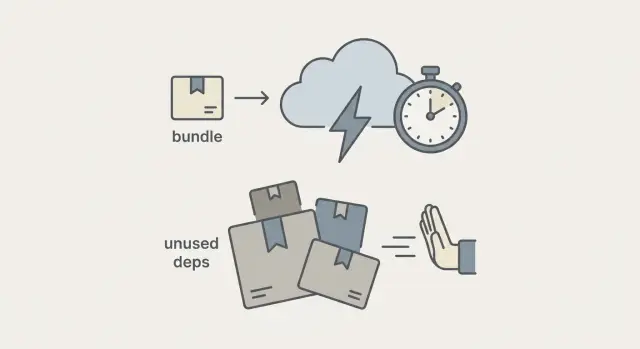
What cold starts and bundle bloat look like in real life
A cold start is the awkward pause on the first request after a serverless function has been idle. The page loads, then nothing happens for a moment, then everything snaps to life. After that, the next requests are fast, which makes the slow first hit feel even worse.
Bundle bloat is a common reason. Before a function can respond, the platform has to pull down your code, unpack it, load it into memory, and run any startup work. When the package is large, every one of those steps takes longer. Users experience that time as lag.
This shows up a lot in AI-generated serverless apps. Generators tend to pull in big libraries "just in case," copy boilerplate for multiple frameworks, or mix server and browser code in the same build. The app works in a demo, but production carries a lot of weight it never uses.
What people usually notice:
- The first request after a few minutes of inactivity is much slower than the rest.
- Simple endpoints (like health checks or login) feel heavier than they should.
- Logs show a long module-loading phase before any real work happens.
- You pay for more compute time even though the endpoint does very little.
The cost angle is straightforward. If a function spends 800 ms getting ready, you pay for that overhead every time it cold starts.
The good news: you can often make big gains without rewriting the whole app. Many wins come from basic cleanup: removing unused dependencies, keeping functions smaller, and avoiding expensive work at startup. When FixMyMess audits AI-generated prototypes, we often find safe-to-remove "dead weight" while keeping the same features and routes.
Why AI-generated serverless apps tend to start slow
On a cold start, the platform spins up a fresh runtime, loads your code, and runs any startup work. On a warm start, that runtime is already running, so the function responds much faster.
AI-generated serverless code often makes cold starts worse because it ships more code than each request needs. Bigger bundles take longer to download, unpack, and load into memory. Heavy imports add a second tax: many libraries execute setup code as soon as they load, even if you only use one small helper.
A few patterns show up again and again in prototypes generated by tools like Lovable, Bolt, v0, Cursor, or Replit:
- One "god" file that imports everything for every route, even when a route uses 10% of it.
- Giant shared utility modules that pull in big SDKs (cloud clients, email, PDF, image processing) for simple endpoints.
- Packages installed "just in case" that never get used, but still end up in the bundle.
- Re-export chains (index files) that accidentally load whole folders.
Cold starts are not only about code size. Startup work inside the function can be just as costly. Common culprits include opening database connections on every invocation, initializing auth libraries with heavy verification keys, and building large config objects at import time.
A typical example: a login endpoint imports the full admin SDK, connects to the database, and builds a large configuration map before it even checks the request. That work runs on cold start even if the request fails quickly.
This is the kind of thing FixMyMess usually finds during a codebase diagnosis: code that works in a demo, but starts slow and costs more once deployed.
Measure first so you do not chase the wrong problem
Before you try to reduce cold starts in serverless apps, get clear on what is actually slow. AI-generated projects often feel "laggy" for three different reasons: cold starts, heavy work during each request, or slow database calls. The fixes are different, so measurement saves you from random refactors.
The few numbers worth tracking
Start with metrics you can explain in one minute:
- P50 and P95 latency (typical vs "bad day" response time)
- Cold start/init duration (time spent starting the runtime and loading code)
- Deployed bundle size (or package size) for the function
- Memory setting and duration (these drive cost)
- Error rate/timeouts (slow and failing often look the same to users)
You do not need fancy tooling to spot cold starts. Most serverless platforms log something that signals a "first run," like an init phase or a much longer first request followed by faster ones. If logs show a startup step, compare that time to total request time. When init is a big chunk of the total, bundle bloat and startup work are likely suspects.
Build a simple baseline you can repeat
Pick one endpoint that represents real user traffic (or create a lightweight one like a health or "whoami" route) and test it the same way every time.
Use one region and one environment (staging or prod), send 20-50 requests, wait long enough for the function to go idle, then send 5 more requests and record the first one separately. Repeat 2-3 times at different hours.
Set a target so you know when to stop. For example: "First response under 800ms at P95, warm requests under 200ms, and no cost increase." When FixMyMess audits AI-generated serverless code, this baseline keeps the work focused: you fix the slowest path first, not the loudest guess.
Find oversized dependencies and unused code
If you want to reduce cold starts in serverless apps, start with what your function must load before it can answer. In AI-generated code, it is common to see a long dependency list, plus "just in case" packages that never get used.
A quick way to spot the biggest offenders is to generate a size report during your build. Most bundlers can do this without changing app logic.
# Find unused dependencies (often surprisingly accurate)
npx depcheck

# Understand why a heavy package is installed (directly or transitively)
npm ls <package>
npm explain <package>
After you have a short list of large packages, look for overlap. Many projects accidentally ship multiple tools that do the same job, like two date libraries, two HTTP clients, or several validation libraries. Each one adds code, and some pull in big helper packages behind the scenes.
Common duplication to check:
- Multiple date/time libraries (plus time zone add-ons)
- More than one HTTP client (and separate retry or fetch polyfills)
- Several utility libraries that overlap (string, arrays, deep clone)
- Two or more logging/monitoring SDKs loaded in the same function
- Separate "full" and "lite" versions of the same package
Also watch for heavy transitive dependencies. Convenience packages can quietly bring in a lot of code you never asked for. When you run npm explain <package>, you might find a small wrapper is pulling in a full browser-focused stack, a huge localization bundle, or a crypto library you do not need on the server.
Decide what to do with each big dependency:
- Remove it if nothing calls it.
- Replace it with a smaller option if you only use one or two features.
- Move it out of the hot path if it is only needed for rare routes (for example, PDF generation, image processing, or data exports).
- Lazy-load it inside the handler if it is not needed for every request.
Example: an AI-generated serverless API might import an admin SDK at the top of every route "for convenience," even though only the billing endpoint needs it. That single import can slow startup across the whole API.
If you inherit a messy dependency graph and it is hard to tell what is safe to remove, FixMyMess can audit the codebase and pinpoint which packages are causing bundle bloat, which are dead weight, and which must stay for production safety.
Split routes and functions to keep startup light
A common reason people struggle to reduce cold starts in serverless apps is simple: one big handler does everything. Even if a user only hits /health or /login, the function still loads admin dashboards, report builders, PDF tools, and half the database layer.
The goal is to load only what a route needs. Instead of one mega endpoint that branches on path and method, break it into smaller route modules or separate functions. Each entry point should import the minimum code needed to answer that request.
A practical approach:
- Group routes by purpose: auth, public reads, write actions, admin tools.
- Give each group its own handler (or its own serverless function) with its own imports.
- Put rarely used features (exports, reports, admin screens) behind lazy imports so they load only when called.
- Push CPU-heavy work (PDF generation, image processing, long exports) into a background job pattern so the request returns fast.
- Keep shared code small and stable: types, tiny helpers, constants, and thin clients.
Lazy loading is especially useful for "once a day" features. If an admin export route pulls in a big charting library or a headless browser, keep that out of normal user traffic. Import it inside the export handler, not at the top of the file.
Also watch your "shared" folder. AI-generated projects often put everything into utils and then every route imports it. That turns shared code into a hidden bundle magnet.
If you inherited an AI-generated serverless prototype from tools like Bolt or Replit, FixMyMess often finds one file acting as a router, controller, and job runner. Splitting it usually cuts startup time quickly, and it makes later bundle trimming much easier.
Slim the build without breaking features
A smaller deployment package usually means faster cold starts, but the goal is not "delete stuff until it works." The goal is to keep only what your function needs at runtime, and prove nothing important was removed.
Make sure tree-shaking is real
Many AI-generated projects look "built," but the output still includes most of the codebase. Tree-shaking only helps when your code and dependencies are packaged in a way the bundler can safely prune.
A practical check: compare what you import versus what ends up in the final bundle. If a single helper import pulls in a giant library, switch to smaller imports, or replace the library entirely.
Keep server and client code from leaking into each other
A common bloat bug is bundling server-only code (secrets, database clients, heavy SDKs) into client-facing artifacts, or bundling browser-only packages into server functions. AI tools often blur the boundary with shared "utils" folders that quietly import both sides.
Before you ship, verify:
- Production builds exclude dev-only packages (test runners, linters, Storybook-style tooling).
- Source maps and debug tooling are not included in production artifacts unless you truly need them.
- Runtime target is as modern as you can safely use (to reduce polyfills and transpilation output).
- Each function bundles only its own route code, not the entire app.
- "Shared" modules do not import server-only dependencies.
A realistic scenario: an AI-generated serverless app imports an admin SDK inside a shared validation file. That file is used by one API route, but the bundler pulls the SDK into every function. Cold starts spike, and costs follow.
If you want help verifying what is actually inside your bundles, FixMyMess can run a quick audit and point out the exact imports and build settings causing the bloat, then help you reduce cold starts in serverless apps without breaking features.
Reduce startup work inside the function
Even with a smaller bundle, cold starts stay painful if the function does a lot of work before it can answer the request. The goal is simple: do as little as possible at startup, and postpone everything else until it is truly needed.
A common slowdown is opening database connections at module load time. When the runtime boots, it runs top-level code once, and any slow network call there becomes startup tax. Prefer creating the DB client lazily inside the handler, then reusing it across warm invocations (most platforms keep the process around). You still get connection reuse, but you only pay the cost when the route actually touches the database.
The same rule applies to expensive setup like SDK initialization, reading big local files, or building large in-memory maps. If a route only needs that work 10% of the time, do not make 100% of requests wait for it.
High-impact changes that are usually safe:
- Initialize DB/SDK clients on first use inside the handler, not at import time.
- Keep config reads small: parse env vars once, defer secret fetches until needed.
- Make auth checks thin: verify the token first, fetch the full user profile only when required.
- Avoid heavy startup logging: one short line is fine, big structured payloads can wait.
- Do not precompute caches on boot; build them gradually as requests arrive.
Example: an AI-generated endpoint validates a JWT, then immediately loads the full user, team, and permissions from the database for every request, even for a simple health check. Split that logic so lightweight routes only verify the token. FixMyMess often sees this pattern in prototypes, and trimming it can noticeably reduce cold starts in serverless apps while cutting database load at the same time.
Common mistakes that waste time or make things worse
Cold start fixes often fail because the change looks right, but the bundle still includes the same weight. The result is hours of work, no real speedup, and sometimes new bugs.
One common trap is removing a package from your dependencies but leaving imports (or re-exports) in the code. Many bundlers will still include the code if anything references it, even indirectly. After cleanup, do a build and confirm the dependency is truly gone from the output, not just from your package file.
Another expensive mistake is using a full ORM or admin client for a single, simple query. In AI-generated serverless apps, it is normal to see a heavyweight database client loaded on every request just to fetch one record. Replacing that one hot path with a lighter query approach can beat weeks of micro-optimizations.
Watch out for startup payloads hidden in plain sight: large JSON blobs, prompt templates, or configuration copied into code that runs at import time. Example: a function loads a 400KB prompt library in the top-level module scope, even though only one route ever uses it. Move it behind a conditional or load it only when needed.
Over-splitting can backfire
Splitting routes is good, but too many tiny functions creates a different problem: more configs to manage, more duplicated code, and more places to forget a security check. Split based on real weight (big dependencies, slow init), not on every endpoint.
Speed fixes that break safety
Performance work sometimes removes the guardrails you need. Do not optimize by skipping input validation, weakening auth checks, or hardcoding secrets to save setup time. FixMyMess often sees AI-generated projects where exposed keys and unsafe queries sit right next to performance tweaks, and the security issue becomes the real production blocker.
A quick gut-check before you ship:
- Confirm the bundle no longer includes removed packages.
- Avoid loading big data and prompts at module import time.
- Keep function splits meaningful, not endless.
- Re-check auth, secret handling, and input validation after refactors.
- Measure again to confirm cold start time improved.
Example: cleaning up a bloated AI-generated serverless prototype
Picture a simple AI-generated serverless app: email login, a dashboard, one main API endpoint for "create report," and an admin route for exporting data. It was stitched together quickly in tools like v0 or Replit and it works in a demo.
In production, the first request after a deploy is painfully slow. Some users hit a timeout on the very first page load. The bill is also higher than expected, even though traffic is not huge. That combination usually points to cold starts plus bundle bloat: too much code shipped into a function that runs briefly.
Here is what you change without touching the product itself.
The cleanup
Start with dependencies. You find a few big ones that are barely used: a full PDF library for a single export, a date library pulled in twice, and an admin UI helper bundled into every function. You remove what is unused, replace duplicates, and make sure server-only packages stay on the server.
Next, split the admin route into its own function. Admin exports run rarely, but they were forcing every cold start to carry heavy code. Now normal user paths stay light, and the admin function can be slower without hurting everyone.
Finally, lazy-load the report generator. The dashboard and auth do not need it at startup, so you load it only when a user actually clicks "Generate report."
What improves (and what stays the same)
After these changes, the first response is noticeably faster, deploy-day timeouts drop, and costs become easier to predict because fewer requests pay the startup tax.
What stays the same: the login flow, the dashboard behavior, the API contract, and the actual report output. Users should only notice that it feels snappier.
If you inherited an AI-generated serverless prototype and it behaves like this, FixMyMess can run a free code audit to pinpoint the oversized dependencies and route splits that will reduce cold starts in serverless apps without rewriting everything.
Quick checklist before you ship the changes
Treat performance fixes like any other release: prove the improvement, then confirm you did not break the app.
Write down two numbers from before and after: deployed bundle size and cold start time. Keep it simple: date, environment, endpoint, and the numbers. This helps you avoid "it feels faster" decisions.
Run the same test the same way each time. Hit the same endpoint, in the same region, with the same memory setting, and after the function has been idle long enough to go cold. A common mistake is comparing warm calls (fast) to cold calls (slow) and thinking you solved it.
Pre-ship checklist:
- Record bundle size and cold start timing before and after the change (same endpoint, same environment).
- Re-test the slowest path, not just a health check.
- Click through key flows: login, the main API calls your UI depends on, and any background tasks or webhooks.
- Do a security sanity pass after refactors: confirm secrets are not bundled or logged, and inputs are still validated.
- Note what still runs at startup (large SDK init, schema loading, big config parsing) so you know what to tackle next.
If you split one large function into three smaller ones and cold starts barely changed, the real weight is probably still in a shared import (like a full cloud SDK) or startup code that runs on every invocation.
If you are working with an AI-generated codebase, keep a short "startup heavy" note as you go. If the app still feels slow, that note is exactly what a remediation team like FixMyMess uses to pinpoint what to move out of the critical path.
Next steps if your AI-generated app still feels slow
If you have already trimmed obvious bloat and it still drags, decide what you need next: a quick fix or a deeper rebuild.
A quick fix is usually about removing oversized dependencies, cutting unused code, and moving heavy setup out of the hot path. A deeper restructure is when the app layout itself is the problem, like one giant function handling every route.
A simple way to choose: if you can point to one or two big packages or a single bloated handler, start with the quick fix. If everything is tangled (shared globals, circular imports, unclear ownership of code), you will likely save time by splitting routes and functions and cleaning up module boundaries.
It is worth getting help when the slowdown is paired with risk. Watch for signs like imports you are afraid to touch, modules where one change breaks three routes, or "temporary" hacks around broken authentication. AI-generated serverless code also tends to ship with exposed secrets, unsafe database queries, or weak input validation, so performance work can uncover security work you cannot ignore.
If you want a low-friction starting point, FixMyMess (fixmymess.ai) can diagnose oversized dependencies, refactor route structure, harden security, and prepare the codebase for deployment. It is built for non-technical teams who need a clear list of what is wrong and what to fix first.
Practical expectations help you plan. Many projects can be turned around in 48-72 hours depending on scope, especially when the goal is to make an AI-generated prototype production-ready rather than perfect.
A good next action to take today:
- Capture one slow cold start trace and the deployed bundle size.
- List the top 5 dependencies by size and where they are imported.
- Identify which endpoints must be fast, and which can tolerate delay.
- Decide quick fix vs restructure, then commit to one path.
- If the code feels unsafe or fragile, get an audit before you ship.
FAQ
What exactly is a cold start in a serverless app?
A cold start is the extra delay on the first request after a serverless function has been idle. The platform has to start a fresh runtime and load your code before it can respond, so the first hit feels slow and the next ones feel fast.
How does bundle bloat make cold starts worse?
Bundle bloat means your deployed function package includes more code than it needs at runtime. Larger packages take longer to download, unpack, and load into memory, so cold starts get slower and you often pay for more startup time.
Why do AI-generated serverless apps tend to be slow on the first request?
AI-generated projects often add big libraries “just in case,” re-export whole folders, and put many routes behind one huge entry file. That makes every endpoint load the same heavy imports, even when the route itself is tiny.
How can I tell if my slowness is cold starts or something else?
Look for a pattern where the first request after a few minutes of inactivity is much slower than the next requests. If your logs show a long init or module-loading phase before your handler does real work, you’re likely paying cold start overhead.
What’s a simple way to measure cold starts without overcomplicating it?
Start with a simple baseline you can repeat: hit one endpoint several times, wait long enough for the function to go idle, then hit it again and record that first response separately. Track P50 and P95 latency plus any init duration your platform reports, and compare before and after changes.
What should I do first to reduce bundle size?
Find what your function loads before it can answer and remove obvious dead weight. Tools like dependency checkers and build size reports can reveal unused packages, duplicates, and surprisingly heavy transitive dependencies that are safe to cut once you confirm nothing imports them.
Should I split one big function into multiple smaller functions?
Split by weight, not by ideology. If admin exports, PDF generation, image processing, or large SDKs are bundled into your main user paths, move those routes into their own function or entry point so normal traffic doesn’t pay for rarely used code.
When does lazy-loading imports actually help?
Lazy-loading can help when a heavy library is only needed on some requests. Import it inside the handler that needs it so your cold start doesn’t always pay the cost, but verify your runtime still performs well and your error handling covers import failures.
What startup work inside the function commonly causes slow cold starts?
Avoid doing network calls or heavy setup at module load time. Initialize database clients and large SDKs only when needed inside the handler, and reuse them across warm invocations when the platform keeps the process alive.
When should I ask FixMyMess to audit or fix my AI-generated serverless app?
It’s time to get help when the dependency graph is hard to untangle, one change breaks multiple routes, or performance work reveals security issues like exposed secrets or unsafe queries. FixMyMess can run a free code audit, then fix or rebuild AI-generated serverless code with human verification, with most projects completed in 48–72 hours.