Refactor vs rewrite: choosing the fastest path to production
Refactor vs rewrite decisions made simple: weigh code health, test coverage, timelines, and risk with quick checks and real scenarios to ship to production.
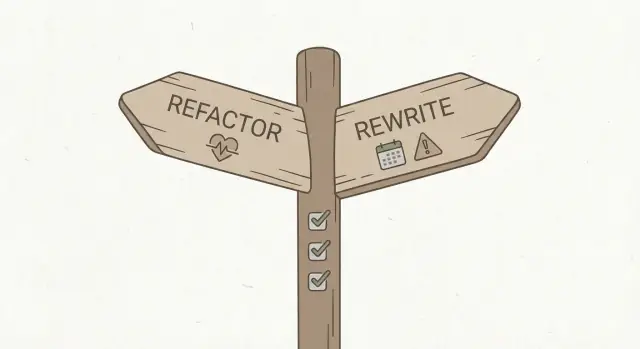
What you are really deciding (and what "fast" means)
The refactor vs rewrite choice is not really about which approach is more “correct”. It is about which path gets you to a stable production release with the least risk and the fewest surprises.
A refactor means you keep the existing app, but improve how it is built. You change the structure so the code is easier to understand, safer to change, and less likely to break. The features mostly stay the same, but the inside becomes cleaner.
A rewrite means you start over with a new codebase. You re-create the app from scratch, usually using the old version as a reference. This can feel faster because you stop fighting old problems, but it also resets a lot of hard-earned learning about edge cases.
The real goal is not perfect code. The real goal is a release that works for real users: logins that do not break, payments that do not double-charge, data that does not disappear, and updates that do not trigger new bugs.
When people say “fastest,” they usually mean one of these things:
- Fast calendar time (how soon you can ship something usable)
- Fast with low risk (how likely it is to ship without a production fire)
- Fast long-term (how much rework you avoid after launch)
The trap is optimizing only for the first one. Shipping in 10 days does not help if you then spend 6 weeks fixing outages, patching security holes, and rebuilding features you skipped.
A common example: an AI-generated prototype looks finished, but it has hidden problems like exposed secrets, messy data handling, or fragile authentication. A quick refactor might patch the obvious issues and get a demo out, but if the foundation is shaky, you can end up “refactoring forever.” Teams like FixMyMess often see this with apps generated in tools like Lovable, Bolt, v0, Cursor, or Replit.
“Fast now” becomes “slow later” when you:
- Keep adding features to code you cannot confidently change
- Skip tests, so every change breaks something unexpected
- Carry unsafe patterns into production (like insecure queries or leaked keys)
- Depend on one person who understands the mess
A good decision makes speed and stability work together: ship soon, but not in a way that creates a second, longer project right after launch.
Code health signs that favor refactoring
Refactoring is usually the faster path when the code already has a backbone you can trust. In the refactor vs rewrite choice, you are looking for a codebase that mostly makes sense, even if it is messy.
The “shape” of the code is clear
A good refactor candidate has visible structure: folders match features, files have one main job, and the app follows a consistent pattern (even if it is not your favorite pattern). You can trace a user action from UI to API to database without getting lost.
You will also see boundaries that can hold: a clear auth module, a separate payments area, or a defined data layer. That makes it possible to improve one part without breaking everything else.
The pain points are fixable, not fundamental
Refactoring shines when the problems are local and repeatable. Typical signs include duplicated logic, overly long files, missing error handling, and “it works on my machine” configuration issues. These are annoying, but they do not mean the whole system is confused.
Look for bugs that cluster around specific features rather than showing up everywhere. If login is broken but the rest of the app behaves, that is a refactor signal. If every change causes random failures across unrelated screens, you are closer to rewrite territory.
Here are quick, easy-to-spot refactor-friendly indicators:
- One or two “hot spots” cause most issues (for example, auth or a single data model)
- Naming is mostly readable, and the flow is followable with basic logging
- The same fixes repeat (missing validation, inconsistent API responses)
- Dependencies are reasonable and up to date enough to patch
- Performance problems are tied to specific queries or endpoints
Scaling and speed issues can also be good refactor targets when you can improve them step by step: add caching to one endpoint, fix one slow SQL query, or move heavy work to a background job.
Example: a founder brings an AI-generated app where onboarding works, but billing pages are messy and there are exposed secrets in the repo. A team like FixMyMess would typically refactor: contain the risky parts, harden security, clean the billing flow, and keep what already works.
Signals that a rewrite is the safer option
Sometimes the fastest path is to stop patching and start over. In the refactor vs rewrite choice, “safer” usually means you can predict what will happen after each change, and you can ship without a long tail of surprises.
Hard blockers you cannot untangle
A rewrite is often safer when the code has no clear boundaries. You see it when one change breaks three unrelated areas, or when you cannot explain how data moves through the app without reading everything.
Common “hard blocker” signs:
- Tight, tangled dependencies where every file imports every other file
- Side effects everywhere (global state, hidden background jobs, magic config)
- No single source of truth for data (multiple competing stores, duplicated logic)
- “Fixes” that require touching dozens of files for a small feature
- A build or deploy setup that only works on one machine
If you cannot isolate a safe starting point, refactoring becomes a slow hunt for landmines.
Repeated failures and security red flags
If the same category of bug keeps coming back, it usually points to a broken design, not a missing patch. Typical repeats include authentication that breaks after minor UI changes, state bugs that appear only after a few clicks, and integrations that are brittle because they rely on undocumented behavior.
Security issues can force a rewrite too. Exposed secrets in the repo, unsafe database queries, overly broad permissions, or copy-pasted auth checks are not “later” problems. They change the risk math because you may not be able to prove the system is safe without replacing the risky parts.
A quick example: a prototype app works in demos, but users randomly get logged out, the payment webhook fails on retries, and you find API keys in client code. You can spend weeks chasing symptoms, or rebuild the core flows with clear boundaries and safer defaults.
Finally, if your requirements have changed so much that the original design no longer fits (for example, it was built for a single user but now needs teams, roles, and audit logs), rewriting can be faster than forcing a new shape onto an old one.
This is the kind of situation FixMyMess often sees in AI-generated codebases: the app “mostly works,” but the foundation makes every fix risky. A clean rewrite of the core can be the quickest route to production when the current structure cannot be trusted.
Test coverage: the factor that changes the risk math
If you refactor code without tests, you are changing parts while wearing a blindfold. It might work when you click around once, but the next small change can break something you did not notice.
Tests are the safety net that tells you, "the app still does what users need." With that net in place, refactor work is usually faster and safer than a rewrite, because you can improve the existing system in small steps and catch mistakes early.
Why low test coverage makes rewrites tempting
When there are few or no tests, every change becomes a manual check. That quickly turns into long cycles of "fix one thing, break another." In that situation, teams often lean toward a rewrite because starting fresh feels cleaner.
But low coverage does not automatically mean rewrite. Often the fastest move is "test-first refactor": add a small set of tests around the most important behavior, then refactor behind that shield. A rewrite without tests can also fail, because you still have no quick way to prove the new version matches the old requirements.
The fastest ways to add confidence (without boiling the ocean)
You do not need perfect coverage to reduce risk. You need coverage where failures would hurt.
Start with a few lightweight checks:
- Smoke tests: does the app load, log in, and reach the main screen?
- Critical-path tests: the 3-5 actions that make or save money (signup, checkout, create order, send message)
- Bug-regression tests: one test for each painful bug you fixed so it stays fixed
- Auth and permissions tests: the easiest place for surprises and security issues
Then add depth only where it pays off.
Unit tests vs end-to-end tests in simple terms: unit tests check small parts (a function or module) and run fast. End-to-end tests simulate a real user clicking through the app and catch "it works together" problems, but they run slower and can be fragile.
A practical rule: use a few end-to-end tests to cover the critical path, and use unit tests to lock down tricky logic.
If you inherited an AI-generated prototype (from tools like Lovable, Bolt, v0, Cursor, or Replit), it is common to have near-zero tests. In that case, a quick code health assessment plus a small critical-path test set often tells you whether refactor vs rewrite is the safer bet, without guessing.
Timelines and risk: how to estimate without guesswork
When people debate refactor vs rewrite, they often argue about speed. The real question is: how quickly can you ship a reliable first production release without betting the company on a guess.
A simple way to estimate is to turn the project into a list of “things that must work on day one.” Start with an inventory, then add time buffers for what you cannot see yet.
A simple estimate method
Write down every must-have feature and integration, then tag each one as known, fuzzy, or unknown.
- Features: login, onboarding, core workflows, admin, billing
- Integrations: payments, email/SMS, analytics, SSO, webhooks
- Unknowns: unclear requirements, missing docs, inconsistent data, “it works on my machine” setups
- Risk reducers: existing tests, staging environment, ability to run the app locally
- Hard constraints: launch date, compliance needs, app store review, partner deadlines
Now give each item a time range (not a single number). For example: “Stripe checkout 0.5 to 2 days” if you know the basics but not the edge cases.
Refactoring risk usually shows up as hidden regressions. You change something small, and a distant feature breaks because the code is tangled. Rewriting risk is different: you rebuild quickly, then discover you missed important scope like account migration, roles and permissions, or a tricky integration.
The hardest part is “unknown unknowns” - problems you do not even know to list yet. Price them in on purpose. A practical rule: add a contingency buffer of 20% if the system is familiar and stable, 40% if it is messy or poorly understood, and 60% if it is an AI-generated prototype with little documentation.
Deadline strategy that keeps you honest
Separate “MVP production release” from “make it pretty later.” The MVP should include only what you need to safely take real users (security basics, logging, backups, and a support path). Improvements like perfect architecture, extra dashboards, and nice-to-have features go into a second phase.
Example: If your current app already handles auth and payments but the code is hard to change, a targeted refactor with strong smoke tests may hit the MVP faster. If auth is broken, secrets are exposed, and the data model keeps changing, a rewrite with a tight MVP scope is often the safer timeline. Teams like FixMyMess often start by mapping these risks in a quick audit so the estimate is based on what is actually in the code, not hope.
Step-by-step: a practical decision workflow
When you are stuck on refactor vs rewrite, you need a repeatable way to decide that does not depend on gut feel. This workflow keeps the focus on production behavior, risk, and time.
Start by writing down what the app must do in production. Keep it concrete and user-facing: sign up and login, password reset, checkout, emails, admin actions, and any integrations that must not break. If it is not on this list, it is not driving the decision.
Then walk the code and map the biggest failures to where they live. Pick the five issues that block release (not the annoying ones). For each, note the file or module, how often it fails, and what happens when it fails (data loss, security risk, or just a bad UX).
Use a simple scorecard to avoid arguing in circles. Rate these three areas from 1 to 5: code clarity (can someone follow the flow), test coverage (are the critical paths protected), and security basics (secrets, auth, input validation). Low scores do not automatically mean rewrite, but they change the risk math.
Here is a practical sequence that works on most teams:
- Define the must-work behaviors and the minimum acceptable performance and security bar.
- List the top five release blockers and point to the exact places in code where they happen.
- Score code health, tests, and security from 1 to 5, and write one sentence explaining each score.
- Choose a path: refactor if most blockers are local and understandable, rewrite if failures are systemic, or go hybrid by rebuilding one slice end-to-end.
- Set a checkpoint date with pass-fail criteria (for example: login works, payments succeed, no exposed secrets, and smoke tests pass) before you commit fully.
A quick example: a startup has a working UI, but login randomly fails, emails are unreliable, and secrets are hard-coded. If the failures are mostly in one auth module and a messy email helper, a targeted refactor plus security fixes can ship faster. If auth is tangled across the whole codebase with no tests and inconsistent data models, a hybrid plan (rewrite auth and user data flow first) is often safer.
If you inherited an AI-generated prototype, this is exactly the kind of triage FixMyMess does during a free code audit: identify blockers, score risk, and recommend the fastest path that still holds up in production.
Example scenarios you can map to your project
Real projects rarely look like clean textbook cases. Use the scenarios below to spot the pattern that matches what you have, then adjust for your timeline and risk tolerance.
Scenario A: AI-generated prototype looks fine in a demo, but fails in production (auth breaks, secrets exposed, architecture is tangled). Decision: Refactor and repair first, because the fastest path is usually fixing the unsafe and brittle parts without throwing away working UI and flows.
A common case is an app built in Lovable/Bolt/v0/Cursor/Replit that “mostly works” until real users sign in and data starts flowing. If authentication is flaky, environment variables are hardcoded, and the code is one big file, a full rewrite can feel tempting - but it often delays you while you re-learn the same requirements. The quickest win is to lock down secrets, fix auth, untangle the worst modules, and add basic tests around login and core actions. (This is the kind of rescue work FixMyMess is built for.)
Scenario B: A mature app has a stable core, but feature work is getting slower every month. Decision: Targeted refactor, because the product is proven and the pain is mostly in maintainability, not correctness.
Here the app runs, customers depend on it, and the biggest problem is “every change breaks something.” Focus on the hotspots: one slow module, one messy dependency chain, one area with repeated bugs. Refactor in small slices, and measure progress by “time to ship a small feature,” not by how much code you touched.
Scenario C: A product pivot changed the data model and workflows (new pricing, new entities, new permissions). Decision: Selective rewrite, because forcing a new reality into an old data model creates endless edge cases.
Keep what still fits (design system, auth provider integration, reporting) and rewrite the parts that encode the old business logic (data schema, core workflows). This avoids rewriting everything while still removing the biggest source of future bugs.
Scenario D: No tests, lots of edge cases, and a tight deadline. Decision: Hybrid approach, because refactor vs rewrite is less important than reducing risk fast.
Freeze scope, add a thin test “safety belt” around the top 3 user journeys, then fix the most dangerous failures. If a section is too risky to touch, rewrite that one piece behind a feature flag or parallel endpoint, and swap it in when it passes the new tests.
Common mistakes that waste weeks
The biggest time-waster in a refactor vs rewrite decision is believing you can make big changes safely without knowing what might break. If you cannot tell, quickly, whether sign-up, login, checkout, and emails still work after a change, every step turns into a slow manual test.
Mistake 1: Refactoring without tests and calling it "safe"
Refactoring can be faster, but only if you have a basic safety net. Without tests (or at least a small set of repeatable checks), you end up doing the same work twice: first improving the code, then hunting bugs that the refactor introduced.
A simple fix: before you touch architecture, write a handful of high-value checks for the flows that make the app real. Think "can a new user sign up, pay, and get a confirmation".
Mistake 2: Rewriting while requirements are still moving
Rewrites are magnets for changing ideas. When the product direction shifts every few days, the rewrite never "finishes". You keep rebuilding the foundation while the building plan changes.
If you must rewrite, freeze the must-haves for the first release and push nice-to-haves to a second pass. Even a one-page definition of done can save weeks.
Here are integration areas that teams often forget to count when estimating:
- Payments (webhooks, retries, edge cases like refunds)
- Emails/SMS (deliverability, templates, unsubscribe)
- Analytics (events, user identity, privacy)
- Permissions/roles (admin vs user, data access)
- Third-party APIs (rate limits, error handling)
Mistake 3: Leaving security and reliability to the end
Security issues are not a "later" task. Exposed secrets, weak auth, and injection risks can force late rework because they touch core flows. The same goes for reliability problems like no rate limits, no input validation, or fragile background jobs.
Example: a team ships a rewritten dashboard, then discovers their payment webhook can be spoofed. Now they have to redo auth, audit data, and patch production in a hurry.
Mistake 4: Polishing code style while production is still broken
It feels good to rename files and tidy folders. But if the app cannot deploy cleanly, crashes under real data, or has broken authentication, style cleanup is a distraction.
If you inherited AI-generated code, teams often get stuck in this loop. Platforms like FixMyMess focus on diagnosis first (what is actually broken), then targeted repairs so you can reach production without turning it into an endless "improvement" project.
Quick checklist before you commit
Before you pick refactor vs rewrite, do a fast reality check. This is less about opinions and more about whether the current code can be safely changed without surprises.
Five questions that reveal the real risk
Start with these checks and write down simple yes or no answers. If you cannot answer, treat it as a “no” until proven.
- Can someone explain the main data path from user action to database and back, without hand-waving?
- Do you have automated tests for the three actions that matter most (for example: sign up, log in, and checkout or create-project)?
- Is anything obviously unsafe right now (hard-coded API keys, open admin routes, weak auth, unsafe SQL queries)?
- How many outside services must work on day one (payments, email, analytics, file storage, CRM)?
- Could a new developer open the repo and understand the structure in 1 to 2 hours?
If you answered “no” to one item, you can still refactor, but your estimate should include time to reduce that risk (add tests, map flows, fix security). If you answered “no” to three or more, a rewrite often becomes the faster path because you are paying “discovery tax” on every change.
A quick way to interpret your answers
Imagine a simple scenario: a founder has a prototype built with an AI tool, and login works locally but fails in production. If there are no tests, unclear data flow, and secrets are exposed, every fix can break something else. In cases like that, teams often spend days chasing symptoms.
This is where a short code audit helps. At FixMyMess, we see the same pattern in AI-generated apps: authentication logic glued together, secrets committed to the repo, and integrations that behave differently in production. When those show up together, the safest “fast” choice is the one that reduces unknowns first, even if it feels bigger on paper.
Make your call only after you can explain: what must work on day one, what can wait, and what you can verify with tests.
Next steps: make a decision and get to production
Pick the smallest release you can ship, then define “done” in plain terms. Not “code is cleaner” or “architecture is modern”, but outcomes like: users can sign up, pay, and complete the core action without errors. A smaller target makes the refactor vs rewrite choice easier because you can judge which path reaches that finish line with less risk.
Write your “done” definition as a short checklist you can test in one sitting:
- Core user flow works end to end (happy path)
- Login, payments, and emails behave correctly
- No secrets are exposed and basic security checks pass
- The app deploys reliably to your real environment
If your app was generated by an AI tool and it’s failing in production, start with a diagnosis before you commit to either path. AI-generated prototypes often look complete but hide problems like broken authentication, tangled logic, and unsafe database queries. Fixing those blindly can turn into weeks of guessing.
A practical option is to get an expert audit first. FixMyMess (fixmymess.ai) offers a free code audit to identify what’s broken, what’s risky, and what can be saved. Many remediations finish in 48-72 hours once the issues are clear. And if the prototype is heavily broken, a clean rebuild can be faster than patching around fragile code, sometimes as quick as 24 hours for a focused scope.
Here’s a simple way to move today: imagine you need a working onboarding flow by Friday. If the current code already has the screens, routing, and data model, refactoring plus targeted fixes may get you there. If basic actions crash, state is inconsistent, and you can’t trust what changes will break next, rewriting the smallest shippable slice is often safer.
If you want a clear recommendation, share your timeline, what “done” means, and what’s currently failing. You’ll get a direct call on whether to refactor, rewrite, or do a quick hybrid plan that gets you to production fast.