Remediation brief template founders can hand to engineers
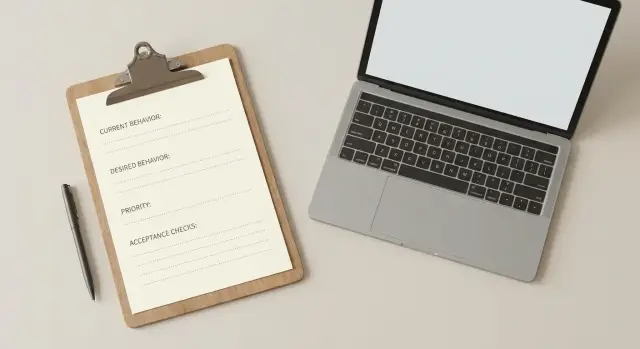
Use this remediation brief template to describe current behavior, desired behavior, priority, and acceptance checks so engineers can ship fixes with fewer back-and-forths.
What a remediation brief does (in plain language)
A remediation brief is a short note that describes one problem clearly enough that an engineer can fix it without guessing. It’s the receipt for a fix: what’s broken, what “fixed” means, and how you’ll verify it.
It isn’t a product spec, a long design doc, or a place to debate options. It also isn’t a bug report that stops at “login is broken.” The point is clarity, not commentary.
A brief pays off when the issue affects users or revenue, is hard to reproduce, already had one “fix” that didn’t stick, will be touched by more than one person (dev, QA, contractor), or needs exact outcomes (not just “make it better”).
A quick message is fine for a tiny, obvious change (like a typo) where the risk is low. For anything that can balloon into scope creep or days of back-and-forth, a brief saves time.
Engineers need four things to execute cleanly: what happens now, what should happen instead, how urgent it is, and how to confirm it’s done. When those are missing, work slows down because people either pause to ask questions or fill gaps with assumptions. Assumptions are where surprises come from.
Founders get two wins from a good brief: fewer surprises and cleaner scope. “Fixed” becomes a shared definition, so you’re not approving something based on vibes.
Example: “Users can’t log in” is vague. A brief that says “Google login loops back to the login screen only on mobile Safari, started after the last deploy, and is fixed when the user lands on /dashboard and stays logged in after refresh” gives an engineer a straight path.
If you inherited AI-generated code that behaves unpredictably, this kind of brief also helps teams like FixMyMess diagnose and repair faster because the target outcome is unambiguous.
Before you start: scope the problem to one thing
Start with one rule: one problem per brief. If you mix “login is broken” with “emails don’t send” and “the dashboard is slow,” engineers will spend time sorting the pile instead of fixing the highest-impact issue.
Pick the single issue that hurts the most right now. You can create a second brief later. Smaller scope is easier to test and less likely to create new bugs.
First, name the product area so everyone is talking about the same part of the app. Use plain labels like auth, payments, onboarding, admin, or API. “Users can’t log in” is clearer than “the site is broken.”
Next, say who is affected and how often it happens. Avoid “it seems random.” If you don’t have exact numbers, estimate honestly: “Happens to new users about half the time” is still useful.
To scope quickly, answer these:
- Product area: where does this happen?
- Affected users: who hits it (new users, admins, paying customers)?
- Frequency: always, often, or only under one condition?
- Impact: what can’t they do because of it?
- Recent change: what changed right before it started?
That last point matters more than most founders expect. A new deployment, a database change, an auth provider setting, or AI-generated edits can quietly break things.
Example: “Auth: existing users logging in with Google get redirected back to /login about 30% of the time. Started after we added a new onboarding step yesterday.” That’s tight enough for an engineer to act on. It’s also the kind of situation FixMyMess is built to diagnose when an AI-generated prototype behaves differently in production.
Section 1: Current behavior (what is happening now)
This section is the record of what you can observe today. Engineers use it to reproduce the issue, confirm they’re looking at the same thing you are, and avoid “fixing” the wrong problem.
Pin down the context: where it happens, to whom, and in what flow. Be specific about the screen, the button, the user type, and whether it happens in production, staging, or only locally.
Use this fill-in-the-blanks block:
- Context: [Page/screen or feature], [user type], [environment], [device/browser]
- Trigger: [What the user does right before it breaks]
- Steps to reproduce: [Step 1], [Step 2], [Step 3]
- What you see: [Exact result], [exact error text], [what loads/does not load]
- How often: [every time / sometimes], [approx %], [since when]
Write current behavior like a video narration: “I click Log in, I enter email/password, I hit Submit, the spinner runs for 10 seconds, then I get ‘500: Internal Server Error’.” Save causes for later. “The API is down” is usually a guess.
Capture evidence inside the brief. Paste the exact error text, include timestamps, and note any IDs you can see (user email, order number, request ID) without pasting secrets.
If this is AI-generated code, call out any recent prompt changes, regenerated files, or large copy-pasted blocks. Those edits often change behavior without anyone noticing.
Finally, state impact in plain terms. Is it blocking signups, charging the wrong amount, exposing data, or only affecting a narrow edge case? Example: “New users cannot create accounts, so ads are burning budget and support is getting 20 tickets/day.” If you suspect a security risk (exposed keys, SQL injection, auth bypass), say so directly and mark it urgent.
If you need a quick second opinion, FixMyMess can confirm what’s actually happening during a free code audit, especially when an AI-generated app behaves differently across environments.
Section 2: Desired behavior (what should happen instead)
Desired behavior is the most useful part of the brief because it defines “done” without telling the engineer how to implement it.
Write it as an outcome someone can verify by using the app. If you can’t imagine a simple test for it, it’s probably a solution disguised as a requirement.
Make it testable (describe outcomes, not fixes)
Use clear, observable statements that start with a trigger and end with a result. Example: “When a user enters valid credentials and taps Log in, they land on the dashboard within 3 seconds and stay logged in after refresh.”
A simple phrasing pattern:
- When [user action / event], the app should [visible result].
- If [bad input / error], the app should [friendly error + what happens next].
- The system should keep working even when [common constraint].
- Data should be stored/updated so that [user sees correct state].
- Success looks like [one measurable check].
Guardrails and expectations
Also state boundaries. Say what must not change, so nobody “fixes” the bug by breaking a workflow you rely on.
Include tricky cases you care about (especially common in AI-generated apps): slow networks, invalid input, empty states, session behavior after refresh/idle, and roles/permissions. You don’t need every edge case, just the ones that would burn you if they break.
If security or compliance matters, be explicit. Examples: “No secrets in client code,” “authentication must reject expired tokens,” or “error messages must not reveal whether an email exists.” If you’re handing off a broken prototype, this is where teams like FixMyMess often catch hidden risks before they ship.
Section 3: Priority and urgency (how to decide what ships first)
Engineers move faster when they know what matters most. Priority is the signal that prevents weeks of “nice-to-have” work while the real fire keeps burning.
Use a simple scale and add a one-line reason:
- P0 (must fix now): users can’t complete a core action, data is at risk, or a security issue is likely.
- P1 (next): the app works, but there’s serious friction, a major workaround, or reliability problems.
- P2 (later): polish, edge cases, minor UX issues, or improvements that don’t block real use.
Priority isn’t the same as severity. Treat it as two questions:
Severity is how much harm happens if it stays broken (money lost, users locked out, security exposure). Urgency is how soon that harm matters (a demo tomorrow, a contract deadline, an ongoing outage).
Example: a bug that leaks API keys is high severity even if “no one noticed yet.” A small visual glitch is low severity even if it annoys you during a demo.
Only add deadlines if they’re real and specific. “ASAP” isn’t a deadline. “Investor demo on Friday at 2pm” is.
If you’re ordering multiple items, write the rule so nobody has to guess. A common ordering is: unblock login/signup/checkout first, fix security and exposed secrets before feature work, fix data corruption before performance tuning, then handle UI polish.
When founders inherit AI-generated code, priorities often change after a quick diagnosis. If you’re unsure, a short audit (like FixMyMess provides) can confirm what’s truly P0 versus what just looks scary.
Section 4: Acceptance checks (how we know it is fixed)
Acceptance checks prevent “fixed on my machine.” They turn your goal into simple tests anyone can run and answer with yes or no.
Write each check as one statement, not a discussion. If an engineer can’t tell whether it passed, it’s not a check yet. Five to ten checks is common, but start small and keep only what matters.
Examples you can copy and adapt:
- When I enter a valid email and correct password, I am logged in and land on the dashboard.
- When I enter a valid email and wrong password, login is blocked and I see the message: “Email or password is incorrect.”
- When I try 6 wrong passwords in a row, the next attempt is blocked for 10 minutes.
- After a successful login, a session is created and expires after 7 days of inactivity.
- Passwords are never stored in plain text, and no secrets (API keys, tokens) appear in the client-side code or logs.
Include at least one negative test (what must be blocked). This is where security and abuse issues show up: wrong passwords, invalid tokens, expired links, or access to a page without being signed in.
Be clear about data expectations: what gets saved, what gets updated, and what must stay private. If there’s a source of truth (database vs a third-party service), say so.
Only add performance or reliability checks if they’re part of the pain. If you’re unsure, leave them out until you have evidence.
If you want help turning messy behavior into crisp acceptance checks, FixMyMess can do that during a free code audit so engineers can execute without guessing.
Step-by-step: how to write the brief in 20 minutes
Open a fresh doc and title it with one sentence: what’s broken and for whom (example: “Login fails for new users on staging”). This keeps the brief focused and prevents it from turning into a wish list.
0-20 minute workflow
Use this sequence and stop when you’ve answered each item clearly:
- (3 min) Pick one path to fix. Write the exact user journey (example: “Sign up -> verify email -> log in”). If there are multiple issues, create a separate brief for each.
- (5 min) Capture how to reproduce. Write numbered steps a non-technical person can follow, starting from a clean state (logged out, new browser tab). Include what you click and what you type.
- (4 min) Add safe sample inputs. Provide fake values engineers can copy/paste: test emails, example IDs, sample form text, and any roles (admin vs member).
- (4 min) State the environment. Say where this happens: staging, production, or both. Add anything that changes behavior (feature flags on/off, region, device, browser, real providers vs sandbox).
- (4 min) Define the “done” check. Write 2-3 acceptance checks that anyone can verify without special tools.
When you describe logging or analytics, write what you can verify from the outside. “I should receive a reset email within 60 seconds” is better than “Check the auth worker logs.” If you do have access, keep it simple:
- What to look for: one event name or error message (copy the text you see)
- Where it appears: browser console, app error banner, email inbox, or a dashboard screenshot
- Success signal: the exact screen, redirect, or confirmation message
If the app was generated by an AI tool (Lovable, Bolt, v0, Cursor, Replit), mention that. It helps engineers anticipate common breakpoints like auth wiring, missing env vars, fragile routes, and exposed secrets.
Common mistakes that slow engineers down
Most delays come from briefs that hide the problem behind opinions, missing details, or a grab-bag of unrelated issues.
A common trap is prescribing the solution instead of stating the outcome. “Move auth to Redis” or “rewrite it in Next.js” might be right, but it skips the key part: what’s failing and what “fixed” means. Focus on behavior and checks, then let engineers choose the safest path.
Another slowdown is vague acceptance checks. Words like “works,” “stable,” or “looks good” leave room for interpretation. If you can’t test it in a simple, repeatable way, nobody can confidently ship it.
Bundling many problems into one brief also creates churn. A broken login, slow page load, and payment webhook bug are separate stories with different risks and owners. When they’re mixed, estimates get fuzzy and nothing gets finished.
Skipping repro steps is more expensive than it looks. If an engineer can’t reproduce it quickly, they’ll spend time setting up accounts, guessing environments, and asking follow-up questions.
Quick red flags to fix before you send the doc:
- It says how to build it, but not what success looks like.
- “Acceptance” is a feeling, not a check you can run.
- More than one user-facing problem is included.
- There are no steps, test account, or sample data to reproduce the issue.
- Key context is missing (device, browser, user role, environment).
If you inherited AI-generated code (from tools like Lovable, Bolt, v0, Cursor, or Replit), these mistakes show up more often because the app can look fine until real users hit edge cases. If your team is stuck, FixMyMess can start with a free code audit to turn unknowns into clear, testable tasks.
Quick checklist before you send it
A good handoff is easy to act on without a meeting. Read your brief once like you’re the engineer seeing it for the first time, then check this:
- Can you summarize the problem in one sentence that names the user and the failure (example: “New users can’t log in with Google on mobile”)?
- Do the current-behavior steps let someone reproduce it in under 2 minutes (starting point, clicks, inputs, and what you see at the end)?
- Is desired behavior written as something a real user experiences, and could a tester say yes or no without guessing?
- Is priority unambiguous (P0/P1/P2 or “today/this week/next”), with the reason (revenue risk, security, onboarding drop, support volume)?
- Are acceptance checks concrete (what must pass, what must not happen, and what data or screen confirms it)?
Also look for hidden “unknowns” that slow work down. “Login is broken” isn’t enough, but “Login fails only for accounts created before Monday’s deploy” is a strong clue. Name the environment (production vs staging) and whether it’s new or long-running.
For AI-generated apps, add one line on what tool produced the code (Lovable, Bolt, v0, Cursor, Replit) and whether secrets might be exposed. That detail often changes the first hour of debugging. If you’re stuck, teams like FixMyMess can do a quick audit to turn a vague issue into an executable plan.
Example: a filled remediation brief for a broken login
Copy and paste this and adjust the details. It’s written so an engineer can act without guessing.
Title: Signup fails after recent AI-generated auth changes
Current behavior (what is happening now): New users can’t sign up. After submitting the signup form, they see “500: Internal Server Error” and the app returns to the same page.
In server logs, the backend throws: “JWT_SECRET is undefined”. This started after we merged AI-generated auth code from a prototype tool. Existing users who are already logged in can still browse, but they get logged out randomly.
Desired behavior (what should happen instead): A new user can complete signup, gets a session, and lands on the dashboard. Existing users stay logged in as expected.
Secrets are never sent to the browser, and auth endpoints handle basic abuse (no unlimited rapid signup attempts).
Priority and urgency: P0 (blocks revenue). Signup is the main entry point for trials, and it’s currently broken for all new users.
Acceptance checks (how we know it is fixed):
- Signup succeeds for a brand-new user (email + password) in production.
- Login succeeds for an existing user and the session persists after refresh.
- No secrets are exposed in client code, responses, or build output (for example JWT_SECRET stays server-only).
- Basic rate limiting or throttling exists on signup/login (enough to stop obvious bursts).
- Errors show a user-friendly message, and server logs contain the real error details.
Notes / what to attach:
- Exact error text from the UI and the server log line (copy/paste).
- Environment where it happens (prod/staging/local) and when it started.
- Affected user type: “new users only” and any specific browser/device.
- Any recent commits or AI tool changes related to auth.
If this kind of issue came from an AI-generated codebase, teams often hand it to a service like FixMyMess for targeted diagnosis and repair, then validate the result against acceptance checks like the ones above.
Next steps: handoff, follow-through, and when to get help
A brief only works if the handoff stays clean: engineers know what to ship, you know how to confirm it’s done, and everyone knows who answers questions.
Agree on two owners: one person who ships the fix, and one person (often you) who can quickly confirm product intent. Pick a timeline that includes testing and review, not just coding.
A simple handoff flow:
- Assign an engineering owner and a single decision-maker for product questions.
- Set a ship date and a check-in time (even 15 minutes).
- Confirm where updates will be posted (one thread, one doc).
- Lock the acceptance checks as the definition of done.
- Decide who can approve scope changes.
Scope creep happens. What matters is how you handle it. If the fix uncovers a second problem, decide whether it becomes a new brief (best when it’s separate) or an addendum (best when it’s required to meet the original acceptance checks). Put the decision in writing so the engineer isn’t forced to negotiate mid-fix.
If your app was generated or heavily edited by tools like Lovable, Bolt, v0, Cursor, or Replit, expect hidden coupling. A “small” login change can break routing, session storage, API calls, or database rules because pieces were stitched together without clear boundaries.
Get help when the bug touches auth, payments, or user data; you see exposed secrets or strange permissions; fixing one thing keeps breaking two others; nobody can explain current behavior with confidence; or you need a production-ready fix quickly.
If you want a second set of eyes, FixMyMess (fixmymess.ai) specializes in diagnosing and repairing broken AI-generated apps, including logic fixes, security hardening, refactoring, and deployment prep, starting with a free code audit.
FAQ
What is a remediation brief, really?
A remediation brief is a short document that explains one concrete problem clearly enough that an engineer can fix it without guessing. It defines what’s happening now, what “fixed” means, how urgent it is, and how you’ll confirm it’s done.
When should I write a remediation brief instead of sending a quick message?
Write one when the issue affects users or revenue, is hard to reproduce, already “got fixed” once but came back, or needs an exact definition of done. If it could turn into days of back-and-forth, a brief usually saves time.
Why do you insist on one problem per brief?
Keep it to one user-facing problem per brief because mixed issues create confusion and fuzzy estimates. If login, emails, and performance are all broken, pick the highest-impact one first and create separate briefs for the rest.
What’s the fastest way to write good reproduction steps?
Start with a clean starting point (logged out, fresh tab, new test account) and write the steps like a simple script someone else can follow. Include where it happens (prod or staging), the device/browser, the user role, and the exact error text you see.
How do I write “desired behavior” without prescribing the solution?
Describe outcomes, not implementation. A good desired behavior reads like something a user can observe, such as landing on the dashboard and staying logged in after refresh, rather than telling the engineer what library or architecture to use.
What makes acceptance checks actually useful?
Acceptance checks are short yes/no statements that confirm the fix works beyond one machine or one environment. Include at least one negative case (what must be blocked) so you don’t ship something that “works” but is insecure or easy to abuse.
How do I choose P0 vs P1 vs P2 without overthinking it?
Use a simple priority like P0/P1/P2 and add a one-line reason tied to impact, risk, or a real deadline. A security exposure can be P0 even if it hasn’t caused visible user complaints yet.
What evidence should I include (and what should I avoid)?
Paste the exact error message, note timestamps, and include safe identifiers like a test email or request ID if you have one, but don’t paste secrets or tokens. Evidence helps engineers reproduce quickly and prevents “we fixed the wrong thing.”
What’s different when the code was generated by tools like Lovable, Bolt, v0, Cursor, or Replit?
Call out what tool generated or modified the code, what changed recently (prompts, regenerated files, big copy-pastes), and where it behaves differently (local vs production). AI-generated apps often fail due to missing env vars, fragile auth wiring, exposed secrets, or tightly coupled routes and state.
When should I bring in FixMyMess instead of trying another quick patch?
If the issue touches auth, payments, secrets, or user data, or if fixes keep breaking other parts, it’s a good time to get help. FixMyMess specializes in diagnosing and repairing AI-generated codebases, and a free code audit can turn vague behavior into clear, testable tasks so the fix can ship quickly.