Remove copy-paste code safely with shared utilities
Remove copy-paste code safely with a small-step refactor plan that deduplicates AI-generated functions, keeps behavior identical, and verifies each change.
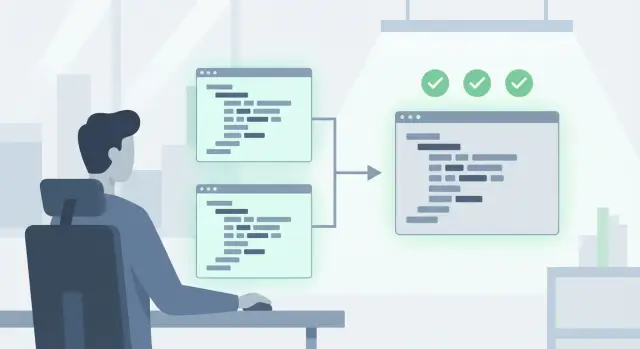
What “copy-paste code” breaks over time
Copy-paste code is when the same logic shows up in multiple places with tiny edits: a renamed variable, a different default value, a slightly different error message. Early on it feels faster than making a reusable function. Months later, it becomes a trap.
In real projects it often looks like the same request helper repeated in three files, five versions of “format a date,” or two nearly identical auth checks that disagree on what “logged in” means. The code works until one of those copies gets fixed and the others don’t.
AI-generated apps tend to duplicate logic because the model solves the problem in front of it each time. Ask for a new page and it may re-create helpers instead of reusing existing ones. Tools that generate code in bursts (page by page, feature by feature) make repetition even more likely. You end up with a codebase full of near-clones that look consistent, but aren’t.
Duplication increases bugs and slows changes in a simple way: every change turns into a multi-file scavenger hunt. Miss one copy and you ship inconsistent behavior. The differences are also easy to overlook during review because they’re often small.
When people say “behavior identical,” they usually mean “users shouldn’t notice anything changed.” That includes the obvious output, but also details people forget:
- Same inputs produce the same outputs, including edge cases.
- Same errors happen in the same situations, with the same messages or codes.
- Same side effects occur (logging, caching, retries, database writes).
- Timing-sensitive behavior stays within expected limits.
If you remove copy-paste code safely, the real goal isn’t “cleaner code.” It’s “no surprises in production.”
Choose a good first deduplication target
Start with a small area that’s easy to observe and hard to misunderstand. Good early targets are helper patterns like input validation, formatting dates or money, repeating auth checks, or the same API call wrapper used across screens.
Pick something where the code mostly does one job and you can describe it in one sentence. If you need three paragraphs to explain what it does, it’s not a first target.
Before you touch anything, define the boundaries. Write down what goes in (inputs), what comes out (outputs), and what else it affects (side effects like logging, caching, reading env vars, or mutating a shared object). AI-generated functions often hide side effects in small places, like “helpful” defaults or silent error swallowing.
A solid candidate usually:
- Appears in 3+ places with mostly the same lines
- Has clear inputs and outputs (few global reads)
- Fails in a visible way (error, status code, message)
- Isn’t on your hottest, most fragile path (payments, auth core, migrations)
- Has edge cases you can list without guessing
Next, inventory the duplicates. Don’t rely on search results alone. Open each file and confirm it’s truly the same job, not just similar-looking code.
Finally, decide what must not change. Be specific: exact error types, exact messages (if users or tests depend on them), how empty values are handled, and any “weird” edge-case behavior. This is where surprises hide: one copy trims whitespace, another doesn’t, and suddenly sign-in fails for a small group of users.
Lock in current behavior before changing anything
You need proof of what the code does today, including the weird parts you wish it didn’t do. Without that baseline, a “simple cleanup” can quietly change outputs, error messages, or edge cases that callers rely on.
Start by capturing real examples of inputs and outputs. Pull a handful from logs, support tickets, or your own manual runs. If you don’t have logs, run the app and record a few real requests or user flows (what you entered, what you saw, and what the system returned).
Write down expected failures too. Many AI-generated helpers differ mainly in how they fail: one returns an empty object, another throws, a third returns a 200 with an error string. Those differences matter when other parts of the app were built around them.
Create a small set of “golden” scenarios you can rerun after every small change. Keep it short and realistic:
- A common input that should succeed
- A boundary input (empty, long string, zero, missing field)
- A known bad input that should produce a specific error
- A scenario where optional flags or headers change behavior
- A performance-sensitive case (large payload or repeated loop)
Also note hidden dependencies that can make behavior inconsistent between runs: environment variables, feature flags, current time and time zones, random IDs, global caches, and network calls.
Example: if three duplicated request helpers all add an auth header, check whether they differ when the token is missing (throw vs return null) and whether they read the token from a global, local storage, or an env var. That’s the behavior you need to preserve while you deduplicate.
Map duplicates and their tiny differences
Copy-paste code rarely matches perfectly. Before you merge anything, make a clear map of what’s shared and what quietly changed between versions.
Put the duplicated functions next to each other and compare them line by line. Don’t skim. AI-generated code often changes one small detail (a default value, a header name, a missing null check) that only shows up in production.
Most differences fall into a few categories:
- Naming and shape (parameter names, returned fields, error messages)
- Defaults (timeouts, retries, empty string vs null, fallback values)
- Edge-case handling (missing fields, 204 responses, undefined env vars)
- Side effects (logging, metrics, caching, writing to storage)
- Input/output formatting (trimming, encoding, date parsing)
Once you’ve listed differences, pick one version as the baseline. “Baseline” doesn’t mean “best written.” It means “most relied on by the rest of the app,” often the one used in the most places or the one that matches what users currently experience.
Then decide which differences are intentional vs accidental. If a difference is documented, tested, or clearly required by a specific caller, treat it as intentional. If it looks like a random variation (different default timeout for no reason, inconsistent error mapping, slightly different header casing), assume it’s accidental until proven otherwise.
A concrete example: two request helpers both add an Authorization header, but only one also sends cookies by default. That one-line difference can change who is “logged in” in production.
Design a shared utility that stays simple
The shared utility should feel almost boring. Version one isn’t about “better design.” It’s the same behavior in one place.
Keep the surface area small
Start with the smallest unit that repeats. If five functions all normalize the same inputs or build the same payload, extract only that part. Leave validation rules, retries, and special cases where they are until you’ve proven they’re truly shared.
A small utility is easier to review because there are fewer ways to change behavior by accident. Signs you kept it small:
- The name describes one action.
- It takes explicit inputs and returns a value.
- It doesn’t know about routes, screens, or database tables.
- It avoids hidden defaults that guess what you meant.
Prefer explicit parameters over globals
AI-generated code often reaches into globals, environment variables, or shared singletons. That makes deduplication risky because each caller may rely on slightly different hidden state.
Instead, pass what the utility needs as parameters. For example, pass baseUrl, headers, or timezone in. It can look repetitive at first, but it makes differences visible and keeps the shared code honest.
Keep side effects in the caller
If the duplicate code logs, writes to a DB, or triggers analytics, keep those side effects outside the shared utility when you can. Aim for “given inputs, return output.” The caller decides whether to log, store, or swallow an error.
Example: if three endpoints build an error message and also log it, extract only buildErrorMessage(details). Each endpoint can keep its own logging so you don’t accidentally change log volume or timing.
Step-by-step: small, verified refactor moves
Treat this as a series of small swaps, not one big rewrite. You want today’s behavior, just moved into one place.
-
Choose one “source of truth” duplicate.
-
Copy that exact implementation into a new shared utility file. Don’t clean it up yet. No renames, no formatting, no “while I’m here” changes.
-
Migrate in small hops:
- Create the shared utility by copying one existing function as-is, and keep the old duplicates in place.
- Update a single call site to use the new utility.
- Run your golden scenarios and compare outputs, logs, and side effects.
- Repeat: move one more call site, rerun the same checks.
- After every call site uses the utility, delete the old duplicates and remove unused imports.
Between each hop, keep a clean, reviewable commit. If something breaks, you can revert one small change instead of hunting through a giant diff.
If call sites have slightly different argument shapes, use a temporary compatibility wrapper. Keep the messy conversion at the edge (near the call site), not inside the shared utility.
How to verify behavior stays identical
The safest way to prove you didn’t change behavior is to keep both paths in place for a short time and compare them using the same inputs.
Save 10 to 20 real inputs you can replay (fixtures from logs are ideal). Run them through the old function and the new utility, in the same order, and compare results including shape and types, not just values.
Don’t stop at the happy path. Many breakages show up only when something fails. Compare:
- Error messages and error types (including wording if your UI shows it)
- Status codes for API responses (200 vs 204 vs 404 matters)
- Empty, null, and missing handling ("" vs null vs undefined)
- Ordering of items (especially if you sort or map keys)
- Side effects like logging, retries, or caching
If differences are hard to spot, add a temporary debug toggle that runs both paths and prints a compact diff when they disagree. When you’re done migrating, remove the toggle.
Finally, watch performance in common paths. Time a few typical calls before and after and confirm you didn’t add extra DB queries, repeated JSON parsing, or unnecessary network calls.
Common traps that change behavior without noticing
Most refactors fail for a boring reason: you changed two things at once. Keep “same output for the same input” as the goal, not “nicer code.”
These traps show up a lot:
- Changing defaults without noticing (
timeout = 0vstimeout = 30, orundefinedtreated differently thannull) - Losing type coercion (string "0" becoming number
0, missing field becoming empty string) - “Cleaning up” error handling in a way that hides failures (replacing a thrown error with a logged warning)
- Building one shared utility that does everything (it grows flags, special cases, and hidden state)
- Migrating 9 call sites and forgetting the 10th (often a background job, admin screen, or rarely used endpoint)
Example: two request helpers might both retry on 500 errors, but only one retries on 429 rate limits. If you merge them without preserving that exception, a checkout flow might get slower or start failing during traffic spikes.
Quick checklist before you merge the refactor
Before you merge, you want to remove duplication without changing what the app does.
Utility design checks
- The new helper does one clear job. If it does two, split it while it’s still small.
- Inputs and outputs are predictable. Avoid magic defaults that depend on global state.
- The function name and parameters match the terms people already use.
- It doesn’t read environment variables, files, request context, or user session data internally. Pass values in.
- Errors are handled the same way as before (type, message shape, status code if relevant).
If you’re unsure whether behavior changed, compare what the old code produced, not what you wish it produced.
Merge readiness checks
- Every call site is migrated. No half-moved files still use an old duplicate.
- Old copies are removed (or clearly marked for immediate removal) so they can’t drift.
- Golden scenarios pass, including at least one unhappy path (bad input, missing field, timeout).
- Logs, metrics, and error messages didn’t get noisier or quieter in a way that will confuse debugging.
- A quick diff scan shows no secrets or tokens were accidentally moved into the shared utility.
Example scenario: deduplicating AI-generated request helpers
You inherit an app where an AI tool produced three similar helpers: getJson(), postJson(), and requestWithRetry(). Each “works,” but every endpoint calls a slightly different one, and bugs show up only in production.
When you line them up, you notice differences that matter: headers (Bearer vs API key, casing), timeouts (5 seconds vs 5000 ms), retry rules (network-only vs also 503), and error mapping (return { ok: false } vs throw vs wrap in message).
Instead of forcing one “best” version, create a shared request builder with explicit inputs, like makeRequest({ method, url, headers, timeoutMs, retryPolicy, mapError }). The key is that defaults must match the current behavior of the first endpoint you migrate, not what you wish it did.
Migrate one endpoint first, preferably a simple one that still hits auth and error handling. Keep the old helper in place for everything else.
Your golden scenarios catch subtle changes fast. Example: an endpoint that returns 204 No Content used to return null, but the new shared helper tries to call json() and throws. The scenario fails immediately, and you fix it by handling 204 explicitly.
Next steps if the codebase is too tangled
Sometimes you can’t safely deduplicate because the duplicates are hiding deeper problems. If every “similar” function has different side effects, different error handling, or silent data fixes, a shared utility change can break real user flows.
A pause can help, but it doesn’t need to be a rewrite. The goal is a short reset that makes small-step refactors possible again.
Signals you should harden security while you refactor
If you’re touching shared code, treat these as non-negotiable checks:
- Authentication is inconsistent (some routes check auth, others forget)
- Secrets are exposed (API keys in code, logs, or client-side bundles)
- User input touches SQL or queries without strict validation (injection risk)
- “Admin” logic depends on a front-end flag or a weak role check
- Error messages leak internal details (stack traces, table names)
Fixing duplicates without addressing these can spread a risky pattern into your new utility.
Keep momentum without rewriting the whole app
Aim for a thin stabilization layer first: a small set of shared helpers with tight rules, plus tests or snapshots around the busiest flows. Then remove duplicates one cluster at a time (all request helpers, then all auth checks). If a module is too messy, isolate it behind a simple interface and postpone internal cleanup until the rest of the app is stable.
If you inherited a broken AI-generated prototype from tools like Lovable, Bolt, v0, Cursor, or Replit, an outside audit can save days of guesswork. FixMyMess (fixmymess.ai) starts with a free code audit to surface duplicates, hidden behavior differences, and security issues, then helps turn the prototype into production-ready software without changing what users rely on.
FAQ
What exactly counts as “copy-paste code”?
Copy-paste code is the same logic duplicated in multiple files with small, easy-to-miss differences. It usually works at first, but over time fixes land in one copy and not the others, so behavior drifts and bugs appear.
Why do AI-generated apps end up with so many duplicates?
Because the model tends to solve whatever you asked for right now, it often recreates helpers instead of reusing what already exists. When features are generated page-by-page, you end up with near-clones that look consistent but handle edge cases, defaults, or errors differently.
What’s the best first thing to deduplicate?
Start with something small, visible, and easy to describe in one sentence, like input validation, formatting, an API request helper, or a repeated auth check. Avoid your most fragile core paths at first so you can learn the refactor pattern with low risk.
What should I document before I touch any duplicated code?
Write down the inputs, outputs, and side effects for each duplicate before changing anything. Include details people forget, like exact error messages, status codes, logging, caching, and how empty values are treated.
What are “golden scenarios,” and how many do I need?
They are a short set of real scenarios you can rerun after every small change to prove behavior stayed the same. Keep them practical: one common success, a boundary case, a known failure with a specific error, and one case that changes behavior via flags, headers, or environment.
How do I choose the “baseline” duplicate to merge into a shared utility?
Pick the version that the rest of the app relies on the most, not the one that looks the nicest. If one helper is used in more places or matches what users currently see in production, treat that as the behavior you preserve first.
What’s the safest way to migrate call sites to the new utility?
Move in tiny steps: copy the baseline function into a shared file without cleaning it up, migrate one call site, and rerun your golden scenarios. Small, reversible commits are the main defense against accidental behavior changes.
Why do refactors often break error handling even when output “looks the same”?
Because refactors often change failure behavior without anyone noticing, especially around thrown errors versus returned objects, and around 204/empty responses. Your new shared helper should preserve the exact error types, messages, and empty handling that callers already depend on.
Where should logging, retries, and other side effects live after deduplication?
Keep side effects like logging, metrics, storage writes, and analytics in the caller whenever you can, so the shared utility stays predictable. That reduces surprises like suddenly doubling log volume or changing when retries happen.
When should I stop refactoring and get an outside audit or help?
If the duplicates hide security issues like inconsistent auth checks, exposed secrets, or unsafe input handling, deduping can spread the problem into a single shared function. FixMyMess can run a free code audit to map duplicates, behavior differences, and security risks, then fix or rebuild AI-generated code fast, with most projects done in 48–72 hours and a 99% success rate.