Remove hallucinated features from AI-generated repos safely
Learn how to remove hallucinated features from AI-generated repos by finding dead pages, unused APIs, and placeholder tables, and deleting them safely.
What hallucinated features are (and why they hurt)
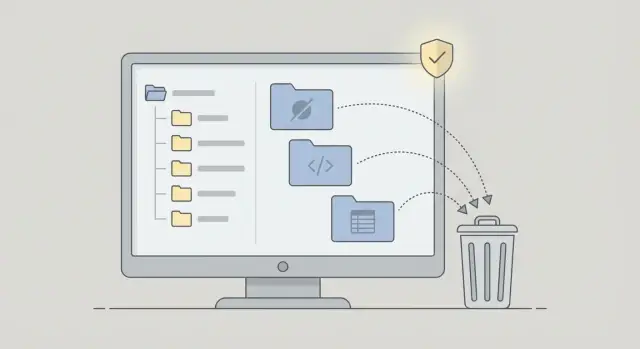
Hallucinated features are parts of a codebase that look like real product work, but they were never real requirements. In AI-generated repos they often appear as extra screens, routes, API endpoints, or database tables added because the tool guessed what a "complete app" should include.
In practice, this might be a polished Settings page no one can reach, an "admin" API that is never called, or a "subscriptions" table that nothing writes to. Everything compiles, but the feature isn’t connected to real user needs or working flows.
The cost isn’t just clutter. Every extra page, endpoint, and table increases your app’s surface area. That means more places for bugs, more ways to leak secrets, and more confusing paths for whoever maintains the project later.
Ghost features raise risk and cost because they:
- Add noise during debugging and hide the real issue.
- Expand security exposure through extra endpoints, half-finished auth checks, and unsafe defaults.
- Slow down changes because you’re afraid to break unknown dependencies.
- Mislead product decisions because the repo suggests capabilities you don’t actually have.
- Increase maintenance work (tests, migrations, refactors) for things nobody uses.
These features usually come from AI scaffolds that generate "standard" modules, copied template snippets, or prompt threads where a feature was started and never finished. Sometimes the idea was reasonable, it just never got wired into a real user journey.
The goal is simple: keep what supports real users and delete what doesn’t, without breaking critical flows. A common scenario is an AI-built MVP with three different login screens, two admin dashboards, and a billing schema that does nothing. Cleaning that up makes the app easier to secure and cheaper to change.
The three main types: dead pages, unused APIs, placeholder tables
When you remove hallucinated features, most of the risk clusters in three places. They sit quietly in the repo, but they add attack surface, confusion, and future maintenance work.
1) Dead pages (unreachable routes)
Dead pages are screens that exist in the router, but real users never reach them. They often show up as abandoned flows like "Team Settings", "Billing", or "Admin" that were generated early and then forgotten.
They still matter because curious users can discover them, and they can get shared, indexed, or opened directly. Even a half-finished page can leak internal data, throw noisy errors, or expose feature flags and environment hints.
2) Unused APIs (endpoints with no real callers)
Unused APIs are server routes that have no real frontend callers, or are only hit by a leftover test page or sample script. These endpoints are easy to deploy by accident, especially when everything lives under one generic API folder.
The danger isn’t just extra code. Unused endpoints often skip auth checks, accept overly broad input, or return more data than they should. That makes them a soft target.
3) Placeholder tables (fake structure in the database)
Placeholder tables look like progress, but they’re often empty shells: generic columns, no constraints, no indexes, and no real reads or writes in the app.
They also mislead future work. Someone sees the table and assumes the feature exists, then builds on top of it. That’s how "temporary" schemas turn into permanent debt.
Other common signals of hallucinated features include modules that are mostly TODOs, demo-only admin screens that bypass permissions, mock auth that accepts any email, and config files for services you don’t use.
Before you delete: decide what "safe" means for your app
Removing code is only safe if you agree on what must not change.
Start with key flows, not files. For most apps that’s signup, login, password reset, logout, and any money or data actions like checkout, creating a record, exporting, or inviting a teammate. If your team relies on an internal admin screen every day, include it.
Then be honest about who uses the app today. Paying users need the most caution. An internal demo used by two people can tolerate more change. If no one uses it yet, "safe" might simply mean: keep the demo working while cutting anything that increases risk.
A simple decision rule helps prevent long debates:
- Remove now: no users, no references, clear placeholder or risk.
- Archive: might return later, but should not ship or run in production.
- Keep but mark: used today, but needs an owner or a rewrite.
Your acceptance rule can be plain: "No behavior change in the key flows." Same buttons do the same thing, the same pages load, and the same data ends up in the same place. If behavior must change, you’re not deleting, you’re redesigning.
Before touching anything, set up rollback. Keep one known-good commit, confirm how to redeploy it, and decide who can approve a rollback if something breaks.
How to find dead pages and orphan routes
Dead pages are screens that exist in the repo but not in the product. Orphan routes are URLs that technically work, but nothing in the app points to them.
Start with what a user can actually click. Open every navigation menu, header, footer, sidebar, and profile dropdown, and list the destination URLs. Compare that to your route config (router files, pages folders, route arrays). Anything in routes but not reachable from navigation is a candidate.
Fast places to look:
- Routes that are never referenced by a menu component.
- Pages/components that only appear in comments, mock JSON, or seed data.
- "Temporary" paths like
/admin,/debug,/test,/demo,/old,/v2,/settings-2. - Routes gated by conditions that can’t happen (a flag that’s always false, a role that’s never assigned).
If you have analytics or server logs, use them as a reality check. A route with zero hits over weeks is a strong signal, especially if it’s not part of an admin workflow. Without logs, do a manual crawl: click main flows, then try a few likely URLs directly.
Example: an AI-built MVP might include /team/invite and /billing/upgrade because the prompt mentioned "SaaS". If those pages have no links, no tests, and no backend wiring, they’re usually safe to remove or quarantine.
How to find unused or risky API endpoints
AI-generated repos often ship with endpoints that sounded useful while prototyping but never became part of the product. Start by building an inventory, then prove what calls each endpoint.
First, list every endpoint from the backend (router files, controllers, serverless functions, and any api folders). Also scan config for rewrites that may expose handlers.
Then trace callers. Search the frontend for fetch or axios calls, check background jobs and queues, and look for webhook handlers hit by third parties. If you have logs, search for endpoint paths over the last 7 to 30 days. No traffic isn’t perfect proof, but it’s a strong hint.
Before deleting anything, flag risky endpoints. Common red flags include debug routes reachable in production, auth bypasses (hardcoded admin tokens, userId in query params), wide-open CORS on sensitive routes, missing validation, and endpoints that return secrets or detailed internal errors.
For each endpoint, choose one outcome: delete it, lock it down (remove public routing, restrict access), or keep it and fix it properly with auth, validation, and rate limits.
How to spot placeholder tables and fake database structure
AI-generated repos sometimes ship with a database that looks complete but is partly imaginary. Placeholder tables confuse developers, hide real bugs, and increase risk when "temporary" tables quietly start holding real user data.
Start by listing every table and column, then trace what actually touches it. A table is usually real if the app reads it, writes it, and it has clear relationships to core tables (users, orders, projects). If it only appears in a migration and nowhere else, treat it as suspicious.
Signs a table is probably a placeholder
A few reliable signals:
- Names like
sample_*,demo_*,temp_*,test_*,mock_*,staging_*,placeholder_*. - No foreign keys and no indexes, even though it should relate to other tables.
- Generic columns like
data JSON,value TEXT,meta TEXT,notes TEXTwith unclear meaning. - Fake-looking data (lorem ipsum, fake emails, fixed IDs like
user_id = 1). - Duplicates (two versions of "subscriptions", "payments", or "profiles").
Also inspect migrations for abandoned experiments: one migration creates a table, another creates a different version, and nothing cleans up the old one. If multiple tables represent the same concept, slow down and verify which schema the running app expects.
When you decide what to do, pick one path: drop it, merge it, or rebuild it properly. Dropping is safest only after you confirm there are no reads, no writes, and no reporting jobs using it.
Step-by-step: delete hallucinated features without breaking the app
Deleting the wrong thing can break login, permissions, or billing. Treat every suspect feature like a small change request, even when you’re sure it’s fake.
For each dead page, unused endpoint, or placeholder table, write down three things: what should happen after removal, how you’ll verify nothing important depended on it, and who can approve the decision.
A low-risk order of operations:
- Remove hidden pages and unused UI first.
- Remove unused API handlers next (plus helpers that only exist for that feature).
- Clean up the database last (migrations, ORM models, cron jobs).
After each removal, build the app, run tests if you have them, and click through the key flows. Re-scan auth boundaries too. It’s possible to remove code in a way that accidentally bypasses middleware or changes a permission check.
Common mistakes that cause breakage or security issues
Breakage often happens when a repo looks clean in the browser, but hidden parts still run in production. Think about what can be called without clicking anything: jobs, webhooks, cron tasks, and direct HTTP requests.
A common trap is deleting a page or button but leaving the API behind. The admin screen might be gone, yet the endpoint still accepts requests. If auth is weak, that endpoint becomes an easy target.
Another mistake is assuming an endpoint is unused because it isn’t linked in the UI. Background workers, scheduled tasks, and third-party integrations can still call it. Example: you delete /api/email/weekly-summary because it’s not on any page, but a nightly job still hits it, starts failing, and creates retries and noisy logs.
Database cleanup is where people lose data. Dropping "placeholder" tables without checking backups, migration order, and actual production usage can break deploys or wipe records that later got reused.
Before you delete anything, double-check:
- You removed access, not just UI (routes/controllers aren’t publicly reachable).
- You searched for job/worker usage and third-party calls.
- You validated backups and migration sequencing.
- You removed debug routes, test keys, and temporary admin logins from production.
Quick checklist before you remove anything
Before you delete code, confirm you’re not removing something that quietly holds a flow together.
Start with reachability. If a normal user can’t get to a page through normal clicks (not by typing a hidden URL), it’s a strong candidate. Still, confirm you’re not cutting a side path like onboarding, password reset, or admin setup.
Quick checks:
- Can a normal user reach it without special URLs, test accounts, or dev-only toggles?
- If it’s an API endpoint, is it protected (auth) and guarded (basic input checks, rate limits), or is it wide open?
- If it touches data, can you find a real code path that reads or writes that table in production?
- Will removing it change roles, permissions, invites, billing access, or onboarding steps?
- Did you remove secrets, sample keys, and test-only configs that came along for the ride?
Plan a fast rollback. Even careful deletions can break builds, migrations, or background jobs. Tag a release, keep commits clean, and make sure you can redeploy the previous version quickly.
Example: cleaning up an AI-built MVP with extra features
A founder ships an AI-built MVP. It works for the core flow (sign up, create a project, upload a file), but the repo also contains "Teams" and "Billing". Nobody asked for them, and nobody uses them, but they still add routes, endpoints, and tables that can break later.
The first step is to prove these are hallucinated, not just hidden. Look for evidence of real usage:
- No navigation links or buttons lead to the pages (only a direct URL works).
- No backend logs show calls to the related endpoints in real sessions.
- The frontend never calls the APIs.
- The database tables are empty or contain only seed data.
- The code is full of placeholder copy like "TODO", "Coming soon", or fake plan tiers.
Once you’re confident, remove the surface area in a safe order: UI first, API second, schema last. If you’re not ready to delete everything, keep a clearly labeled stub (for example, a harmless page that says "Billing isn’t available yet") and avoid leaving half-built endpoints or database writes.
The outcome is immediate: fewer moving parts, a smaller attack surface, faster code reviews, and a clearer roadmap for what the app actually does.
Next steps: keep the repo clean and reduce risk over time
Deleting hallucinated features is a win. Keeping them from coming back is the bigger payoff.
Keep a small cleanup backlog for anything you didn’t delete yet. Write down why it stayed ("might be used later", "needs a product decision", "blocked by missing tests") and add one clear next action. That stops temporary scaffolding from turning into permanent risk.
A few lightweight guardrails help:
- Fail CI on obvious placeholders (TODO routes, sample keys, demo data flags).
- Require every new page and endpoint to have a usage note or a test.
- Review unused routes/endpoints in staging on a schedule.
- Keep a short allowlist of real tables and migrations, and flag anything outside it.
If the repo is messy, don’t start by deleting files at random. Start by mapping what’s reachable in the UI, what’s reachable over the network, and what data is actually used. That map prevents the classic failure where you remove a "dead" feature that was quietly supporting auth, billing, or onboarding.
If you inherited an AI-generated prototype and want a structured teardown plan, FixMyMess (fixmymess.ai) focuses on diagnosing and repairing AI-built codebases, including identifying dead pages, risky endpoints, and placeholder schema before you cut anything.
FAQ
What exactly is a “hallucinated feature” in an AI-generated repo?
A hallucinated feature is code that looks intentional (pages, routes, endpoints, tables) but was never a real requirement. It hurts because it increases surface area, confuses debugging, and can ship insecure defaults that nobody is watching.
How do I tell if a feature is “dead” versus just hidden or unfinished?
Start with user reachability. If a normal user can’t get to it through the UI, and there’s no business reason it exists today, treat it as suspect and verify it isn’t part of onboarding, password reset, admin setup, or a paid flow.
Can unreachable pages still create security problems?
Yes. Unlinked routes can still be opened directly if someone guesses the URL or finds it in shared history. Even a half-built page can leak data in error messages, expose internal flags, or trigger backend calls you didn’t expect.
What’s the fastest way to find unused API endpoints?
Inventory your endpoints, then prove who calls each one by searching the frontend, jobs, webhooks, and logs. If nothing calls it and it has weak auth or validation, the safest move is to delete it or remove public exposure before you do deeper refactors.
Is it safe to delete an endpoint if the frontend never calls it?
Not necessarily. Some endpoints are only used by background workers, scheduled jobs, webhooks, or integrations, so they won’t show up in UI searches. Confirm there’s no traffic in logs and no job or webhook references before you remove it.
How do I recognize a placeholder database table?
A placeholder table usually appears in migrations but isn’t read or written by real app code. It often has vague columns, no constraints, no indexes, and no clear relationship to core tables like users or projects, which makes it misleading and risky to keep around.
What’s a safe order for removing hallucinated features without breaking the app?
Define “safe” as “no behavior change in key flows” and list those flows before you touch anything, especially login, password reset, and any payment or data-changing actions. Then remove in a low-risk order: UI first, API second, database last, verifying key flows after each step.
What should I do before deleting anything to avoid a painful rollback?
Rollbacks. Keep one known-good commit or release you can redeploy quickly, and confirm who has permission to do it. Also watch for deploy-time failures like migrations or jobs that still reference the deleted code, because those can break production even if the UI looks fine.
What are the most common mistakes people make when cleaning up ghost features?
Leaving the UI gone but the API still reachable is a common one, because attackers don’t need your UI to call an endpoint. Another is dropping “unused” tables without checking production data, backups, and migration order, which can cause data loss or failed deploys.
When should I ask for help instead of trying to clean it up myself?
When the repo is too messy to trust your own reachability and usage checks, or when the suspicious code touches auth, permissions, payments, or production data. Teams like FixMyMess can do a quick audit to identify dead pages, risky endpoints, and fake schema, then help you remove or lock them down without breaking core flows.