Request size limits: harden body parsing to prevent DoS
Set request size limits and safer body parsing rules to prevent memory spikes, slowdowns, and denial-of-service from oversized or malformed requests.
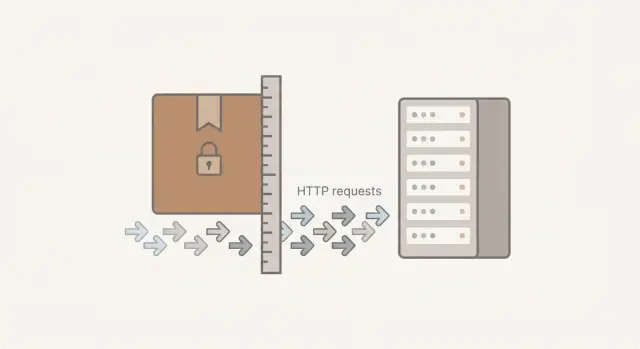
Why oversized requests become a real problem
Oversized requests often look harmless until they take an app down. A single big upload, a huge JSON blob, or a request stuck in a retry loop can chew through memory and CPU, slow everyone else, and sometimes crash the server.
A few plain terms help:
- Payload: the data a client sends.
- Body: where that data usually lives inside an HTTP request (for example, JSON or a file).
- Parser: the code (or library) that reads the body and turns it into something your app can use, like an object, a string, or a saved file.
The risk isn’t only “hackers.” Many incidents are accidental: a mobile bug that sends a 50 MB request, a frontend that base64-encodes an image into JSON, or an integration that keeps appending fields until the body becomes massive. The result can look like a denial-of-service even when nobody meant harm.
Of course, the same weakness is easy to abuse on purpose. If your server accepts unlimited bodies, an attacker can send very large requests (or many medium ones) and force expensive parsing work. That can starve your app of memory, fill disks, and block legitimate traffic.
Request size limits matter, but they aren’t “set it and forget it.” Limits that are too low break real users (especially with uploads). Limits that are too high still allow memory spikes. The goal is a safe default, with clear exceptions for the few endpoints that truly need larger bodies.
What can go wrong when you accept large payloads
Accepting “whatever the client sends” is a fast way to turn one endpoint into an outage. Without request size limits, a single oversized POST can push your app into high memory use, long response times, and cascading failures.
The first hit is often memory. Many frameworks buffer the whole body before your handler runs. A large JSON payload or multipart upload can also get copied more than once during buffering, decoding, and validation. That multiplies the memory cost, and it doesn’t take many concurrent requests to exhaust a container or VM.
CPU is the next problem. Parsing huge JSON is expensive, and deeply nested objects can make it worse. Even when the payload is “valid,” the server can spend seconds just turning bytes into objects, leaving less CPU for real work. Some parsers do extra work on large inputs (coercion, validation), which increases cost per request.
Oversized bodies also tie up workers. A slow upload keeps a connection open, holding a worker thread or event loop attention and pushing other users into timeouts. Under load, retries stack up and amplify the damage.
Uploads can quietly hurt your disk, too. If temporary files land in the wrong place (or never get cleaned up), a burst of large requests can fill the disk and crash unrelated parts of the app.
Teams often underestimate the “secondary” costs: bandwidth spikes and cloud bills (especially when clients retry), slower background queues due to CPU and memory pressure, noisy logs, and blind spots because some errors happen before app code runs. Another common issue is doing authentication checks after the body is already parsed, which makes it cheaper to abuse.
A realistic scenario: a signup endpoint accepts JSON with a “profile” field. One buggy client sends a 50 MB blob. The server buffers it, parses it, and stalls. Add a few more in parallel and the service becomes unresponsive.
Where to enforce limits so they actually work
The most reliable request size limits are enforced in more than one place. If you only set a limit inside your app, the server might still spend time and memory reading a giant body before your code rejects it. If you only set a limit at the edge, you still may want tighter controls for specific endpoints.
1) Edge layer: stop oversized requests before they hit your app
Your first guardrail should be the layer that receives traffic first, like a CDN, load balancer, reverse proxy, or API gateway. This is where you can reject oversized bodies early, return an HTTP 413, and avoid tying up app workers. It also helps with slow, oversized uploads that aim to keep connections open.
Keep the edge limit strict for general traffic. If you need larger uploads, handle them through a separate path or service rather than raising the limit for everything.
2) App layer: add endpoint-specific limits and safer defaults
Inside the app, enforce limits again so each endpoint has the right ceiling. A login endpoint should accept a small JSON body. A profile photo endpoint might accept more.
A practical pattern is a small global max body size for most API routes, with per-route caps for exceptions. Public endpoints should be stricter than authenticated ones. Reject early when possible (checking Content-Length when present), and use timeouts for reading the body, not just for processing.
Uploads deserve special handling. Treat file uploads as a different flow than normal JSON APIs, because uploads can trigger big memory spikes if a parser buffers everything. Prefer streaming or chunked handling, write to disk or object storage, and validate file type and size before expensive work.
How to choose safe payload limits without breaking users
Start by listing every endpoint that accepts a request body. Limits are only safe when they match real usage. The quickest way to get there is to inventory what you actually accept, not what you assume you accept.
Group endpoints by what they’re meant to receive. JSON APIs usually need the smallest caps. Form posts often sit in the middle. File uploads need larger limits. Webhooks can surprise you with occasional big bursts.
A practical starting point is to set tight defaults and raise limits only where there’s a clear reason. For example:
- JSON API endpoints: 16 KB to 256 KB
- Form posts (no files): 64 KB to 512 KB
- File uploads: 5 MB to 25 MB (only on specific routes)
- Webhooks: 256 KB to 2 MB (based on provider docs and logs)
Those numbers aren’t universal, but the pattern matters: most routes should be small, and only a few should be allowed to be big.
When you pick a cap, remember you’re limiting more than “user data.” Headers, cookies, and multipart boundaries add overhead. Base64 also bloats content by roughly a third. A 2 MB image shoved into JSON can arrive closer to 2.7 MB before your app even starts processing it.
Plan exceptions explicitly. If one endpoint truly needs 25 MB, give only that endpoint 25 MB and keep the default low, rather than setting the whole app to “unlimited.” Write down who uses the exception, what they send, and what a reasonable upper bound looks like.
A common smell is a single generic endpoint (like “/api/save”) that accepts anything. Splitting that into a small JSON endpoint and a separate upload endpoint often stops sudden memory spikes without breaking normal users.
Body parsing rules that reduce memory and CPU spikes
The fastest way to trigger memory and CPU spikes is to let your app guess what a request body contains, then parse it automatically. Hardening body parsing means being strict: only accept what you expect, and only parse it when you truly need it.
Start with an allowlist of Content-Types per endpoint. If an endpoint is meant to receive JSON, accept only application/json (and the exact variants you support). If Content-Type is missing or unknown on a body endpoint, reject it early. This avoids accidental parsing of huge text payloads, odd encodings, or inputs that make your parser work too hard.
Put guardrails on JSON parsing
If your framework supports it, cap JSON complexity, not just size. A small request can still be expensive if it’s deeply nested or has thousands of keys.
Good defaults to consider:
- Max JSON depth (example: 20 to 50 levels)
- Max field count (example: 1,000 to 10,000 keys)
- Max string length for individual fields (example: 10 KB to 100 KB)
- Strict UTF-8 handling (reject invalid sequences)
- Fail fast on duplicate keys (if supported)
Next, disable automatic parsing on routes that don’t need it. Many apps parse JSON globally for every request, including health checks, webhook verification endpoints, and simple GET routes. That’s wasted work and an easy target.
For uploads, prefer streaming (process in chunks) instead of reading the full file into memory before writing it to disk or object storage. Combine streaming with size limits so a single request can’t fill RAM.
Example: a signup endpoint expects a tiny JSON body. If the server accepts any Content-Type and parses automatically, an attacker can send a multi-megabyte payload with a tricky structure that pegs CPU. Tight Content-Type rules plus depth and field caps turn that into a quick rejection instead of an outage.
Step by step: add request limits and parsing hardening
Most outages from oversized requests hit endpoints that are easy to reach: public forms, unauthenticated APIs, and webhooks. Start by listing every route that accepts a body, then mark which ones are public, which are called by third parties, and which accept files.
A practical checklist
Begin at the edge (load balancer, reverse proxy, CDN, or API gateway). Edge controls are your first line of defense because they block the request before your app spends memory parsing it.
- Identify high-risk endpoints (public, unauthenticated, webhooks, uploads).
- Set edge caps: maximum body size, maximum header size, and a short read timeout.
- Add per-path exceptions only when you can justify them (for example, an upload route).
- Ensure the edge returns HTTP 413 for bodies that exceed the limit.
- Confirm the limit is actually enforced (some stacks buffer before rejecting).
Then lock it down inside the app. App-side limits protect you when traffic bypasses the edge (internal calls, misconfigurations) and let you be more specific than a single global cap.
- Apply request size limits per route and per content type (JSON vs multipart upload).
- Set parser defaults: max JSON size, max nesting depth, and strict parsing (reject invalid JSON; reject duplicate keys if supported).
- Avoid parsing into memory when you can: stream uploads and validate type and size early.
- Test normal and intentionally oversized requests, including compressed bodies if you accept them.
- Watch logs for 413s and read timeouts for a week, then adjust only for proven needs.
A common real-world case: a webhook endpoint accepts JSON without a cap. One oversized payload can spike memory and restart the service. A small per-route JSON limit on the webhook (while allowing larger limits only on authenticated upload routes) prevents the spike without breaking normal traffic.
Failure handling that is secure and user-friendly
Once you enforce request size limits, the next question is what the client sees when they cross the line. Good failure handling stops the attack (or accident) early, but still tells a real user how to fix the request.
Use status codes that match the problem. A payload that’s too big should return 413 Payload Too Large. A body you don’t accept (for example, sending XML to a JSON-only endpoint) should return 415 Unsupported Media Type. If the request is malformed, 400 Bad Request is usually enough. Matching the error helps clients avoid blind retries.
Keep error messages short and practical. Say what to change: “File too large. Max 10 MB.” or “Only application/json is supported.” Don’t echo request bodies, headers, or user input back in the response. That reduces the chance of leaking secrets.
For logging, you want enough context to debug without storing the rejected payload. A good middle ground is to log the endpoint and method, status code (413, 415), observed Content-Length (if provided) and the configured limit, Content-Type, plus a request ID and user/account ID (if known).
Decide where to fail fast per endpoint. For public upload endpoints and authentication routes, failing at the edge saves your app from doing any work. For endpoints where limits depend on route-specific rules, the app may need to decide, but it should still reject before parsing the full body.
Common mistakes that lead to outages or easy DoS
Most outages from oversized requests aren’t caused by “no limits at all.” They happen when limits exist but are uneven, bypassed, or applied too late to protect memory.
One common pattern is setting a single global cap and assuming you’re done. Then an upload route, a webhook endpoint, or a reverse proxy exception quietly allows much larger bodies. Attackers don’t need to hit your main API. They only need one weak endpoint.
Mistakes that show up repeatedly:
- Limiting JSON bodies but forgetting file uploads and webhooks (or setting a separate tier to “unlimited”).
- Raising limits “just for today” to unblock a client, then never rolling them back.
- Parsing the body first and checking size after. By the time you reject it, you’ve already paid the memory and CPU cost.
- Accepting any Content-Type and letting libraries guess how to parse it, which can trigger slow parsing paths or unexpected decompression.
- Allowing base64 files inside JSON without strict caps, so a “10 MB file” balloons in transit and in memory.
Another easy foot-gun is blocking real users because limits were never tested. Mobile clients can send larger headers. Partner webhooks can include verbose metadata. If you guess a number and ship it, you’ll learn about it during a busy hour.
A better approach is to test limits with your real clients before enforcing them hard. Collect a few representative payloads (small, typical, worst-case), set limits with some buffer, and keep error messages clear.
Quick checks you can do in 15 minutes
You don’t need a full security project to reduce risk fast. A quick pass over request limits and parsing settings can prevent sudden memory spikes and easy denial-of-service attempts.
The 15-minute setup check
Start at the edge (load balancer, CDN, reverse proxy, or API gateway). If it accepts huge bodies, your app might never get a chance to protect itself. Then move inward to your app routes.
- Confirm there’s a hard body size cap at the edge and that it’s actually enforced (try a request that exceeds it).
- Pick 3 to 5 endpoints that accept bodies and write down their intended max sizes.
- Add a simple Content-Type allowlist for body endpoints.
- Check your JSON parser settings for a max size limit, and cap depth or complexity if your framework supports it.
- For file uploads, avoid buffering the whole file in memory. Use streaming or a dedicated upload flow.
The 5-minute failure test
Make sure the app fails safely and predictably. You want a clear, consistent response that’s visible in logs and monitoring.
Test these responses end to end:
- HTTP 413 when the payload is too large (and the connection is closed cleanly).
- HTTP 415 when the Content-Type isn’t allowed.
- Timeouts that cut off slow, never-ending uploads.
- One noisy IP can’t trigger repeated expensive parsing.
Example: stopping a real-world memory spike from one endpoint
A public signup endpoint looked fine in testing, then started timing out during a traffic spike. CPU climbed, memory jumped, and the app restarted every few minutes. It looked like “too many users,” but the logs showed something else: a small number of requests were taking far longer than the rest.
The hidden cause was payload shape, not just payload count. Attackers (and a few buggy clients) were sending oversized JSON bodies and deeply nested objects. Even when the request was eventually rejected by validation, the server had already spent time and memory reading and parsing it. A handful of these requests could push the process into garbage collection thrash and then OOM.
The fix was simple: request size limits and stricter parsing rules, applied before application logic.
What changed
We tightened the signup endpoint to accept only what signup actually needs:
- A small maximum body size for JSON requests
- A maximum nesting depth for JSON objects
- A strict Content-Type check (only JSON)
- Short timeouts for reading the request body
- Clear HTTP 413 responses with a short error message
After this, the same traffic spike caused no restarts. Memory stayed flat because giant bodies never reached the JSON parser, and deeply nested payloads were rejected quickly. Logs got cleaner too: instead of long stack traces, there were short, consistent entries like “Payload too large” or “JSON too deep.”
For real users, almost nothing changed. Normal signups still worked. The only visible difference was that broken clients got a clear, fast error instead of a spinning request and a generic timeout.
Next steps and when to get help
Before you change anything, get a quick snapshot of what you’re protecting. This helps you avoid breaking real users while still closing the easiest DoS paths.
Collect:
- A list of endpoints that accept request bodies (JSON, forms, uploads)
- Your current request size limits (per endpoint and at the proxy/app server)
- Recent error logs for 413s, timeouts, memory spikes, and slow requests
- Notes on who uses each endpoint and typical payload sizes
- Any background jobs that post large payloads internally
From there, roll changes out in the safest order: public routes first, then webhook receivers, then any endpoint that parses untrusted JSON. Keep limits tight on those routes, and loosen only when you have a clear user need and a safe parsing path.
After deployment, keep limits from drifting upward over time. Save a few representative requests (one normal, one near the limit, one clearly oversized) and run them after each release to confirm fast rejection, correct HTTP 413 handling, and stable memory and CPU.
If you inherited an AI-generated codebase, it’s worth doing a focused audit for risky defaults like unlimited body parsers, upload endpoints without caps, and weak input checks. FixMyMess (fixmymess.ai) specializes in diagnosing and repairing AI-generated applications, including tightening request limits, fixing parsing paths that buffer in memory, and hardening related security issues. They also offer a free code audit to identify problems before you commit to changes.
FAQ
Why do oversized requests cause outages so easily?
A safe default is to set a small global cap for most JSON endpoints, then allow larger limits only on the few routes that truly need it (like uploads). This prevents one accidental or abusive request from consuming enough memory and CPU to slow down or crash the server.
How do I pick a request size limit that won’t break real users?
Start by checking what your clients actually send, then choose a cap that covers normal and “worst normal” usage with a small buffer. Keep most JSON routes tight, and treat uploads and webhooks as special cases with their own limits so you don’t raise the ceiling for the entire app.
Do I really need limits both at the edge and inside the app?
Because the earlier you reject, the cheaper it is. Edge limits can stop a huge body before it ties up app workers, memory buffers, and parser CPU, while app limits let you enforce route-specific rules and protect internal traffic that might bypass the edge.
What should my API return when the payload is too big?
Return 413 Payload Too Large when the body exceeds the limit, and keep the message short and actionable, like “Payload too large. Max 256 KB.” Avoid echoing any request content back to the client so you don’t accidentally leak secrets.
Why is checking size after parsing a common mistake?
Because the cost often happens before your handler runs. Many stacks buffer and parse the full body first, so a “reject later” approach still burns memory and CPU and can trigger timeouts or restarts under concurrency.
How strict should I be about Content-Type on body endpoints?
Allowlist the exact Content-Type values you expect per endpoint, and reject missing or unexpected types early. This prevents the server from guessing how to parse odd inputs and reduces the chance of expensive parsing paths being triggered by accident or abuse.
What JSON parsing limits help prevent CPU spikes?
Size alone isn’t always enough because a small-but-deep payload can still be expensive to parse. If your framework supports it, add caps on JSON depth, total field count, and maximum string length so you fail fast on inputs that are designed to waste CPU.
Why is base64 in JSON a bad idea for uploads?
Base64 inflates data and often forces the server to hold large strings in memory during parsing and validation. A better default is a dedicated upload flow that streams the file and enforces file size limits, rather than embedding files inside JSON.
What should I log when rejecting oversized requests?
Log the endpoint, status code, configured limit, observed Content-Length (when present), Content-Type, and a request ID, but not the body. This gives you enough to debug and tune limits without storing large payloads or sensitive user data.
When should I ask for help hardening request limits and parsers?
If you inherited an AI-generated codebase, request limits and parsers are often left at unsafe defaults or applied inconsistently across routes. FixMyMess can run a free audit to find risky body parsing, missing caps, and upload issues, then ship verified fixes quickly—often within 48–72 hours—so your app stops falling over from oversized requests.