Run-once backfill tool guardrails for safe internal scripts
Run-once backfill tool guardrails to keep data safe: tight access control, dry-run previews, progress logs, and protections against repeat runs.
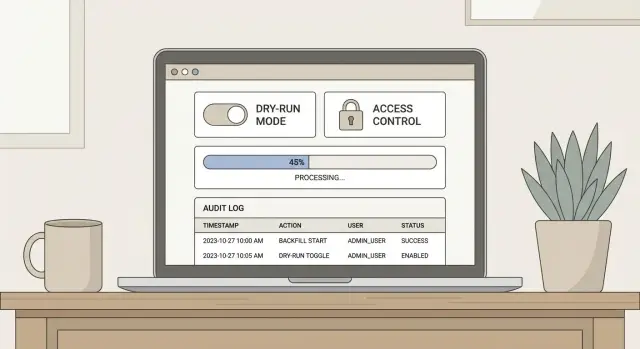
Why backfill scripts need guardrails
A backfill is a one-time job that updates existing records so they match a new rule. Maybe you added a new column and need to populate it. Maybe you’re repairing bad rows from a buggy release. Or you’re reshaping data after a migration.
Even when the logic is simple, the risk is not. Backfills touch real production data, often at high speed. One wrong WHERE clause can update millions of rows. A loop that assumes “one user = one record” can create duplicates. A script that runs at noon can overload the database and take your app down.
Internal scripts still need safety rules because they usually bypass normal protections like code review, tests, gradual rollout, and monitoring. And unlike a web request, a backfill keeps going until it finishes or crashes.
Common triggers include:
- Adding a new field (like
statusornormalized_email) and filling it for existing users - Correcting data created by automation (including AI-generated prototypes that wrote inconsistent rows)
- Recomputing derived values after a bug or logic change
“Run-once” doesn’t mean “someone promises to run it once.” It means the tool prevents accidental reruns, shows what it will change before it changes anything, and leaves evidence of what happened. Guardrails turn a risky script into a controlled operation you can explain, repeat safely if needed, and audit later.
Scope it like a small production change
Treat a run-once backfill like a small production release. If you keep it vague, it will grow into a risky script that touches more data than you meant.
Start with a one-sentence goal that’s specific enough to argue with. Name what will change, which records qualify, and what will not be touched. “Update all users” is not a scope. “Set email_verified=true for users created before 2025-01-01 who already have a verified token, and leave everyone else unchanged” is a scope.
Decide up front how you’ll prove it worked. Success should be measurable, not a feeling after the script finishes. Combine totals with a few spot checks so you catch logic mistakes early.
A simple success plan usually includes expected counts, a few example IDs to inspect before and after, and at least one sanity check (for example, no nulls introduced and no duplicates created). If the change is reversible, write down how you’d reverse it. If it’s not easily reversible, treat that as a higher-risk run and tighten the guardrails.
Pick the safest time window and rollout approach. If the change can impact logins, billing, or permissions, avoid peak traffic. If possible, run a small batch first, verify results, then continue.
Finally, be explicit about who can run it and who must review it. “Anyone on the team” is how accidental production writes happen. A good baseline is: one person prepares and explains the plan, a second person reviews the query and scope, and only a small set of trusted accounts can execute it.
If you inherited an AI-generated prototype (for example from Cursor, v0, or Replit), assume there are edge cases in the data model and auth paths. That makes tight scope and real review even more important.
Access control and approvals that actually work
A run-once backfill tool is dangerous mostly because it’s fast. One person can change a lot of data before anyone notices. The safest pattern is to separate who can run it, who can approve it, and who can inspect what happened.
Start with least privilege. Treat the backfill as its own “mini system” with a tight permission set. For many teams, three roles are enough:
- Runner: can execute the job only with approved parameters
- Approver: can review the plan and unlock a single run
- Observer: can view logs and results, but cannot execute
For higher-risk runs (payments, auth, PII, deletes), add a clear break-glass step. Make it annoying on purpose: a second approval, a time-limited token, and an explicit reason that gets saved. This stops “I’ll just run it quickly” accidents at 2 a.m.
Also protect against the most common real-world failure: running on the wrong environment. Add hard checks before any write happens. Verify the database host, environment name, and a known canary value (for example, a production-only setting) and refuse to continue if anything doesn’t match. If you support multiple tenants, require an explicit tenant allowlist.
Store an immutable audit trail so you can answer “who ran what, when, and why” in seconds. Record the operator identity, code version, parameters, row counts, start/end time, and the approvals used.
Dry-run mode: make changes visible before they happen
A dry-run is the cheapest way to catch “oh no” mistakes before they touch production. For a run-once backfill tool, treat dry-run as a first-class feature, not a nice-to-have.
Dry-run output should answer four questions quickly:
- How many rows will change
- What will change (with examples)
- Roughly how long it will take
- Whether it will do nothing
That last one matters. If your filters are wrong, you want the tool to say “0 updates” loudly before you spend an hour watching logs.
Make dry-run the default. Require an explicit flag (for example, --execute) to actually write changes. That one choice prevents the classic “I tested it and forgot to remove the real credentials” incident.
A good dry-run report doesn’t need to be long. It should show totals (scanned, matched, will change) and a small sample of before/after values for a few IDs, with the exact field diffs. If the tool generates SQL or builds complex joins, printing the final SQL and parameters often reveals missing filters, the wrong table, or a timezone bug.
Example: you plan to backfill user.status = 'active' for accounts that verified email. Dry-run should show “Matched: 12,430; Will change: 12,429” and highlight the one record that wouldn’t change because it’s already active. That single number is a sanity check.
Progress logs and run observability
A run-once backfill is safest when you can answer, in seconds: what it’s doing right now, what it changed, and what you should do if it stops. Terminal output alone isn’t enough. Treat the run like a small production job with a paper trail.
Start with structured logs that are easy to search. Every log line should include a run ID, a timestamp, and the launch parameters (environment, dry-run flag, batch size, scope filters). That way, when someone asks “did we touch customer X?”, you can prove it.
Log a few events consistently: start (who, what version, what parameters), batch progress (scanned, updated, skipped, errors), any throttling/backoff, and finish (totals, duration, success or failure). If a safety check stops the run, log that clearly as a “stop reason,” not a generic error.
Progress should be visible while the script runs, not only after. A single line every N records is fine, but include numbers people can act on: batches processed, current rate, rough ETA, and error counts.
Write progress somewhere durable in case the terminal dies. Common options are a database table (one row per run plus per-batch checkpoints) or a log file shipped to your normal log system. The durable record should include the last completed checkpoint so you can decide whether to resume or stop.
Finally, add alerting hooks for the outcomes that matter: failed runs, partial completion, and stuck runs (no progress for a set time). If a batch keeps retrying for 10 minutes, alert so someone can pause the job before it causes extra load or half-applied changes.
Preventing repeat runs (and double-processing)
A run-once backfill tool should assume someone will click “run” twice. That might be you five minutes later after a timeout. Or another teammate who didn’t see your message. Your job is to make the second attempt harmless.
Start with idempotency when you can. If the backfill sets a field to a calculated value, write it so rerunning produces the same final state. If the backfill creates rows, prefer an upsert keyed by a stable identifier, not a blind insert. If you can’t make it fully idempotent, make “already processed” easy to detect and skip.
A run ledger is the next guardrail. Create a small table that records each run, including a run signature (inputs + code version + target scope). Before doing any work, check the ledger and hard-stop if that signature already completed successfully.
For the lock, use something distributed (a database row lock, advisory lock, or a single “lock row” in the ledger). The rule is simple: if a run is already “running” for that lock key, exit.
Concrete example: you’re backfilling status=active for accounts with paid invoices. The signature includes the cutoff date and the filter. If someone reruns it with the same signature, the tool refuses. If they rerun with a new cutoff date, the tool allows it, and the idempotent update keeps prior accounts unchanged.
Design for partial failures and safe retries
Assume your backfill will fail halfway through. Networks hiccup, rows contain surprises, and the main app is still serving traffic. The goal isn’t “never fail.” It’s “fail without making a mess.”
Start with batching that has a clear order and a checkpoint. Pick a stable ordering (often by primary key or created time), then record what you’ve completed after each batch. Keep batches small enough that a single batch finishes quickly, so you don’t hold locks for long or create huge rollbacks. If you need to resume, the checkpoint should tell you where to continue without guessing.
Retries need a policy. Temporary problems (timeouts, brief overload) can retry. Rate limits should retry with backoff. Validation errors and schema mismatches should not retry. Permission errors should pause and alert. Anything that suggests you might be writing wrong data should fail fast.
Protect the main app with backpressure. Add a simple rate limit (rows per second) and reduce it automatically when the database slows down. If the app’s latency or error rate rises, the backfill should back off or stop. A backfill is never worth an outage.
Prefer safe write patterns: short transactions per batch, “update only if not already updated” checks, and upserts where appropriate. Avoid long-running transactions that lock big tables. Avoid full-table scans when a targeted query will do.
Step-by-step: a safe run-once backfill tool blueprint
A run-once backfill tool should feel boring to operate. The goal is to make the safe path the easiest one, and make risky actions noisy and hard.
-
Nail the contract before writing code. Write down the exact inputs (date range, tenant IDs, status filters), the records you expect to touch, and what “done” means. Add a preflight that prints counts and fails fast if the filter is too wide.
-
Build dry-run first, then gate execution. Dry-run should do everything except writes: load candidates, apply rules, and show a summary of planned changes. Put real execution behind an explicit flag like
--executeso forgetting a flag is safe. -
Create a run ID, lock, and run ledger. Generate a unique run ID and store who started it, when, parameters, and a status (started, completed, failed). Take a lock so two people can’t run the same job at once.
-
Add progress logs, checkpoints, and resume. Log how many items were scanned, updated, skipped, and errored every N records. Save checkpoints (like “last processed ID”) so you can resume after a crash.
-
Prove it in staging, then canary in production. Run against staging data first. In production, start with a small batch size (for example, 50 rows) and verify the result with a simple query or report before you process everything.
Concrete example: if you’re backfilling a missing created_by field, dry-run should show how many rows would change per tenant, and execution should write only those rows while recording the run ID in the ledger.
Example: fixing a production data mistake without panic
A team ships an AI-generated prototype to production. A week later they notice something scary: many users were saved with the wrong role. Some admins became “member,” and some members became “admin.” Nobody wants to “just run a script” and hope.
They build a run-once backfill tool that can prove what it will change before it changes anything. First, dry-run reads the current roles, computes the correct roles from the source of truth, and prints a clear summary: how many users will change, a few before/after examples (with user IDs, not emails), and a breakdown of what’s moving where.
After review, execution runs in small batches (say 500 users at a time). Each batch writes progress logs: batch number, start time, number changed, and any errors. It also writes a run ledger entry with a unique run ID, who triggered it, and the exact code version used. That ledger prevents someone from running it twice by accident.
When the run finishes, they verify instead of guessing: counts match the dry-run summary, a handful of users across roles look correct, admin-only screens still require admin, and permission errors didn’t spike.
It’s a lot of care, but it’s cheaper than a rollback.
Common mistakes that cause avoidable incidents
Most backfill incidents aren’t caused by “hard” bugs. They happen because a script that should behave like a small production change is treated like a quick one-off.
One common failure is running against production without safeguards. Someone points the script at prod “just this once,” but there’s no environment check, no confirmation step, and no permission boundary. A safe run-once backfill tool should make it hard to target production by accident, and easy to prove who ran it and why.
Dry-run mistakes are just as risky. A dry-run that uses different queries, different filters, or skips validation creates false confidence. Then the real run touches more rows than expected. Dry-run should execute the same selection and logic as the real run, with the write step replaced by preview output.
Repeat runs cause quiet damage. Two people can run the same script at the same time, or one person reruns it after a timeout. Without a lock or an idempotency marker, you get double-processing: duplicated records, overwritten values, or broken counters.
Logging is another blind spot. Console-only logs disappear when a terminal closes. After an incident, you have no timeline, no counts, and no record of parameters.
The patterns behind most avoidable incidents are simple:
- No hard environment checks (prod looks like staging)
- Dry-run doesn’t match execution
- No lock or run ledger, so it can run twice
- Logs aren’t saved anywhere durable
- No batching or checkpoints, so failures force full restarts
Example: a founder backfills “missing” customer IDs and runs it as one giant update. It times out halfway, then they rerun it. Now half the rows were changed twice, and the team can’t tell which ones.
Quick checklist before you press “run”
Before you start, pause for a quick, boring check. Most backfill incidents happen because someone trusted the terminal prompt, skipped a dry-run, or forgot the script can be run twice.
- Confirm the environment two ways: what you think it is (config/CLI) and what the tool verifies (it should refuse to run unless it sees the expected host or project ID).
- Review the dry-run output and save the summary somewhere you can reference later. If dry-run says 10,000 rows and you expected 1,000, stop.
- Make sure approvals are recorded (who approved and when), and locking/run-ledger checks are enabled for this exact signature.
- Confirm you can see progress counters moving (processed, updated, skipped, failed) and that someone is watching the run.
After it finishes, don’t call it done until you run your post-run validation checks (counts reconcile, samples look correct, and errors are zero or understood).
Next steps: make it repeatable, then get a second set of eyes
A run-once backfill tool is “one-time” only in execution, not in how carefully it’s built. Treat the first run as a rehearsal for the next incident: make the process repeatable, documented, and easy for someone else to review.
Know when to stop and ask for help. If you discover unknown schema edge cases, confusing data quality (nulls, duplicates, mismatched IDs), or anything involving auth and permissions, pause. Those are the moments where a quick second opinion prevents a bad assumption from turning into irreversible writes.
Keep documentation short and audit-friendly: what data was targeted, what filters were used, which environment ran it, who approved it, and what you checked before and after. Include the script version and a copy of the dry-run summary.
If you’re dealing with an inherited AI-generated codebase and you’re not confident the backfill is safe, FixMyMess (fixmymess.ai) does codebase diagnosis and hardening for issues like unsafe queries, repeat-run risk, and security gaps before you touch production data.
FAQ
What exactly is a backfill, and why is it risky?
A backfill changes existing production records to match a new rule, like populating a new column or correcting bad rows. It’s risky because it can touch huge amounts of data quickly, often outside normal protections like gradual rollout and request-level monitoring.
How do I scope a run-once backfill so it doesn’t grow out of control?
Write a one-sentence scope that says what will change, which records qualify, and what must not change. If you can’t describe it that clearly, the script is too open-ended and likely to affect more data than you expect.
What’s the simplest way to prove the backfill worked?
Start with expected counts from a dry-run, then verify a small set of specific IDs before and after. Add at least one sanity check that catches obvious mistakes, like “no new nulls,” “no duplicates,” or “no unexpected role changes.”
What should a good dry-run mode include?
Make dry-run the default and require an explicit execution flag to write changes. Dry-run should use the same selection and business logic as the real run, then show counts and a few before/after examples so you can spot bad filters early.
Who should be allowed to run a backfill in production?
Use least privilege and split roles so one person can’t quietly change production data alone. A practical baseline is a runner who can execute with approved parameters, an approver who unlocks a single run, and an observer who can only view logs and results.
How do we prevent running the script on the wrong environment?
Add hard environment checks before any write happens, like verifying the database host and a production-only canary value. If anything doesn’t match, the tool should refuse to run, even if the operator insists.
How do we stop accidental reruns or double-processing?
Make the backfill idempotent when possible so a second run produces the same final state instead of duplicating or overwriting incorrectly. Then add a run ledger with a signature of parameters and code version, and hard-stop if that exact signature already completed.
How should a backfill handle partial failures and safe retries?
Process in small batches with a stable order and write a checkpoint after each batch so you can resume safely. Retry only for temporary failures, and fail fast for anything that suggests wrong data, like schema mismatches or validation errors.
What logs and observability do we need during a backfill?
Log with a run ID and include parameters, progress counts, and a clear stop reason when it halts. Save progress somewhere durable so you can answer “who ran what, what changed, and where did it stop” even if the terminal output is gone.
What if this backfill is fixing data from an AI-generated prototype?
Treat AI-generated codebases as higher risk because data models and auth paths often have edge cases that only show up in production. If you’re not confident, get a second set of eyes; FixMyMess can audit the code and data flow, then help fix or rebuild the backfill safely within 48–72 hours, starting with a free code audit.